HCSS is a construction software suite. It includes functionality for bidding, time card and project management, safety, planning, scheduling, equipment management, and data warehousing and reporting. Each module can be purchased separately. The suite can be hosted in the cloud.
N/A
Zoho Projects
Score8 out of 10
N/A
Zoho Project is online project management and planning software that provides project teams with a web-based collaborative environment. Zoho Projects can also include a bug tracking module specifically design to support software development project. It is integrated with other Zoho products including Zoho CRM.
Our operation uses several pieces of what we call specialty equipment (not used every day on every job). The foreman when finished will give a location of where this equipment is left, this many times can be very vague and lead to a lowboy driver trying to block around to find the piece or driving down a street he cannot get turned around in. With the GPS devices, the driver can pinpoint exactly where the unit is and if he has room to turn around at that location.
A de minimis incentive was given to thank the reviewer for their time. The incentive was not used to bias or drive a particular response, nor was the incentive contingent on a positive endorsement. More Info
My work involves projects of 5-15 people with numerous projects running simultaneously. Prior to Zoho, I did not have a central location from which to view all project statuses at once. Zoho looks to provide this and also looks like it will deliver. I am anxious to see how our organization's use of it develops. At this time, I feel I am likely to recommend Zoho Projects because my organization has made great software decisions in the past so I have a level of trust already that the research has been done that Zoho is the best solution for our line of work.
A de minimis incentive was given to thank the reviewer for their time. The incentive was not used to bias or drive a particular response, nor was the incentive contingent on a positive endorsement. More Info
#1 is support! HCSS is by far the best software support of any product we have ever used. Unlike most software companies HCSS utilizes their support calls to help upgrade their software. When you here them tell you that they will write down a particular issue you come across during a support call if they can't help you then and there they will research and get an answer to you extremely fast. If the software will not do it, you can bet there is a good chance it will be on the list of enhancements you will see come out in the near future.
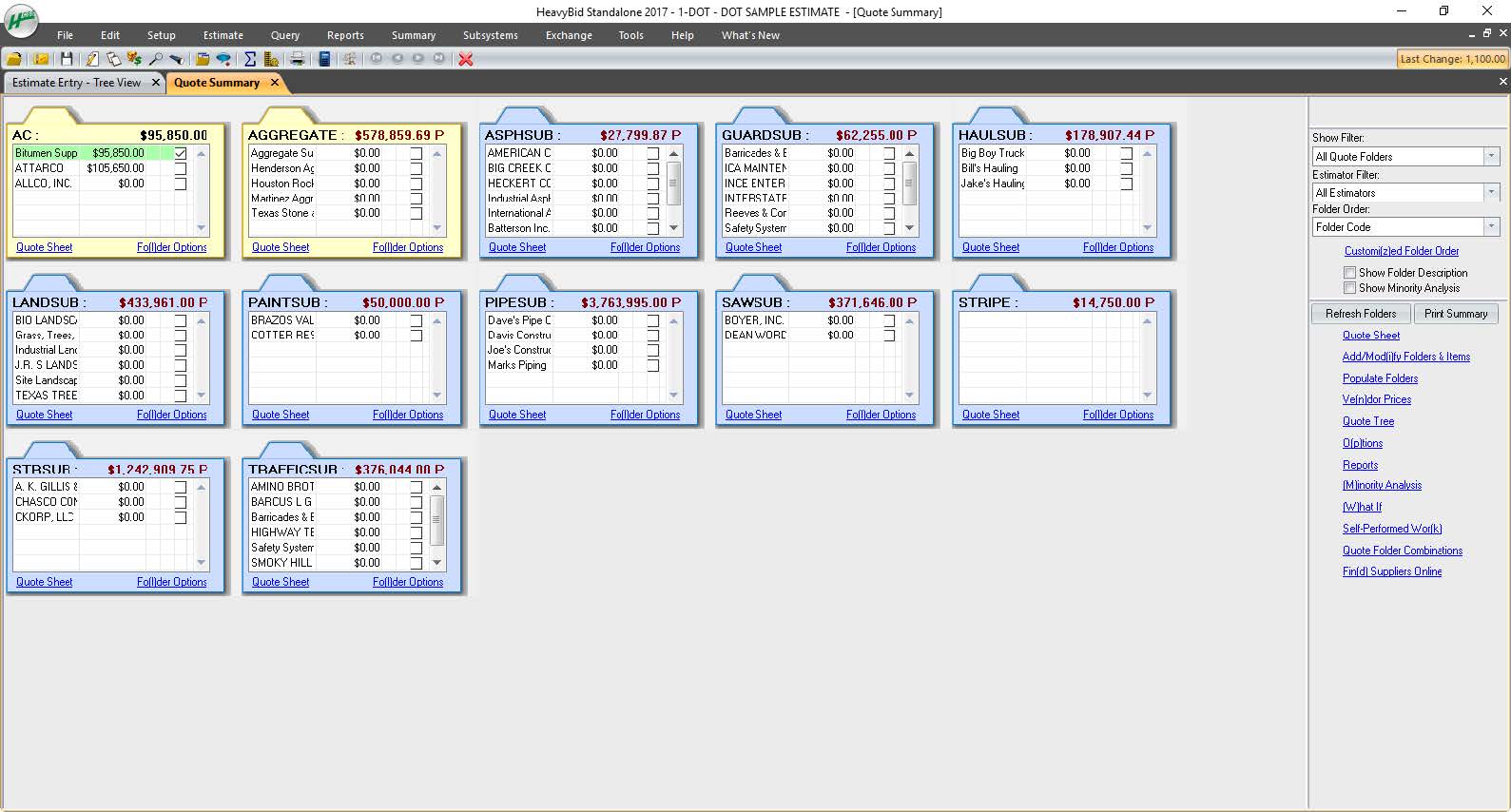
Estimating software is very extensive. Their software is capable of handling the smallest estimate all the way to the largest joint venture estimate. It has advanced features that make it extremely useful for analyzing job materials, subcontractors etc.
HeavyJob is an extremely useful tool for the field to keep the office up to date with job costs. Everything is at the Foreman's fingertips on Tablets to allow the information from the field to get uploaded to HeavyJob manager which then can export to accounting. We are also able to give our Foreman the ability to deal with the Daily and weekly safety needs (Tailgate Meetings, incident Investigation, observations etc.) right on the Tablets thru HeavyJob.
We use it to manage our sales orders as there are lots of moving parts which are necessary to get client orders done properly.
I use it anytime I have a new idea I want to put into motion. As I can create a list for brainstorming, feedback, specific actions necessary in order to test and or implement the idea.
Unrelated to business, it's a great way to plan travel in order to make sure you don't forget those important things like passport, flight arrangement, client meeting confirmation, and meeting prep as far as what specific documents or things do you need to bring with you.
And since everyone is on the go and expected to keep up with work, the mobile/tablet app makes it a breeze to keep up, work on, and create new projects.
A de minimis incentive was given to thank the reviewer for their time. The incentive was not used to bias or drive a particular response, nor was the incentive contingent on a positive endorsement. More Info
All their apps are on mobile devices. Although there is not a clear company policy on Android versus iPhone. Updates for features lag behind on Android. Some apps are exclusive to one platform making it hard to fully interconnect all programs.
I've reviewed about 8 other project management solutions and Zoho Projects is the best I've seen without being overly complicated. Zoho Projects keeps getting better! Recent new enhancements makes it even easier to navigate. There are new keyboard shortcuts that cut my time way down. The tools are very easy to use.
As mentioned, user interface appears messy and complicated at initial onset. Training is necessary but becomes easy to maneuver through after solid daily use.
A de minimis incentive was given to thank the reviewer for their time. The incentive was not used to bias or drive a particular response, nor was the incentive contingent on a positive endorsement. More Info
Zoho Projects is an easy project management tool to use. It provides all the functionality that we required for handling projects. We can easily create personal forms for projects and tasks, allowing us to add and report on our own desire. Apart from this we can create and edit documents in real time which saves our time. This allows us to share text docs, presentations, tables with the whole team and we can work on them together
A de minimis incentive was given to thank the reviewer for their time. The incentive was not used to bias or drive a particular response, nor was the incentive contingent on a positive endorsement. More Info
I have never had a bad experience or heard of one in 4 years of doing business with HCSS. That is unheard of even with the hurricanes and flooding in Houston area it feels like HCSS was always there and willing to help in every way.
Although it might lack intuitiveness, once you get a hang of how Zoho Projects works, you can do a LOT. The impact good project management has on profitability is huge, and it has helped not only improve communication and coordination when working on a project, but more importantly have adequate tracking of time, due dates and potential bottle necks
A de minimis incentive was given to thank the reviewer for their time. The incentive was not used to bias or drive a particular response, nor was the incentive contingent on a positive endorsement. More Info
I was not employed with PPI upon implementation. I would prefer to reference my previous statement, that each company needs to evaluate its culture and address your implementation accordingly. The purchasing company should assign an employee as point person and really take charge of not just the technical side of the implementation (HCSS pretty much handles that), but focus on company culture and training.
Other estimating products I have used consist of ICE/MC2 and MS Excel. ICE was not a good fit for our company, as they have awful technical support and offer very poor training. MS Excel is great for simple estimates where there is not a lot of data being compiled. However neither hold a candle to the power of HCSS Heavybid
Zoho Projects provides a more limited set of functionality and customization options than other task/bug trackers on the market, but what it lacks in functionality it makes up for in ease of use. It probably has 80-90% of the features of its competitors but takes about a third of the time to get up and running and realizing value.
A de minimis incentive was given to thank the reviewer for their time. The incentive was not used to bias or drive a particular response, nor was the incentive contingent on a positive endorsement. More Info
Because of the codebooks (bid item codebook for DOT's specifically), we're able to carve off significant time in "stick-building" estimates
It's very easy to train newer estimators with HeavyBid due to the abundance of resources available on HCSS Academy and elsewhere (i.e. Arthur Nix's material)
The KPI's and Insights that Pre-Con offers helps us to make better decisions on Bid Day.
A de minimis incentive was given to thank the reviewer for their time. The incentive was not used to bias or drive a particular response, nor was the incentive contingent on a positive endorsement. More Info
We needed a system to organize our growing business, so anything was better than what we had, which was nothing.
Recording time spend is a huge reason for using project software. It has made me aware of the tasks that are taking too long and where we are not being profitable as a company.
It has kept our team accountable for what needs to get completed and when projects are not in motion or completed timely. It's helpful to know in order to get billing out faster.
A de minimis incentive was given to thank the reviewer for their time. The incentive was not used to bias or drive a particular response, nor was the incentive contingent on a positive endorsement. More Info