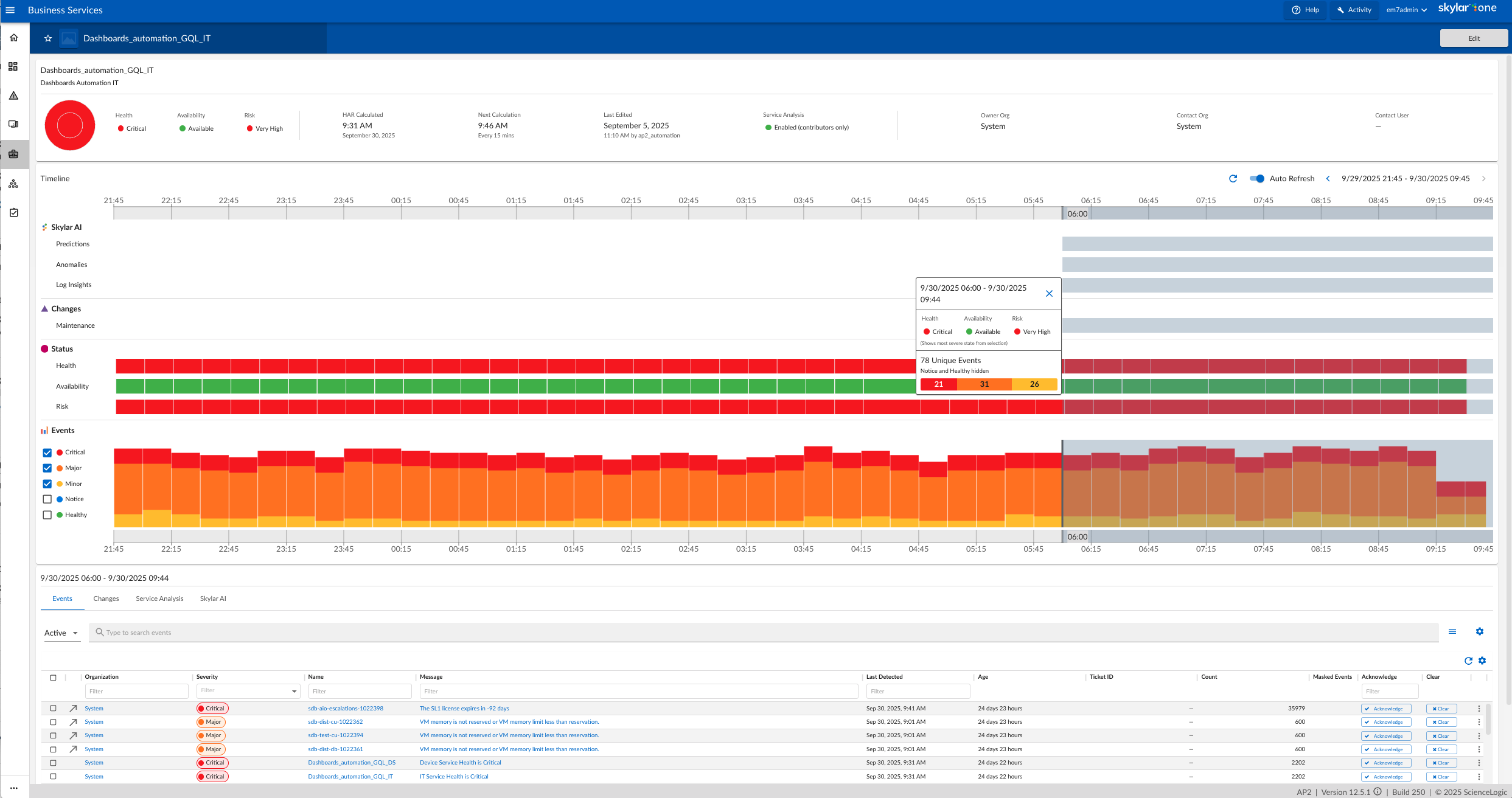
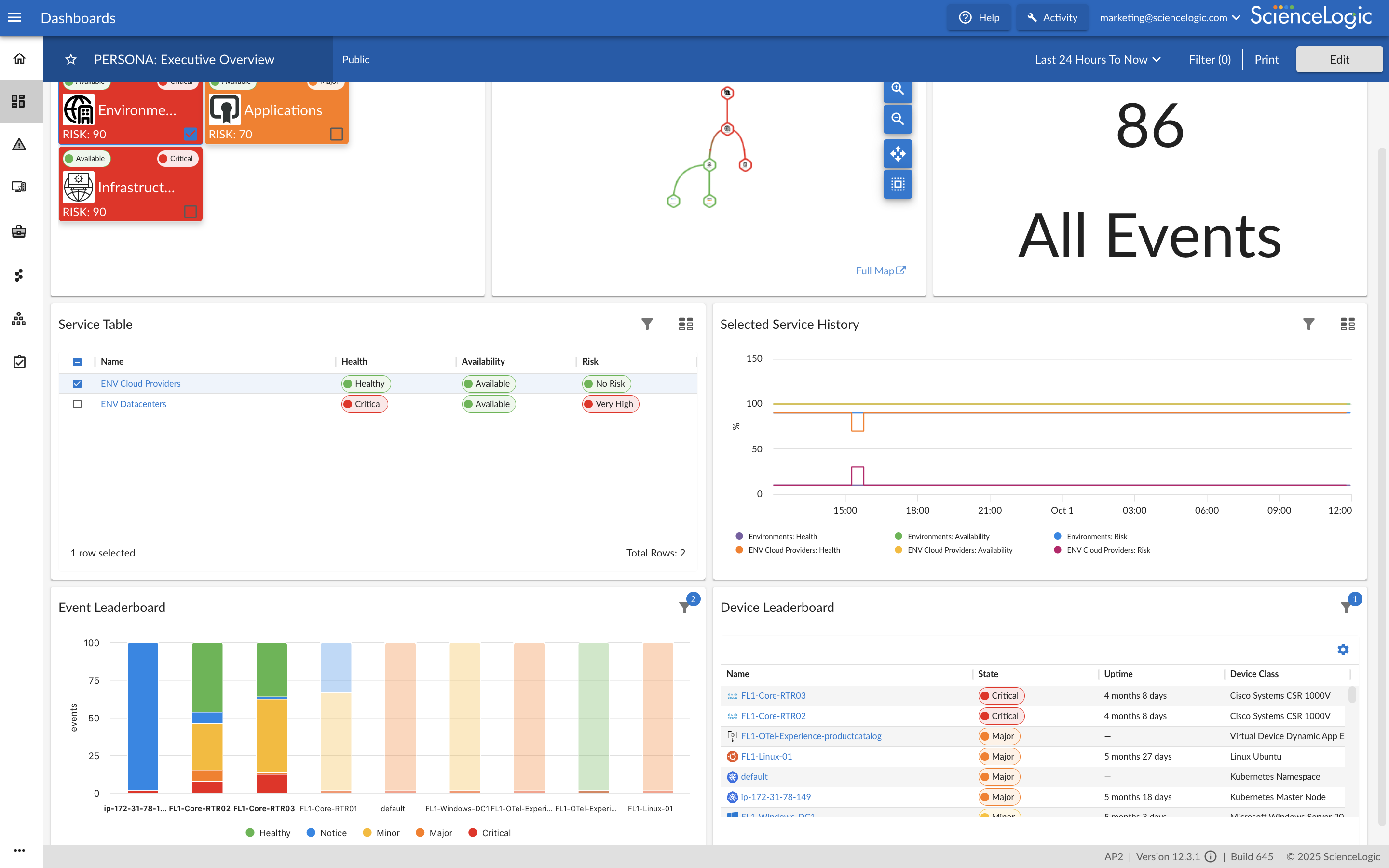
ScienceLogic provides a unified IT Operations platform designed to manage operational workflows using high-fidelity Telemetry Data and explainable automation.
The ScienceLogic AI Platform is deployable across On-Premises, Cloud, and Hybrid Environments. The platform consolidates monitoring tools to provide Observability and enables engineers to automate manual processes using Machine Learning capabilities.
The platform utilizes automation for Closed-Loop Remediation and provides insights…
N/A
Pricing
Hyper-V
ScienceLogic AI Platform
Editions & Modules
Developer
$24.95
per month
Bronze
$49.00
per month
Silver
$89.00
per month
Gold
$135.00
per month
Platinum
$199.00
per month
No answers on this topic
Offerings
Pricing Offerings
Hyper-V
ScienceLogic AI Platform
Free Trial
No
No
Free/Freemium Version
No
No
Premium Consulting/Integration Services
No
Yes
Entry-level Setup Fee
No setup fee
Required
Additional Details
—
ScienceLogic SL1 offers four tiers:
SL1 Advanced – Application Health, Automated Troubleshooting and Remediation Workflows
SL1 Base – Infrastructure Monitoring, Topology & Event Correlation
SL1 Premium – AI/ML-driven Analytics, Low-Code Automated Workflow Authoring
SL1 Standard – Infrastructure Monitoring – with Agents, Business Services, Incident Automation, CMDB Synchronization, Behavioral Correlation
Hyper-V makes a lot of sense in scenarios that will support several Windows Server-based OS virtual machines. The only limitation of those licensed VMs is the hardware that hosts the Hyper-V role. If you need to deploy many servers running Windows Server OS, it is worth the price. Hyper-V also does a great job of managing the server host's computational resources, including memory, CPU, network, and storage.
A de minimis incentive was given to thank the reviewer for their time. The incentive was not used to bias or drive a particular response, nor was the incentive contingent on a positive endorsement. More Info
For Windows, the issue is in higher resource consumption related to WinRM monitoring, which provides better options then the SNMP monitoring, which on the other hand is less resource intensive. The problem is also with support for OS with other than English language.
A de minimis incentive was given to thank the reviewer for their time. The incentive was not used to bias or drive a particular response, nor was the incentive contingent on a positive endorsement. TR verified that a representative sample of customers was invited. More Info
Easy to use GUI - very easy for someone with sufficient Windows experience - not necessarily a system administrator.
Provisioning VMs with different OSes - we mostly rely on different flavors of Windows Server, but having a few *nix distributions was not that difficult.
Managing virtual networks - we usually have 1 or 2 VLANs for our business purposes, but we are happy with the outcomes.
A de minimis incentive was given to thank the reviewer for their time. The incentive was not used to bias or drive a particular response, nor was the incentive contingent on a positive endorsement. More Info
A de minimis incentive was given to thank the reviewer for their time. The incentive was not used to bias or drive a particular response, nor was the incentive contingent on a positive endorsement. More Info
We manage Hyper-V using both System Center Virtual Machine Manager (SCVMM) and the in-build Hyper-V administration tool, the former being the main product we use as the built-in tool is very light on functionality, unlike VMware ESXi.
Management of storage is not great and quite a shift away from how VMware does it with ESXi; there is no separate panel/blade/window for LUNs/data stores, which means there is a lot of back and forth when trying to manage storage.
A dedicated client with all functionality in one place would be awesome.
Having the equivalent of ESXi's virtual console is something which is absolutely needed.
A de minimis incentive was given to thank the reviewer for their time. The incentive was not used to bias or drive a particular response, nor was the incentive contingent on a positive endorsement. More Info
Dashboards are quite old and are of Iron age. Need to have AP2 dashboards only instead of AP1 and consistent new design across all functionalities.
Reporting is not improved since Y2020 and need to revamp completely. Need to integrate Dashboards and Reporting. PowerBI Like functionality to be given OOTB. Reports should be extracted in Excel, PDF, HTML and should be heavily automated.
Create and Open APIs for basic and advanced monitoring data extraction.
Topology based Event Correlation and Suppression should be improved drastically. Need to identify critical network interfaces based on Topology and monitor them. Basic customization of Dynamic App and/or Powerpack to exclude/include certain metrics/events to be permitted OOTB instead of customizations.
Integration with ServiceNow to be improved and to be taken to next level. Automation Powerpack should be made available OOTB as part of base product and to be priced attractively.
Take product to next level where we can monitor actual impacted IT or Business Service instead of metrics and events BSM and Topology map to be auto discovered and identify the network dependencies and alternate paths automatically instead of manual creation of BSM.
Cheap and easy is the name of the game. It has great support, it doesn't require additional licenses, it works the same if it is a cluster or stand-alone, and all the servers can be centrally managed from a system center virtual machine manager server, even when located at remote sites.
A de minimis incentive was given to thank the reviewer for their time. The incentive was not used to bias or drive a particular response, nor was the incentive contingent on a positive endorsement. More Info
It is simply because of all the best possible autonomy solutions it is providing and getting better day by day. Using AI and Devops along with handy automation, The monitoring and Management of devices becomes much easier and the way it is growing in all the aspects is one the best reasons too. Evolution of the SL1 platform in the autonomy monitoring and management is quite appreciable.
A de minimis incentive was given to thank the reviewer for their time. The incentive was not used to bias or drive a particular response, nor was the incentive contingent on a positive endorsement. More Info
It is quite intuitive. Junior techs are able to provision and administrate Hyper-V virtual server infrastructure with little to no additional training. Documentation from Microsoft is easily avaliable and decently well written. Hyper-V is reliable and does what it is supposed to. Can be admin from an intuitive gui, or aoutmated with extensive powershell.
A de minimis incentive was given to thank the reviewer for their time. The incentive was not used to bias or drive a particular response, nor was the incentive contingent on a positive endorsement. More Info
The core functions are there. The complexity is due to the complexity of the space. The score is based on comfort (I no longer notice the legacy UI) and the promise that I see in the 8.12 Unified UI (a vast improvement). It is also based on the fact that with 8.12, you can now do everything in the new UI but you still have the legacy UI as a fallback (which should now be unnecessary for new installations)
A de minimis incentive was given to thank the reviewer for their time. The incentive was not used to bias or drive a particular response, nor was the incentive contingent on a positive endorsement. TR verified that a representative sample of customers was invited. More Info
In the past 2 years our Hyper-V servers have only had a handful of instances where the VM's on them were unreachable and the physical Hyper-V server had to be restarted. One time this was due to a RAM issue with the physical box and was resolved when we stopped using dynamic memory in Hyper-V. The other times were after updates were installed and the physical box was not restarted after the updates were installed.
A de minimis incentive was given to thank the reviewer for their time. The incentive was not used to bias or drive a particular response, nor was the incentive contingent on a positive endorsement. More Info
SL is always there and online when you need to get info from it. The only times when SL was not available in our own data center, was when network links from out side of the data center was down and those links were not in our controll. Having a central database and people accessing it all over the world, may put a bit of constarin on the performance of the dashboards when reports gets generated, but that is far and few n between.
A de minimis incentive was given to thank the reviewer for their time. The incentive was not used to bias or drive a particular response, nor was the incentive contingent on a positive endorsement. More Info
Hyper-V itself works quickly and rarely gave performance issues but this can be more attributed to the physical server specifications that the actual Hyper-V software in my opinion as Hyper-V technically just utilizes config files such as xml, and a data drive file (VHD, VHDX, etc) to perform its' duties.
A de minimis incentive was given to thank the reviewer for their time. The incentive was not used to bias or drive a particular response, nor was the incentive contingent on a positive endorsement. More Info
SceinceLogic SL1 architecture helps the platform to give a top-notch performance in every respect, Data collection to reporting happens very smoothly. With the new user interface pages load much faster. Individual appliances carrying the individual task ensure things are working without lag. Integration with ticketing tool(SNOW) is well managed by the ScienceLogic, no issue or much delay has been observed while interacting with an external tool.
A de minimis incentive was given to thank the reviewer for their time. The incentive was not used to bias or drive a particular response, nor was the incentive contingent on a positive endorsement. TR verified that a representative sample of customers was invited. More Info
I gave it a middle of the road rating - as far as getting direct help from Microsoft this never seems to happen. (Good luck getting ahold of them.) Getting help from online support forums is pretty much where I get all my help from. Hyper-V is used quite widely and anything you could need help with is out there and easily searched for on your favorite search engine.
A de minimis incentive was given to thank the reviewer for their time. The incentive was not used to bias or drive a particular response, nor was the incentive contingent on a positive endorsement. More Info
So far, it's good as part of my overall experience, except for a couple of use cases. The support team is well knowledgeable, has technical sound, and is efficient. When support escalates to engineering, the issue gets stuck and takes months to resolve.
A de minimis incentive was given to thank the reviewer for their time. The incentive was not used to bias or drive a particular response, nor was the incentive contingent on a positive endorsement. TR verified that a representative sample of customers was invited. More Info
We had in person training from a third party and while it was very in depth it was at a beginner's level and by the time we received the training we had advanced past this level so it was monotonous and redundant at that point. It was good training though and would have provided a solid foundation for learning the rest of Hyper-V had I had it from the beginning.
A de minimis incentive was given to thank the reviewer for their time. The incentive was not used to bias or drive a particular response, nor was the incentive contingent on a positive endorsement. More Info
It was good, Do the online training first and understand it and you will get the most out of the in-person training that way. This also takes you to an advanced level which is very good and the training as been overhauled once again along with new product coming in such as Zebruim / Skylar, worth going through again if it a while back that you first did this.
A de minimis incentive was given to thank the reviewer for their time. The incentive was not used to bias or drive a particular response, nor was the incentive contingent on a positive endorsement. TR verified that a representative sample of customers was invited. More Info
The training was easy to read and find. There were good examples in the training and it is plentiful if you use third party resources also. It is not perfect as sometimes you may have a specific question and have to spend time learning or in the rare case you get an error you might have to research that error code which could have multiple causes.
A de minimis incentive was given to thank the reviewer for their time. The incentive was not used to bias or drive a particular response, nor was the incentive contingent on a positive endorsement. More Info
There are a lot of educational materials and courses on the SL1 training site (Litmos university). However the recording quality is sometimes not very good - screen resolution is low. There is a lack of professional rather than user-oriented documents and there are mistakes in documentation and education is not well structured.
A de minimis incentive was given to thank the reviewer for their time. The incentive was not used to bias or drive a particular response, nor was the incentive contingent on a positive endorsement. TR verified that a representative sample of customers was invited. More Info
initial configuration of hyper-v is intuitive to anyone familiar with windows and roles for basic items like single server deployments, storage and basic networking. the majority of the problems were with implementing advanced features like high availability and more complex networking. There is a lot of documentation on how to do it but it is not seamless, even to experienced virtualization professionals.
A de minimis incentive was given to thank the reviewer for their time. The incentive was not used to bias or drive a particular response, nor was the incentive contingent on a positive endorsement. More Info
Implementation is smooth if we are to just support the out-of-the-box features available in ScienceLogic. For any custom requirement, having to go to SL1 Professional Services is the worst part of procuring this suite. And more often than not, SL1 Professional Services also ask to raise feature request. So, you subscribe to Professional Services to only hear back from them that "This feature is not supported and needs to have a separate feature request". At times frustrating.
A de minimis incentive was given to thank the reviewer for their time. The incentive was not used to bias or drive a particular response, nor was the incentive contingent on a positive endorsement. More Info
VMware is the pioneer of virtualization but when you compare it with Hyper-V, VMware lacks the flexibility of hardware customization and configuration options Hyper-V has also GPU virtualization still not adequate for both platforms. VMware has better graphical interface and control options for virtual machines. Another advantage VMware has is it does not need a dedicated os GUI base installation only needs small resources and can easily install on any host.
A de minimis incentive was given to thank the reviewer for their time. The incentive was not used to bias or drive a particular response, nor was the incentive contingent on a positive endorsement. More Info
Science logic SL1 is so user friendly and it's really easy to navigate between function. I would recommend Sciene logic SL1 to all of them who are looking for really useful monitoring tool and expecting easy way of managing it.
A de minimis incentive was given to thank the reviewer for their time. The incentive was not used to bias or drive a particular response, nor was the incentive contingent on a positive endorsement. More Info
Nothing is perfect but Hyper-V does a great job of showing the necessary data to users to ensure that there is enough resources to perform essential functions. You can also select what fields show on the management console which is helpful for a quick glance. There are notifications that can be set up and if things go unnoticed and a Hyper-V server runs out of a resource it will safely and quickly shut down the VM's it needs to in order to ensure no Hardware failure or unnecessary data loss.
A de minimis incentive was given to thank the reviewer for their time. The incentive was not used to bias or drive a particular response, nor was the incentive contingent on a positive endorsement. More Info
Our deployment model is vastly different from product expectations. Our global / internal monitoring foot print is 8 production stacks in dual data centers with 50% collection capacity allocated to each data center with minimal numbers of collection groups. General Collection is our default collection group. Special Collection is for monitoring our ASA and other hardware that cannot be polled by a large number of IP addresses, so this collection group is usually 2 collectors). Because most of our stacks are in different physical data centers, we cannot use the provided HA solution. We have to use the DR solution (DRBD + CNAMEs). We routinely test power in our data centers (yearly). Because we have to use DR, we have a hand-touch to flip nodes and change the DNS CNAME half of the times when there is an outage (by design). When the outage is planned, we do this ahead of the outage so that we don't care that the Secondary has dropped away from the Primary. Hopefully, we'll be able to find a way to meet our constraints and improve our resiliency and reduce our hand-touch in future releases. For now, this works for us and our complexity. (I hear that the HA option is sweet. I just can't consume that.)
A de minimis incentive was given to thank the reviewer for their time. The incentive was not used to bias or drive a particular response, nor was the incentive contingent on a positive endorsement. TR verified that a representative sample of customers was invited. More Info
Massively positive impact on expenses in my company by reducing our storage needs drastically. We were able to reallocate the budget to upgrading our primary Hyper-V server with pure enterprise SSD's as we reduced the storage needs by over 50% and by this we increased performance by over 400%.
We have deployed more than 8 servers with EXTREMELY minimal cost using Hyper-V and not requiring another hardware server to host it. We have leveraged our hardware resources in our 2 servers so well that we were able to add many new services, not in place prior, as we did not have the servers to host them. Now with Hyper-V, we deployed many more servers in VM's, purchased OS's & CAL's, but did not need any hardware, which is the greatest expense of all.
With Hyper-V, our ROI was reduced from 36-40 months on our primary server, down to only 13 months by reducing costs of storage and adding so many more servers, by calculating the "would-be" cost of those servers that was avoided by creating them in Hyper-V.
A de minimis incentive was given to thank the reviewer for their time. The incentive was not used to bias or drive a particular response, nor was the incentive contingent on a positive endorsement. More Info
Once a powerpack is developed and configured for a device for one customer, it is easy to deploy the same powerpack on a second customer estate and configure specifically for that customer without having to reinvent the powerpack. This saves time and therefore money.
Once the customer estate tuning is complete, the Operations team have come trust the alerts. This is especially true when transient or self-correcting alerts are automatically cleared without ops team involvement, but a record is still available for audit and debugging purposes. This saves time and therefore money.
When setup correctly, it provides good visibility into applications, devices and whole customer estates. This saves time and therefore money when issues arise.
A de minimis incentive was given to thank the reviewer for their time. The incentive was not used to bias or drive a particular response, nor was the incentive contingent on a positive endorsement. More Info