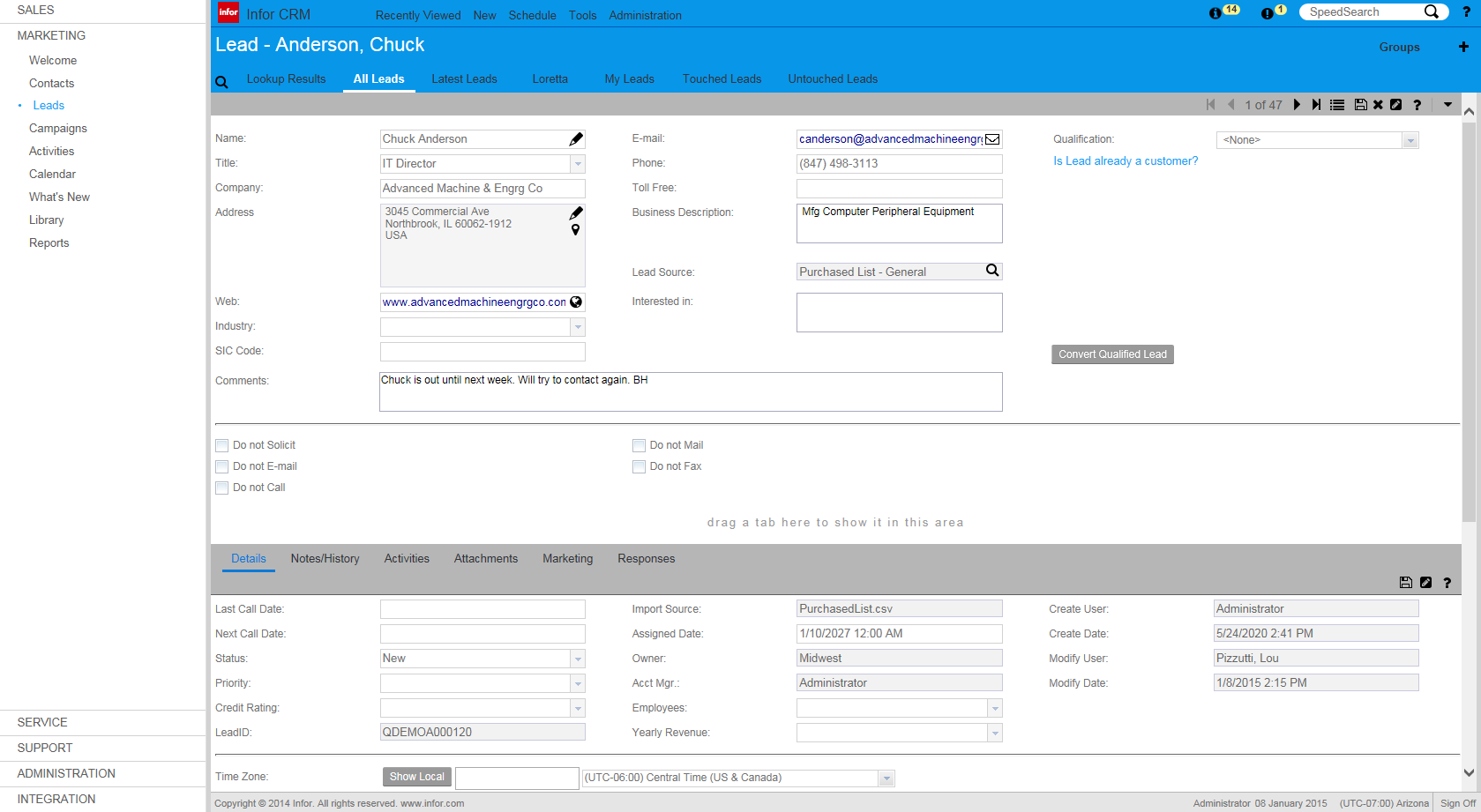
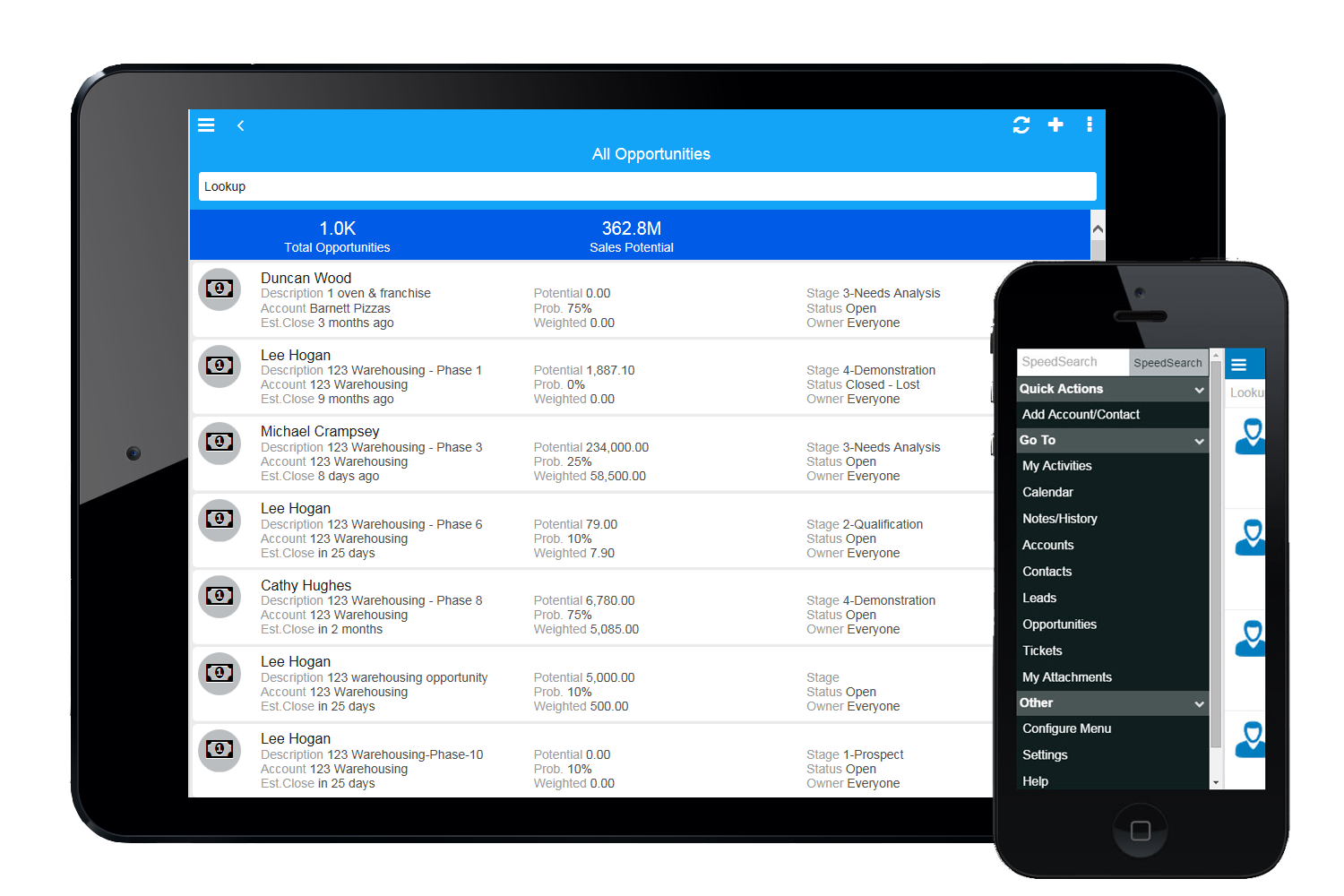
Infor CRM delivers tools for individuals, teams, and companies focused on increasing sales performance and the insights to optimize sales, marketing, and service strategy and execution. Infor CRM provides sales teams with rich customer information from interactions and transactions across the business and accommodates the modern flexible workforce with multiple access methods. Robust process automation capabilities enable efficiencies and the application of best practices across sales…
N/A
Sage CRM
Score8.9 out of 10
Mid-Size Companies (51-1,000 employees)
Sage CRM is an SMB-oriented CRM platform offered in both SaaS and on-premise editions. Unlike the Sage SalesLogix product, the SaaS version is a true multi-tenant offering.
The platform offers excellent integration with Sage ERP and accounting products. It is also a good global solution and is available in many languages and is used by over 12,000 customers worldwide, with many customers in Europe.
Chairman & CEO in Corporate at eDriven Studios (Online Media, 1-10 employees)
Chose Infor CRM
Infor CRM is a great product. It is among the best of the best. MS Dynamics may be better for most as it too has made a lot of great improvements. However, Infor CRM's UI seems to be the easiest to use. It allows our users to get in and get out quickly.
A de minimis incentive was given to thank the reviewer for their time. The incentive was not used to bias or drive a particular response, nor was the incentive contingent on a positive endorsement. More Info
CRM Consultant in Information Technology at Realized Financial Solutions, Inc. (Computer Software, 1-10 employees)
Chose Sage CRM
GoldMine, ACT!, MSCRM, Saleslogix, Sugar CRM, Salesforce.com Sage CRM is stronger or equal to each. The depth that is available out of the box is excellent, and though configuration is almost necessary, it makes the product extremely powerful. Many clients rely on the …
A de minimis incentive was given to thank the reviewer for their time. The incentive was not used to bias or drive a particular response, nor was the incentive contingent on a positive endorsement. More Info
If you have a mobile workforce, it likely wouldn't be as appropriate (keep in mind we're using the desktop client, and have very limited experience with the web app). It is well suited if your business needs lots of custom processes- find a good vendor. We utilize SimpleSoft out of Ohio, and they have been excellent. Key question: think about where your business is going to be in 5-10 years, and will this CRM solution be able to grow with us?
A de minimis incentive was given to thank the reviewer for their time. The incentive was not used to bias or drive a particular response, nor was the incentive contingent on a positive endorsement. More Info
as it is a very flexible software that can be adapted to any business model, other functions human resource management, manufacturing and supply chain planning, all these functions are housed in a highly technological interface. I liked this system because it made automating accounts payable so much easier.the control of the basic accounting of any type of company
Saleslogix functionality can be managed to a very granular level for each individual using it. Within the users profile you can restrict access to modules, remove write permission, remove export privileges, etc.
Saleslogix has one of the best sync engines I have ever seen. If you allow your outside sales reps to have their own database, they can modify customer record while off line and when they do have internet access they can sync changes in both directions. This functionality works great when you have inside and outside sales staff covering the same territory.
Saleslogix can be customized using Visual Basic Code syntax. This is a positive aspect as well as a negative. Our existing Saleslogix is so customized that if we were to upgrade to 8.0 it would cost us over $20k to redo some of the customizations. Upgrades are frequently incompatible with customizations.
When in client profile, it is very intuitive, allowing you to easily transcribe notes in the clients profile.
Sage allows 3rd party plugins, so if you utilize a particular phone services or would like to import something as simple as google drive, its compatible.
A de minimis incentive was given to thank the reviewer for their time. The incentive was not used to bias or drive a particular response, nor was the incentive contingent on a positive endorsement. More Info
InforCRM has made dramatic improvements in the web client though in some cases it has been painfully slow to get the most needed things updated. An example is the slow speed of the web client. The newest update is supposed to fix this.
The web client does not autosave, so users have to remember to hit the 'save' button at each screen. This is the biggest complaint of users going from the desktop client to the web client.
I personally would like to see data panes (account, contact, etc.) with the capability to set up a different view for each team and/or security level that would access the data.
A de minimis incentive was given to thank the reviewer for their time. The incentive was not used to bias or drive a particular response, nor was the incentive contingent on a positive endorsement. More Info
Reliance on Apache Tomcat causes a lot of headaches. There are common issues trying to start up the server, resulting from Apache Tomcat misconfigurations, or Java. Some forum posts on Sage City address common issues, but digging into server logs seems to be an often occurrence.
Support is somewhat lacking, less user install base means error messages are sometimes hard to find quick answers for. Most of the knowledge found on the internet is in the Sage City forum.
Integration with Microsoft 365 causes you to have to turn off some security features. This will result in your 365 tenants running lower security standards than recommended, it may put you at risk for targeted attacks.
A de minimis incentive was given to thank the reviewer for their time. The incentive was not used to bias or drive a particular response, nor was the incentive contingent on a positive endorsement. More Info
Because we've already made the investment in the original on-premise version, the cost per user is relatively low. The product has grown with us and we can now choose a LAN or Web client version and host the site internally, giving us total control of our data. The iPhone and iPad versions allow the sales team quick access in the field and the voice-to-text option is quite handy. SalesLogix doesn't require that our technology stack be constantly up to date which again, keeps our cost down. They are always making enhancements to the product and we can choose to update/upgrade when those enhancements appeal to us enough to justify adding the service pack.
There are really no other words to say, it is a very easy to use application that is more straightforward and has provided better results with the bulk of features that appeal to a very broad amount of users. There may be other CRM platforms out there that are more prevalent, but I have found them to be much more clunky and less intuitive than Sage CRM.
A de minimis incentive was given to thank the reviewer for their time. The incentive was not used to bias or drive a particular response, nor was the incentive contingent on a positive endorsement. More Info
A de minimis incentive was given to thank the reviewer for their time. The incentive was not used to bias or drive a particular response, nor was the incentive contingent on a positive endorsement. More Info
Excellent integration with the most important social networks (LinkedIn, Facebook and Twitter) to get leads. The mobile app is quite useful for speeding up the tasks at hand and not relying on the computer or being in the office to get them done.
A de minimis incentive was given to thank the reviewer for their time. The incentive was not used to bias or drive a particular response, nor was the incentive contingent on a positive endorsement. More Info
Sage works very quickly based on the network you are using it on. It is internet based so if your network is slow, it will perform slowly. Reports seem to run reasonably fast, if there is too much information it is trying to populate that could slow it down a little. When Sage CRM is integrated with a Sage ERP product it doesn't tend to slow down either system at all
A de minimis incentive was given to thank the reviewer for their time. The incentive was not used to bias or drive a particular response, nor was the incentive contingent on a positive endorsement. More Info
Support team is really slow and they need to work on this really. Sometimes it takes days to resolve a simple query and there is no way to get it expedited. Rest the product is is amazing but the team should look into the costumer support and get it working
A de minimis incentive was given to thank the reviewer for their time. The incentive was not used to bias or drive a particular response, nor was the incentive contingent on a positive endorsement. More Info
A de minimis incentive was given to thank the reviewer for their time. The incentive was not used to bias or drive a particular response, nor was the incentive contingent on a positive endorsement. More Info
The implementation and upgrades were rather quick and straight forward. Attempting to link Sage CRM with Sage 100 ERP however was a nightmare and will be avoided by us in the future due to numerous issues.
A de minimis incentive was given to thank the reviewer for their time. The incentive was not used to bias or drive a particular response, nor was the incentive contingent on a positive endorsement. More Info
We selected INFOR CRM over Salesforce simply because it was affordable and didn't have so many 'bells & whistles' that Salesforce has that we were not using. We didn't realize that the compatibility with upgrades were going to be such an issue.
A de minimis incentive was given to thank the reviewer for their time. The incentive was not used to bias or drive a particular response, nor was the incentive contingent on a positive endorsement. More Info
Whilst SAGE CRM was selected around 10 years ago and we became a partner, the main contenders would have been at the time Sales Logix and MS CRM 4.0. However, we had extensive experience of the mid-market CRM's and decided on SAGE CRM since it had a clean, easy to understand interface and importantly offered both workflow automation and Self Service capability, all of which across both the Case and Sales and Marketing functionality was seamless and saved time. As it was pure browser based, access was from anywhere we wanted. In my view, SAGE CRM still stacks up well against all the other mid-market CRM systems and offers good value for money, but more importantly, it is an easy to operate and customisable solution which user like. Again, we can teach administration users very quickly to support and customise themselves since the admin. function are clear as well.
A de minimis incentive was given to thank the reviewer for their time. The incentive was not used to bias or drive a particular response, nor was the incentive contingent on a positive endorsement. More Info
A de minimis incentive was given to thank the reviewer for their time. The incentive was not used to bias or drive a particular response, nor was the incentive contingent on a positive endorsement. More Info