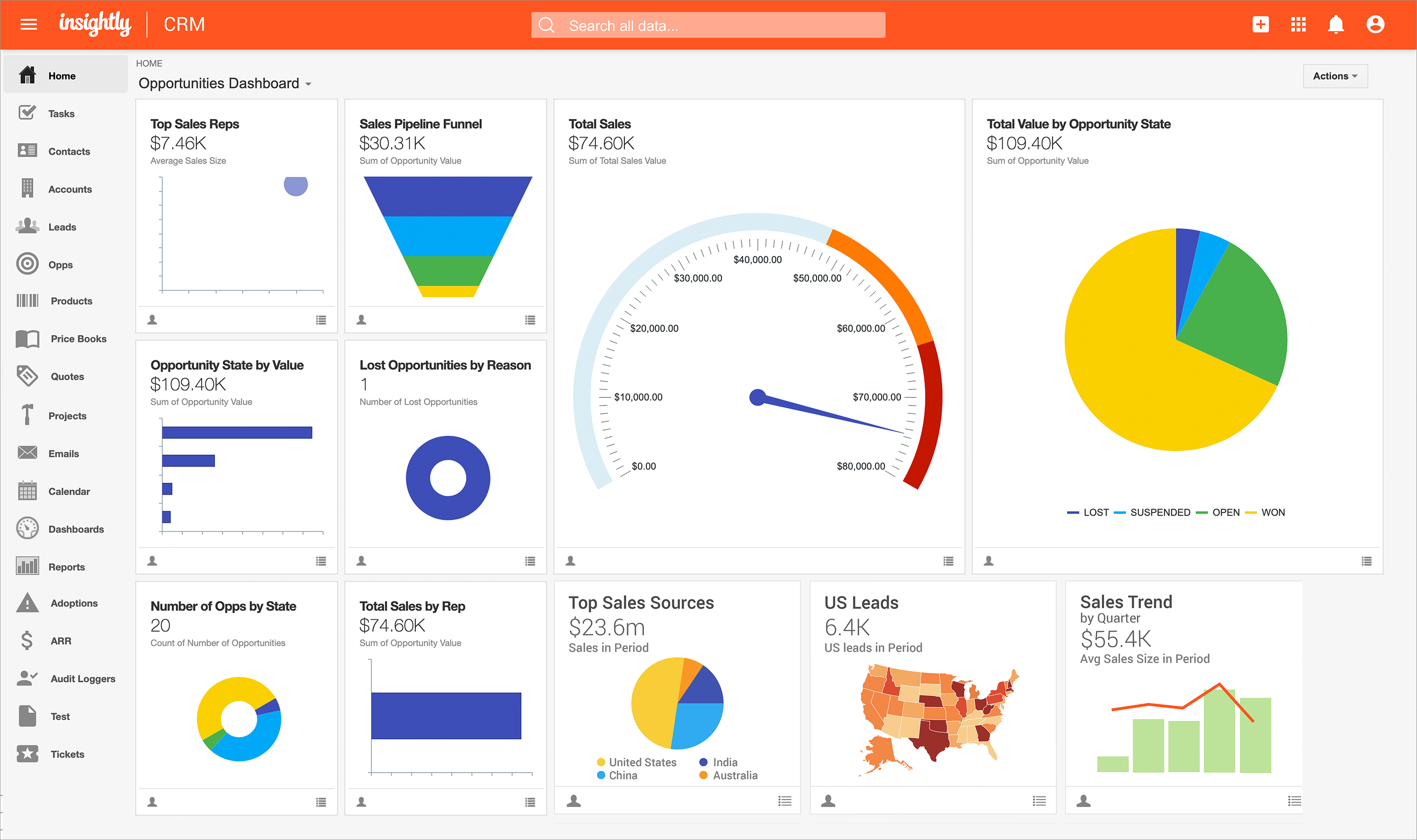
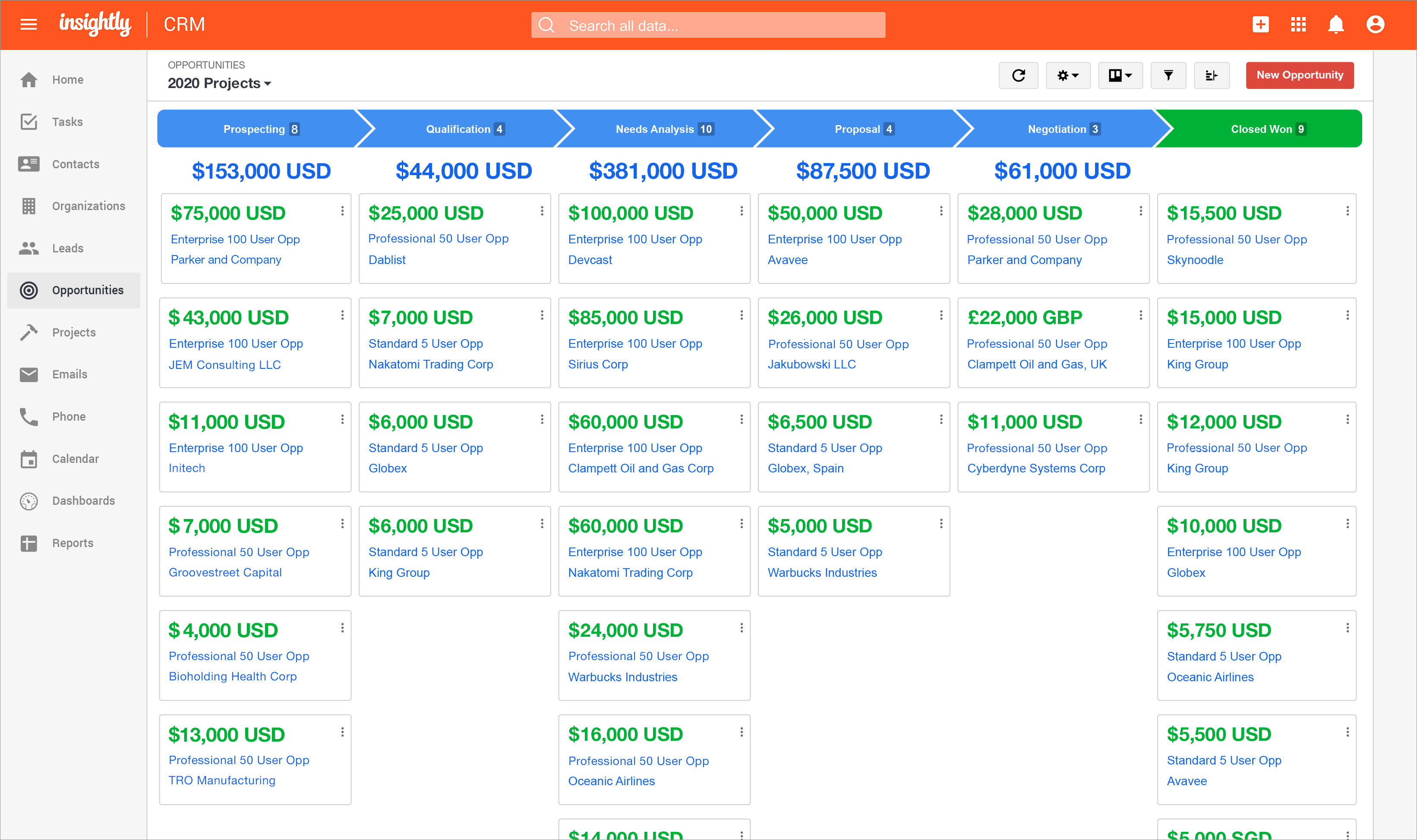
Insightly is presented as a modern, affordable CRM that is easy to use, simple to customize, and that scales with companies as they grow, designed to solve common pain points that legacy CRMs can't. Available in any vertical, Insightly CRM customers can add companion products for marketing automation, customer service, and integrations in the same platform. Insightly has more than a million users worldwide.
$348
per year per user
Recruit CRM
Score8.6 out of 10
N/A
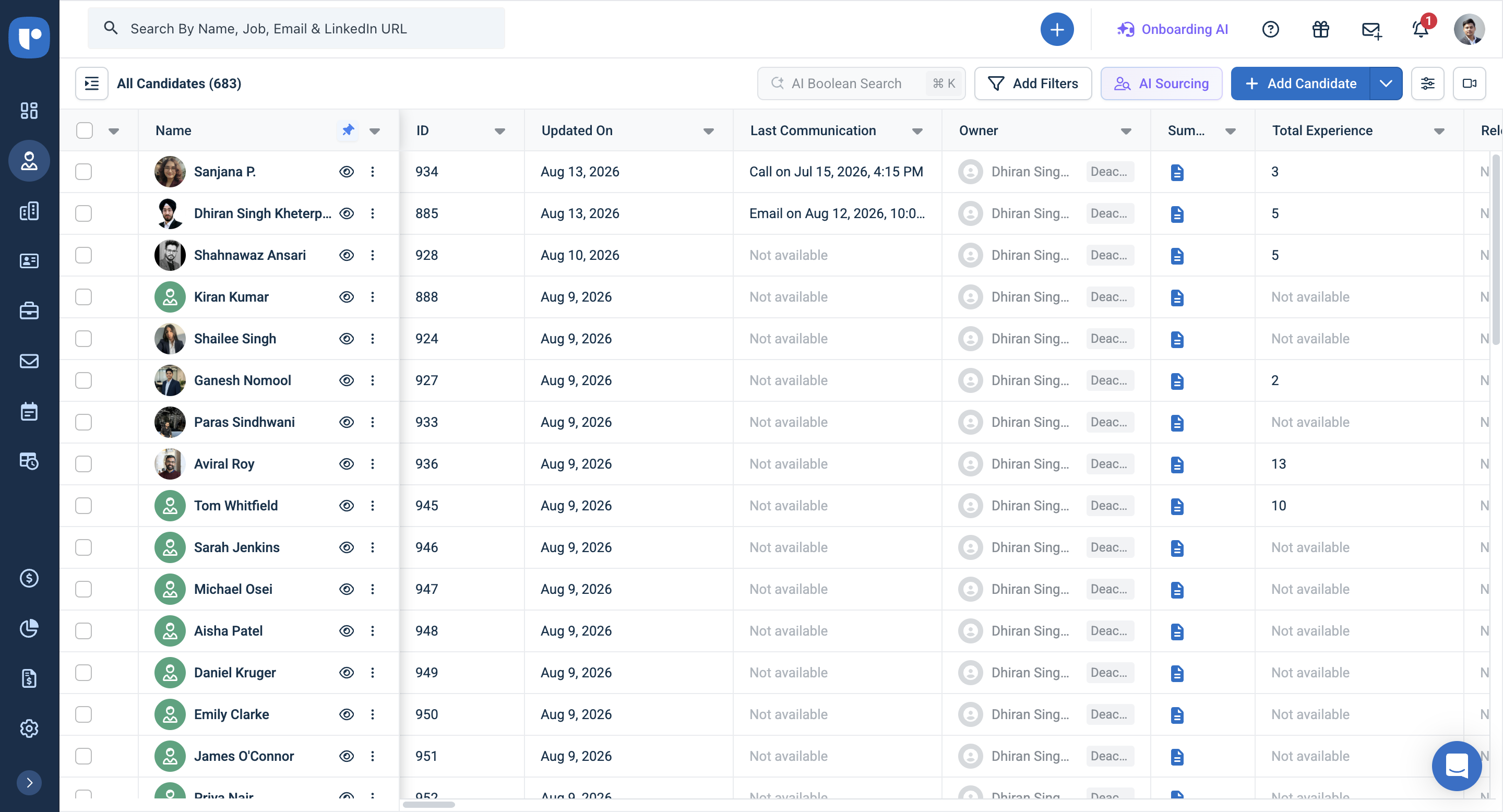
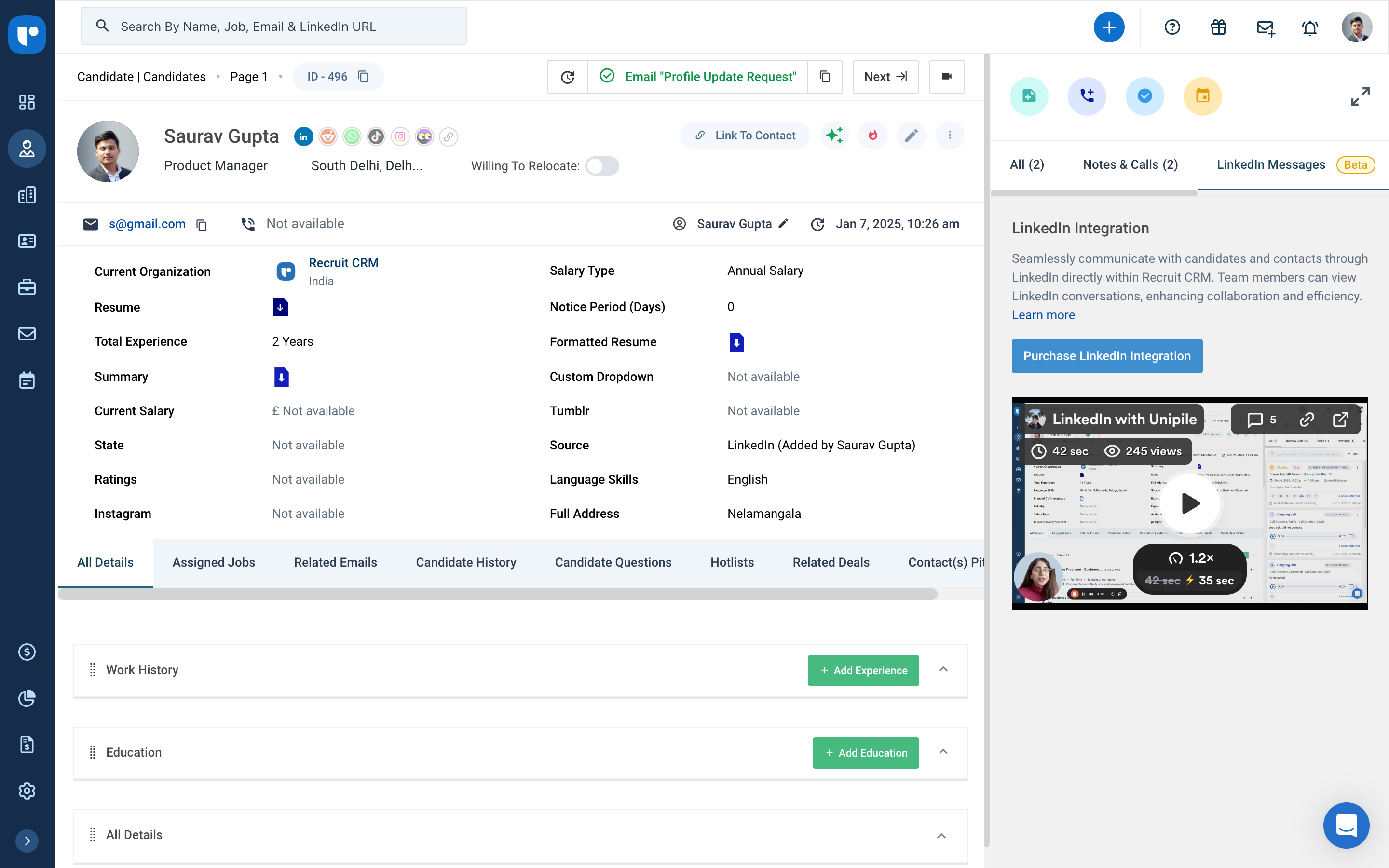
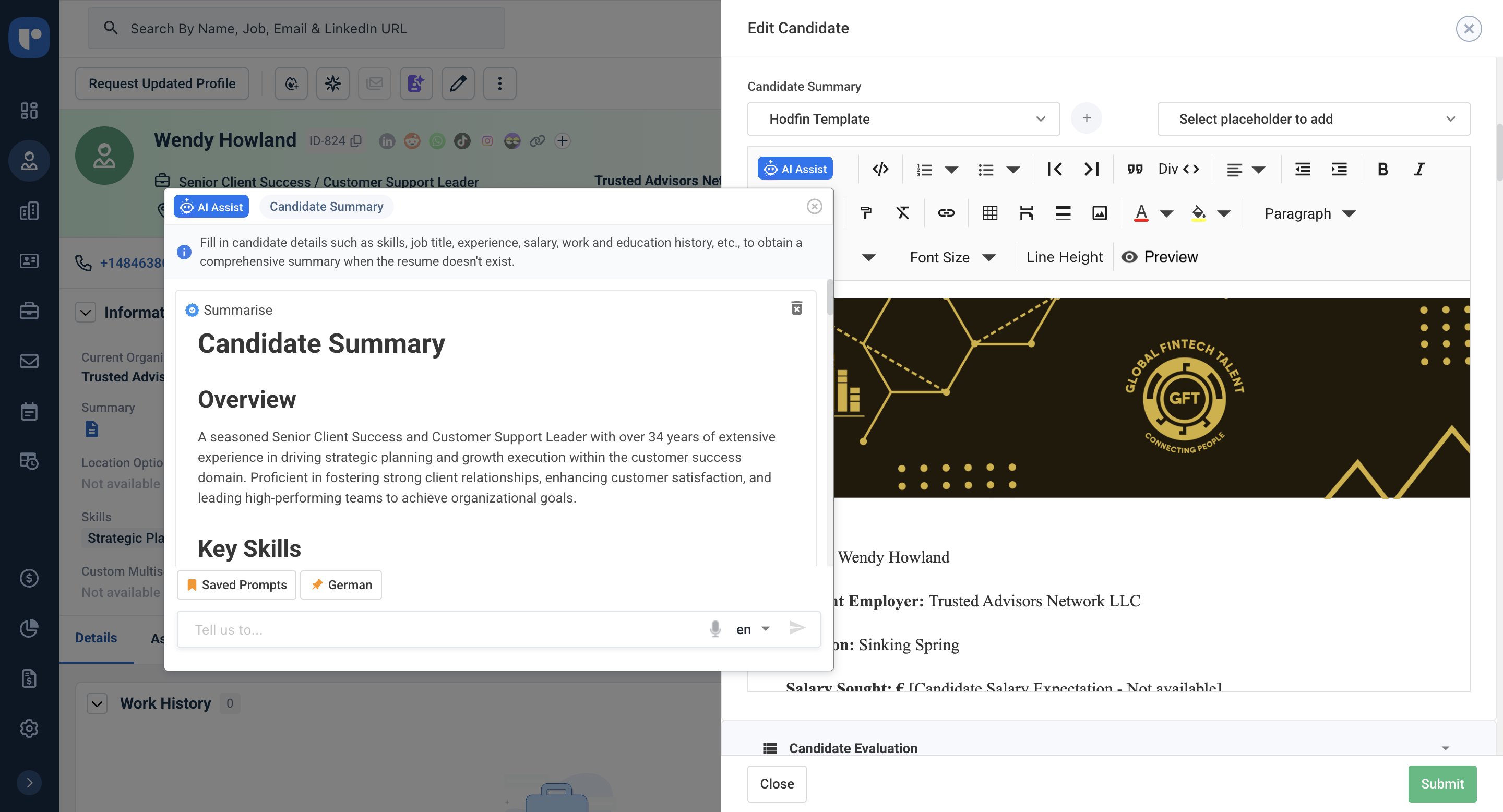
Recruit CRM is an applicant tracking system (ATS) and customer relationship management (CRM) platform for recruitment and staffing agencies. It centralizes candidate, client, job, email, and activity data so recruiters can manage sourcing, outreach, submissions, and placements from one system. Key Capabilities AI assistance: AI agents can parse resumes, prepare candidate shortlists and submissions, draft outreach, and format candidate…
$109
per month per user
Pricing
Insightly
Recruit CRM
Editions & Modules
Plus
$29
per month (billed annually) per user
Professional
$49
per month (billed annually) per user
Enterprise
$99
per month (billed annually) per user
Pro
$109
per month per user
Business
$125
per month per user
Business
$159
per month per user
Enterprise
$259
per month per user
Offerings
Pricing Offerings
Insightly
Recruit CRM
Free Trial
Yes
Yes
Free/Freemium Version
No
Yes
Premium Consulting/Integration Services
Yes
Yes
Entry-level Setup Fee
No setup fee
No setup fee
Additional Details
—
Recruit CRM offers publicly listed pricing. Plans are priced per user and billed monthly or annually, with annual billing saving up to 20 percent. A free trial is available so teams can explore the platform before choosing a plan.
There are three plans, Pro, Business, and Enterprise, plus Enterprise features such as workflow automation, job multiposting, data enrichment, LinkedIn messaging integration, advanced analytics, and Recruit Craft. Several Enterprise features are included by default on the Enterprise plan.
There are a lot of things Insightly is great with for Career Services but much of my job is updating things manually because Insightly doesn't have a way to help me manage the database the way we need to. We have multiple academic records per students but needed to have fields that are multiselect on our contacts. These are all manually updated which are very tedious and not the best for what we need it to be able to do
A de minimis incentive was given to thank the reviewer for their time. The incentive was not used to bias or drive a particular response, nor was the incentive contingent on a positive endorsement. More Info
Another way to describe your CRM experience is to show your skills and abilities in using CRM software and tools. For example, you can mention the specific CRM platforms or systems that you have used or are familiar with, such as Salesforce, HubSpot, Zoho, or Microsoft Dynamics.Highlight both technical and transferable skills. Showcase your ability to collaborate with and contribute to a team in addition to your capabilities in CRM applications. This way, the interviewer can see how your skills are assets to their organization. Highlight any special certifications in CRM software you haveTalent Shortage.Attracting the Right Candidates.Targeting Passive Candidates.Engaging with Qualified Candidates.Reducing Time-to-hire.Building a Strong Employer Brand.Creating an Efficient Recruiting Process.Eliminating Bias in Hiring.
A de minimis incentive was given to thank the reviewer for their time. The incentive was not used to bias or drive a particular response, nor was the incentive contingent on a positive endorsement. More Info
A de minimis incentive was given to thank the reviewer for their time. The incentive was not used to bias or drive a particular response, nor was the incentive contingent on a positive endorsement. TR verified that a representative sample of customers was invited. More Info
Once you are immersed in the platform, for all of its integration kudos, the platform became "intuitive" if that is the right word for it. There was some push back from staff on deployment.
The service and support team at Insightly was very responsive, but it seemed as if they had fielded similar complaints, and slower learning curves than we expected.
Unfortunately, while all has worked out nicely now and we are very happy with the platform, we had to have additional instruction time for all the staff during onboarding as workflows, dashboards, and pipelines were more time intensive than expected on the demo.
A de minimis incentive was given to thank the reviewer for their time. The incentive was not used to bias or drive a particular response, nor was the incentive contingent on a positive endorsement. TR verified that a representative sample of customers was invited. More Info
A de minimis incentive was given to thank the reviewer for their time. The incentive was not used to bias or drive a particular response, nor was the incentive contingent on a positive endorsement. More Info
Insightly offers a great product; it's the right fit for our company at this time. We were, however, considering moving to Contactually due to their cost effective automation features. However, they lacked the project management capabilities of Insightly. As our company grows, we would love to stay with Insightly - and if they can nail the automation and add the ability to customize a little bit more, it would be the perfect solution for us. For a larger company with a more involved sales team, you might find the metrics/reporting to be a bit basic. Insightly offers great customer service even to free customers
Anyone with any experience with a working knowledge of Facebook or using a Windows computer will be able to quickly adapt to Insightly and use it to suit their needs. It can become more difficult to use as a company might have custom workflows or Insightly customer service might need to customize the program to better suit a company's need. A slow introduction to the system is better than having to learn the program quickly. Parts and knowledge build on each other so it hard to grasp all at once. The learning curve for Insightly is 2-3 weeks while mastery comes with time and exposure to the program
A de minimis incentive was given to thank the reviewer for their time. The incentive was not used to bias or drive a particular response, nor was the incentive contingent on a positive endorsement. TR verified that a representative sample of customers was invited. More Info
There is always room for improvement and I believe RCRM is a great system that is adapting to what it's users want and need. The system suits our needs and is a huge improvement from our previous system. I can't say enough good things about the customer service. They have great follow up and always get back to me within the same day. If there is ever an unknown, there is a timeline given for follow up and a promise to get it resolved. They always come through. It's important to have a team behind your software that listens and adapts.
A de minimis incentive was given to thank the reviewer for their time. The incentive was not used to bias or drive a particular response, nor was the incentive contingent on a positive endorsement. More Info
The provider is 100% available, with no downtime, maintenance, or unexpected outages. We have been able to perform solid continuous services for 12 months without any interruptions. We have backups as well, unlike the in-house backup that they keep on their end. I believe they have a very good redundancy and backup infrastructure in case they get any outages.
A de minimis incentive was given to thank the reviewer for their time. The incentive was not used to bias or drive a particular response, nor was the incentive contingent on a positive endorsement. More Info
Pages normally load quickly, but every now and then, as entering updates to fields, it take a while to update. Sometimes even after refreshing the screen, we have to exit and go back in to get the fields or queries to update.
A de minimis incentive was given to thank the reviewer for their time. The incentive was not used to bias or drive a particular response, nor was the incentive contingent on a positive endorsement. More Info
We have used Insightly for almost 2 years now. We have always been able to get in touch with support for a variety of reasons and they have never disappointed us. The support staff have always been very understanding. They have assisted with answers to our questions and have provided great tech support. We would highly recommend them.
A de minimis incentive was given to thank the reviewer for their time. The incentive was not used to bias or drive a particular response, nor was the incentive contingent on a positive endorsement. More Info
Again, the customer service team is awesome. They always respond in the same day and have resolved any issue I have ever had. They have made improvements to the system on a weekly basis, always improving for their users. There is a forum where you can leave your feature suggestions and vote on ones left by other users. The reps will jump on a call or screen share with you if you need to be walked through anything. They go above and beyond.
A de minimis incentive was given to thank the reviewer for their time. The incentive was not used to bias or drive a particular response, nor was the incentive contingent on a positive endorsement. More Info
Well, we didn’t get the chance to do this in-person training but rather one-on-one online training with HR in-house. There were PowerPoints to discuss as well as video instructions on how to use the app, so it was okay. We were able to play around with it during the training or onboarding session.
A de minimis incentive was given to thank the reviewer for their time. The incentive was not used to bias or drive a particular response, nor was the incentive contingent on a positive endorsement. More Info
I've used Insightly's online training &/ or learned as I went. I've found the blogs and online written material helpful. I've also attended a few webinars, which can be useful if you use a J-I-T approach so as not to overwhelm you (or your staff) with functionality that you are using just yet. The fact that it's all available on their website and you can learn at your own pace is invaluable
A de minimis incentive was given to thank the reviewer for their time. The incentive was not used to bias or drive a particular response, nor was the incentive contingent on a positive endorsement. TR verified that a representative sample of customers was invited. More Info
did not participate in the implementation of this product did not participate in the implementation of this product did not participate in the implementation of this product did not participate in the implementation of this product did not participate in the implementation of this product did not participate in the implementation of this product
A de minimis incentive was given to thank the reviewer for their time. The incentive was not used to bias or drive a particular response, nor was the incentive contingent on a positive endorsement. TR verified that a representative sample of customers was invited. More Info
Insightly is significantly better than Zendesk. It is easy to use, pleasant to look at, and makes sense. However, I don't think Insightly is fair now compared to Salesforce. Insightly can do many of the same things as Salesforce, but I've only started on some of these features. Insightly has excellent potential, and its support team drives me to make it what I believe it can be. For the price, I believe Insightly is worth it.
A de minimis incentive was given to thank the reviewer for their time. The incentive was not used to bias or drive a particular response, nor was the incentive contingent on a positive endorsement. More Info
We evaluated about 3-5 different vendors. The low barrier to entry made it an easy target to test out. Forcing an upfront annual fee was not in our interest without extensively testing the product. We also had a very basic requirement - an easy way to intake a large number of candidates and move them through a recruitment process. We didn't need anything else special at the time and recruit CRM was the most straightforward application that would provide us with a solution.
A de minimis incentive was given to thank the reviewer for their time. The incentive was not used to bias or drive a particular response, nor was the incentive contingent on a positive endorsement. More Info
I don’t have the exact answers for this, but our accounting or finance department negotiates this. They always handle this kind of stuff and negotiate yearly licenses. Usually, they purchase 10 licenses in bulk and ask for a discount in bulk. Other than that, if there are any issues encountered on the app, they account for that. If it’s broken, that’s also taken into consideration when renewing the contract.
A de minimis incentive was given to thank the reviewer for their time. The incentive was not used to bias or drive a particular response, nor was the incentive contingent on a positive endorsement. More Info
(+) Being able to download my LinkedIn connections was a huge benefit. (+) I use the task function to stay on top of my follow-up activity which is another positive feature. (+) The sorting capabilities also help me pinpoint the contacts that I need to stay on top of. (-) When I add a new lead from an existing organization, I would like the organization's information to automatically populate the fields like address, website, description. I enter all that information manually. (-) My mass mailing experience has been tedious due to the email function being interrupted and crashing due to bad email addresses in some of my records. (-) Many of my leads do not have current email addresses. I wish Insightly offered a tool to help find email addresses. I spend too much time researching to find email addresses.
A de minimis incentive was given to thank the reviewer for their time. The incentive was not used to bias or drive a particular response, nor was the incentive contingent on a positive endorsement. TR verified that a representative sample of customers was invited. More Info
A de minimis incentive was given to thank the reviewer for their time. The incentive was not used to bias or drive a particular response, nor was the incentive contingent on a positive endorsement. More Info
Positive Impact>Visibility is critical when it comes to taking proactive measures within the organization. The Insightly Tool has helped use with that which minimizes costs when it comes to rework. We can proactively plan for upcoming growth and identify areas of improvement.
A de minimis incentive was given to thank the reviewer for their time. The incentive was not used to bias or drive a particular response, nor was the incentive contingent on a positive endorsement. More Info
A de minimis incentive was given to thank the reviewer for their time. The incentive was not used to bias or drive a particular response, nor was the incentive contingent on a positive endorsement. More Info