Jamf Pro (formerly Casper Suite) is designed to automate device management for users while driving end-user productivity and creativity. According to the vendor, it is the EMM tool that delights IT pros and the users they support by delivering on the promise of unified endpoint management for Apple devices.
N/A
Pulseway
Score 7.0 out of 10
Mid-Size Companies (51-1,000 employees)
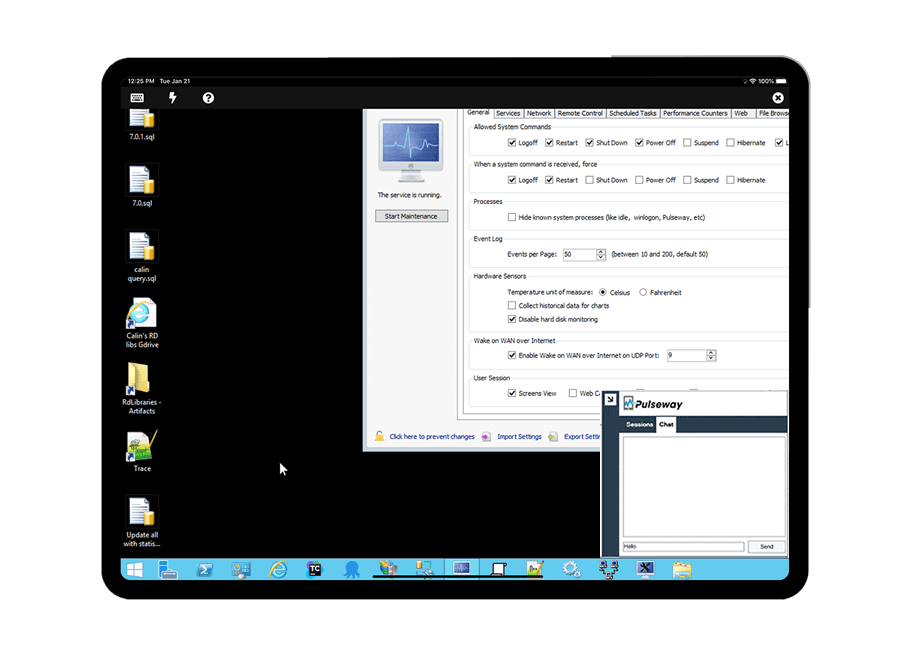
Pulseway is an IT monitoring and management solution that enables users to monitor, manage and control all systems and servers from a smartphone, tablet or browser. For system administrators, Pulseway sends a notification, so they can see an issue and sort it in seconds. Pulseway features: Automation: Auto-remediation workflows, so that IT issues are fixed before users even notice them. Mobile Access: Customers can monitor, manage, connect with…
$0.80
per month per installation
Pricing
Jamf Pro
Pulseway
Editions & Modules
No answers on this topic
Enterprise
$0.80
per month per installation
Offerings
Pricing Offerings
Jamf Pro
Pulseway
Free Trial
Yes
Yes
Free/Freemium Version
No
Yes
Premium Consulting/Integration Services
Yes
Yes
Entry-level Setup Fee
No setup fee
No setup fee
Additional Details
$3.33 per month per iOS device
$6.25 per month per Mac
Education and volume discounts available.
Onboarding
3-Day for Mac + iOS: $7,500
2-Day for Mac only: $6,000
4hr Remote for iOS only: $750
Billed Annually
No hidden fees or contracts. Term-based discounts.
Well suited for any organization that wants to manage apple products. It's extremely easy to integrate and has many connectors for existing enterprise infrastructure applications. Certificate management is a breeze. Not so suited for smaller businesses that only have 10-20 devices. Jamf has another product called JAMF Now that would suffice for those areas.
If you have to manage a large number of computers, especially spread over multiple clients or a large physical area. This is one of the main products that allows us to act as a Managed Service Provider (MSP) and actually manage our clients devices and not just react to issues as clients call them in. Clients really love the proactive approach it allows us to take. Sadly as we became more familiar with options out there we found this area lacking and what was actually holding us back.
Jamf Pro's Self Service is a great mechanism for making software available to end uses as they need it.
Jamf Pro is also great for creating plans called PreStage Enrollments that allow for computers to skip many of the setup screens, as well as automating account creation.
Jamf Pro in combination with Apple Automated Device Enrollment (formerly DEP) allows for devices to supervised and managed, this combination allows for locking, remote wipe of devices, and finding locations of devices when put into lost mode.
It monitors computers and notifies us of any issues with any computer.
It allows remote control of computers, such as requesting a computer to reboot itself.
It is very highly configurable to monitor exactly what we need to monitor. For example, on server, we can have it notify us any time the server is shutdown or rebooted. On the other hand, for a desktop computer, we don't have to be bothered with notifications when a user decides to reboot his computer.
Finding what you need in Jamf Pro can be tough at times. The interface is not what I would call friendly.
You'll need static credentials for Jamf Pro. They don't integrate with the Jamf Account, and it doesn't offer 2FA. SSO is an option, but it's not simple to set up.
We stepped away and are looking at different products that integrate with our entire fleet MDM solution rather than focusing specifically on Apple products. An all in one solution fits our needs better and is more cost-effective in the long run. Jamf Pro needs to improve some features and support but overall its a good product.
Jamf Pro has done pretty much anything we've needed with little setup headache. If we hit a wall, the Jamf user community and tech support departments both are more than willing to help solve problems. Tech support is excellent, but the surprising thing is the user base is by far the biggest resource. Jamf users love to help each other, by directly chatting about issues, posting best practices, or just posting info on the forums.
The tool is easy to use however it is can be daunting with the amount of features available in it. Last I checked, their knowledge base was not very expansive and they relied a lot on the changelog for how to do some stuff. This can make it hard to learn how to do some more advanced things like the automation.
Jamf Support is very responsive and usually assists in any challenge we are tackling. They are also very transparent when they are allowed to be. I personally love our Jamf Pro support rep and don't fear messaging their support team.
I have never had to use the support for Pulseway. However, when initially starting out, we would receive emails every so often asking how we are doing and if there is any support that they can provide. I would imagine that any request would be supplied with the same great support!
The training session was beneficial because it expanded my knowledge about Jamf products and really learn what I am capable of doing with Jamf Pro in terms of managing Apple computers and devices. Immediately after the training course, I was able to implement what I learn to our cloud instance.
Migration from an existing MDM requires device wipe and reenroll for full supervision of the device. It's somewhat painful. User enrollment makes things easier, but you miss out on full management.
Even thought we are using this solutions for different purposes (macOS device management VS mobile device management), I think at the end Jamf Pro is more focused or aimed for macOS management, and mobile device management is just a good addition to that. Same I can tell about Ivanty, is more about iOS/Android management rather than macOS
Pulseway has the most features, the best looking app with the best design and better usability than any others we evaluated. We liked the uniformity of the app design across all platforms (Windows, Android, Apple) and the notifications displayed on each platform. The price was a major contributor to our selection of Pulseway compared to the competition.
Jamf Pro has allowed us to minimize the time it takes to deploy devices. We can use zero-touch deployment methodologies which allow devices to go directly to end users and allow end users to get up and running without needing IT's help.
We have implemented both a third-party & macOS patching service, which allows us to ensure all apps and versions of macOS are updated and secure.
Problems can be dealt with more rapidly because I have access to systems from anywhere. I don't have to carry a computer with me nor do I have to find a location with potentially non-secure wifi to gain access to my systems.
I can handle 99% of my system admin tasks using Pulseway and never have to touch a system or connect to the console.
Pulseway gives so much control over a system that I don't need to spend extra money on other software to perform management tasks.