Kibana allows users to visualize Elasticsearch data and navigate the Elastic Stack so you can do anything from tracking query load to understanding the way requests flow through your apps.
N/A
Looker
Score 8.2 out of 10
N/A
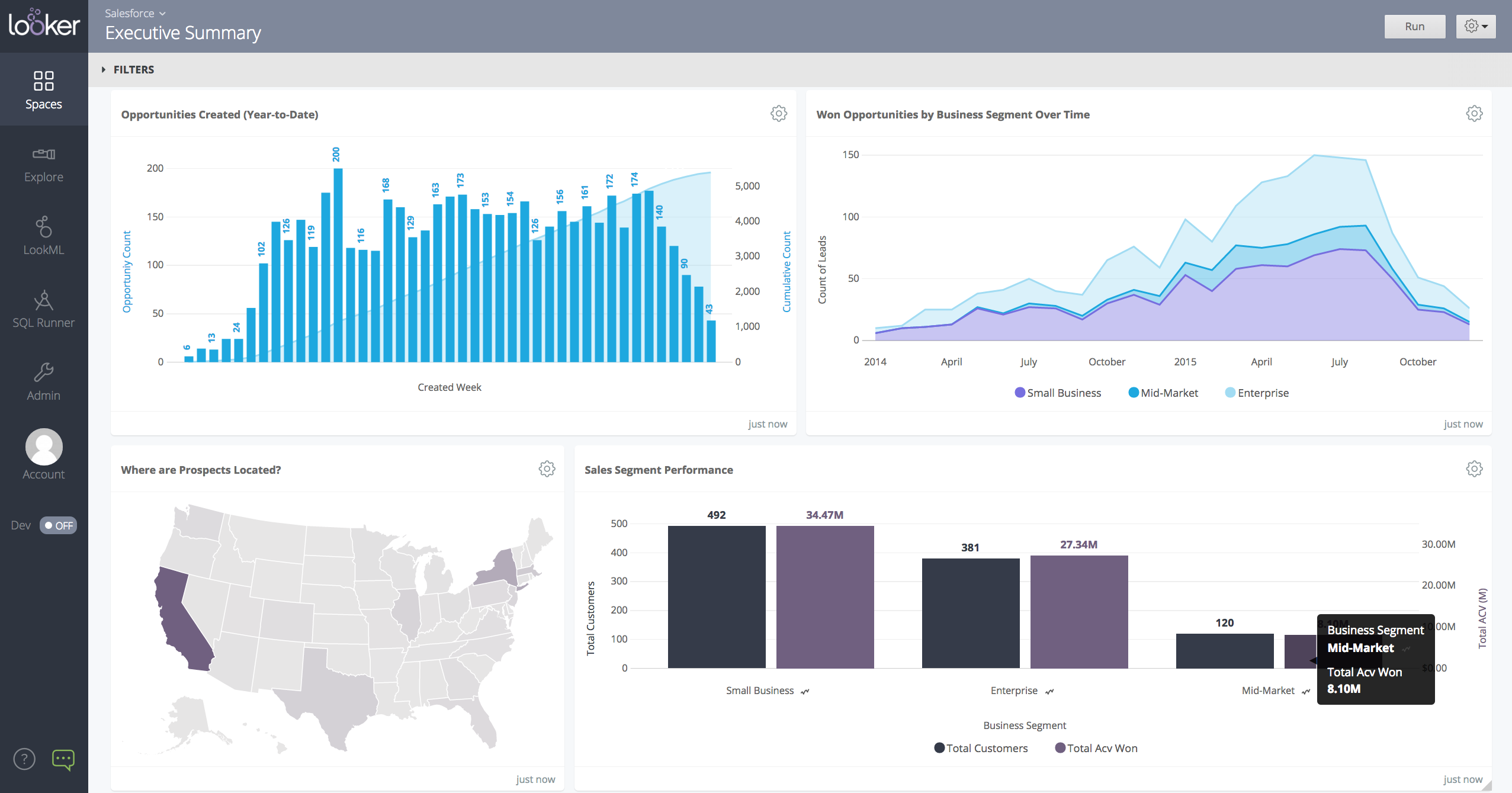
Looker is a BI application with an analytics-oriented application server that sits on top of relational data stores. It includes an end-user interface for exploring data, a reusable development paradigm for data discovery, and an API for supporting data in other systems.
N/A
SharePoint
Score 7.9 out of 10
N/A
Microsoft's SharePoint is an Intranet solution that enables users to share and manage content, knowledge, and applications to empower teamwork, quickly find information, and collaborate across the organization.
$5
Per User Per Month
Pricing
Kibana
Looker
Microsoft SharePoint
Editions & Modules
No answers on this topic
No answers on this topic
Plan 1
$5.00
Per User Per Month
Plan 2
$10.00
Per User Per Month
Office 365 E3
$20.00
Per User Per Month
Offerings
Pricing Offerings
Kibana
Looker
SharePoint
Free Trial
No
Yes
Yes
Free/Freemium Version
No
No
No
Premium Consulting/Integration Services
No
Yes
No
Entry-level Setup Fee
No setup fee
Required
No setup fee
Additional Details
—
Must contact sales team for pricing.
—
More Pricing Information
Community Pulse
Kibana
Looker
Microsoft SharePoint
Features
Kibana
Looker
Microsoft SharePoint
BI Standard Reporting
Comparison of BI Standard Reporting features of Product A and Product B
Kibana
7.0
5 Ratings
14% below category average
Looker
7.4
134 Ratings
10% below category average
Microsoft SharePoint
-
Ratings
Pixel Perfect reports
6.02 Ratings
6.5110 Ratings
00 Ratings
Customizable dashboards
8.05 Ratings
8.3133 Ratings
00 Ratings
Report Formatting Templates
7.03 Ratings
7.5115 Ratings
00 Ratings
Ad-hoc Reporting
Comparison of Ad-hoc Reporting features of Product A and Product B
Kibana
6.7
5 Ratings
16% below category average
Looker
6.9
132 Ratings
15% below category average
Microsoft SharePoint
-
Ratings
Drill-down analysis
8.05 Ratings
6.4128 Ratings
00 Ratings
Formatting capabilities
7.04 Ratings
6.6130 Ratings
00 Ratings
Integration with R or other statistical packages
5.01 Ratings
5.655 Ratings
00 Ratings
Report sharing and collaboration
6.94 Ratings
8.8131 Ratings
00 Ratings
Report Output and Scheduling
Comparison of Report Output and Scheduling features of Product A and Product B
Kibana
6.8
2 Ratings
18% below category average
Looker
7.9
128 Ratings
4% below category average
Microsoft SharePoint
-
Ratings
Publish to Web
8.02 Ratings
7.7105 Ratings
00 Ratings
Publish to PDF
8.02 Ratings
7.9113 Ratings
00 Ratings
Report Versioning
6.02 Ratings
7.984 Ratings
00 Ratings
Report Delivery Scheduling
6.02 Ratings
8.3110 Ratings
00 Ratings
Delivery to Remote Servers
6.02 Ratings
00 Ratings
00 Ratings
Data Discovery and Visualization
Comparison of Data Discovery and Visualization features of Product A and Product B
Kibana is indeed a powerful tool and has many use cases especially in environments that rely heavily on real-time log analysis and visualisation. Kibana’s ability to handle large volumes of log data and present it in an accessible, searchable format is invaluable. We use Kibana to monitor security related issues and it proactively alerts our Slack channels about any anomality or issues.
When data drives potential for new orders, Looker earns its place in our tech stack. If, on the other hand, we are hoping for pipeline generation, Looker is useful if you are willing to repeatedly go check customer utilizations .... it is not appropriate if you are hoping to automate data analysis for this purpose.
It's Microsoft, so it rarely goes down or unnecessarily limits access. It works, though page load times can be long if you have lots of data. I feel like the Mac vs. PC divide has started to show up for MS products, but SharePoint works well with both.
Show visited pages - sessions, pageviews - which programs are viewed the most.
Displays session source/medium views to see where users are coming from.
It shows the video titles, URLs, and event counts so we can monitor the performance of our videos.
It gives a graphic face to the numbers, such as using bar charts, pie graphs, and other charts to show user trends or which channels are driving engagement.
Our clients like to see the top pages visited for a month.
I like the drop-and-drag approach, and building charts is a little easier than it was before.
Windows Explorer users have some difficulty having to constantly UPLOAD / DOWNLOAD files. Specifically on the DOWNLOAD when they are used to Drag & Drop in & out of LOCAL folders via Window's explorer.
Microsoft SharePoint supports multiple "library" types. When implementing our "image" library the search function is done via "tags" and boolean logic. This is challenging to most end users. I'd like our users to be able to search our Microsoft SharePoint image library without having to enter KEYWORD or other BOOLEAN logic.
Microsoft SharePoint can also be an internal website for each department or company wide communication tool but I believe these features are geared for much larger organizations. Since we are a SMB we really aren't using these features. So maybe something more useful to SMBs would be nice.
I give it this rating because it deems as effective, I am able to complete majority of my tasks using this app. It is very helpful when analyzing the data provided and shown in the app and it's just overall a great app for Operational use, despite the small hiccups it has (live data).
It's integral to our business. It's already included with most of the Office 365 licensing we buy, so the cost is effectively zero. It stores our files, it is the foundation for custom applications, and Microsoft only continues to enhance its functionality and its connections to other Microsoft tools. SharePoint just keeps getting better and better.
Its usability is generally good and it provides teams with a basic to intermediate understanding about data visualization. It is very user-friendly when it comes to creating dashboards. The UI is very good and simple. Its integration with other tools for alerting and reporting is amazing. But its advance features have a learning curve and a first timer needs some time to use the advance features.
Looker is relatively easy to use, even as it is set up. The customers for the front-end only have issues with the initial setup for looker ml creations. Other "looks" are relatively easy to set up, depending on the ETL and the data which is coming into Looker on a regular basis.
No usability issues reported. Individual teams also have allocated areas which replace legacy shared drives on local LANs. Access to Sharepoint resources is fully integrated with corporate Active Directory with additional two-factor authentication required for administrative users. Users have access to Microsoft Services Hub which allows you to create, manage, and track support requests while staying current on Microsoft technologies with access to select self-paced learning paths
Somehow resources heavy, both on server and client. I recommned at least 50Mbs data rate and high performance desktop comouter to be abke to run comolex tasks and configure larger amount of data. On the other hand, the client does not need to worry when viewing, the performance is usually ok
Never had to work with support for issues. Any questions we had, they would respond promptly and clearly. The one-time setup was easy, by reading documentation. If the feature is not supported, they will add a feature request. In this case, LDAP support was requested over OKTA. They are looking into it.
The face to face training I received was on SharePoint Administration. It was rushed as there was a lot of information to cover and the application of the labs weren't that great either. I like to be able to relate what I am learning to what I am currently doing.
I like to learn at my own pace and online training allows for that. Additionally, you can skip through pieces of content that you already know or are already comfortable with. Microsoft actually offers great videos on their website for basic fundamental SharePoint Training. I have used these training videos in some of my own training sessions with end users.
Looker Studio, you can easily report on data from various sources without programming. Looker Studio is available at no charge for creators and report viewers. Enterprise customers who upgrade to Looker Studio Pro will receive support and expanded administrative features, including team content management. So it's good.
The reasons for selecting MS SharePoint are: SharePoint provides ease of use and web design assistance and support SharePoint helps you schedule your content for publishing. enables users to share documents with external parties and offers a better internal structure of the content and better indexing and searching capabilities.
Looker has a poignant impact on our business's ROI objectives. As an advertising exchange we have specific goals for daily requests and fill, and having premade Looks to monitor this is an integral piece of our operational capability
To facilitate an efficient monthly billing cycle in our organization, Looker is essential to track estimated revenue and impression delivery by publisher. Without the Looks we have set up, we would spend considerably more time and effort segmenting revenue by vertical.
Looker's unique value proposition is making analytical tools more digestible to people without conventional analytical experience. Other competing tools like Tableau require considerably more training and context to successfully use, and the ability to easily plot different visualizations is one of its greatest selling points.