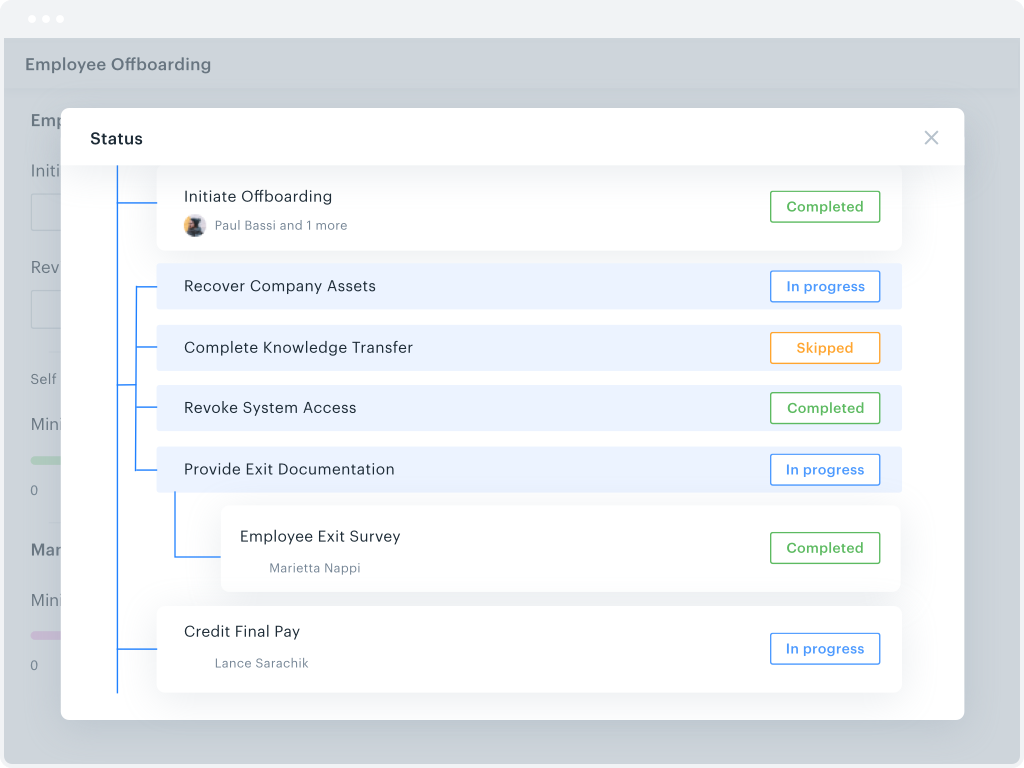
Kissflow is a low-code platform for custom application development tailored to business operations. Kissflow empowers process owners and IT developers to automate and build processes and applications for internal business operations.
$1,500
per month 50 Users
Microsoft Power Automate
Score8.5 out of 10
N/A
Microsoft Power Automate is an advanced automation platform offering a range of features, including AI-powered automation, robotic process automation (RPA), business process automation (BPA), digital process automation (DPA), and process/task mining. The platform aims to empower organizations to securely automate their operations at scale by leveraging low-code and AI technologies.
Director Of Communications at The Suzuki School (Education Management, 51-200 employees)
Chose Kissflow
KiSSFLOW wants you to be able to increase productivity, make it possible to "manage the chaos" (their own words) and simply make things better. It is exactly what it sounds like. For a visual learner, KiSSFLOW is perfect. It really does make good on its promise to help you …
A de minimis incentive was given to thank the reviewer for their time. The incentive was not used to bias or drive a particular response, nor was the incentive contingent on a positive endorsement. More Info
Microsoft
Verified User
Chose Microsoft Power Automate
We selected Microsoft Flow because we are Microsoft house. But regardless of that fact, the outside software and services it can interface with is what i feel really sets them apart. The multitude of actions and triggers included in Flow as well the interface is where Flow …
A de minimis incentive was given to thank the reviewer for their time. The incentive was not used to bias or drive a particular response, nor was the incentive contingent on a positive endorsement. More Info
We've used Kissflow [School Cloud] in order to track parent requests for transportation in the SpEd department. It has been user friendly for parents to input a request and staff to review, double check school sites and locations, and set up specific routes to meet the needs of students and communicate the info back to parents.
A de minimis incentive was given to thank the reviewer for their time. The incentive was not used to bias or drive a particular response, nor was the incentive contingent on a positive endorsement. More Info
Very useful RPA tools for automating processes with minimal coding and drag-and-drop functionality, with a wide variety of triggers, including scheduled time-based triggers and activity-based triggers, such as modifying a file/list in SharePoint to run a Power Automate flow. Very easy-to-use UI with native integration with every Microsoft product, and a very low automation failure rate for deployed workflows.
A de minimis incentive was given to thank the reviewer for their time. The incentive was not used to bias or drive a particular response, nor was the incentive contingent on a positive endorsement. More Info
They know what they are. You aren't going to get a Workflow program that also wants to be a CRM. You will get the equivalent of an electronic assistant going from station to station, taking care of business and giving you the end result.
Paper. It reduces the amount of paper needed for menial tasks tremendously. You can automate an entire process. As an educational institution, you may still need paper copies, but you aren't waiting for John Doe to sign Line 3, then Jane Doe to initial, and so on and so on with a paper form.
Tracking. If you need to know where things are in the process, the fact that this program is dedicated to workflow makes it incredibly easy to identify where people are in the sales flow.
Customer appreciation. When your workflow is stronger, faster, and better, the customers feel it. They feel like you are right there with them and getting things moving.
A de minimis incentive was given to thank the reviewer for their time. The incentive was not used to bias or drive a particular response, nor was the incentive contingent on a positive endorsement. More Info
A de minimis incentive was given to thank the reviewer for their time. The incentive was not used to bias or drive a particular response, nor was the incentive contingent on a positive endorsement. More Info
Workflow Design: There isn't a copy/paste function when creating the workflow, and you can't move a workflow task between parallel branches. This becomes a pain point when an item has 98% of what you need, but you can't copy it and place it in another branch to make the last tweaks. Instead, it needs to be completely recreated
Interface: While I like the current design features, which make it easy for an end-user to find their tasks and items, it would be nice to also have some flexibility within the platform. Things like being able to groups apps under a category or tailoring the look and feel of the page a little more would be a welcome addition.
A de minimis incentive was given to thank the reviewer for their time. The incentive was not used to bias or drive a particular response, nor was the incentive contingent on a positive endorsement. More Info
A de minimis incentive was given to thank the reviewer for their time. The incentive was not used to bias or drive a particular response, nor was the incentive contingent on a positive endorsement. TR verified that a representative sample of customers was invited. More Info
A de minimis incentive was given to thank the reviewer for their time. The incentive was not used to bias or drive a particular response, nor was the incentive contingent on a positive endorsement. More Info
The tool is very useful when used with its various native connectors, taking great advantage of the integration between the components and systems of the Office365 universe. However, its cost is still high, and automation using more advanced components containing AI resources becomes unfeasible for some companies. Due to the financial crisis that many companies are currently experiencing, investment in automation systems or tools is taking a back seat.
A de minimis incentive was given to thank the reviewer for their time. The incentive was not used to bias or drive a particular response, nor was the incentive contingent on a positive endorsement. More Info
The system has room to grow as it's limited by not being able to edit POs after they've been approved. The system is great for registrations and syncing to other systems while including the attachments. The reporting from Kissflow is also easy to setup to link to other platforms such as Looker
A de minimis incentive was given to thank the reviewer for their time. The incentive was not used to bias or drive a particular response, nor was the incentive contingent on a positive endorsement. More Info
Power Automate features a clean and intuitive user interface that allows users to create, manage, and monitor workflows easily. The UI is designed to be accessible to both technical and non-technical users, with drag-and-drop functionality for building workflows. Power Automate supports integration with a wide range of Microsoft and third-party applications. This flexibility in integration allows users to automate workflows across various systems, enhancing overall productivity and efficiency.
A de minimis incentive was given to thank the reviewer for their time. The incentive was not used to bias or drive a particular response, nor was the incentive contingent on a positive endorsement. TR verified that a representative sample of customers was invited. More Info
I haven't encountered a need for support with KiSSFLOW. It's not a perfect platform, but it's functional, dependable, and reasonably intuitive. I can't fault a support team just because their product works!
A de minimis incentive was given to thank the reviewer for their time. The incentive was not used to bias or drive a particular response, nor was the incentive contingent on a positive endorsement. More Info
both Community support and Microsoft official support typically respond to (and resolve) reported issues in a VERY expedient manner, usually going above and beyond for education and bugfixing. I have been thoroughly impressed with the level of support I had been provided in the past.
A de minimis incentive was given to thank the reviewer for their time. The incentive was not used to bias or drive a particular response, nor was the incentive contingent on a positive endorsement. More Info
after reviewing the main features of Power Automate, the Microsoft trainer focused on some of our real life use cases implementation, from simple to more advanced.
A de minimis incentive was given to thank the reviewer for their time. The incentive was not used to bias or drive a particular response, nor was the incentive contingent on a positive endorsement. TR verified that a representative sample of customers was invited. More Info
although it was productive, it is more difficult to stay focused and in a 7 hours a day online training (including screen share issues and the fact that the trainer just can't precisely show the exact location of your mistake)
A de minimis incentive was given to thank the reviewer for their time. The incentive was not used to bias or drive a particular response, nor was the incentive contingent on a positive endorsement. TR verified that a representative sample of customers was invited. More Info
Overall, our experience implementing Microsoft Power Automate has been positive, with a relatively low barrier to entry and a fast time-to-value—especially because it integrates natively with Microsoft 365, which we were already using extensively. With Respect to migration, I had a very good experience where existing workflows were reviewed and simplified. Unnecessary steps were removed. Business rules were reimplemented using Power Automate logic. We migrated Approval workflows, email-based notifications, SharePoint-centric processes, and simple integrations.
A de minimis incentive was given to thank the reviewer for their time. The incentive was not used to bias or drive a particular response, nor was the incentive contingent on a positive endorsement. More Info
KiSSFLOW is much easier to set up, less coding and easier to explain to those that are being trained. The company already had SharePoint, but it is a very difficult system to set up. A class had to be taken, along with getting books in order to understand the process of the workflow. With KiSSFLOW, it is simple to understand, the helpdesk is quick with their response, help topics are laid out simply and you can even talk with someone on that side to ask your questions. Overall, KiSSFLOW is a much easier workflow and system to use.
Microsoft Power Automate is worlds ahead of Zapier in so many ways. The looping, DOM access, and flow controls are much better. I feel that accessing different data within previous connectors used in a flow is much easier in Microsoft Power Automate as well. The custom connector creation process is a lot more pleasant in Microsoft Power Automate. The DateTime data type is handles MUCH better in Microsoft Power Automate, which is reason enough to use it.
A de minimis incentive was given to thank the reviewer for their time. The incentive was not used to bias or drive a particular response, nor was the incentive contingent on a positive endorsement. TR verified that a representative sample of customers was invited. More Info
A de minimis incentive was given to thank the reviewer for their time. The incentive was not used to bias or drive a particular response, nor was the incentive contingent on a positive endorsement. TR verified that a representative sample of customers was invited. More Info
Microsoft's professional services provide hands-on support throughout the implementation lifecycle of Power Automate.This includes initial setup, configuration, integration with existing systems, testing, and deployment. They ensure that workflows are correctly designed, optimized for performance, and aligned with security best practices.
A de minimis incentive was given to thank the reviewer for their time. The incentive was not used to bias or drive a particular response, nor was the incentive contingent on a positive endorsement. TR verified that a representative sample of customers was invited. More Info
The only real hard number savings that we have had with KiSSFLOW is the money we have saved in forms being printed, especially multi-part forms. So for a small college like us that it probably in the $5000 to $10000 per year range. We have certainly saved money in increased efficiencies of the processes that we have moved to KiSSFLOW. But that is harder to calculate.
You can automate a lot of process very easy like automatic mails for status updates and such. This will save a lot of time and is more accurate, faster and up-to-date than a user can be.
Task approval is centralized and automatic reminders save us a lot of time.
The ROI is good if you have a lot of use cases and things to automate
A de minimis incentive was given to thank the reviewer for their time. The incentive was not used to bias or drive a particular response, nor was the incentive contingent on a positive endorsement. TR verified that a representative sample of customers was invited. More Info