Lansweeper helps organizations see, understand, and make confident decisions about their technology estate across IT, OT, IoT, and Cloud. Lansweeper automatically discovers and inventories every asset: hardware, software, and user—then connects that data to insights about usage, lifecycle, and risk. This is to create what the vendor describes as Technology Asset Intelligence (TAI): a trusted foundation of knowledge that turns raw inventory data into clear, actionable…
$2,868
per year (includes 2000 assets)
N-able N-central
Score9.2 out of 10
N/A
MSPs
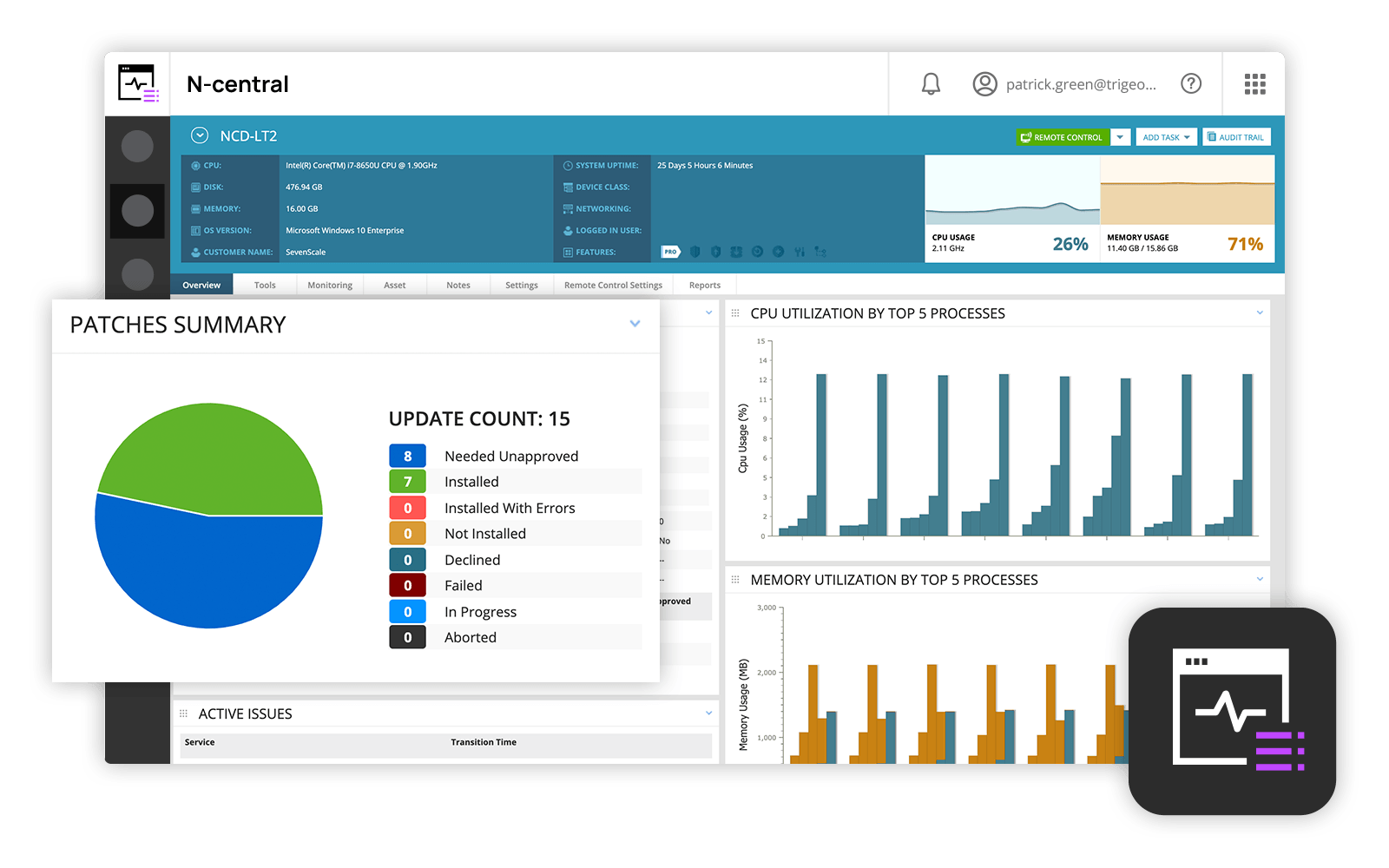
and IT professionals use N-able™ N-central® to monitor and manage devices and complex
networks remotely. N-central provides
visibility and efficiency as the user's needs scale. N-central can help users:
1. Proactively monitor everything on a customer network—not just servers
and workstations—and troubleshoot.
2. Stay on top of threats with features like MFA, antivirus, integrated endpoint
detection and response, data backup, disk encryption, email protection,…
Lansweeper I believe is well suited for any environment - its low cost and small footprint make it an easy addition to any organization, big or small, that is looking for an asset inventory solution that can either replace or supplement existing asset management systems. It may not be well suited for situations where a lot of customization is necessary, such as pulling in custom fields or details from equipment that don't reside in a registry.
A de minimis incentive was given to thank the reviewer for their time. The incentive was not used to bias or drive a particular response, nor was the incentive contingent on a positive endorsement. More Info
N-Able is perfect for an MSP environment. It gives all the standard functionality an IT professional needs out of the box and can be configured to show almost anything required. For example, we have configured a dashboard to show when our backups need attention for each customer. This is achieved by running a small script on repeat via N-Central everyday/evening, and the result gives us information on the dashboard to help us identify exactly what is working and what needs looking into.
A de minimis incentive was given to thank the reviewer for their time. The incentive was not used to bias or drive a particular response, nor was the incentive contingent on a positive endorsement. More Info
Inventory - LANSweeper scans the network for devices - anything with an SNMP trap or using AD or local credentials. We can get an in-depth look at devices.
Reporting - LANSweeper can generate just about any report you can imagine. We can check RAM in groups and determine where upgrades are needed. We can find local printers (which aren't allowed on our network) and address that issue with the user. We can check CPU type to help determine end of life without our network.
Printers - It's nice to have a quick look at printer statuses. Toner levels, out of paper, and service errors are all reported via LANSweeper.
A de minimis incentive was given to thank the reviewer for their time. The incentive was not used to bias or drive a particular response, nor was the incentive contingent on a positive endorsement. More Info
Remote tasks - entry-level techs can run basic tasks without physically touching a piece of equipment.
Remote support - remote controlling user devices is easy and saves a lot of time with having to initiate a remote session.
Management of devices, particularly patch management and anti-virus management - you can automatically approve and deploy patches and schedule automatic AV scans.
Can only scan what it sees. Doesn't show every item on the machine. Patches are also absent.
Software Recognition is OK with Microsoft. It is dire within our network of multiple products. Recognition is at about 35% with constant manual work needed to baseline for each manufacturer in each network
Datacenter compliance is a manual project. We used Excel extensively.
License optimization is limited to installations v surplus licenses. We need to know who's using what and how.
A de minimis incentive was given to thank the reviewer for their time. The incentive was not used to bias or drive a particular response, nor was the incentive contingent on a positive endorsement. More Info
Customer support just points to online guides and I feel they aren't helpful.
During the trial they turn on a lot of features. In my experience, if you play around with the features, they charge you for them. Keep this in mind if you move forward with N-Able - they will charge for "trialed" services.
In my experience, some services that you're being charged for can't be disabled or monitored by you or your team. You only see them on the monthly invoice.
In my opinion, the "Scripting Automation" doesn't provide value. You're either going to be writing your own batch or Powershell to make scripting work.
In my opinion, monitoring software deployments is painful.
The default monitoring template can't be duplicated, edited, or referenced. You'll find that the default monitors in an unusual way and will throw needless recurring alerts into your ticketing system. To avoid this, you need to create a template from scratch which takes many hours to set up.
In my opinion, they're more concerned about a quick buck than customer service. "Buyer beware" company.
Overall we have liked our solar winds experience, however, as our company has grown to support larger enterprises, this product does not have the functionality that our teams need in order to fully support them. The lack of granularity with backups and lack of ability to support nutanix environments is slowly drawing us into the use of other tools.
A de minimis incentive was given to thank the reviewer for their time. The incentive was not used to bias or drive a particular response, nor was the incentive contingent on a positive endorsement. More Info
The tool is a web gui, and is mostly easy to navigate, but certain areas are more unclear than others. Identifying what im filtering for, or what menu option has what impact can be less straightforward than I'd like. Overall though, this tool will provide me with information other tools in my box just don't.
A de minimis incentive was given to thank the reviewer for their time. The incentive was not used to bias or drive a particular response, nor was the incentive contingent on a positive endorsement. More Info
The user interface is fairly straight forward, with logic groupings for objects. I did not deploy this software, but am one of the daily administrators. Once you get the correct agent package (Which can be a challenge) the integration into AD is not bad. The UI could be more customized, but that may have been a design choice.
A de minimis incentive was given to thank the reviewer for their time. The incentive was not used to bias or drive a particular response, nor was the incentive contingent on a positive endorsement. More Info
Lots of info online there are tons of SQL Reports you can copy from the web as Lansweeper and users post many of them. They also send out alerts that pop up on Lansweeper, letting you know of an update that you need for certain software and provide an SQL report so you can scan your system to see what PCs need this update.
A de minimis incentive was given to thank the reviewer for their time. The incentive was not used to bias or drive a particular response, nor was the incentive contingent on a positive endorsement. More Info
Every time we have reached out to SolarWinds they are quick to respond, even offering support chat 24/7. Their support team is great and works with you to find solutions to issues. They have taken items we had issues with before and used those to create updates so that the issue is handled better in the future.
A de minimis incentive was given to thank the reviewer for their time. The incentive was not used to bias or drive a particular response, nor was the incentive contingent on a positive endorsement. More Info
A de minimis incentive was given to thank the reviewer for their time. The incentive was not used to bias or drive a particular response, nor was the incentive contingent on a positive endorsement. More Info
In short it has more features and its a more robust solution and it works well with those solutions. I am sure it will keep track with Ai and action recommendations in the future as I didnt see any of it on the platform (at least the one we use) I thin that is the only thing that is missing in the current product
A de minimis incentive was given to thank the reviewer for their time. The incentive was not used to bias or drive a particular response, nor was the incentive contingent on a positive endorsement. More Info
Our version of SolarWinds was old and running on old hardware, but it was way easier to setup and do things with. It did not do everything N-able does such as patch management, or at least we didn't have a module to do so if one existed. However it definitely seemed easier to use and possibly more stable.
It had a positive impact on solutions expense cause several teams we're using different solutions with different costs that used several servers and DB resources. Now, we've been able to simply that a lot with Lansweeper.
With my previous point, people had to train and learn about each of their solutions. Now we can put a team in charge and so the other teams can focus on other tasks.
Last year Lansweeper changed their licencing prices a lot so it slashed our budget.
A de minimis incentive was given to thank the reviewer for their time. The incentive was not used to bias or drive a particular response, nor was the incentive contingent on a positive endorsement. More Info