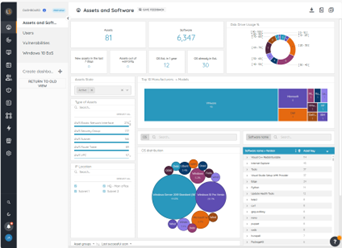
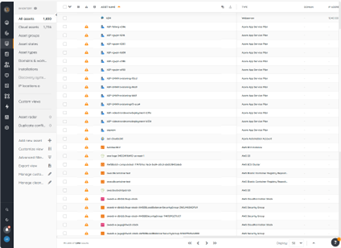
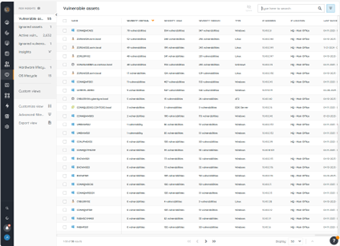
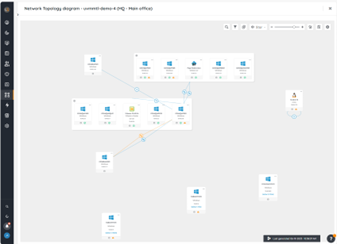
Lansweeper helps organizations see, understand, and make confident decisions about their technology estate across IT, OT, IoT, and Cloud. Lansweeper automatically discovers and inventories every asset: hardware, software, and user—then connects that data to insights about usage, lifecycle, and risk. This is to create what the vendor describes as Technology Asset Intelligence (TAI): a trusted foundation of knowledge that turns raw inventory data into clear, actionable…
$2,868
per year (includes 2000 assets)
Zendesk Suite
Score 8.5 out of 10
N/A
Zendesk is a customer support solution with built-in ticketing, conversational messaging, and live chat, designed to help businesses of all sizes and industries deliver personalized service at scale. Zendesk's AI agents are trained in CX to help Service teams resolve customer issues faster and more accurately while still providing a human-centered experience. Zendesk ultimately aims to help businesses improve time to value, reduce effort per ticket, and keep costs low.
$69
per month per agent
Pricing
Lansweeper
Zendesk Suite
Editions & Modules
Starter
$239
per month (billed annually) Includes 2,000 assets
Pro
$439
per month (billed annually) Includes 2,000 assets
Enterprise
Contact Sales
Starts at 10,000 Assets
Suite Team
$69
per month per agent
Suite Growth
$115
per month per agent
Suite Professional
$149
per month per agent
Suite Enterprise
Contact Sales
Offerings
Pricing Offerings
Lansweeper
Zendesk Suite
Free Trial
Yes
Yes
Free/Freemium Version
No
No
Premium Consulting/Integration Services
Yes
Yes
Entry-level Setup Fee
No setup fee
Optional
Additional Details
—
20% discount available with annual pricing.
More Pricing Information
Community Pulse
Lansweeper
Zendesk Suite
Features
Lansweeper
Zendesk Suite
IT Asset Management
Comparison of IT Asset Management features of Product A and Product B
Lansweeper
8.4
17 Ratings
8% above category average
Zendesk Suite
-
Ratings
Software and hardware inventory tracking
9.617 Ratings
00 Ratings
License management
7.413 Ratings
00 Ratings
Asset lifecycle monitoring
8.46 Ratings
00 Ratings
Asset relationship management
8.016 Ratings
00 Ratings
Incident and problem management
Comparison of Incident and problem management features of Product A and Product B
Lansweeper
-
Ratings
Zendesk Suite
8.6
187 Ratings
5% above category average
Organize and prioritize service tickets
00 Ratings
9.1186 Ratings
Expert directory
00 Ratings
7.9127 Ratings
Subscription-based notifications
00 Ratings
8.4130 Ratings
ITSM collaboration and documentation
00 Ratings
7.8131 Ratings
Ticket creation and submission
00 Ratings
9.3186 Ratings
Ticket response
00 Ratings
9.0185 Ratings
Self Help Community
Comparison of Self Help Community features of Product A and Product B
Lansweeper
-
Ratings
Zendesk Suite
8.5
169 Ratings
6% above category average
External knowledge base
00 Ratings
8.5163 Ratings
Internal knowledge base
00 Ratings
8.4156 Ratings
Multi-Channel Help
Comparison of Multi-Channel Help features of Product A and Product B
Lansweeper I believe is well suited for any environment - its low cost and small footprint make it an easy addition to any organization, big or small, that is looking for an asset inventory solution that can either replace or supplement existing asset management systems. It may not be well suited for situations where a lot of customization is necessary, such as pulling in custom fields or details from equipment that don't reside in a registry.
Zendesk is good for small teams where work is not passed along to internal teams or situations where escalations lead to further customer interactions and no further oversight is needed. It is weak as a product for larger and medium-sized companies, where processes are in place that are not aligned with its workflow, as it is a very rigid tool.
Inventory - LANSweeper scans the network for devices - anything with an SNMP trap or using AD or local credentials. We can get an in-depth look at devices.
Reporting - LANSweeper can generate just about any report you can imagine. We can check RAM in groups and determine where upgrades are needed. We can find local printers (which aren't allowed on our network) and address that issue with the user. We can check CPU type to help determine end of life without our network.
Printers - It's nice to have a quick look at printer statuses. Toner levels, out of paper, and service errors are all reported via LANSweeper.
Can only scan what it sees. Doesn't show every item on the machine. Patches are also absent.
Software Recognition is OK with Microsoft. It is dire within our network of multiple products. Recognition is at about 35% with constant manual work needed to baseline for each manufacturer in each network
Datacenter compliance is a manual project. We used Excel extensively.
License optimization is limited to installations v surplus licenses. We need to know who's using what and how.
Is there a way for AEs and CSMs to be informed in a weekly summary of all their accounts and any tickets? Example: Disney submitted a ticket on XYZ. Google has an urgent issue on X still unresolved.
Is there a way for CSMs or AEs to have a Dashboard that's specific to their accounts instead of seeing all the tickets in the queue that are not relevant to them?
Zendesk is an amazing tool for communicating with your customers easily. The communication tickets from sellers to us or from us to sellers are stored, and there are statuses used to make communication easy. We have internal conversations between departments, linked with useful software such as Zingtree, Talkdesk, and Webs.
The tool is a web gui, and is mostly easy to navigate, but certain areas are more unclear than others. Identifying what im filtering for, or what menu option has what impact can be less straightforward than I'd like. Overall though, this tool will provide me with information other tools in my box just don't.
Pros: The agent interface is sleek, contemporary, and relatively easy to learn compared to many other enterprise tools. For common tasks, admins are given point-and-click options- adding fields, modifying workflows, constructing macros. The knowledge base (Guide) editor is easy to use for non-developers. Drawbacks: Once you move past the initial things - complex automations, reporting/analytics in Explore, and/or customizations integrating the API, it requires much more advanced training to use successfully. Navigating between the different modules (Support, Explore, Chat, Guide) can feel very disconnected; often you are reminded that it really is a "suite" of products brought together -not really one unified platform. If you're using multiple brands managing simultaneous support tickets, or heavily customizing workflows to meet your brand, you may run into a bit of struggle with usability. So: it's a lot more user friendly than the palaces (Salesforce Service Cloud, ServiceNow), but is not used as quickly or with as much streamlined flow as a product made for a small shop. So if you are looking for a great balance, this is a good option if you are a net new organization or an organization on their way to scaling from 15 - 50 employee. Expect some elbow grease from the admin team once learning, adapting, and working efficiently once you move past the basics with your support tickets and initial customizations.
Lots of info online there are tons of SQL Reports you can copy from the web as Lansweeper and users post many of them. They also send out alerts that pop up on Lansweeper, letting you know of an update that you need for certain software and provide an SQL report so you can scan your system to see what PCs need this update.
We rarely need to contact their support team, but when we do they are responsive. However there have been notable times when communication between myself and the support rep was challenging despite me providing clear explanation of the issue, screenshots, and a thorough explanation of the goal we hope to achieve. It took several back and forth attempt, on a few occasions, to get resolution on an otherwise simple request
Zendesk has tons of available material for training - videos, webinars, articles, etc. The only reason this is not a 10 is because it can be hard to figure out how to navigate to these things and find what you are looking for.
I was very satisfied. They have a free trial for 30 days and I recommend you do that and use it. It is very easy to get started with the basics and the build on over time.
The only thing technically complex was single sign-on and integration to Salesforce.com required some tweaks – otherwise setting up system was very easy
In short it has more features and its a more robust solution and it works well with those solutions. I am sure it will keep track with Ai and action recommendations in the future as I didnt see any of it on the platform (at least the one we use) I thin that is the only thing that is missing in the current product
At the time of evaluation, Dynamics had extremely limited knowledge and support capabilities. The UI is clunky, and reporting requires a deep understanding of the underlying data structure. Ongoing maintenance was costly and didn't provide a positive ROI in any sense of the term.
It had a positive impact on solutions expense cause several teams we're using different solutions with different costs that used several servers and DB resources. Now, we've been able to simply that a lot with Lansweeper.
With my previous point, people had to train and learn about each of their solutions. Now we can put a team in charge and so the other teams can focus on other tasks.
Last year Lansweeper changed their licencing prices a lot so it slashed our budget.