Livestorm vs. RingCentral Video

Overview
ProductRatingMost Used ByProduct SummaryStarting Price
Livestorm
Score 10.0 out of 10
N/A
French company Livestorm offers their webinar platform which integrates with many other enterprise applications via Zapier and features polling, session recording and sharing, and webinar data collection and tracking.
$0
A free plan to discover Livestorm. All features included, such as unlimited webinars and instant meetings. Up to 20 minutes per webinar and up to 10 registrants per webinar.
RingCentral Video
Score 8.0 out of 10
N/A
RingCentral Video is a video conferencing solution ideal for remote teams and businesses. It includes screen sharing, group messaging, HD quality voice and video, and one-click video meetings.N/A
Pricing
LivestormRingCentral Video
Editions & Modules
Webinar Basic
$0.00
A free plan to discover Livestorm. All features included, such as unlimited webinars and instant meetings. Up to 20 minutes per webinar and up to 10 registrants per webinar.
Meet Basic
$0.00
Limited Instant and Scheduled Meetings for up to four participants
Meet Premium
$31.00
Full features for Instant and Scheduled Meetings.
Webinar Premium
$99.00
A premium experience with removed limitations to get the full benefits of Livestorm for up to 100 seats. + $99 to add 250 seats, + $209 to add 1,000 seats.
Enterprise
Contact sales
An enterprise-grade experience with premium service.
No answers on this topic
Offerings
Pricing Offerings
LivestormRingCentral Video
Free Trial
YesNo
Free/Freemium Version
YesNo
Premium Consulting/Integration Services
NoNo
Entry-level Setup FeeNo setup feeNo setup fee
Additional Details
More Pricing Information
Community Pulse
LivestormRingCentral Video
Features
LivestormRingCentral Video
Reporting & Analytics
Comparison of Reporting & Analytics features of Product A and Product B
Livestorm
10.0
3 Ratings
26% above category average
RingCentral Video
-
Ratings
Dashboards10.02 Ratings00 Ratings
Data exportability10.03 Ratings00 Ratings
Performance & Compatibility of Online Events Software
Comparison of Performance & Compatibility of Online Events Software features of Product A and Product B
Livestorm
9.5
3 Ratings
15% above category average
RingCentral Video
8.7
11 Ratings
9% above category average
High quality audio9.03 Ratings8.511 Ratings
Mobile support10.02 Ratings8.311 Ratings
High quality video00 Ratings9.411 Ratings
Online Meetings / Events
Comparison of Online Meetings / Events features of Product A and Product B
Livestorm
9.4
3 Ratings
14% above category average
RingCentral Video
7.1
10 Ratings
14% below category average
Calendar integration10.02 Ratings7.610 Ratings
Record meetings / events7.53 Ratings6.79 Ratings
Slideshows10.02 Ratings00 Ratings
Event registration10.03 Ratings00 Ratings
Online Events Collaboration
Comparison of Online Events Collaboration features of Product A and Product B
Livestorm
10.0
3 Ratings
17% above category average
RingCentral Video
-
Ratings
Audience polling10.03 Ratings00 Ratings
Q&A10.03 Ratings00 Ratings
Online Events Security
Comparison of Online Events Security features of Product A and Product B
Livestorm
10.0
3 Ratings
18% above category average
RingCentral Video
-
Ratings
Participant roles & permissions10.03 Ratings00 Ratings
Confidential attendee list10.03 Ratings00 Ratings
Online Events Marketing
Comparison of Online Events Marketing features of Product A and Product B
Livestorm
10.0
3 Ratings
23% above category average
RingCentral Video
-
Ratings
Branding options10.03 Ratings00 Ratings
Integration to Marketing Automation10.03 Ratings00 Ratings
Screen Sharing
Comparison of Screen Sharing features of Product A and Product B
Livestorm
-
Ratings
RingCentral Video
9.0
10 Ratings
13% above category average
Desktop sharing00 Ratings9.010 Ratings
Best Alternatives
LivestormRingCentral Video
Small Businesses
BigMarker
BigMarker
Score 6.0 out of 10
Whereby
Whereby
Score 9.9 out of 10
Medium-sized Companies
Zoho Meeting
Zoho Meeting
Score 8.8 out of 10
JioMeet
JioMeet
Score 9.8 out of 10
Enterprises
ON24
ON24
Score 7.6 out of 10
Webex Meetings
Webex Meetings
Score 8.6 out of 10
All AlternativesView all alternativesView all alternatives
User Ratings
LivestormRingCentral Video
Likelihood to Recommend
9.5
(3 ratings)
8.0
(11 ratings)
Usability
9.0
(2 ratings)
8.6
(5 ratings)
Support Rating
10.0
(2 ratings)
10.0
(1 ratings)
User Testimonials
LivestormRingCentral Video
Likelihood to Recommend
Livestorm
Livestorm is well suited to use when you need to reach a group of more than ten people. It wouldn't be a good solution if you wanted interaction from the audience in more than the form of chat.
Read full review
RingCentral
I would recommend RingCentral Video if a user or company is currently using RingCentral Meetings and is concerned with the security implications of using a Zoom-based platform. I would also recommend it if they are using O365 or G Suite presently. I would not recommend RingCentral Video if they are using MS Exchange on-prem. RingCentral Video is not as good as RingCentral Meetings, at present. It's also not as good as other meeting software, such as Cisco Webex.
Read full review
Pros
Livestorm
  • Very intuitive to use and easy to customize.
  • Excellent customer service.
  • Lots of good data for analytics.
  • Participants do not need to download anything.
  • Feedback and recommendations are acted on.
  • Easy to logistical information on registrants and attendees.
  • Supports integrations.
Read full review
RingCentral
  • Audio quality is always good if we have good internet.
  • Sharing the screen is easy and simple for every user.
  • Reliability, as all the conference software we need to make sure it's there whenever we need it.
Read full review
Cons
Livestorm
  • It would be helpful to have higher quality replays
Read full review
RingCentral
  • Only a rudimentary add-in for Outlook if using on-prem Exchange
  • Bugs in screen sharing that include an "application was minimized" error and the inability to share audio from a pre-recorded video
  • No simple way to join a RingCentral Video from the phone app without typing in the exact meeting ID, which can be tedious.
Read full review
Usability
Livestorm
Making sure the permission settings for your camera, microphone or browser can sometimes be tricky. If we have a guest, we always have to double-check these. It's also not super intuitive that you need to "Get on Stage" from the webinar page.
Read full review
RingCentral
Easy to use once it has been set up and onboarded with your company. Once you learn how to use all of the various features and dial out to other countries, it is a great product and in my opinion, superior to some of its competitors on the market currently.
Read full review
Support Rating
Livestorm
The customer service representatives are extremely attentive. They do an excellent job of trying to understand the scope of the issue and follow it through until it has been resolved. When I have provided them with recommendations for improvement they have taken them to heart and many times implemented them. I trust that if I ever have a problem they will be there to help
Read full review
RingCentral
Did not require support
Read full review
Alternatives Considered
Livestorm
No answers on this topic
RingCentral
RingCentral Video works basically as well as Google, Skype, and Zoom, however, those apps are more well known and much more industry standards. That is why we prefer them however we do use RingCentral as the backup and for some clients who prefer it for one reason or another. It is firmly on the second tier of options, but it is solid nonetheless.
Read full review
Return on Investment
Livestorm
  • It's been great! It's the very bottom of the funnel for us so it helps accelerate leads and create opportunities.
Read full review
RingCentral
  • Hard to attach an ROI as RingCentral Video is in current competition throughout our organization with Microsoft Teams. For those who have been using RingCentral Video since we first began using them, they find the product well received by their external clients/customers.
Read full review
ScreenShots

Livestorm Screenshots

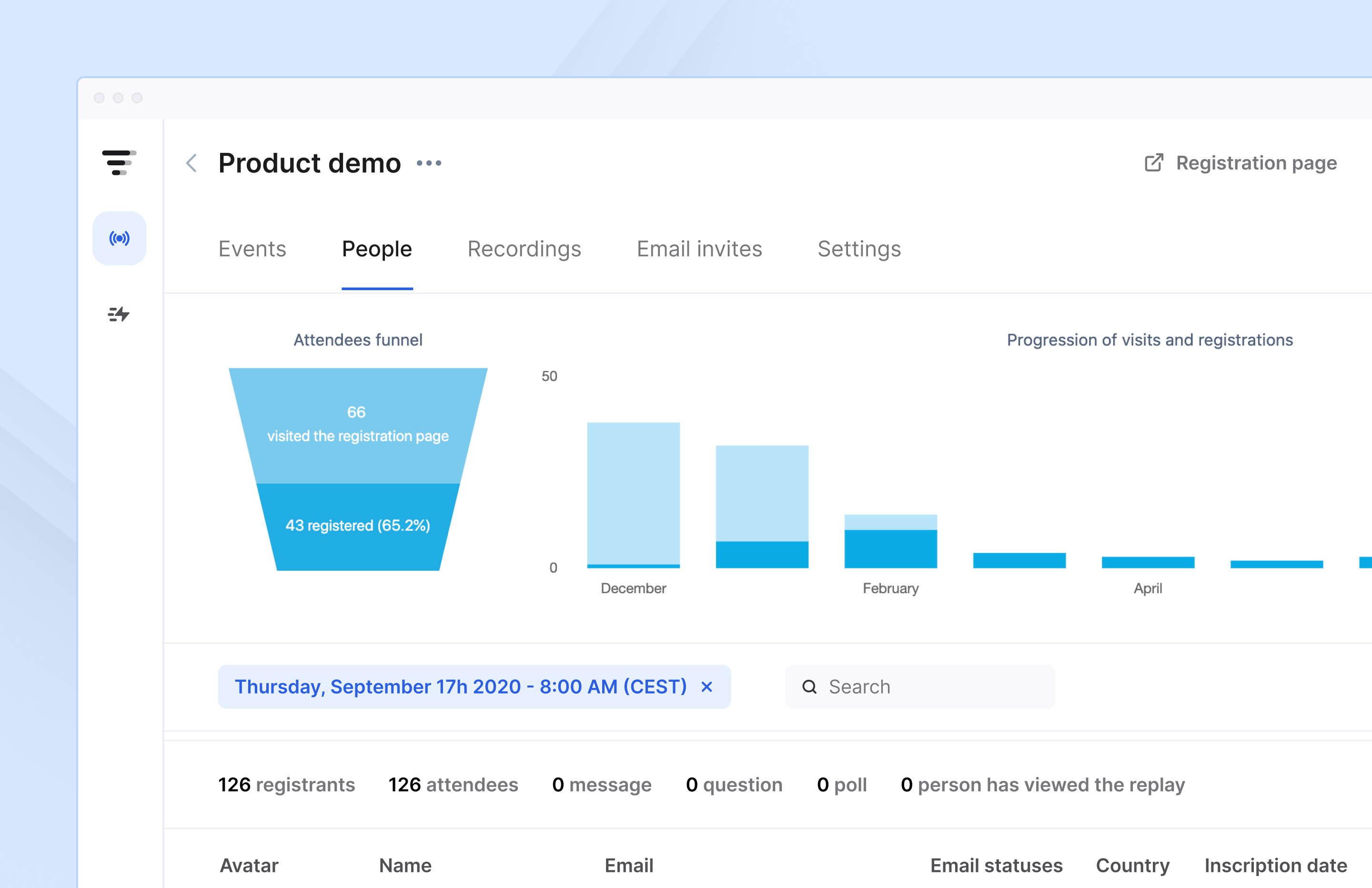
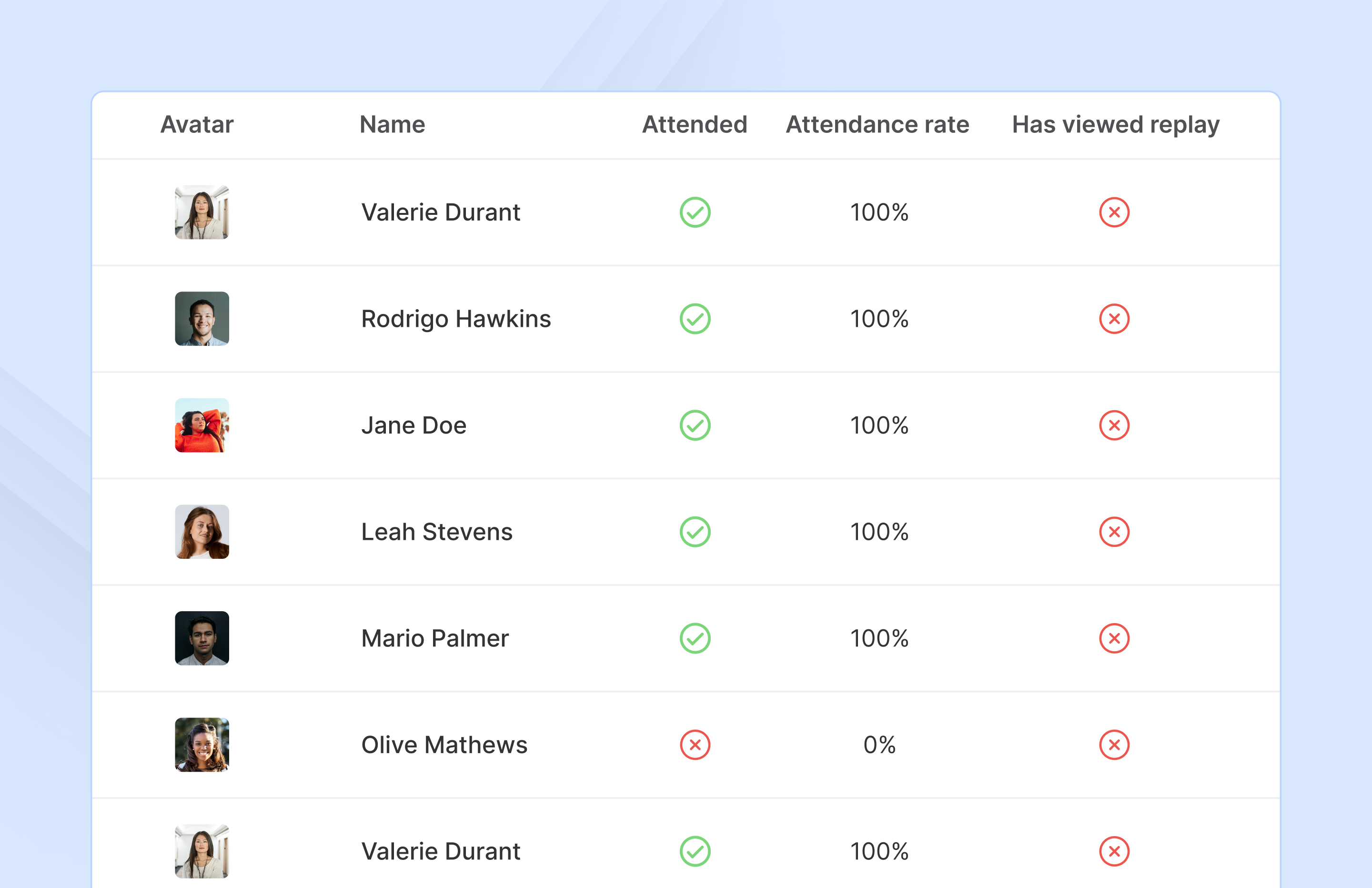
Screenshot of Access complete analytics in a built-in dashboard.Screenshot of Learn more about attendees with detailed participation reports.Screenshot of Engage with your audience in real-time with questions, chats, and polls.