LogMeIn Resolve is an IT management and support solution designed to help organizations take control of their IT infrastructure. The platform combines features like remote monitoring, access, and support with tools such as ticketing, AI-assisted task automation, and patch management.
$29
per month
SAP Build
Score 8.1 out of 10
N/A
SAP Build is a business application development and automation solution with a comprehensive suite of low-code, pro-code, and generative AI tools. SAP Build is for developers, IT professionals, and business users/citizen developers who want to create and customize business applications.
$1.82
per month per user
Pricing
LogMeIn Resolve
SAP Build
Editions & Modules
Starter
$29
per month
Growth
$55
per month
Advanced
$78
per month
Premium Endpoint Management
$78
per month
Complete
$94
per month
SAP Build Process Automation - Standard User
$1.82
per month per user
SAP Build Process Automation - Advanced User
$15
per month per user
SAP Build Process Automation - Attended Automation
$534
per month
SAP Build Process Automation - Unattended Automation
$534
per month
Offerings
Pricing Offerings
LogMeIn Resolve
SAP Build
Free Trial
Yes
Yes
Free/Freemium Version
No
No
Premium Consulting/Integration Services
No
No
Entry-level Setup Fee
No setup fee
No setup fee
Additional Details
Volume discounts are available. MDM is available as a standalone or as an add-on. Discount available for annual billing.
We choose LogMeIn Resolve because unlike AnyDesk it offers helpdesk ticketing, remote monitoring and support in one place and reduces the need of juggling multiple tools.
Although the SolarWinds help desk worked well for our help desk and inventory purposes, it did not provide remote access ability or remote execution of executable files or scripts. We were looking for a product that integrated all of these tasks in order to simplify our day to …
We decided to go with LogMeIn Resolve due to its UEM solution. It offered us various features like remote support, ticketing, remote monitoring, etc. in a single system. It also allowed us to manage many devices from a single, centralized point.
It is better in every way. Intuitively designed, great UI, easy to install and go live, great out of box training videos and features are constantly being improved and supported
LogMeIn Resolve represents a distilled and clean RMM and ticket management system. Autotask has a lot of great features that might be unnecessary for a smaller organization's internal use. Sometimes a team just needs to get in and have that higher overview without setting up a …
At the time that we tested and selected a remote access tool, GoTo was superior to the other options tested. Then came the issues with ctrl+key and shift+key combos which detracted from all of the things that made GoTo the best option. Until these are fixed GoTo will remain …
We traditionally utilize all related products to support our end users in a remote environment. This requires that we have access to their systems, typically monitored, via a screen share session where we can use built in functionality such as file sharing. This allows us to …
Go to offer all-in-one functionalities without compromising organizational security and policy. Go-to is versatile compared to other systems like JIRA and is suitable for medium organizations. It has all the support options required. Like web meetings, conversational ticketing, …
We evaluated SAP Build alongside other low-code platforms, and one of the biggest advantages of SAP Build was its native integration with SAP applications such as SAP S/4HANA and other SAP services.Compared to alternatives, SAP Build provided a more seamless experience for …
Microsoft Power Apps comes with ready template for invoice automation which means it is easy to implement such application. SAP Build was selected because of the tight integration to S/4HANA.
SAP build holds upper hand for seamless integration of SAP S/4HANA system with SAP Build app. Process automation is better than .net functionality. No need for any functionality and prior coding knowledge in case of SAP Build App. It is very user friendly and applications …
Seamlessly connected to SAP S4 Hana systems and development and deployment is easy as compared to Microsoft visual studio. Low code no code facility is awesome in SAP Build app where as in Visual studio drag and drop of components is provided but still needs to write bulky code …
SAP Build helped more on automating our complex and regular tasks and processes which helped us in saving time and less human errors in our critical processes
SAP build solves the business need to automate approvals and tasks. Reduce spreadsheet and email dependency. SAP build reduces manual work and improves efficiency. Faster delivery, Easy SAP data connections. Fast changes and deployment. Lower dependency on IT. It enables …
LogMeIn is well-suited for scenarios where remote support is needed. For example, a user submits a ticket about having an issue with Microsoft Word being unable to open documents on their PC. Since this is just a software issue on the device, LogMeIn is great for being able to fix the issue. Scenarios, I would say LogMeIn Resolve is not as well-suited for inventory management. But that's only because my organization has a proprietary system to manage assets.
SAP Build is a strong and reliable partner with a rich FAQ and consulting power. New features make sense and are easy to distribute within the team and to end users. The community is nice, and there are many discussions on product development, shared solutions, and productivity improvements. UI is also one of the strongest points.
SAP Build Workzone is a cloud ready service that it can provide access to users over cloud. It really liked it because for Non-SAP users they don't need to have seperate logins to access SAP systems
SAP Build LCNC helps to create an app either from scratch or take reference from existing apps and develop on top of it
SAP Build Code is pro-developer tool helps for creating enterprise ready web apps
Comparing to other RPA Tools, SAP Build automation lacks enough user guidance.
Licensing is a little bit confusing.
From a technical perspective, older versions of the automation part are not always stable, but the other services (workflow, business rules, apps, etc.) are much more stable.
To us, it just works. and it is what our users are comfortable with. It covers all the remote issues that we as an IT department encounter. We have grown to like it and we also have grown to like the Citrix product family. We really can't find anything that would keep us from renewing.
SAP Build that enables rapid creation of enterprise-grade applications, automations, and business sites. It empowers both business users and developers to collaborate effectively while leveraging SAP-grade security, identity, and integration capabilities. SAP Build integrates seamlessly with SAP systems, supports governance and lifecycle management, and accelerates digital transformation by reducing development time and effort.
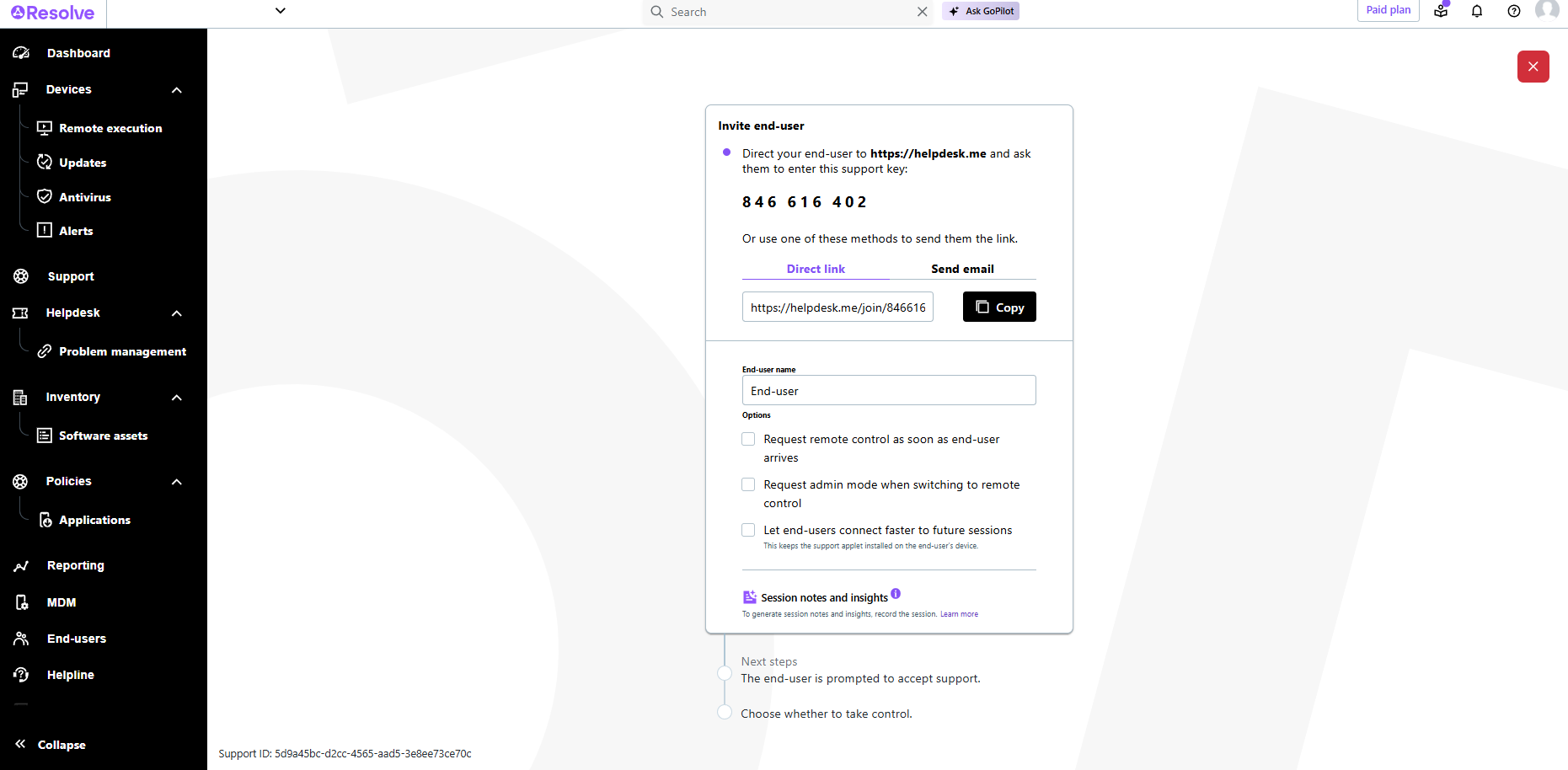
The interface is clean, intuitive, and easy to navigate. Common actions are easy to locate and exactly where I would expect them to be. Starting a remote session is quick and smooth, which reduces the time users need to wait before receiving support. I also appreciate the single-pane dashboard showing remote access, session details, and device information.
It offers a user friendly low-code interface with easily drag and drop feature that make application accessible to both developers and users. The UI interface for building flows , designing interface and connecting with other SAP services. This platform enables quick development and quick proto-type and process automation. But, some advanced feature like complex integration may need deeper knowledge in that.
Usually available without a problem, although sometimes calls get dropped or users sit in empty meeting rooms while waiting for an admin to arrive, while the call is actually going on.
If you are connected to someone with proper bandwidth, there are no issues at all. With all things, if you connect to someone with dial-up (yes, it still exists), the performance is terrible.
The software runs well overall once installed. It is easy to use and very intuitive from both the technician standpoint and the customer standpoint. There are not a lot of problems or issues with the software, and it doesn't have a big effect on system resources once installed, or when running. It would not be a 10 since the cost of the licensing is one drawback
There are, for example, great blog writings about automation cases and examples. The studio version is updated often. There are also useful OpenSAP online courses.
Online training helped to understand the drag and drop processes, building UI. Creating a workflow and process automation. Developing workflow and deploying WF. Helped to reduce the errors. It helped to understand the training easily. And online training gave good insights for low code no code solutions and create actions, forms.
GoToAssist SeeIt was very easy to implement. As long as your techs have a basic understanding of most remote support tools they will be able to understand this product easily.
Although the SolarWinds help desk worked well for our help desk and inventory purposes, it did not provide remote access ability or remote execution of executable files or scripts. We were looking for a product that integrated all of these tasks in order to simplify our day to day IT functions.
SAP build holds upper hand for seamless integration of SAP S/4HANA system with SAP Build app. Process automation is better than .net functionality. No need for any functionality and prior coding knowledge in case of SAP Build App. It is very user friendly and applications developed are also user friendly.
A positive ROI, the expansive remote abilities allow a minimum of 90% of our IT work without sending a technician to the location.
10% of our technicians travel to locations while 90% are home-based. (Office or Home).
We used to have multiple techs attending one customer location physically (brainstorming does happen during a fire). We are now able to send multiple technicians to the same call 'virtually' without the cost of actually sending them.