
Philip Dixon
Director Of Information Technology
Chose Malwarebytes
I found Sophos to be more resource intensive, scans take longer and affect the end user experience more. Building policies and customizations is not as intuitive with Sophos.

| Product | Rating | Most Used By | Product Summary | Starting Price |
|---|---|---|---|---|
 Malwarebytes | N/A | Malwarebytes is a antimalware application for home and small businesses, which blocks viruses, malware, hackers, viruses, and malicious websites. | $119.99 per year 3 devices | |
 Sophos Intercept X | N/A | Sophos Endpoint Protection (Sophos EPP) with Intercept X is an endpoint security product providing an antivirus / antimalware solution that when upgraded with Intercept X or Intercept X Advanced provides advanced threat detection and EDR capabilities. | $28 per year per user | |
 Trend Vision One Endpoint Security | N/A | The Trend Vision One Endpoint Security platform provides antivirus and malware detection, and endpoint visibility. The product suite can be extended with associated applications that cover mobile endpoint protection, endpoint encryption, as well as network and server vulnerability protection. | $26.99 12 month subscription |
| Malwarebytes | Sophos Intercept X | Trend Vision One Endpoint Security | ||||||||||||||||||||||
|---|---|---|---|---|---|---|---|---|---|---|---|---|---|---|---|---|---|---|---|---|---|---|---|---|
| Editions & Modules |
|
|
| |||||||||||||||||||||
| Offerings |
| |||||||||||||||||||||||
| Entry-level Setup Fee | No setup fee | No setup fee | No setup fee | |||||||||||||||||||||
| Additional Details | All plans include a 60-day money back guarantee. 1st year discount available for the Small office plan. | Pricing is for a 3-year commitment. Government and Education pricing available. | — | |||||||||||||||||||||
| More Pricing Information | ||||||||||||||||||||||||
| Malwarebytes | Sophos Intercept X | Trend Vision One Endpoint Security | |
|---|---|---|---|
| Considered Multiple Products |  Malwarebytes Philip Dixon Director Of Information Technology Chose Malwarebytes I found Sophos to be more resource intensive, scans take longer and affect the end user experience more. Building policies and customizations is not as intuitive with Sophos.  Matt Rogers Information Technology and Web Support Specialist Chose Malwarebytes We found Malwarebytes to be much easier to use than Kaspersky. I also think that Malwarebytes is better supported and has a better reputation for protecting its clients. We found the interface of Malwarebytes to be more intuitive. We also liked the central server software to …  Paul Li Senior Associate Chose Malwarebytes When compared to Microsoft built-in Windows Defender, Malwarebytes edges it out because it's in the business of detecting malware and not working with the operating system. Malwarebytes is constantly updating its definition files to make sure all potential worms are caught …  Chris Putnam Senior Web Developer Chose Malwarebytes Malwarebytes has an effective free version (some of the others do, some don't). Malwarebytes has a slightly different focus on the type of malware it looks for. As opposed to picking one winner, I would suggest selecting a well-reviewed paid AV, and possibly supplementing … |  Sophos Intercept X  Evan Miller Systems Support Engineer Chose Sophos Intercept X I preferred the management console of Malwarebytes Endpoint Protection and the deployment capabilities of both were very similar. However, it was not my decision to make on which product to implement. I was only a tester of the product and reported back my preferences. …  Ramon Vazquez IT Director Chose Sophos Intercept X It provides more features for the same price. These added features differentiate Sophos from the rest of the pack, making it a better solution. Also, the ability to integrate with your Sophos firewall if you have one adds another level of integration and protection. This …  Neil Taylor Trade Floor Infrastructure Manager Chose Sophos Intercept X Sophos is by far the simplest of the products to setup and going in a very short period of time at a very similar price point. Trend is overly complex and relied on an appliance for each ESX node meaning you lose one appliance and then you lose protection across multiple …  Jon Shurtliff Vice President of Information Technology Chose Sophos Intercept X In our analysis we discovered that for the price and feature set, Sophos was able to rise above the rest. Pricing is always a large consideration, however it isn't the only consideration - the feature set that Sophos Endpoint Protection provided over its competitors made the … Matt Rogers Information Technology and Web Support Specialist Chose Sophos Intercept X We used to use Symantec Endpoint Protection. At the time we were using it (it may very well be different by now), it required a bit more maintenance and we were constantly having issues with definitions not being downloaded as well as issues updating the software itself. We …  Kyle Farago IT Support Specialist Chose Sophos Intercept X Sophos's shields are more powerful than both McAfee's and Symantec's while using less system resources doing its active scans. It does use more power while performing a manual scan than either, but nothing that cripples the system or leaves it unusable while it is running. The …  Dan Lepinski Systems Engineer Chose Sophos Intercept X I did not have an influence on the purchase of Sophos. However, from past experience with other antivirus products, Sophos doesn't seem to bog down the systems. It scans the second a file is touched, and is great at quarantining harmful files before they can become a problem. … |  Trend Vision One Endpoint Security  Tom Parker Remote Facilities Systems Support Analyst Chose Trend Vision One Endpoint Security The cost is lower and less resources to run Trend. |
| Malwarebytes | Sophos Intercept X | Trend Vision One Endpoint Security | |||||||||||||||||||||||||||||||
|---|---|---|---|---|---|---|---|---|---|---|---|---|---|---|---|---|---|---|---|---|---|---|---|---|---|---|---|---|---|---|---|---|---|
| Endpoint Security |
|
| Malwarebytes | Sophos Intercept X | Trend Vision One Endpoint Security | |
|---|---|---|---|
| Small Businesses |  AVG AntiVirus Business Edition Score 8.0 out of 10 |  ThreatLocker Score 9.2 out of 10 | ThreatLocker Score 9.2 out of 10 |
| Medium-sized Companies |  BlackBerry Protect (CylancePROTECT) Score 9.1 out of 10 | BlackBerry Protect (CylancePROTECT) Score 9.1 out of 10 | BlackBerry Protect (CylancePROTECT) Score 9.1 out of 10 |
| Enterprises | BlackBerry Protect (CylancePROTECT) Score 9.1 out of 10 |  BeyondTrust Endpoint Privilege Management Score 10.0 out of 10 | BeyondTrust Endpoint Privilege Management Score 10.0 out of 10 |
| All Alternatives | View all alternatives | View all alternatives | View all alternatives |
| Malwarebytes | Sophos Intercept X | Trend Vision One Endpoint Security | |
|---|---|---|---|
| Likelihood to Recommend | 8.2 (54 ratings) | 8.2 (41 ratings) | 8.0 (26 ratings) |
| Likelihood to Renew | 10.0 (2 ratings) | 10.0 (1 ratings) | 8.0 (4 ratings) |
| Usability | 8.0 (5 ratings) | 8.2 (8 ratings) | 9.0 (2 ratings) |
| Support Rating | 8.9 (9 ratings) | 8.1 (12 ratings) | 8.0 (1 ratings) |
| Implementation Rating | - (0 ratings) | 9.0 (1 ratings) | - (0 ratings) |
| Malwarebytes | Sophos Intercept X | Trend Vision One Endpoint Security | |
|---|---|---|---|
| Likelihood to Recommend | Malwarebytes
| Sophos
| Trend Micro
|
| Pros | Malwarebytes
 Kenji C System Administrator/IT | Sophos
| Trend Micro
 Ratulsnigdha Saha Network/Systems Engineer |
| Cons | Malwarebytes
| Sophos
 Jane Updegraff Senior Systems Administrator | Trend Micro
|
| Likelihood to Renew | Malwarebytes
 Joe Spradlin IT Manager | Sophos
 Ryhlen Schoeberl Server Administrator | Trend Micro
 Aaron Myers Senior Business Systems Analyst |
| Usability | Malwarebytes
| Sophos
| Trend Micro
|
| Support Rating | Malwarebytes
| Sophos
| Trend Micro
|
| Implementation Rating | Malwarebytes No answers on this topic | Sophos
Ryhlen Schoeberl Server Administrator | Trend Micro No answers on this topic |
| Alternatives Considered | Malwarebytes
 Pritesh Patel Product Manager | Sophos
 William Scott Coates IT Support Specialist | Trend Micro
|
| Return on Investment | Malwarebytes
| Sophos
 Juan Carlos Sanchez Pignalosa CEO And Founder | Trend Micro
 Nathan Roberts Director, Management Information Systems |
| ScreenShots | Sophos Intercept X Screenshots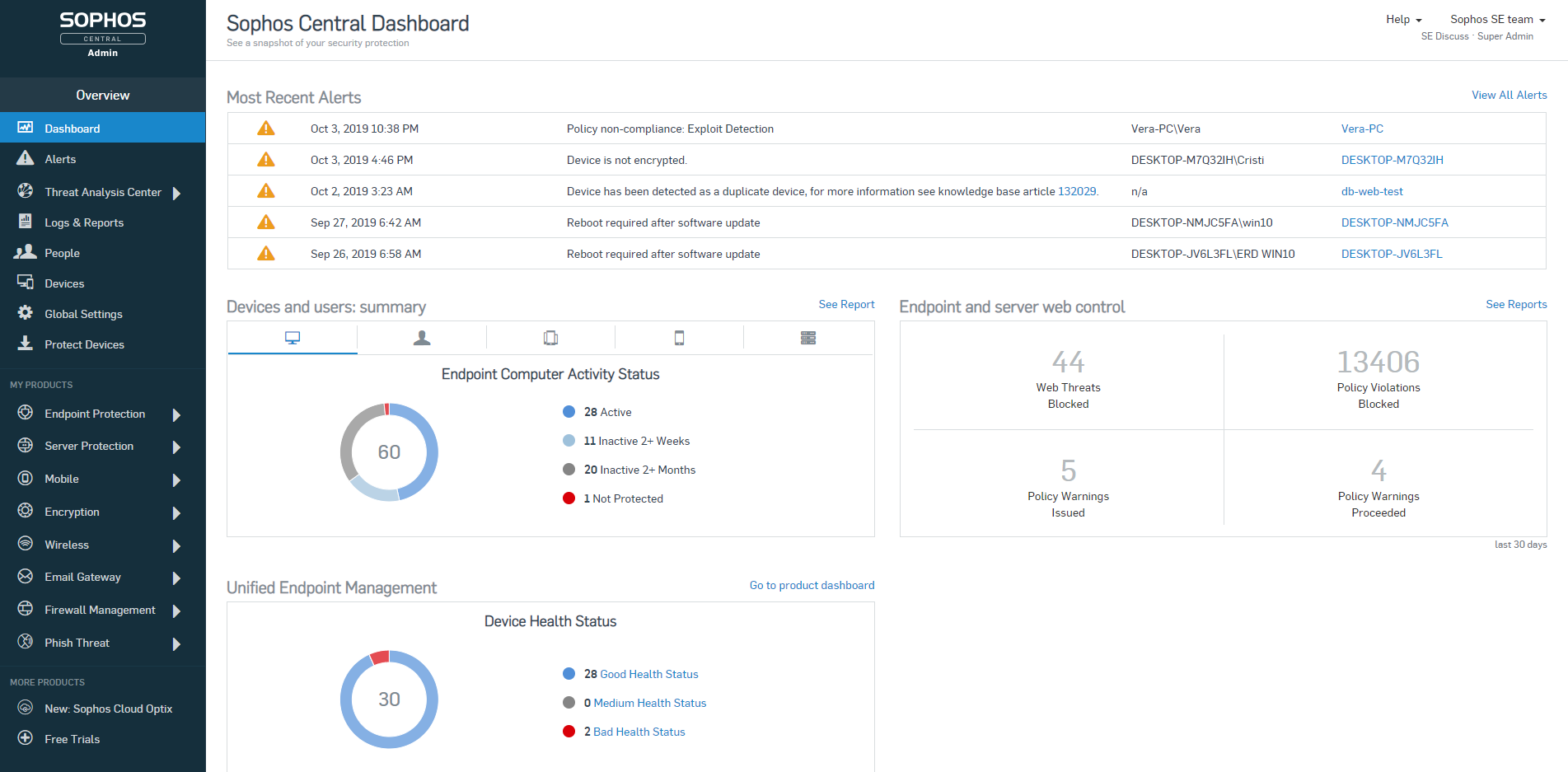 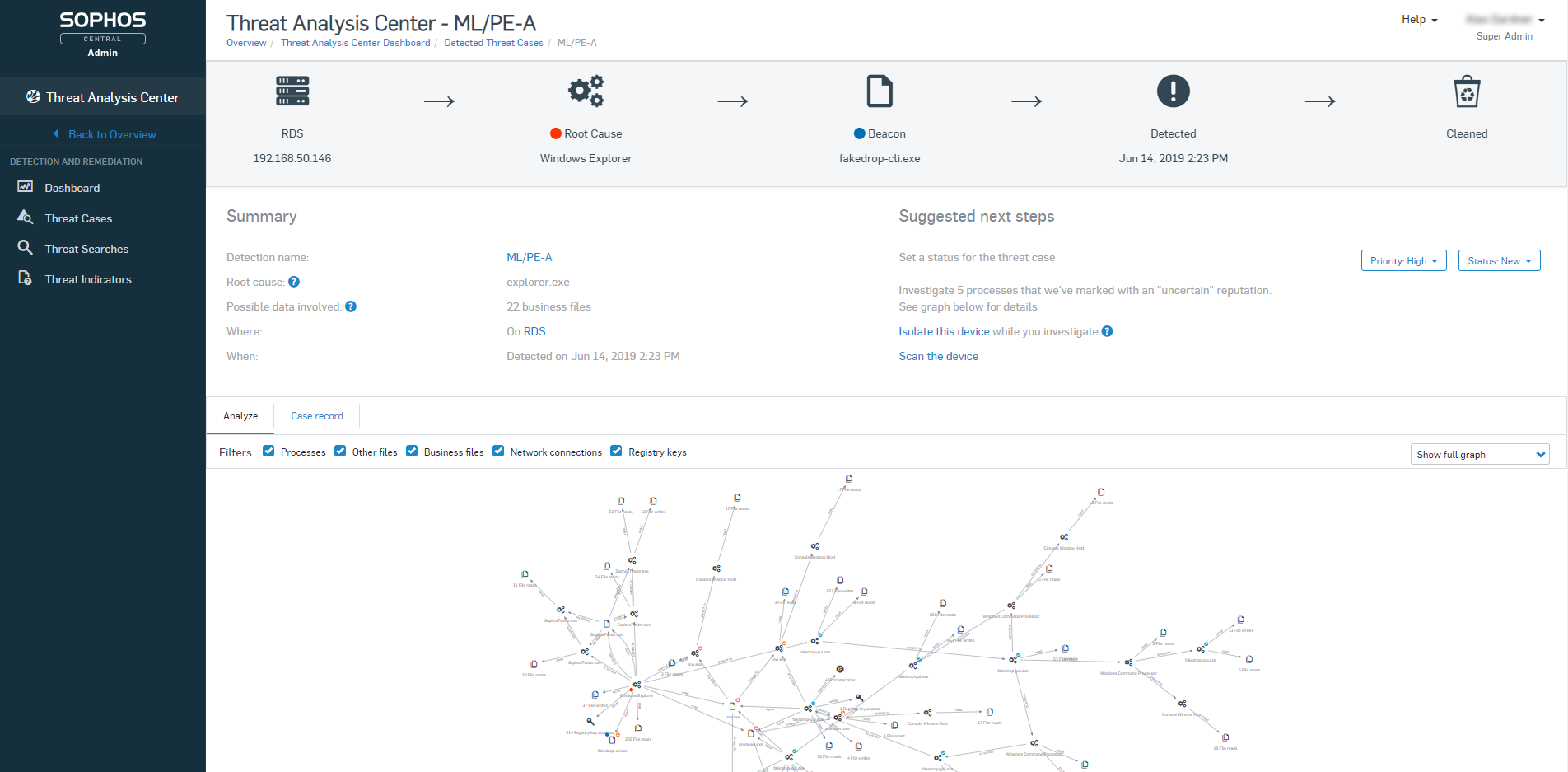  | Trend Vision One Endpoint Security Screenshots  |
