Asana is a web and mobile project management app. With tasks, projects, conversations, and dashboards, Asana lets an entire team know who's doing what by when, enabling workload balancing. Users can also add integrations for GANTT charts, time tracking and more.
$13.49
per month per user
MeisterTask
Score9 out of 10
Small Businesses (1-50 employees)
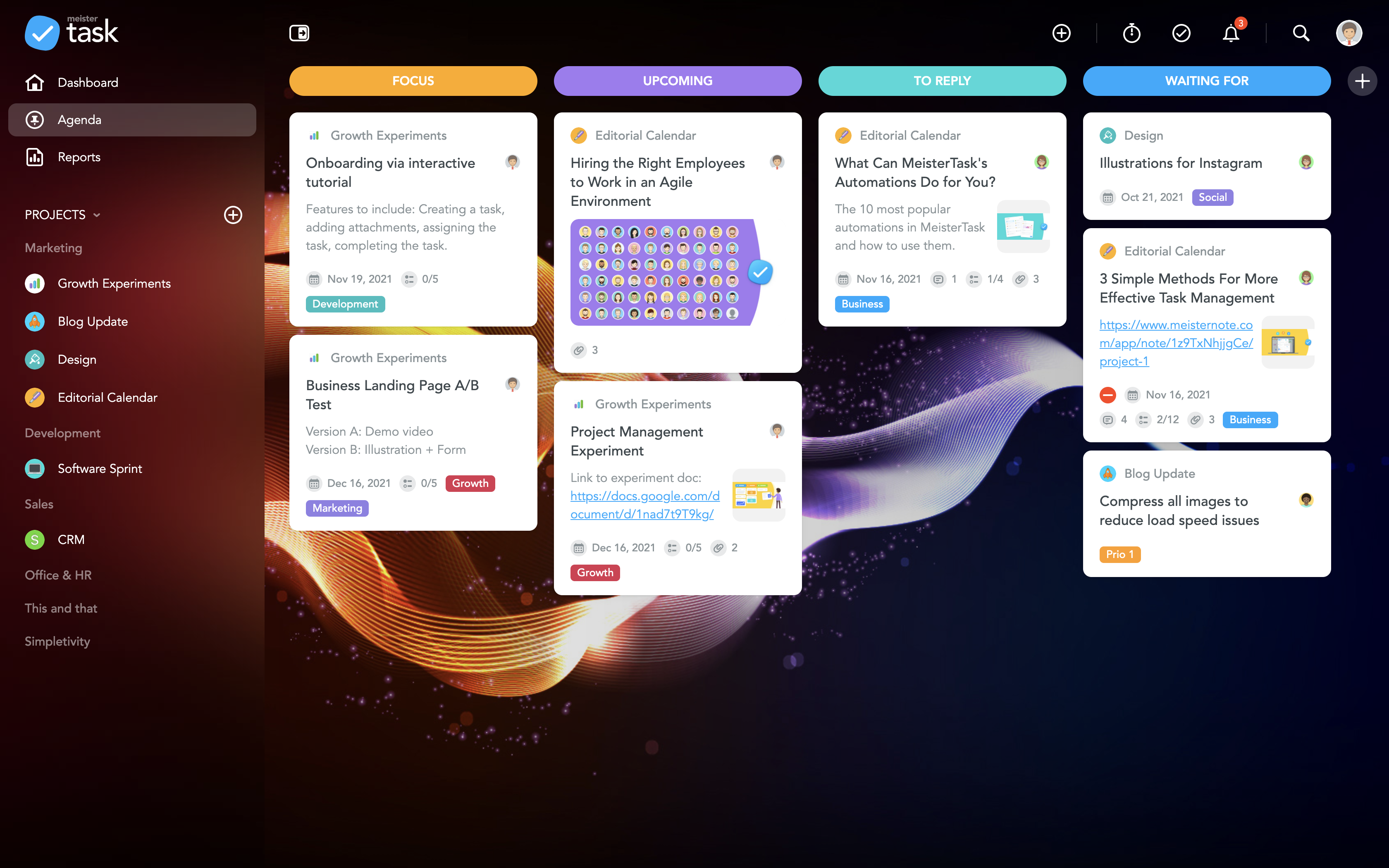
MeisterTask is a task management and collaboration tool that let teams manage tasks in a customizable environment. MeisterTask's project boards adapt to a team’s workflow, and is suitable for managing a variety of tasks from software sprints to editorial calendars. As opposed to only providing a tool that visualizes the work, MeisterTask automates recurring steps in users' workflows to help them work more efficiently and consistently.
MeisterTask is developed by…
$16
per month per user
Pricing
Asana
MeisterTask
Editions & Modules
Starter
$13.49
per month per user
Advanced
$30.49
per month per user
Enterprise
Contact Sales
Personal
Free
Pro
$16
per month per user
Business
$32
per month per user
Enterprise
Custom
Offerings
Pricing Offerings
Asana
MeisterTask
Free Trial
Yes
No
Free/Freemium Version
Yes
Yes
Premium Consulting/Integration Services
Yes
No
Entry-level Setup Fee
Optional
No setup fee
Additional Details
A discount is offered for annual billing.
Discounts are available for education and non-profit organisations. 28% discount for annual pricing.
Product Development Engineer in Engineering at NoMo Diagnostics (Medical Devices, 1-10 employees)
Chose MeisterTask
I would rate MeisterTask as the second-best option here. Microsoft Project is easily the best project management software you can buy. It has every feature you could imagine and then some. Asana is inferior to both other programs, having the most limited functionality out of …
A de minimis incentive was given to thank the reviewer for their time. The incentive was not used to bias or drive a particular response, nor was the incentive contingent on a positive endorsement. More Info
DB developer in Research & Development at HC Linear Kft. (Computer Software, 11-50 employees)
Chose MeisterTask
Asana: while MeisterTask is card-based, this one is list-based. This one is entirely matter of preference. I prefer cards.
Trello: I used Trello for a long time and liked it. And though it lacked certain features, there were plenty of developers trying to create add-ons to …
A de minimis incentive was given to thank the reviewer for their time. The incentive was not used to bias or drive a particular response, nor was the incentive contingent on a positive endorsement. More Info
Verified User
Chose MeisterTask
MeisterTask has all the features which is a combination of all other tools. It also offers a basic plan which is good enough for personal use. Even for the Pro and Business plans, prices are affordable. It also offers an integration feature with other Applications. An overall …
A de minimis incentive was given to thank the reviewer for their time. The incentive was not used to bias or drive a particular response, nor was the incentive contingent on a positive endorsement. More Info
Lecturer Marketing & Sales in Marketing at Amsterdam University of Applied Sciences (Education Management, 1001-5000 employees)
Chose MeisterTask
Meistertask is more visual and has a strong integration with mindmeister to create mindmaps first and from that to create tasks for your team. The reporting part is insightful to help monitor your team and see who needs additional help.
A de minimis incentive was given to thank the reviewer for their time. The incentive was not used to bias or drive a particular response, nor was the incentive contingent on a positive endorsement. More Info
Owner & Creative Director in Marketing at Brainy Bees (Marketing and Advertising, 1-10 employees)
Chose MeisterTask
We have tried a lot of tools and we still use quite a lot, but only MeisterTask is the one we could not replace with any others. We use some other software for our personal planning, but when it comes to professional project management and collaboration, we simply choose …
A de minimis incentive was given to thank the reviewer for their time. The incentive was not used to bias or drive a particular response, nor was the incentive contingent on a positive endorsement. More Info
Head Of Business Development & Innovation in Research & Development at GeoStar (Leisure, Travel & Tourism, 201-500 employees)
Chose MeisterTask
More user-friendly - the design and user experience is really something outstanding and you love it from the first moment. Easier learning curve - in few minutes you are ready to deploy a full project within MeisterTask. Better apps - both the web app and the mobile apps are …
A de minimis incentive was given to thank the reviewer for their time. The incentive was not used to bias or drive a particular response, nor was the incentive contingent on a positive endorsement. More Info
A de minimis incentive was given to thank the reviewer for their time. The incentive was not used to bias or drive a particular response, nor was the incentive contingent on a positive endorsement. More Info
The usability of Asana is broad since it's available in a variety of platforms that are widely used nowadays. I think that it would be great for people who are constantly on the move and switching devices, since it has allowed me to work from my phone, too. I also think that Asana has proven itself to handle a large quantity of work
The best part about Meistertask is how dead simple it is, while still absolutely nailing what it needs to really get right. Meistertask makes task management dead simple for me and keeps the detail out of the way unless I specifically need it.
A de minimis incentive was given to thank the reviewer for their time. The incentive was not used to bias or drive a particular response, nor was the incentive contingent on a positive endorsement. More Info
Through it, we were able to communicate and cooperate with the rest of the team to complete the work in the required manner and at the appropriate time.
The learning curve is really short compared to other software that is related to this.
It is very easy to manage several projects at the same time, thus saving time in the work process.
Managing the elements of the list is very comfortable since its interface allows everything to work in an orderly manner based on what I want to put as important for me.
It has versions that are adapted to any type of company or if you want to give a personal use because it also has an option based on what you want to do with MeisterTask.
A de minimis incentive was given to thank the reviewer for their time. The incentive was not used to bias or drive a particular response, nor was the incentive contingent on a positive endorsement. More Info
A de minimis incentive was given to thank the reviewer for their time. The incentive was not used to bias or drive a particular response, nor was the incentive contingent on a positive endorsement. More Info
A de minimis incentive was given to thank the reviewer for their time. The incentive was not used to bias or drive a particular response, nor was the incentive contingent on a positive endorsement. More Info
A de minimis incentive was given to thank the reviewer for their time. The incentive was not used to bias or drive a particular response, nor was the incentive contingent on a positive endorsement. More Info
It is very user-friendly. Takes a new employee an hour to start figuring out how the system works. That's an important factor. You don't want to encounter the issue where employees need a week to understand how the system works. For example, JIRA, I tried using it for a week and I still don't understand the complicated layout. Asana has a simple interface. Once you see it, you get it type of program.
A de minimis incentive was given to thank the reviewer for their time. The incentive was not used to bias or drive a particular response, nor was the incentive contingent on a positive endorsement. More Info
A de minimis incentive was given to thank the reviewer for their time. The incentive was not used to bias or drive a particular response, nor was the incentive contingent on a positive endorsement. More Info
I haven't had to use their support so I can't rate it. The fact that I haven't needed them reflects the ease of use of the product. I would recommend that any new users schedule a complete demo of the product to ensure that they are using it to it's fullest (there's a lot of useful features).
A de minimis incentive was given to thank the reviewer for their time. The incentive was not used to bias or drive a particular response, nor was the incentive contingent on a positive endorsement. More Info
A de minimis incentive was given to thank the reviewer for their time. The incentive was not used to bias or drive a particular response, nor was the incentive contingent on a positive endorsement. More Info
Asana is a top-tier project management software that helps us organize and track projects from start to finish. It allows us to apply tasks/to-dos to multiple projects without duplication, divide complex projects into smaller tasks, and track project progress. It also helps us organize work on Kanban boards or linear lists. It stands out from the crowd in a big way compared to the competition.
Meistertask seems like it was made for work, and it doesn’t hide its features amid complicated menus. The Mobile experience is one of the best I have used in task management. It integrates with other tools more widely via Zapier and various built-in ecosystem connections within the Meisterlabs space. If you need to get started simplifying your digital life, this can help.
A de minimis incentive was given to thank the reviewer for their time. The incentive was not used to bias or drive a particular response, nor was the incentive contingent on a positive endorsement. More Info
A de minimis incentive was given to thank the reviewer for their time. The incentive was not used to bias or drive a particular response, nor was the incentive contingent on a positive endorsement. More Info
MeisterTask saves me a lot of time in communicating about various tasks of a project. The activity chat feature lets me communicate with other members of my team without having to be in the same location as them, and increasing our productivity.
It has caused me to use some additional time though, and create a Gantt chart myself instead of being able to use a built-in feature.
MeisterTask is great for letting us organize and keep track of all aspects of a project and make sure each one gets done by its respective due date.
A de minimis incentive was given to thank the reviewer for their time. The incentive was not used to bias or drive a particular response, nor was the incentive contingent on a positive endorsement. More Info