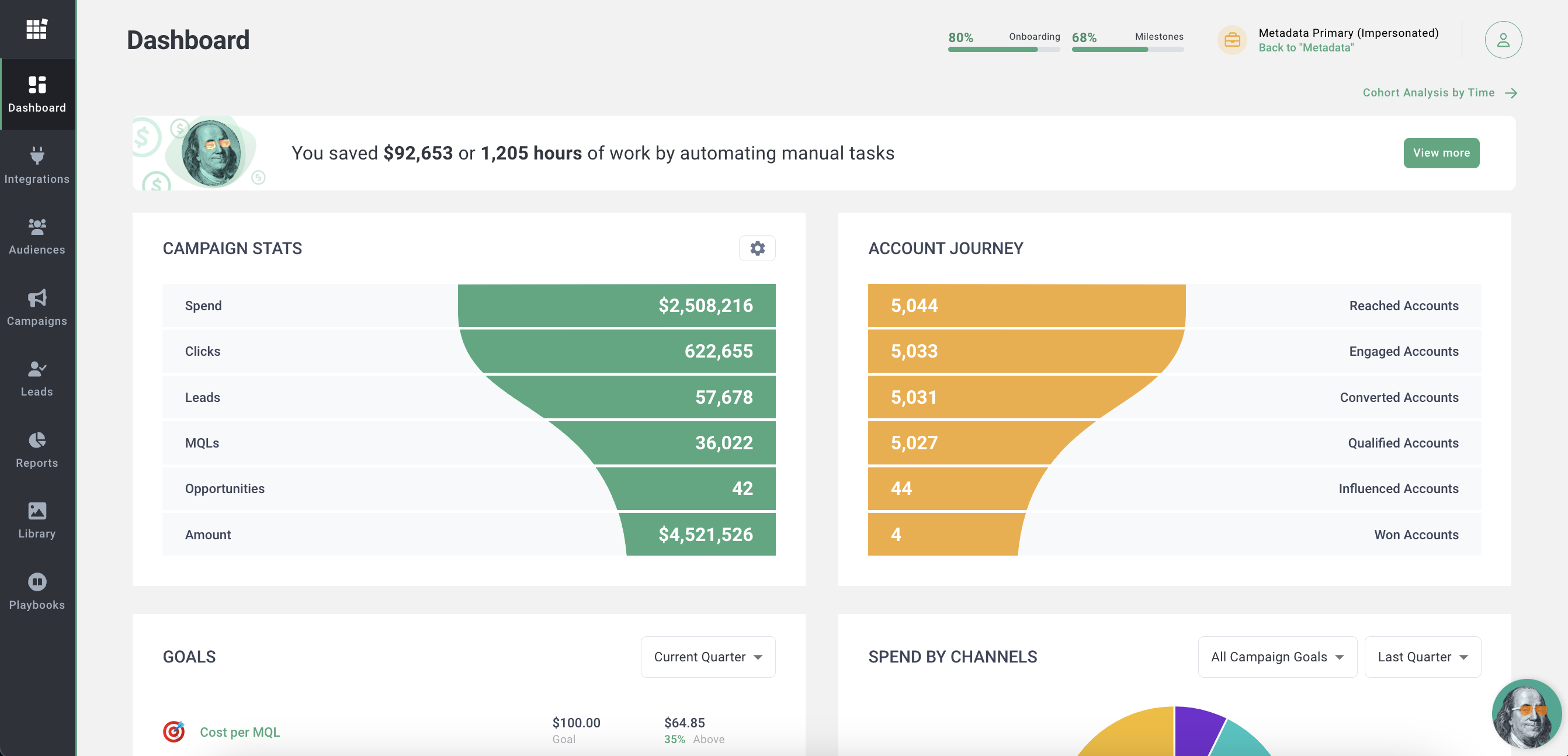
Based in San Francisco, Metadata.io is a Demand Generation and ABM platform designed to execute thousands of B2B campaigns in a matter of hours, automatically optimizing campaigns for pipeline impact at a high velocity.
$24,000
per year
Pipedrive
Score8.7 out of 10
N/A
Pipedrive is a customer relationship management (CRM) software built to help small teams to drive sales.
$24
per month per seat
Pricing
Metadata.io
Pipedrive
Editions & Modules
MetaMatch
$295
per month per installation
Web Personalization
$24,000
per year
Audience Targeting
$24,000
per year
Metadata Base Platform
$60,000
per year
Essential
$24
per month per seat
Advanced
$49
per month per seat
Professional
$69
per month per seat
Power
$79
per month per seat
Enterprise
$129
per month per seat
Offerings
Pricing Offerings
Metadata.io
Pipedrive
Free Trial
No
Yes
Free/Freemium Version
No
No
Premium Consulting/Integration Services
Yes
No
Entry-level Setup Fee
$2,500 one-time fee per installation
No setup fee
Additional Details
—
Monthly plans are available. The Essentials monthly plan at $24 per month.
Metadata is well suited when you have a really large ad budget (>50k per month at least). This is because the power of metadata lies in the ability to quickly set up and run a large number of experiments (combinations of channel, audience, creative, and conversion assets). To evaluate these variations, all of them need a large number of impressions, clicks, and conversions to be statistically relevant. If your budget is smaller, you will either have a very small number of experiments (not fully utilizing the power of metadata), or your experiments will not have enough clicks to make informed decisions. We had expected a better explanation of this from metadata before signing up.
A de minimis incentive was given to thank the reviewer for their time. The incentive was not used to bias or drive a particular response, nor was the incentive contingent on a positive endorsement. More Info
Pipedrive is a fantastic tool to help monitor and track lead generation and referral sources. It helps maintain accountability with the sales team and helps ensure that we are doing appropriate marketing to maintain a steady influx of cases. The weekly and quarterly sales reports that it can generate are incredibly helpful and insightful. They help inform us of what we need to focus on each quarter/year.
A de minimis incentive was given to thank the reviewer for their time. The incentive was not used to bias or drive a particular response, nor was the incentive contingent on a positive endorsement. More Info
A de minimis incentive was given to thank the reviewer for their time. The incentive was not used to bias or drive a particular response, nor was the incentive contingent on a positive endorsement. More Info
Great visual visibility of the funnel plus easy to drag the deals across the stages
The email integration that collects all relevant communication (also through the possibility of adding a deal-specific Pipedrive address on BCC)
The integration with Pandadoc, which we use a lot, so that Pipedrive keeps a really handy overview of the documents we have sent out / which have been signed
If you don't have a large budget and audience it's hard to meaningfully optimize. If I have 4 ad creatives, to 2 audience groups on FB and LinkedIn, that creates 16 experiments, each of which needs an ample enough budget, say $40/day, that's now $640 per day or $19K per month.
Limited ability to edit ads after they've been launched. You usually have to stop the ad, clone it, and launch a new campaign.
Can't add new ads to existing campaigns which limits the ability to optimize. If I start an MD campaign with 4 ads, and in a few weeks we see that one is working well and the other 2 are not performing, I can pause those (or it can autopause by rules), but I can't add 2 more new creatives to the mix against the high performer. I'd have to either stop the high performer, and recreate it in a new campaign (losing likes and comments), OR - leave the high performer in the first campaign, and create. a second campaign with the new ones, which will only optimize against each other.
Limited to a single conversion event on a landing page. I'm not able to choose either a Demo Request OR a Sign-Up conversion, I can only choose one.
Google search ads are doable but aren't necessarily more feature-rich or easy-to use than native, so there's no value added to doing it through Metadata in my opinion aside from unifying ad reporting.
A de minimis incentive was given to thank the reviewer for their time. The incentive was not used to bias or drive a particular response, nor was the incentive contingent on a positive endorsement. More Info
Showing the customers name on the pipeline page. Right now I can only get it to show the brand name twice. I wish it would replace the second brand name with the main point of contact.
Better reporting tools. Their reporting tools are not easy to pick up. I've spent time trying to figure it out and it isn't something I can pick up on quickly.
Better training options. I wish I had a personal trainer to walk me through the best way to use Pipedrive so I can get the most out of it.
A de minimis incentive was given to thank the reviewer for their time. The incentive was not used to bias or drive a particular response, nor was the incentive contingent on a positive endorsement. More Info
A de minimis incentive was given to thank the reviewer for their time. The incentive was not used to bias or drive a particular response, nor was the incentive contingent on a positive endorsement. More Info
Pipedrive is easy to use and has a clean interface so we can follow up accurately. Its custom features help manage leads and evaluate team performance. It saves time and improves efficiency. Pipedrive is stable and supports integrations and automation.
A de minimis incentive was given to thank the reviewer for their time. The incentive was not used to bias or drive a particular response, nor was the incentive contingent on a positive endorsement. More Info
A de minimis incentive was given to thank the reviewer for their time. The incentive was not used to bias or drive a particular response, nor was the incentive contingent on a positive endorsement. More Info
Between quick video tutorials and having very quick feedback from their support teams, it is one of the main reasons I would recommend Pipedrive. It is critical, especially when setting up the platform to meet your companies needs, that a solid support team like Pipedrive has is there to make the transition easier.
A de minimis incentive was given to thank the reviewer for their time. The incentive was not used to bias or drive a particular response, nor was the incentive contingent on a positive endorsement. More Info
We chose [Metadata.io] because it was a smaller company and could get more personalized attention. The price was better and they seemed more eager to support us. The feature set was what we were looking for and not more - it was exactly as robust as we needed it to be. Didn't want to pay for features we weren't going to use.
A de minimis incentive was given to thank the reviewer for their time. The incentive was not used to bias or drive a particular response, nor was the incentive contingent on a positive endorsement. More Info
I much prefer the interface of Pipedive when compared to Zoho. Much more user friendly and the team is always readily available when we need them. Pipedrive allowed for many custom integrations to be added, as Zoho was a tad more complicated to manipulate. We would not go back to Zoho in any case.
A de minimis incentive was given to thank the reviewer for their time. The incentive was not used to bias or drive a particular response, nor was the incentive contingent on a positive endorsement. More Info
Huge decrease in CPLs, CPMQL and Cost Per Opportunity
Big improvement in MQL to SQL rates
90%+ of our leads from paid social now have valid business emails, before it was like 30%
Saving us hundreds of hours over the course of the next year doing daily manual optimization and budget management tasks for us so we can focus on strategy and testing new things
A de minimis incentive was given to thank the reviewer for their time. The incentive was not used to bias or drive a particular response, nor was the incentive contingent on a positive endorsement. More Info
Great on setup which made our work easier and less technically equipped people can manage a lot of things(compared to SalesForce where you need to hire a developer to set it up)
We were able to integrate our calling system easily and get things going on the lead calling aspect.
Great multipipeline option where we were able to manage both organisations under one roof.
A de minimis incentive was given to thank the reviewer for their time. The incentive was not used to bias or drive a particular response, nor was the incentive contingent on a positive endorsement. More Info