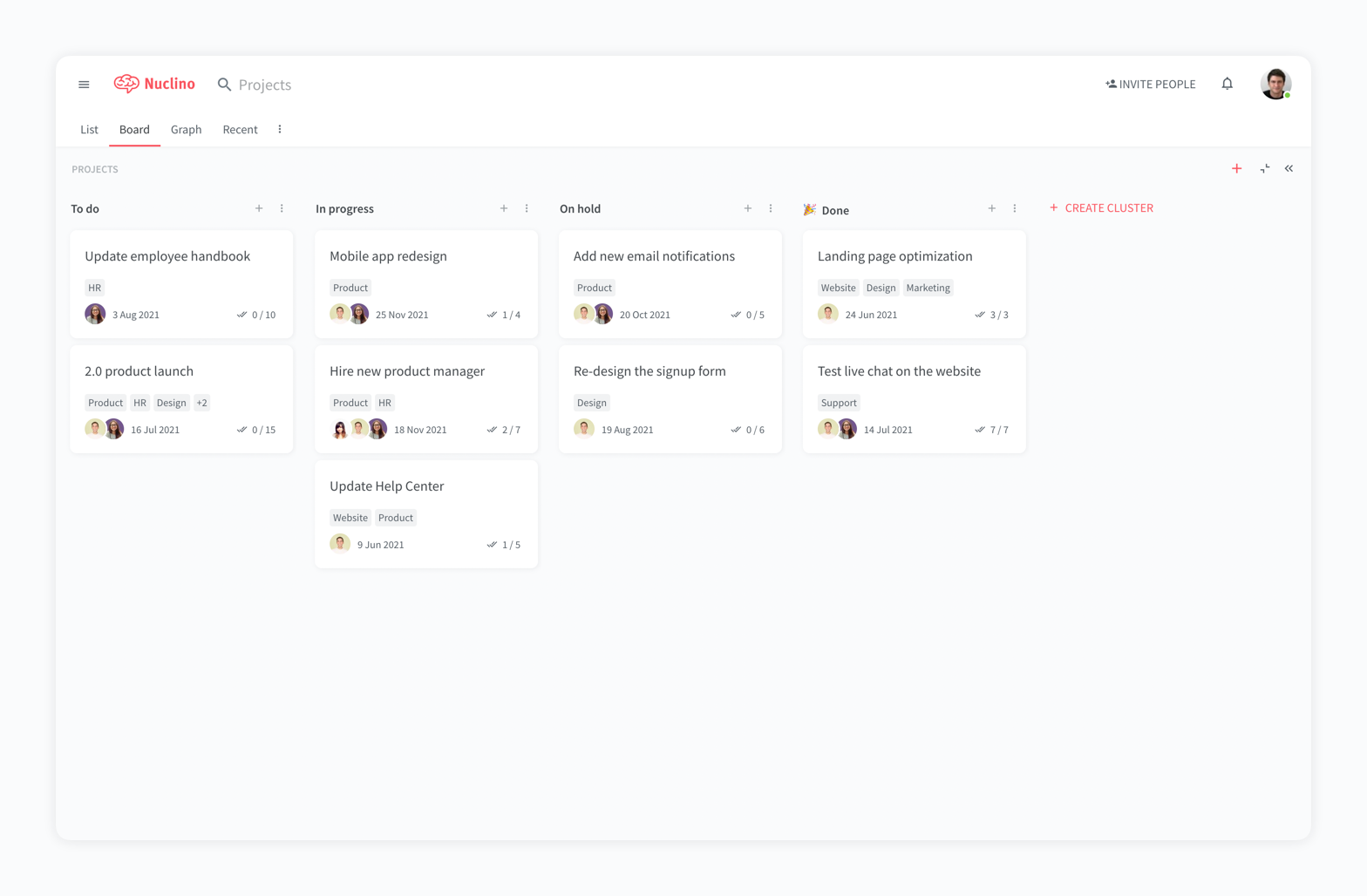
Nuclino is a unified workspace where teams can organize knowledge, manage projects, and share ideas. Progress can be tracked in a Kanban board, work structured in a hierarchical list, or data organized in a visual graph — Nuclino adapts to a team's workflow. Presented as simple and lightweight by design, Nuclino focuses on the essentials, doing away with clunky menus and rarely-used settings, to minimize the learning curve for new users. Teams from across the globe can use Nuclino…
$0
OpenText Vibe
Score 6.0 out of 10
N/A
OpenText Vibe (formerly Micro Focus Vibe) is a web-based team collaboration platform developed by Novell, and was initially released by Novell in June 2008 under the name of Novell Teaming. Novell's acquisition by Micro Focus was completed in April 2015.
N/A
Pricing
Nuclino
OpenText Vibe
Editions & Modules
Free
$0
per month per user
Starter
$8
per month per user
Business
$12
per month per user
No answers on this topic
Offerings
Pricing Offerings
Nuclino
OpenText Vibe
Free Trial
Yes
No
Free/Freemium Version
Yes
No
Premium Consulting/Integration Services
No
No
Entry-level Setup Fee
No setup fee
No setup fee
Additional Details
Nuclino offers a free plan for up to 50 items and 2GB total storage. Commercial plans support unlimited items, advanced features, and 10GB storage per user. 25% discount for annual pricing.
—
More Pricing Information
Community Pulse
Nuclino
OpenText Vibe
Features
Nuclino
OpenText Vibe
Project Management
Comparison of Project Management features of Product A and Product B
Nuclino
8.3
13 Ratings
6% above category average
OpenText Vibe
-
Ratings
Task Management
7.49 Ratings
00 Ratings
Gantt Charts
8.01 Ratings
00 Ratings
Scheduling
9.01 Ratings
00 Ratings
Workflow Automation
10.01 Ratings
00 Ratings
Mobile Access
8.010 Ratings
00 Ratings
Search
8.012 Ratings
00 Ratings
Visual planning tools
7.411 Ratings
00 Ratings
Communication
Comparison of Communication features of Product A and Product B
Nuclino
8.3
12 Ratings
4% above category average
OpenText Vibe
-
Ratings
Chat
8.01 Ratings
00 Ratings
Notifications
7.49 Ratings
00 Ratings
Discussions
7.98 Ratings
00 Ratings
Surveys
9.01 Ratings
00 Ratings
Internal knowledgebase
8.512 Ratings
00 Ratings
Integrates with GoToMeeting
9.01 Ratings
00 Ratings
Integrates with Gmail and Google Hangouts
9.01 Ratings
00 Ratings
Integrates with Outlook
8.01 Ratings
00 Ratings
File Sharing & Management
Comparison of File Sharing & Management features of Product A and Product B
For game design - Perfect for personal notes, recipes, snippets - Perfect for storing some organized data (for example, links to resources) - Perfect for a content playground powered by AI - Very good for diagrams - Very good. Don't know any bad examples. Tool really great. Rich functionality. Especially love different views (table, graph).
I think Micro Focus Vibe is very well suited for organizations that work in a team collaboration front and have to share documents. I think this really shines in organizations that have a standard set of information that gets lost in the sauce because of the sheer amount of people in an organization. In this case, the Wiki is very helpful in this setting. I wouldn't quite recommend this site for video production houses unless you are patient enough to correlate your needs to the many many features available through Vibe...because it all boils down to patience.
The system is extremely fast. The application loads and displays data in milliseconds. This makes the system easy to work with.
It's also easy to edit documentation and information, as information can be editing directly without the use of an "edit" button.
Pricing: Loading speed, ease of use and quick editing are its main advantage that makes it stand out from competitors. Having said that, the pricing is very good as well.
Novell Vibe connects GroupWise mail with Vibe natively which means you can access Vibe from within the mail product.
Once forms and workflows are set up, the access structure on who sees what or not is very effective.
You can use Novell Vibe as your main intranet with everything from wiki's, blogging and more fully automated and still in synch with your internal organisational structure.
After playing with it for a while i found that through jsp it is highly configurable.
The most pressing improvement is in printing. In speaking with Novell techs Vibe was designed as a web tool, no paper necessary. However in the real world our folks love their paper printouts. Vibe utilizes views for various functions. A print view that's easily configured would be an awesome upgrade.
Customized in JSP. Vibe is completely customized using JSP. I don't know it. I'm not a programmer. I can work things out, but programming isn't my forte.
It meets our current business needs and provides the scalability we need for future growth. It can be installed on Windows or Linux (Our alpha install was on Linux. Our beta was on Windows. We went with Windows). There are additional features, and application integrations, that we haven't taken advantage as of yet due to the lack of current business needs.
It has a very clean UI for me, the multiple views are so so useful, we can collaborate freely, and fast. This app helped us to grow because now we are giving our time more on generating ideas and of course getting more projects and clients giving real ROI instead of focusing on organizing files. But just like all apps out there, it has some room for improvement
At this moment it still looks you need to do a lot to be able to use it and to be honest that time should be used for work not for configuring a communication tool for the business. Yes I understand that it takes time to learn something to use in the organisation , but with this tool I see the help desk having to answer a lot of questions on how to use it or once someone has done something how to undo it.
My team has an individual dedicated to content management and Nuclino is one of her job descriptions. It's nice knowing she is able to handle any issues that arise before we even realize they exist. We haven't had any technical issues since implementation so that's been a very pleasant experience.
Nuclino is the clear winner when it comes to ease of use for both the administrator and user. Less setup time and less "training" time. The streamlined interface is quick and intuitive to learn and is not cluttered as compared to Confluence. Every tool you need to use to create a page or administer the workspace is available immediately on screen or by right-clicking. In contrast, Confluence buries many tools in administrative interfaces and only allows use of some features once you make several clicks to include a "macro" or "plug-in". We use both tools and I get complaints constantly from my team about how complicated Confluence can get just to author a quick page.
The main alternatives were Sharepoint or creating a custom Drupal install. Sharepoint was too expensive and didn't fit into our Novell environment. The Drupal solution we found was beyond our technical ability.