Microsoft 365 (formerly Office 365) is a Microsoft Cloud subscription service that includes Microsoft Office products (Word, Excel, PowerPoint, OneNote, Outlook, Publisher, and Access). The software can be installed across multiple devices and ensures that users always have the most up-to-date version of the included Office applications.
$5
Per User Per Month
Planview ProjectPlace
Score8.3 out of 10
N/A
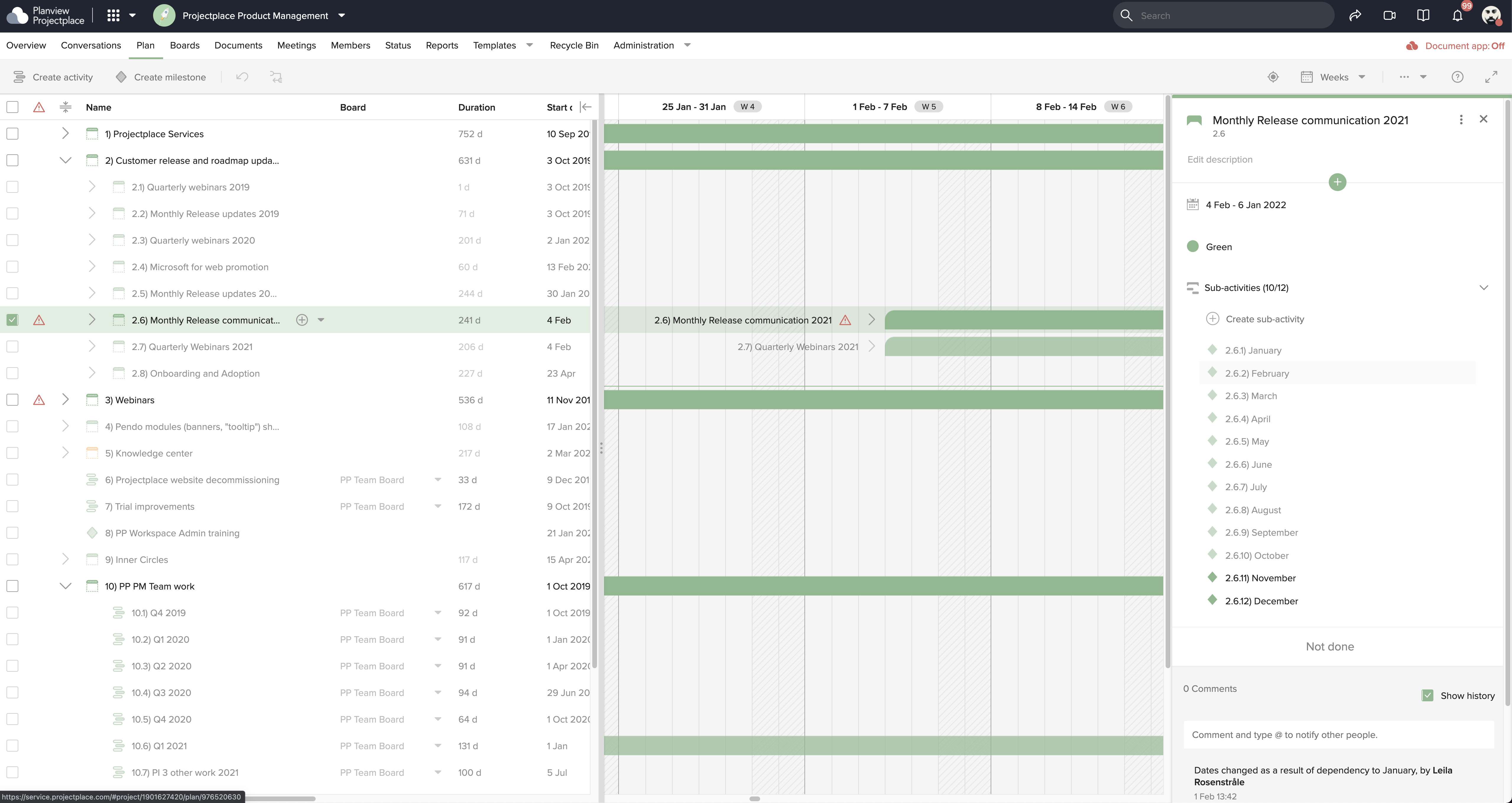
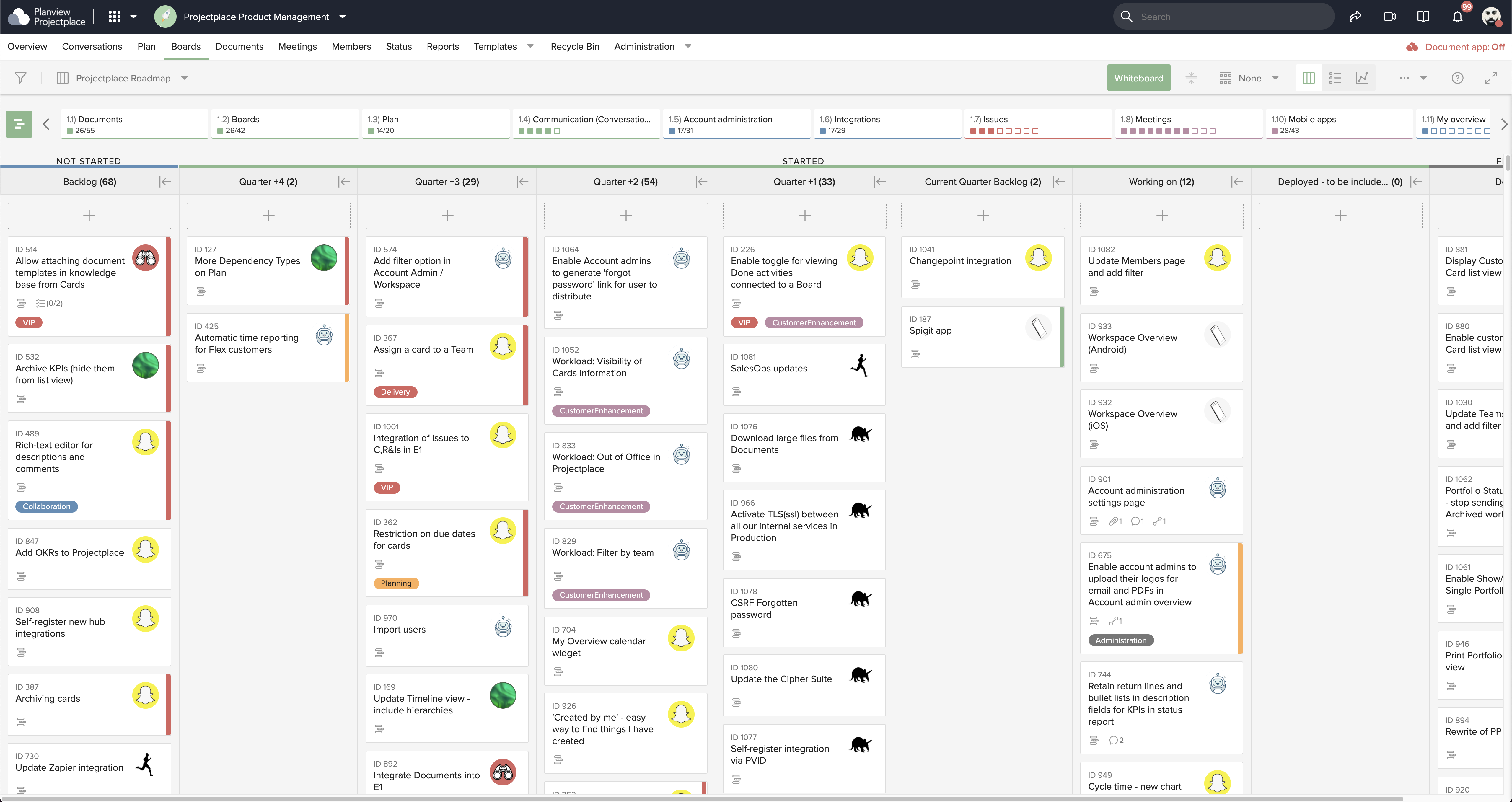
Projectplace is a collaborative work management solution. The vendor says the product is built with teams of all sizes and complexity in mind, from virtual teams of five to entire global enterprises with tens of thousands of active users. It is also designed to incorporate waterfall and agile workflows.
A de minimis incentive was given to thank the reviewer for their time. The incentive was not used to bias or drive a particular response, nor was the incentive contingent on a positive endorsement. More Info
Verified User
Chose Planview ProjectPlace
Both Planview Project Place and Planview PPM Pro have their own strengths. We use both; PPMPro is our portfolio tool, while Project Place is a project delivery application.
A de minimis incentive was given to thank the reviewer for their time. The incentive was not used to bias or drive a particular response, nor was the incentive contingent on a positive endorsement. More Info
Verified User
Chose Planview ProjectPlace
It's better in some ways, not as good in others. I like it's ability to connect multiple workspaces together for a Team.
A de minimis incentive was given to thank the reviewer for their time. The incentive was not used to bias or drive a particular response, nor was the incentive contingent on a positive endorsement. More Info
Verified User
Chose Planview ProjectPlace
I would say Planview Projectplace is an easier program to pick up on versus Microsoft 365. To get Microsoft 365 set up on the company's network can be a challenge and having it properly synced with all the other Microsoft applications can be cumbersome. But, when it is set up …
A de minimis incentive was given to thank the reviewer for their time. The incentive was not used to bias or drive a particular response, nor was the incentive contingent on a positive endorsement. More Info
Microsoft 365 would be well suited for medium to large enterprises. This is where there are several hundreds or thousands of people. Since most everyone has used one of the applications the learning curve would be reduced. Another reason would be the ability to implement security measures to prevent access to sensitive data. This could justify the cost of an Enterprise license.
A de minimis incentive was given to thank the reviewer for their time. The incentive was not used to bias or drive a particular response, nor was the incentive contingent on a positive endorsement. More Info
Planview ProjectPlace is a vibrant platform that manages all activities and schedules different roles based on their urgency, importance, and requests. Further, Planview ProjectPlace outlines the need for proper documentation with the aim of accurate referencing. Tasks are credibly shared, and proper reporting is enhanced to transform firms' work environment. ; Lastly, Planview ProjectPlace brings sustainable email integration for enterprises.
A de minimis incentive was given to thank the reviewer for their time. The incentive was not used to bias or drive a particular response, nor was the incentive contingent on a positive endorsement. More Info
A de minimis incentive was given to thank the reviewer for their time. The incentive was not used to bias or drive a particular response, nor was the incentive contingent on a positive endorsement. More Info
A de minimis incentive was given to thank the reviewer for their time. The incentive was not used to bias or drive a particular response, nor was the incentive contingent on a positive endorsement. More Info
Slack is 1000x better than teams. Why put a 250 limit on a chat? Our company hasn't moved fully to channels and it's making us lose transparency. Plus, the teams channels we do have nobody is going to. 90% loss in visibility and engagement.
Teams for web meetings. I think the UI/UX should match Zoom which is the standard for all our customers. They don't like it when we use Teams.
Chats and Channels need to somehow be on one screen automatically without having to choose that view because majority of our company hasn't opened Teams Channels and only stays in chats.
A de minimis incentive was given to thank the reviewer for their time. The incentive was not used to bias or drive a particular response, nor was the incentive contingent on a positive endorsement. More Info
Under the time tracking, it would be nice to have a set template that would load each week and not have to click a button to load the previous week's template.
Somehow making it more intuitive.
Having to add in each service line and each detail that I cover for every service line each week is a bit ridiculous.
A de minimis incentive was given to thank the reviewer for their time. The incentive was not used to bias or drive a particular response, nor was the incentive contingent on a positive endorsement. More Info
A de minimis incentive was given to thank the reviewer for their time. The incentive was not used to bias or drive a particular response, nor was the incentive contingent on a positive endorsement. More Info
We're committed now & have >50 users on Projectplace. All our projects are now tracked in the tool. We this investment of time & training, the cost of maintaining Projectplace is relatively low for the benefit. So we will renew, even if there are some idiosyncrasies in the tool & there are opportunities for improvement.
A de minimis incentive was given to thank the reviewer for their time. The incentive was not used to bias or drive a particular response, nor was the incentive contingent on a positive endorsement. More Info
Microsoft 365 is the gold standard for performing project tasks in a professional environment, enabling the quick transfer and exchange of files and ideas for team members who work locally and remotely. Its suite of tools is familiar and has evolved to being cloud based, allowing for files to be updated in real time from near and far.
A de minimis incentive was given to thank the reviewer for their time. The incentive was not used to bias or drive a particular response, nor was the incentive contingent on a positive endorsement. More Info
Easy to use platform and provides the user with an amazing experience and straightforward tools that empower and help execute tasks with fast performances that allow quick and easy service delivery. Easy on implementation and get started immediately with enterprise-ready Planview Projectplace and start to connect with teams and departments at once.
A de minimis incentive was given to thank the reviewer for their time. The incentive was not used to bias or drive a particular response, nor was the incentive contingent on a positive endorsement. More Info
A de minimis incentive was given to thank the reviewer for their time. The incentive was not used to bias or drive a particular response, nor was the incentive contingent on a positive endorsement. More Info
Over the past 8 years of using Microsoft 365, I have noticed that they change vendors often. This always leads to a poor experience in the beginning, then levels out after some time for the company to get things worked out. As a customer, it is really frustrating because I don't have time when something isn't working to have them "look into my issue" and get back with me. They have even closed a ticket I specifically told them to keep open. Your applications are only as good as the support.
A de minimis incentive was given to thank the reviewer for their time. The incentive was not used to bias or drive a particular response, nor was the incentive contingent on a positive endorsement. More Info
I haven't needed to get in touch with support because the product is quite well structured and understandable. There were no issues initially when making payments or later for monthly payments. The project manager using the software is quite skilled in the software and has not needed much help. New licenses are easy to acquire, and there is no delay in getting them. I know there are several ways of support available, so that's a plus.
A de minimis incentive was given to thank the reviewer for their time. The incentive was not used to bias or drive a particular response, nor was the incentive contingent on a positive endorsement. More Info
A de minimis incentive was given to thank the reviewer for their time. The incentive was not used to bias or drive a particular response, nor was the incentive contingent on a positive endorsement. More Info
Its very user-friendly, collaborative and efficient that boosts productivity using cloud tools. their security is strong and it provides data protection. There are regular updates that shields us from attackers too. It offers a wealth of learning resources, including tutorials, help articles and video guide to help users make the most of the application and personally upgrade their skills.
[In my experience] Jira is more refined, better looking, and easier to become familiar with. Also, the massive market share of Jira helps in consultancy as you can switch between clients easily. Projectplace has many powerful tools but so does Jira, and Jira integrates with our suite of software much easier compared to Projectplace.
A de minimis incentive was given to thank the reviewer for their time. The incentive was not used to bias or drive a particular response, nor was the incentive contingent on a positive endorsement. More Info
A de minimis incentive was given to thank the reviewer for their time. The incentive was not used to bias or drive a particular response, nor was the incentive contingent on a positive endorsement. More Info
We have a lot of nonprofit users, so they have a good ROI.
I like the constant updates without having to purchase the software repeatedly.
I used to purchase each Office (insert year here) often, so the software was up to date and had the newest options and connectors. I think my return on investment would have been much better if Microsoft had updated those versions to keep them current; after all, we did pay for them.
Microsoft 365's offering a monthly fee or a discount for a year helps, and you can look at it as a free backup if you have everything set to back up to One Drive. (Cloud-based document filing you can access anywhere ( with an internet connection)—you Can't beat that!)
[We have the] ability to support remote work through projects that scale across multiple groups
We have large-scale quarterly projects, so the ability to save and duplicate project templates are helpful for us to keep track of tasks down to the specific card
A de minimis incentive was given to thank the reviewer for their time. The incentive was not used to bias or drive a particular response, nor was the incentive contingent on a positive endorsement. More Info