Microsoft Planner is presented as a solution to organize teamwork with intuitive, collaborative, visual task management. With it, users can create Kanban boards using task cards with files, checklists, and labels. Users can collaborate in Planner and Microsoft Teams and check visual status charts—all in the Microsoft cloud.
N/A
Paymo
Score9.3 out of 10
N/A
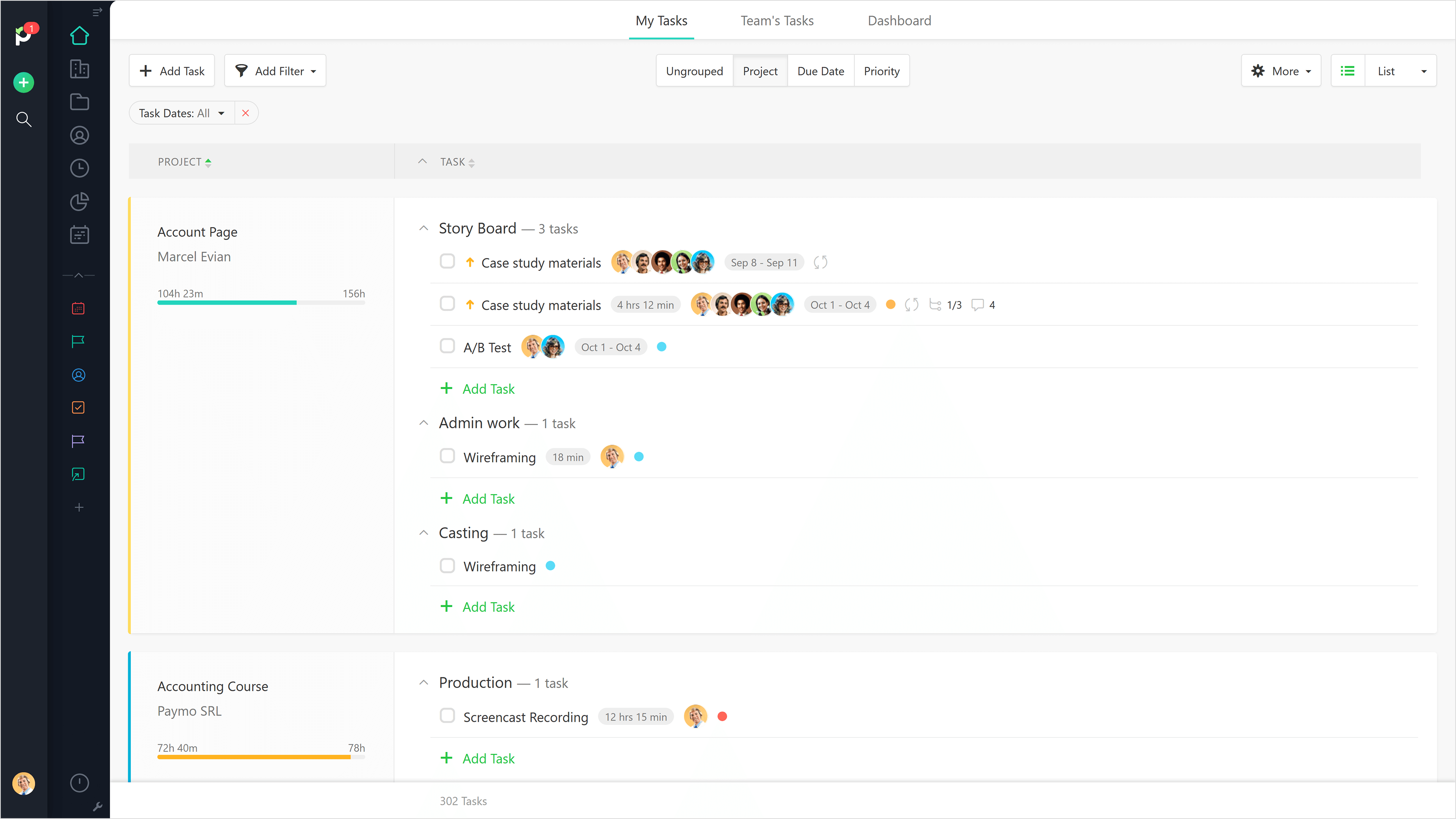
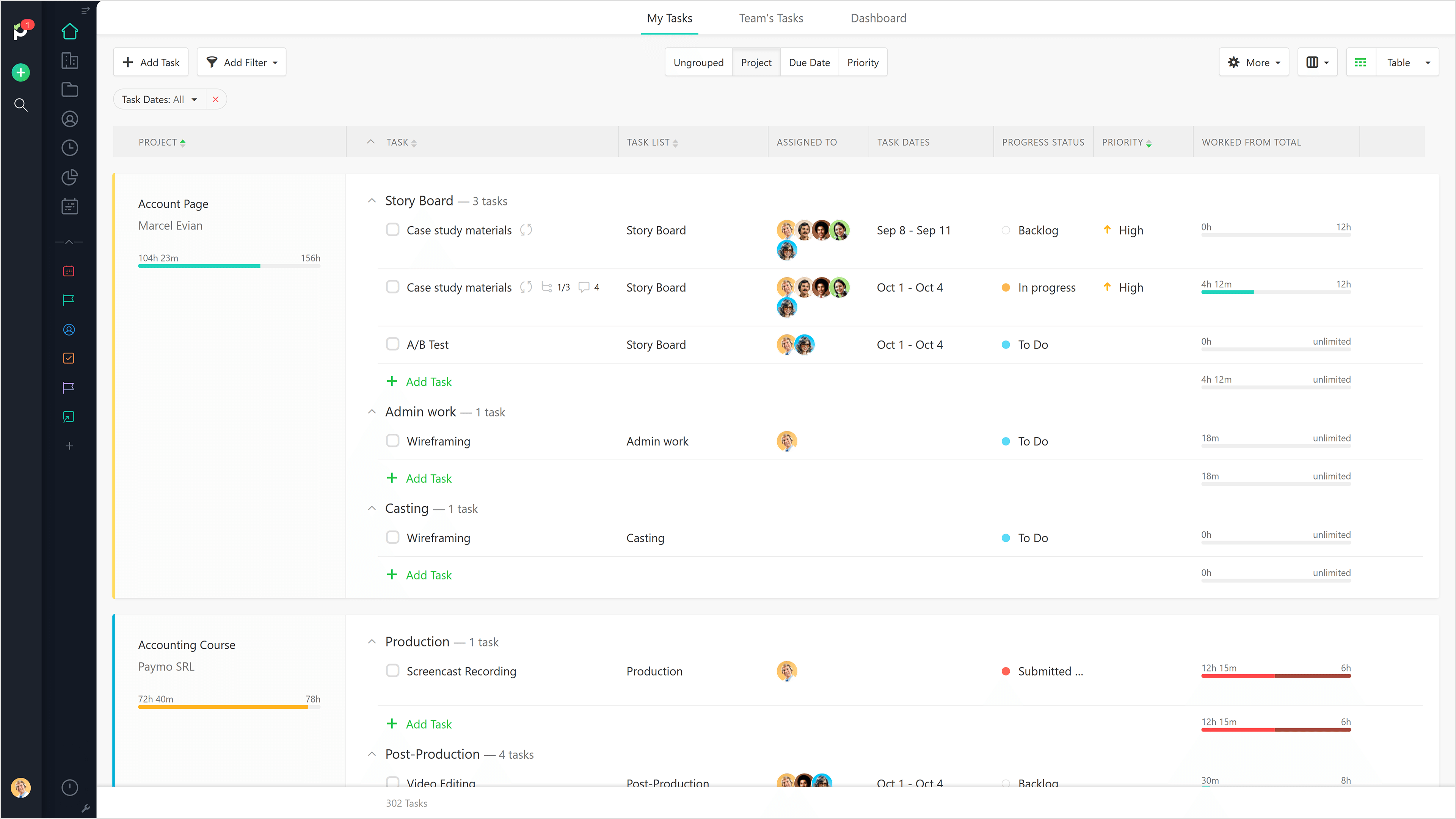
Paymo is a collaborative work management platform that helps track team progress, collaborate in context, and make smarter decisions. It acts as a single source of truth, where project planning, resource scheduling, file proofing, time tracking, and billing feed into each other to co-exist under the same roof.
There are a few examples where MS Planner would be suitable for employees at a mature organization. In my opinion, if you have Outlook or Teams, you already have built-in calendars and to-do lists. If you need a project management tool, you have two options: either pay for MS Project or use an alternative tool like Monday, Asana, or Jira. Regardless, their free versions are much more sophisticated than Microsoft's (MS Planner). Any team wishing to put together a halfway-decent project management board will need to look elsewhere, as MS Planner is only suitable for a personal to-do list.
A de minimis incentive was given to thank the reviewer for their time. The incentive was not used to bias or drive a particular response, nor was the incentive contingent on a positive endorsement. More Info
Beautiful interface throughout, easy setup, most natural progressions are fluid and easy to use. Browser functionality allows us to use it cross-platform. Very reasonable pricing model as well. We have had a little trouble using Paymo for the entire creative process to have proofs reviewed and approved. Also, have to use external forms to have work submitted from campus.
A de minimis incentive was given to thank the reviewer for their time. The incentive was not used to bias or drive a particular response, nor was the incentive contingent on a positive endorsement. More Info
A de minimis incentive was given to thank the reviewer for their time. The incentive was not used to bias or drive a particular response, nor was the incentive contingent on a positive endorsement. More Info
The ability to code exactly what time I worked on a project enables me to bill clients more accurately and within different minimums, which besides more accurately tracking time, this has been extremely helpful as I negotiate contracts for services and offer different deals with potential clients. Some are billed to the minute, some in 15-minute minimums, and some in 20-minute blocks.
The live reports are great, showing time spent in the minimums that I've set, while also including as much detail as I wish to share.
I've now started just writing my notes into the tracker, which are then carried into the live reports - this eases my needing to send logs to clients, as well as helping me to keep projects on track.
A de minimis incentive was given to thank the reviewer for their time. The incentive was not used to bias or drive a particular response, nor was the incentive contingent on a positive endorsement. More Info
Would be nice to see a calendar view instead of a list view
Permissions aren't configurable, anyone can delete any task at any time and there is no recycle bin
Notifications aren't great, you have to be attached as an owner to a task to see comments and be notified of changes, and even then notifications aren't shown for a lot of things
A de minimis incentive was given to thank the reviewer for their time. The incentive was not used to bias or drive a particular response, nor was the incentive contingent on a positive endorsement. More Info
It would be really helpful if on the timer tool, they asked you to switch projects when you stop the timer, so it could fill that time in right away for you.
I never use the 'My Tasks' because I don't fully understand how to integrate it to be useful to what our purposes are in Paymo. Some Youtube tutorials might be helpful
A de minimis incentive was given to thank the reviewer for their time. The incentive was not used to bias or drive a particular response, nor was the incentive contingent on a positive endorsement. More Info
It is a very useful tool that brings teams in sync with one another. The integration with other Microsoft products makes it an obvious choice because you don't have to purchase a license for a completely different tool that doesn't have cross-functional capabilities with the software you already use on a daily basis.
A de minimis incentive was given to thank the reviewer for their time. The incentive was not used to bias or drive a particular response, nor was the incentive contingent on a positive endorsement. More Info
The board-and-bucket layout makes it easy to organize tasks, track progress, and prioritize work at a glance, even for first-time users. I also appreciate how Planner seamlessly integrates with tools like Teams, Outlook, and SharePoint, enabling users to collaborate, schedule tasks, and access their plans without needing to switch platforms. I also like how it’s accessible not only on desktops, but also on mobile devices.
A de minimis incentive was given to thank the reviewer for their time. The incentive was not used to bias or drive a particular response, nor was the incentive contingent on a positive endorsement. More Info
It is a complete, a bit overambitious app but with many features that are needed. I didn't need most of the features but managed to make the most of the two I was using. Also, I think it is a well-rounded app and I am considering moving some team collab there.
A de minimis incentive was given to thank the reviewer for their time. The incentive was not used to bias or drive a particular response, nor was the incentive contingent on a positive endorsement. More Info
Good! Fast, excellent, speedy responses. They always wanted to know why and how they could improve on something (good on receiving feedback, too). Not that they were much needed, but my limited experience with them is good; they were really keen to understand what the problem was really about and how they could help with it.
A de minimis incentive was given to thank the reviewer for their time. The incentive was not used to bias or drive a particular response, nor was the incentive contingent on a positive endorsement. More Info
Many areas of the company still use Trello to organize their activities and tasks, but gradually Microsoft Planner must replace the activities. Users are often "attached" to familiar technologies, but Office 365 takes advantage of the more organized use of the tools. This year we will not renew the Trello contract.
We still use Trello and Slack, but Basecamp and HubSpot are too much for our operation to manage or integrate. Paymo is missing some of the tracking features of HubSpot and isn't as universally used as Basecamp but we've been with them for 8 years and they seem to know what matters most to their user base
A de minimis incentive was given to thank the reviewer for their time. The incentive was not used to bias or drive a particular response, nor was the incentive contingent on a positive endorsement. More Info
In my experience, productivity is negatively impacted because assigning subtasks aren't clear on Microsoft Planner
Managers aren't able to track direct reports' tasks across multiple boards -- leading to poor visibility for us
Notifications aren't always sent to inbox, so you rely on people's own project management skills to follow the communication on tasks they're assigned to. In my experience, this leads to missed deadlines impacting customer relationships.
A de minimis incentive was given to thank the reviewer for their time. The incentive was not used to bias or drive a particular response, nor was the incentive contingent on a positive endorsement. More Info
Gives me more accurate time that I've spent on projects compared to older methods I've used.
Has data that I can pull together, for example my boss wanted to know the percentage of time I'd spent working on projects for one client compared to everything else - I was able to give them an accurate percentage.
Forces you to stay on top of jobs, which can lengthen the time to complete something
A de minimis incentive was given to thank the reviewer for their time. The incentive was not used to bias or drive a particular response, nor was the incentive contingent on a positive endorsement. More Info