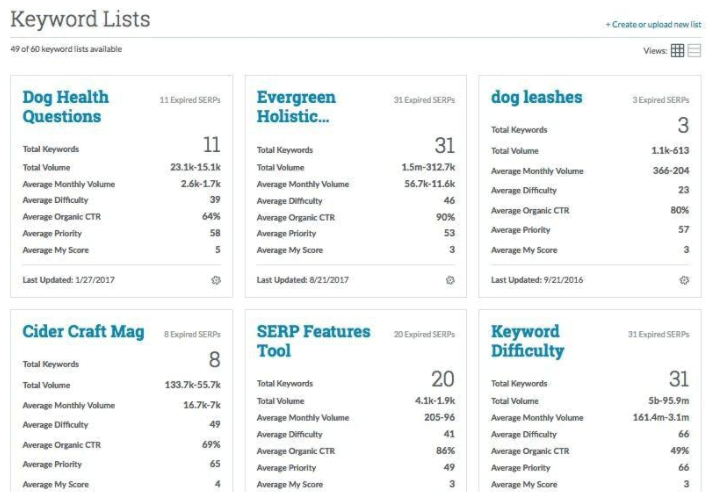
MozPro , from Moz in Seattle, Washington, is an SEO platforms for tracking the performance of all inbound marketing efforts comprehensively. It reveals how content is being shared through social channels and how that drives traffic to a website, and features a broad toolset for search engine optimization: rank tracking, link opportunites, site audit via Moz Analytics, prospective keyword analysis and content grading, as well as a crawl test to find broken or poorly designed site elements.
Moz…
$99
per month
Netpeak Spider
Score7 out of 10
Mid-Size Companies (51-1,000 employees)
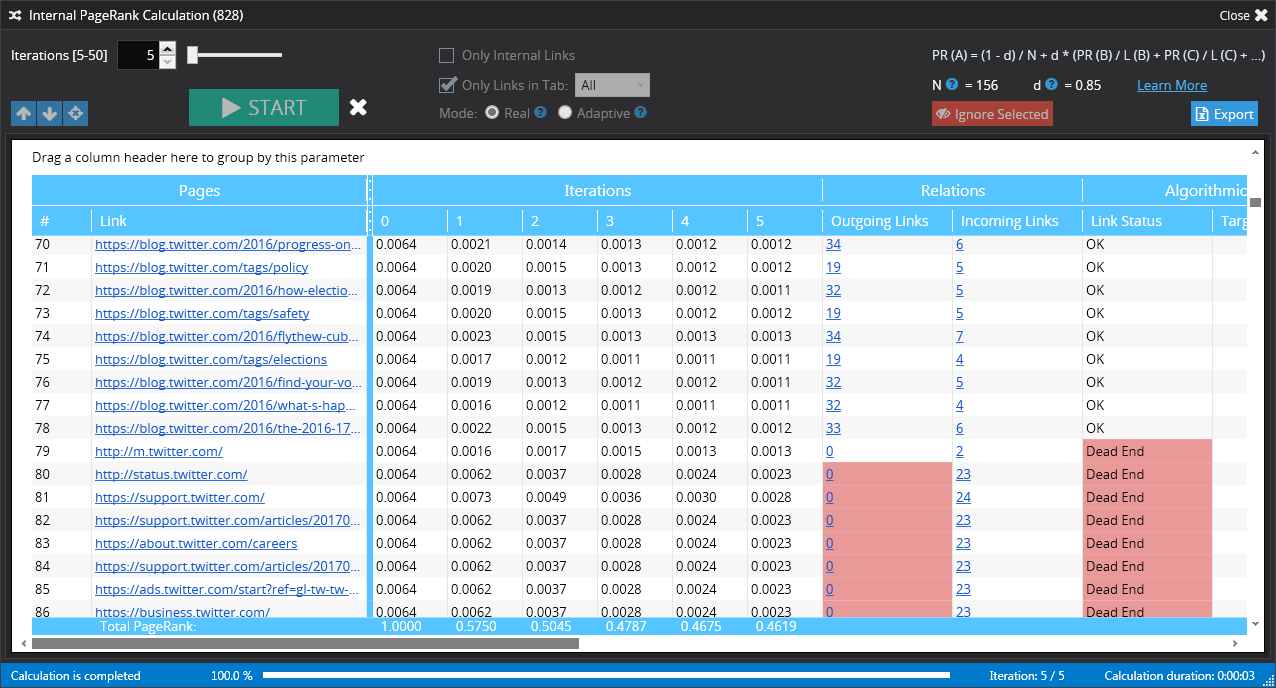
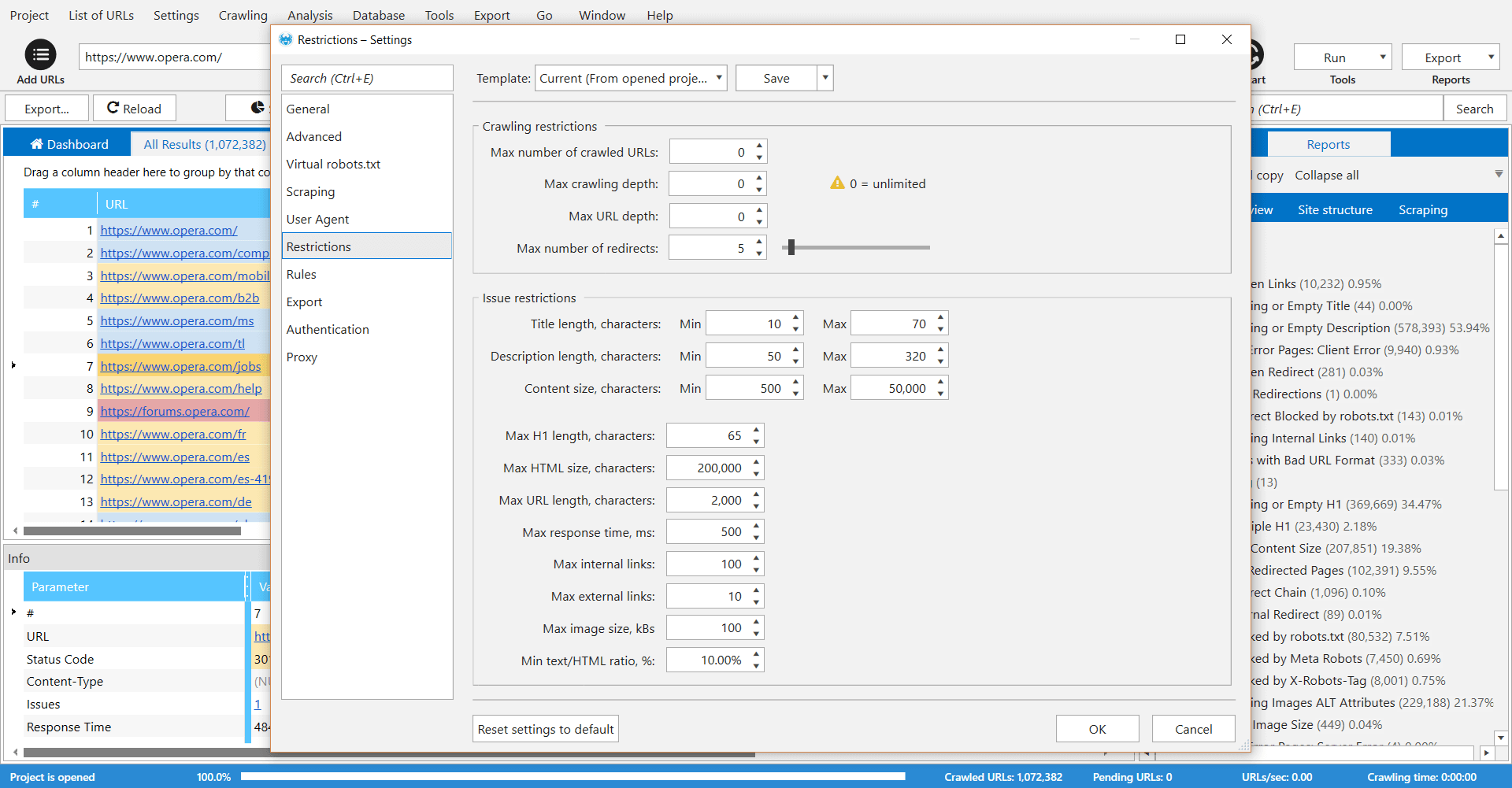
Netpeak Spider is a desktop tool which crawls a website like a search engine robot and detects key SEO issues that influence the website’s visibility in SERP. According to the vendor, this tool allows users to: Spot 80+ issues of your website optimization. Check 70+ key on-page SEO parameters. Calculate internal PageRank to improve website linking structure. Analyze all incoming and outgoing internal links. View page…
$19
per user
Pricing
Moz Pro
Netpeak Spider
Editions & Modules
Standard
$99
per month
Medium
$179
per month
Large
$299
per month
Premium
$599
per month
Standard (1-month subscription)
$19.00
per user
Pro (1-month subscription)
$39.00
per user
Standard (12 months subscription)
$182.40
per user
Pro (12 months subscription)
$374.40
per user
Offerings
Pricing Offerings
Moz Pro
Netpeak Spider
Free Trial
Yes
Yes
Free/Freemium Version
No
No
Premium Consulting/Integration Services
No
No
Entry-level Setup Fee
No setup fee
$15.90 per user
Additional Details
Discount available for annual billing.
Standard Plan includes all basic features except access to white-label reports.
Pro Plan gives you all basic features and access to white-label reports.
Businesses looking to keep track of their web presence and utilize a tool to identify areas of opportunity. The trends tracking and competitor modeling allow businesses to be able to build an SEO strategy that they can track progress over time and fill in content gaps. This is used by our company in conjunction with our marketing automation tool and Google's web presence suite (eg. Google Analytics, Search Console, Tag Manager).
A de minimis incentive was given to thank the reviewer for their time. The incentive was not used to bias or drive a particular response, nor was the incentive contingent on a positive endorsement. More Info
Checking and monitoring big websites or e-commerce projects for technical errors on regular basis
Creating custom formulas for calculation of internal page ranks and building a tree view with this information
Get reports that include metrics for every page (performance, inbound and outbound links, indexing status)
Create reports that include all metrics from external SEO services like Serpstat or Similarweb for every single page of your website
It's very useful software for SEO or marketing agencies that have a lot of projects to work with, but might be overkill for small projects and companies.
A de minimis incentive was given to thank the reviewer for their time. The incentive was not used to bias or drive a particular response, nor was the incentive contingent on a positive endorsement. More Info
A de minimis incentive was given to thank the reviewer for their time. The incentive was not used to bias or drive a particular response, nor was the incentive contingent on a positive endorsement. More Info
A de minimis incentive was given to thank the reviewer for their time. The incentive was not used to bias or drive a particular response, nor was the incentive contingent on a positive endorsement. More Info
Some of the auto-gen visual tables aren't all that useful for smaller companies. For instance on the Search Visibility tab, many of my clients have a tiny % of keywords in the top-10, so the table shows basically 4 overlaid flat lines. I wish we had some options to customize this table or expand the range or something.
I wish there were some more tools relating to the technical aspects of the site/pages. The whole tool is very keyword-oriented, which is fine, but I feel like over time this has become and will continue to be less important than technical aspects, site speed, voice search, etc.
There's an Anchor Text tab, but it only looks at Inbound links—I wish this feature was for on-site anchor text—this could be a much better optimization tool. Because there's nothing you can do about inbound link text.
A de minimis incentive was given to thank the reviewer for their time. The incentive was not used to bias or drive a particular response, nor was the incentive contingent on a positive endorsement. More Info
A de minimis incentive was given to thank the reviewer for their time. The incentive was not used to bias or drive a particular response, nor was the incentive contingent on a positive endorsement. More Info
We've been paying monthly for Moz for at least four years. We rely heavily on it for our daily work, and would need to re-engineer many of our processes if we were to cancel our subscription. I suspect we'll continue to use Moz as long as we are in business (assuming they maintain their quality).
it's easy to use once you get the hang of it and most people with any sort of background in using online tools and analytics systems can figure it out. it's just not as intuitive as it could be like google webmaster tools or Adobe (Site Catalyst)
As I have mentioned before, if you have enterprise subscription, the staff are super helpful. Moz also participated in the marketing tech conferences especially moz in seattle. These sessions are super useful in helping digital marketing analyst like me to investigate new marketing techniques, tracking leads and conversions and eventually monetize them. Their staff is not only knowledgeable in their own product but they have been around. For example Dr Peter from moz always publishes his insights and I have relied somewhat on his opinions.
A de minimis incentive was given to thank the reviewer for their time. The incentive was not used to bias or drive a particular response, nor was the incentive contingent on a positive endorsement. More Info
Moz emerged as an industry leader with a great reputation for driving optimal SEO performance and ROI for customers. Moz' thought leadership on all things SEO gave us a lot of confidence to invest and partner with them. The wide array of product features was also something that was important to us relative to Moz' competitors. In the end, we felt there wasn't anything we couldn't do with Moz. We were also impressed with the on demand platform training and tools provided from day 1. Lastly, Moz was one of the more expensive platforms, but it wasn't the most expensive, so we felt we received great value for the overall price.
A de minimis incentive was given to thank the reviewer for their time. The incentive was not used to bias or drive a particular response, nor was the incentive contingent on a positive endorsement. More Info
We choose Netpeak Spider because: 1. Can buy a monthly subscription and have unlimited number of websites to check. 2. Price. It's affordable, especially when you have not only one project. 3. Frequent updates. With every update functionality is expanding (latest update for example brought a lot of new integrations). 4. Quality of reports. They are very detailed and have everything we needed for our work.
A de minimis incentive was given to thank the reviewer for their time. The incentive was not used to bias or drive a particular response, nor was the incentive contingent on a positive endorsement. More Info
Here I can easily find competitor's ranking keywords and their backlinks. It also gives you another exciting feature where you can compare two domains at the same time.
The thing that I don't like about this software is, that sometimes your page can take too much time for crawling.
A de minimis incentive was given to thank the reviewer for their time. The incentive was not used to bias or drive a particular response, nor was the incentive contingent on a positive endorsement. More Info
A de minimis incentive was given to thank the reviewer for their time. The incentive was not used to bias or drive a particular response, nor was the incentive contingent on a positive endorsement. More Info