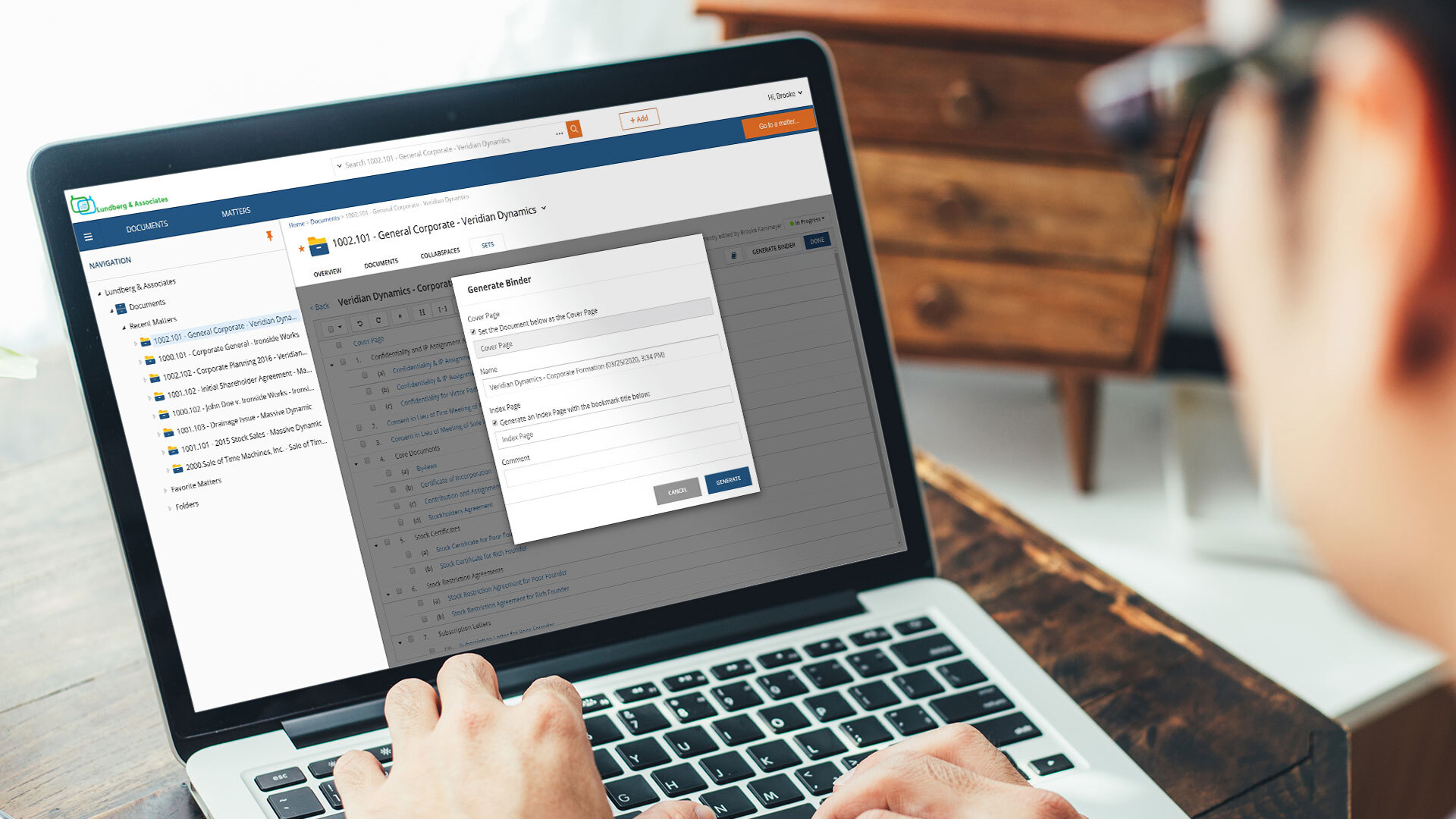
NetDocuments is a document management solution from the company of the same name in Lehi, Utah.
N/A
Revver
Score 9.0 out of 10
Small Businesses (1-50 employees)
Revver (formerly eFileCabinet) aims to help businesses reduce their dependency on paper and efficiently complete their document work. Revver does this by helping customers store and organize documents, quickly find information and files, collaborate on document work, automate business processes, and be secure and compliant. The vendor’s clients are typically companies that have frequent customer interaction, require high levels of documentation, and have offices in which compliance and…
N/A
zeroheight
Score 8.6 out of 10
N/A
zeroheight helps teams create, manage and maintain their design systems. Using zeroheight, designers, engineers, and product teams can collaborate and build design systems that can be easily shared across teams.
It is ideal where security is your number one concern or where there is a need to share securely across different physical locations. Speed is less than ideal in certain usage scenarios. It is limited by the speed of the internet and it can be difficult to pull large quantities of documents when researching or answering discovery requests, although, that being said, it can be addressed by maintaining your own secure server to contain a mirror of your online documents. But then the security for a mirror falls back on the organization.
eFilecabinet is the best bang for the buck Digital Document Storage Solution that will replace your Physical File Cabinets in your office and lead you down the paperless digital path. With this price point comes some hiccups and speed bumps that you need to be aware of (broken software due to updates from time to time, missing features, confusing interface due to multiple ways to access your data, etc), but once you find work arounds to these items, you will see how powerful efilecabinet is.
For creating and maintaining a component library, it is a fantastic tool that creates an interface between Developers, UX Engineers and Designers. It is easy to get both general information about a component, but also incredibly detailed information when looking at the component on a pixel-level, where information on paddings, margins, colors, fonts etc. can be easily accessed.
eSignature integration has been a game changer four our organization. The simplification of obtaining client signature on necessary documents through this system has virtually eliminated our need for physically mailing documents to clients.
With our documents hosted by eFileCabinet, our team has increased capability to work from home/while on the road without needing to take along physically paperwork.
The search function that allows for on-page searching has been extremely useful when we're looking for older documents that we can't quite recall the title of.
Delay. At times, there is a delay between saving a document into Netdocuments and actually seeing them in the appropriate workspace. Such a delay is caused by the system indexing the newly added file.
Netdocuments' servers slow down at times causing users to receive error messages. This can be quickly remedied, but can become a nuisance.
when opening a component image (which opens a new page where the detailed information like paddings and colors are shown), the zoom can only be done by buttons, I'd prefer to be able to use my mouse scroll and for vertical / horizontal scrolling to do ctrl+scroll or ctrl+shift+scroll or something like that
We do not have any issues with eFile Cabinet. It has become just part of our daily life - finish files and projects and save all the documentation here. Need to research? Find it in eFile. I personally cannot imagine my job without it.
The product is simple to learn and adheres to well-known web user protocols. The NetDocuments team spends a lot of time talking to customers regarding how to improve their interface, and are pretty quick about implementing good ideas. The system is reliable and repeatable, and similar functions are laid out consistently and in formats that users are used to.
eFileCabinet gets the job done and is fairly easy to use once you find a few workarounds and understand how the software works. Using the browser interface next to the desktop sidekick app is needed when it should all be included in a single app. Users always wonder "why do I have to open both the browser and the sidekick interfaces to do a simple task". Basically one does what the other doesn't do and Sidekick is needing to be open regardless for the printer/scanner upload functions, but is limited on what you can do compared to the browser interface. The mac Sidekick is still in beta and makes me wonder how much longer it will be supported or updated...
NetDocuments is a performant web app. It is reliable and provides all the functionality of a sophisticated document management system. It also can serve, through its APIs, as a base system for other applications, which enhances its value. Other vendors find the company easy to work with, and it consistently seems to be the first to offer new features and technologies to its customers.
The software loads very quickly, their servers are great. The software can be a tad buggy or quirky at times but it gets the job done which is why it's an 8 out of 10 rating. Their desktop printer and scanner software could use an update so that windows updates don't break it from time to time too.
I've never had to contact support, but I won't give it a ten. We've had a few hiccups along the way, but nothing that couldn't be fixed within 24 hours.
It makes workflow so much easier, including the ability to save in the cloud makes it accessible from anywhere. I save very little on our server now which means this also makes filing more secure. I literally save and research via the platform several times a day.
We find eFileCabinet to be more secure than the alternative products we were using at the time, around 5 years ago. The system is far more robust and better suited the large number of files we needed to store, plus the amount of security and restrictions we needed to be able to provide for our clients
I have used and still use Sketch and Zeplin too, but they serve other purposes for us. Sketch is used to design the components themselves and they are then exported to Zeroheight where they are showcased and enriched with textual information. Zeplin is used to design application pages, and again the components are exported to Zeplin from Sketch. But Zeroheight is mainly used for the development of the components themselves as well as a documentation for our design guideline in general. It is also used by us for design tokens and patterns, as well as other information on the design guideline, so if someone wants to understand the "why" of a design decision, the explanation can be usually found in Zeroheight too.
NetDocuments has really saved us from hiring more people. The document management system is a core technology to any law firm. Our last DMS was an in-house system. It easily required the attention of half a FTE and offered a fraction of the functionality.
NetDocuments has also been relatively easy for our employees to use. We have a high adoption rate and it allows for our employees (and third parties) to collaborate pretty well.
NetDocuments offers any number of certifications -- e.g. ISO 27001, business associate agreements for HIPAA -- certifications that are required by some clients, that we could not possibly attain with an in-house system.
Pay only for the number of users you need. I needed 2, so I pay for 2. Other DMS programs come with up to 5 users and charge accordingly. This gives me the flexibility to grow my business at my rate - not someone else's.
increased quality, as less misunderstandings or communication problems occur
increased speed of development, as it is a single source of truth for us. The developer can rely on the information in Zeroheight being correct so that he doesn't have to iterate his code again and again.