Netwrix Auditor is designed to enable auditing of the broadest variety of IT systems, including Active Directory, Exchange, file servers, SharePoint, SQL Server, VMware and Windows Server. It also supports monitoring of privileged user activity in all other systems. According to the vendor, Netwrix Auditor eliminates these blind spots by delivering complete visibility into all changes to system configurations, content and permissions across the IT infrastructure.…
N/A
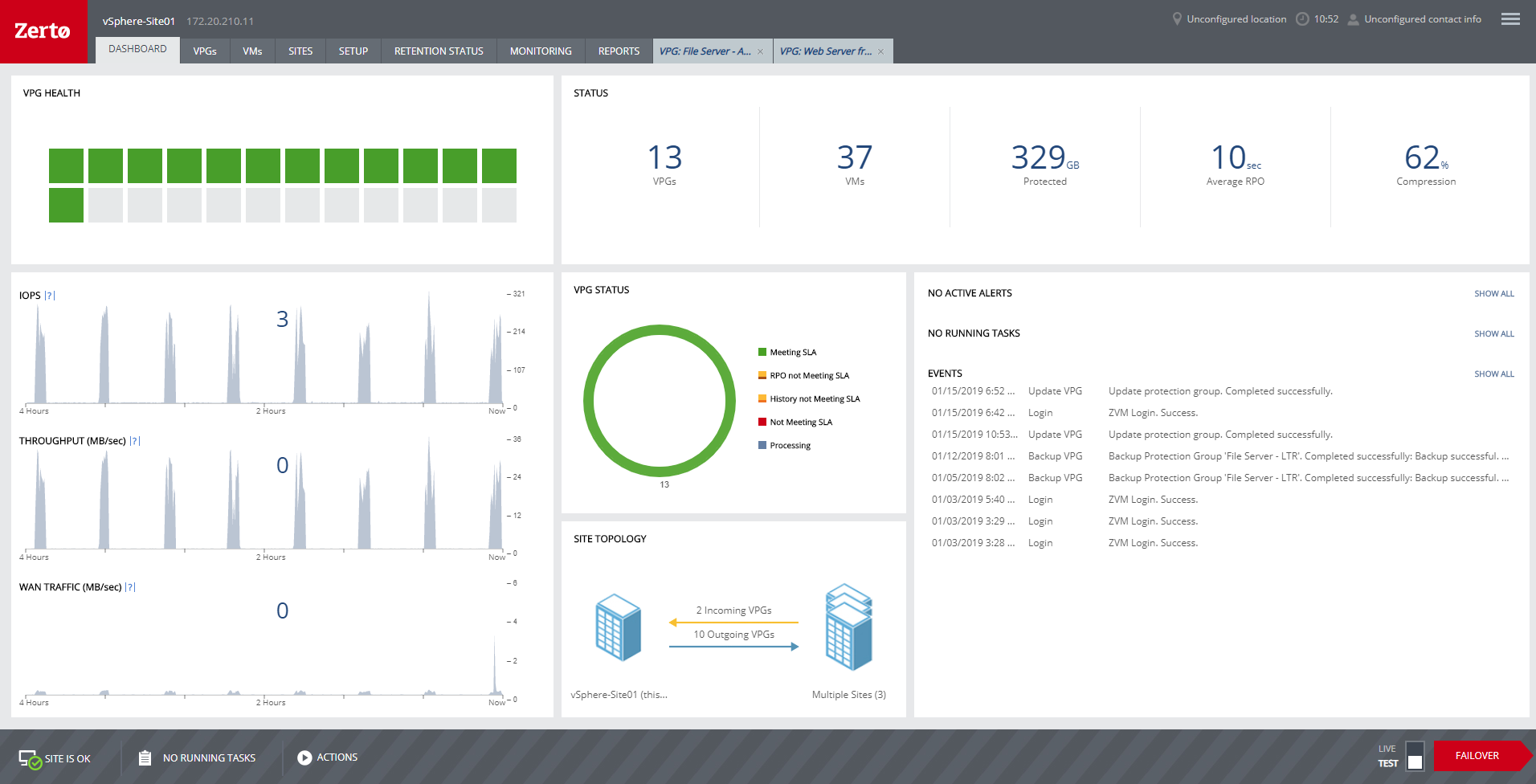
HPE Zerto Software
Score9.4 out of 10
Enterprise companies (1,001+ employees)
HPE Zerto Software aims to enable customers to run an always-on business by simplifying the protection, recovery, and mobility of on-premises and cloud applications.
Netwrix [Auditor] is a great tool for any SysAdmin no matter the company size. Licensing is determined by users, not employee count, and that makes it a great product from a small business to an enterprise application. The time savings coupled with the increased productivity is a key factor is determining this tool over other products.
A de minimis incentive was given to thank the reviewer for their time. The incentive was not used to bias or drive a particular response, nor was the incentive contingent on a positive endorsement. More Info
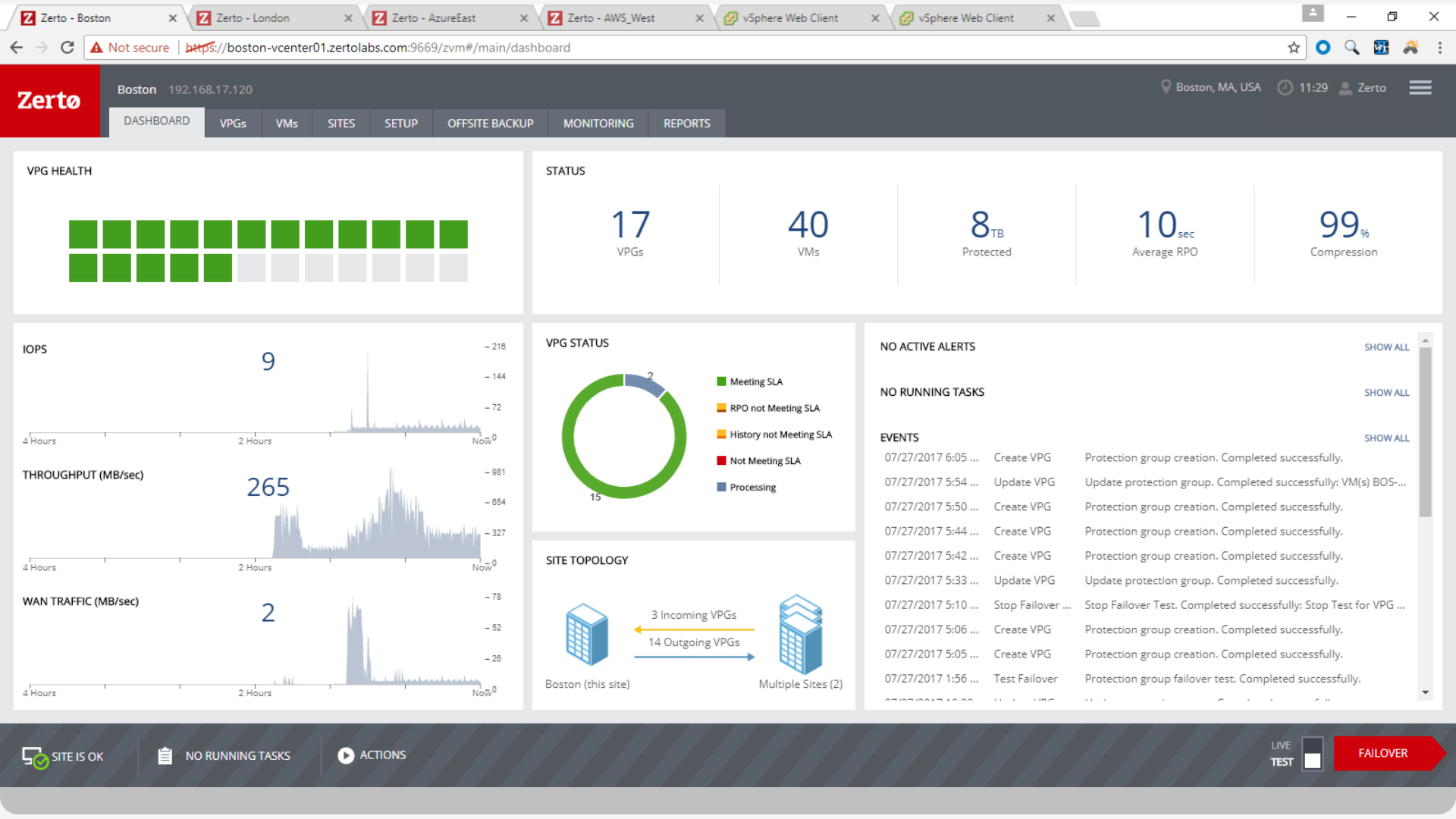
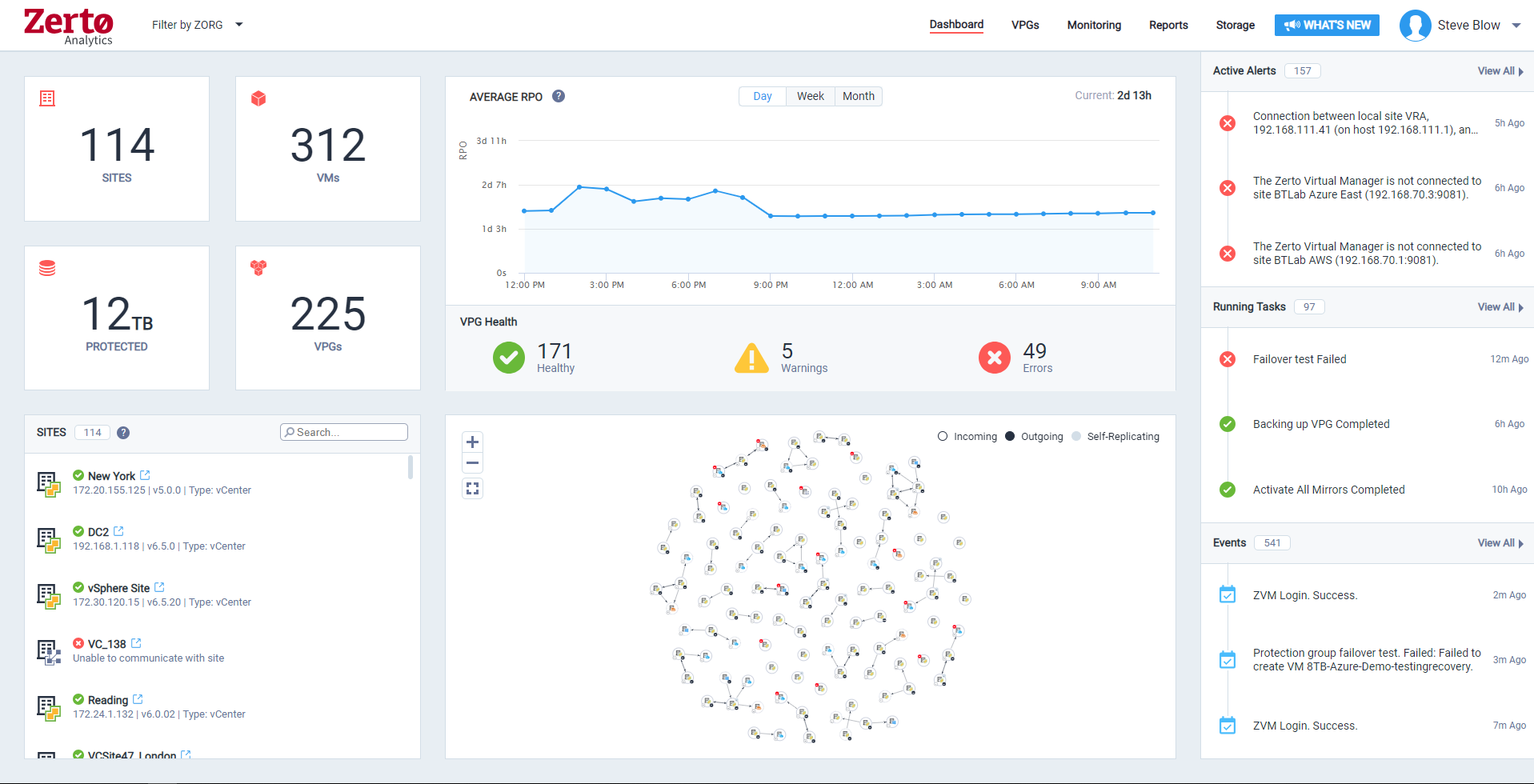
Zerto is well suited for disaster recovery and virtual machine replication between multiple data centers. DR testing for audit or regulations is much easier with Zerto, great reporting, dashboard etc. It is not well suited for physical server replication for disaster recovery or as a primary backup solution.
A de minimis incentive was given to thank the reviewer for their time. The incentive was not used to bias or drive a particular response, nor was the incentive contingent on a positive endorsement. More Info
Netwrix Auditor performs the audit collection process in a method that does not burden the systems it is auditing. It usually just pulls the log and event logs data from the machine it is auditing and then performs the extraction of the information in these files on the Netwrix Auditor server. This reducing the audit processes to only pulling log data from the server but does not keep the server busy processing the data.
Once the log data has been pulled from a server being audited, Netwrix will store the log data in a compressed form in its Long Term Archive. This allows the database to be kept smaller than the all the data being kept in the Log Term Archive and therefore makes creating reports much faster since the database is not as big as it could be.
Since Netwrix Auditor uses standard Microsoft SQL Server and SQL Server Reporting Services (SSRS) to perform reporting, working with the results of the audit is much easier. Anyone who knows SQL Server and SSRS can work with the data and create their own reports.
The predefined reports that come with Netwrix Auditor cover most of the items required to properly report on the status of a system. They have many predefined reports for FedRamp, PCI, HIPPA, and other compliance regulations.
A de minimis incentive was given to thank the reviewer for their time. The incentive was not used to bias or drive a particular response, nor was the incentive contingent on a positive endorsement. More Info
Anyone with a large disk (VMDK) knows the issues of VMware snapshots. Most backup software is a "point in time backup" that uses snapshots. While the backup can be run multiple times per day the stress of the snapshot on the host and storage is eliminated by the continuous protection of Zerto log replication.
A client had a the disks on a VM go missing for some reason. We had them "flip the switch" for a real fail over and press the fail over button. The VM on our DR site started to come alive as the VM at the customer site was brought down. When the DR VM was fully up, automatic reverse replication started. The DR machine was available in a few minutes (to take into account different host hardware) for access. One the vm at both sites were in sync, we had the customer again repeat the fail over process and the DR site VM was turned off and the Production site VM was brought back on line. This was a 200 GB VM and the whole process was finished in about 3 hours.
Zerto also allows for "Test" fail overs that can be configured on many different functions, such as host, datastore, network and IP usage. Configuring the IPs is crucial to avoid inadvertent site cross contamination of the same VM.
Zerto can also retrieve files from any VM disk on the DR site without starting a VM. Very handy for retrieving files or directories.
Since Zerto is running continuous log replication, changes on the production VM are nearly instantaneously copied to the DR site. As with any data process, having sufficient bandwidth for "churn" peaks minimizes the delay in updating the DR site.
A de minimis incentive was given to thank the reviewer for their time. The incentive was not used to bias or drive a particular response, nor was the incentive contingent on a positive endorsement. More Info
A de minimis incentive was given to thank the reviewer for their time. The incentive was not used to bias or drive a particular response, nor was the incentive contingent on a positive endorsement. More Info
A de minimis incentive was given to thank the reviewer for their time. The incentive was not used to bias or drive a particular response, nor was the incentive contingent on a positive endorsement. More Info
We have renewed already the licensing of the product minus SQL Server and Oracle Database because the organisation believes the modules are very expensive and have identified a different product for auditing Databases Other modules are very important like the User Activity monitor, AD queries that we can not get from the native AD itself or you have to run complicated powershell scripts! Easy to use interface Pre-defined Reports Easy way to subscribe to important alerts e.g Privilege account group membership changes
A de minimis incentive was given to thank the reviewer for their time. The incentive was not used to bias or drive a particular response, nor was the incentive contingent on a positive endorsement. TR verified that a representative sample of customers was invited. More Info
We really like the easy setup of this replication solution, as well as the ease of management. Not to mention, our internal IT Economist determined that the Zerto solution would provide the best ROI out of the competing solutions we analyzed. So far, his calculations have been spot on, and we have saved substantially
A de minimis incentive was given to thank the reviewer for their time. The incentive was not used to bias or drive a particular response, nor was the incentive contingent on a positive endorsement. More Info
Netwrix is easy to use; it has a simple reporting system and modules for each area, e.g., exchange, active directory, and Azure. The user interface is quite basic but easy to navigate and is only seen by administrators anyway. Reports can be generated that are meaningful and in a clear format.
A de minimis incentive was given to thank the reviewer for their time. The incentive was not used to bias or drive a particular response, nor was the incentive contingent on a positive endorsement. More Info
Zerto is very easy to implement and support. Uses are broad, only issues are once something doesn't sync it is difficult to get assistance until your reach tier 2 or tier 3 support. Basic file and folder recovery is great. Live and test fail overs are also easy to implement without issue.
A de minimis incentive was given to thank the reviewer for their time. The incentive was not used to bias or drive a particular response, nor was the incentive contingent on a positive endorsement. TR verified that a representative sample of customers was invited. More Info
Customer support has always been fast and helpful when we run into any issues. The smaller issues are usually resolved within a day or two. It is great support and I feel like I am in good hands anytime an issue comes up. However, we don't run into many issues
A de minimis incentive was given to thank the reviewer for their time. The incentive was not used to bias or drive a particular response, nor was the incentive contingent on a positive endorsement. More Info
Overall support is very good. We sometimes get pushback when asking Level 1 support to escalate to Level 2. This causes undue frustrations when you need a more knowledgeable support person to get involved. We've had to escalate to account reps a few times for this scenario. Zerto is very responsive and normally handles our requests very quickly.
A de minimis incentive was given to thank the reviewer for their time. The incentive was not used to bias or drive a particular response, nor was the incentive contingent on a positive endorsement. More Info
Make sure you trial the software and understand the fundamentals of each module that you are interested in Make sure you get the buy in from both Management and most importantly your team members (the product users) for a successful implementation Watch the webinars of the product from the product website
A de minimis incentive was given to thank the reviewer for their time. The incentive was not used to bias or drive a particular response, nor was the incentive contingent on a positive endorsement. TR verified that a representative sample of customers was invited. More Info
A de minimis incentive was given to thank the reviewer for their time. The incentive was not used to bias or drive a particular response, nor was the incentive contingent on a positive endorsement. More Info
I can only compare it to SolarWinds. Their similar products have larger foot prints and seem a little clumsy in comparison. The Netwrix product turns on a lot of the auditing options that were required for the product to work properly where it seemed I had to do a lot of manual tweeking with the SolarWinds product.
A de minimis incentive was given to thank the reviewer for their time. The incentive was not used to bias or drive a particular response, nor was the incentive contingent on a positive endorsement. More Info
We started out using Backup Exec which was in service until we virtualized our environment where it didn't perform as well at the time. Then we switched to Veeam which worked well, but then as we started needing to do migrations and off-site DR, we found ourselves relying on Zerto more often.
A de minimis incentive was given to thank the reviewer for their time. The incentive was not used to bias or drive a particular response, nor was the incentive contingent on a positive endorsement. More Info
For my organization, the pricing model was an upfront investment for the Zerto licenses. My organization prefers to pay upfront and not deal with month-to-month or year-to-year pricing models that most companies are moving to. But for some, the investment may be more than they can afford, and would prefer the year-to-year pricing model.
A de minimis incentive was given to thank the reviewer for their time. The incentive was not used to bias or drive a particular response, nor was the incentive contingent on a positive endorsement. More Info
I mean, it was 6 years ago, but we were up and going with all applications synchronizing in short order. The longest tasks was getting the 30 TB of application data synchronized between the datacenters.
A de minimis incentive was given to thank the reviewer for their time. The incentive was not used to bias or drive a particular response, nor was the incentive contingent on a positive endorsement. More Info
A de minimis incentive was given to thank the reviewer for their time. The incentive was not used to bias or drive a particular response, nor was the incentive contingent on a positive endorsement. More Info
Zerto is like having the best possible insurance ... it just works, and often provides the backups taken overnight that are key in recovering data/work between overnight backups.
Zerto easily enabled the move of primary datacenters by allowing easy failover to a secondary site, and failback to the primary site.
A de minimis incentive was given to thank the reviewer for their time. The incentive was not used to bias or drive a particular response, nor was the incentive contingent on a positive endorsement. More Info