Okta vs. Solutions2Share Teams Manager

Overview
ProductRatingMost Used ByProduct SummaryStarting Price
Okta
Score 8.9 out of 10
N/A
Okta is an enterprise grade identity management service, built in the cloud. IT can manage access across any application, person or device. Whether the people are employees, partners or customers or whether the applications are in the cloud, on premises or on a mobile device, Okta helps IT become more secure and maintain compliance. The Okta service provides directory services, single sign-on, authentication, provisioning, workflow, and built in reporting. ment systems.
$2
Per User Per Month
Teams Manager
Score 8.0 out of 10
N/A
IT administrators can keep control of their Microsoft 365 environment with Teams Manager. Teams Manager is used to prevent the uncontrolled creation of Teams and Groups and automate governance processes. Key Features: • Governance Dashboard and Reports – provides an overview of the M365 environment (inactive or ownerless teams, teams with guests etc.) • Provisioning of new teams & SharePoint sites – with channels,…N/A
Pricing
OktaSolutions2Share Teams Manager
Editions & Modules
Single Sign on
$2.00
Per User Per Month
Multi Factor Authentication
$3.00
Per User Per Month
Single Sign on Adaptive
$5.00
Per User Per Month
Multi Factor Authentication Adaptive
$6.00
Per User Per Month
No answers on this topic
Offerings
Pricing Offerings
OktaTeams Manager
Free Trial
YesYes
Free/Freemium Version
YesNo
Premium Consulting/Integration Services
YesYes
Entry-level Setup FeeNo setup feeOptional
Additional Details
More Pricing Information
Community Pulse
OktaSolutions2Share Teams Manager
Features
OktaSolutions2Share Teams Manager
Identity Management
Comparison of Identity Management features of Product A and Product B
Okta
8.8
155 Ratings
7% above category average
Solutions2Share Teams Manager
-
Ratings
ID-Management Access Control9.2143 Ratings00 Ratings
ID Management Single-Sign On (SSO)9.2154 Ratings00 Ratings
Multi-Factor Authentication9.0150 Ratings00 Ratings
Password Management8.0143 Ratings00 Ratings
Account Provisioning and De-provisioning8.8129 Ratings00 Ratings
ID Management Workflow Automation8.5121 Ratings00 Ratings
ID Risk Management8.6114 Ratings00 Ratings
Best Alternatives
OktaSolutions2Share Teams Manager
Small Businesses
WatchGuard AuthPoint
Score 9.0 out of 10

No answers on this topic

Medium-sized Companies
OneLogin by One Identity
Score 9.7 out of 10

No answers on this topic

Enterprises
OneLogin by One Identity
Score 9.7 out of 10
SailPoint Identity Security Cloud
Score 6.9 out of 10
All AlternativesView all alternativesView all alternatives
User Ratings
OktaSolutions2Share Teams Manager
Likelihood to Recommend
8.8
(183 ratings)
8.1
(10 ratings)
Likelihood to Renew
8.0
(18 ratings)
-
(0 ratings)
Usability
9.0
(1 ratings)
8.0
(1 ratings)
Availability
10.0
(4 ratings)
-
(0 ratings)
Performance
9.0
(2 ratings)
-
(0 ratings)
Support Rating
10.0
(12 ratings)
-
(0 ratings)
Online Training
1.0
(1 ratings)
-
(0 ratings)
Product Scalability
9.0
(2 ratings)
-
(0 ratings)
Vendor post-sale
6.4
(1 ratings)
-
(0 ratings)
Vendor pre-sale
6.4
(1 ratings)
-
(0 ratings)
User Testimonials
OktaSolutions2Share Teams Manager
Likelihood to Recommend
Okta
The cloud-first medium through large enterprises which use multiple technology systems should choose Okta as their best solution because it provides optimal performance. Okta's main advantage exists in its extensive Integration Network, which enables IT departments to implement SSO together with automated lifecycle management across multiple third-party SaaS applications such as Slack and Salesforce and AWS. For fast-growing companies that need to deploy systems quickly while providing users with platform-independent access, this solution serves as their perfect "identity glue."

Okta licensing to small businesses with basic access needs which require access to three applications should use a different product because their low-cost requirements will exceed their expected benefits from the product. The Okta Access Gateway creates operational difficulties for businesses that depend on legacy systems or have extensive "on-premise only" network requirements
Read full review
Solutions2Share
It's well suited if you or your organization performs tasks incorporating other Microsoft programs such as OneNote or Planner. Teams Manager allows for easy management of that software usage; if you do not use any of those, I'm not sure if there is much advantage in using it to manage workflow.
Read full review
Pros
Okta
  • Centralized control of enterprise passwords
  • Extensive customization of acceptable password criteria
  • One system for Identity and Access Management to learn
  • Scalable throughout the university for all central services
  • Uniform login experience for students, faculty, and staff
  • Single point of response to address termination of access
  • Ability to use FastPass for lower priority systems
  • Excellent support of multi-factor requirements
Read full review
Solutions2Share
  • Handles different teams and teams members
  • Giving them permissions as per their job profile and necessity
  • Seeing the projects' progress through one platform
Read full review
Cons
Okta
  • I do have to reset my password quite frequently. However, I don't think there is really a way to improve this, as it's a good security measure.
  • It makes me re-sign in a couple of times a day, sometimes if I haven't used my laptop for a couple of hours, and sometimes just randomly throughout the day.
  • It doesn't remember my devices, either my laptop or phone. so it always calls that out.
Read full review
Solutions2Share
  • user interface can be enhanced to seperate the color coding for different channels
  • It would be great to receive notifications in Outlook for Shifts and be able to approve/deny requests and schedule changes there while it's synced with the Outlook calendar.
Read full review
Likelihood to Renew
Okta
Okta has a passion to provide secure and scalable identity solution. Their passion has come across as advocacy in a way that has deepened my knowledge of the field of authentication. I took identity for granted before but after seeing features such as external authentication I know that Okta can enable my business to reach new heights
Read full review
Solutions2Share
No answers on this topic
Usability
Okta
Some of its features are great and some are slightly complex and not easy without vendor support.
Read full review
Solutions2Share
It is a well-designed and polished application on Teams. Most of its issues stem from Teams UI and UX, which could be improved further. However, if you can fit the team manager to your needs, it can become a very powerful tool to manage data flow.
Read full review
Reliability and Availability
Okta
The Okta Identity Cloud advertises 4 9's of reliability and I would go as far to say that it may even do better than that. As a true Global organization that operates in just about every region of the world, we have yet to have an issue with The Okta Identity Cloud that has impacted our business operations.
Read full review
Solutions2Share
No answers on this topic
Performance
Okta
From my perspective, for the things that my group uses it for, Okta is very fast. It is as least as fast as the local password database methods that it replaces on our campus enterprise services. I do not believe that it slows anything down at all. In fact, not having to think too much about the login, because they all look the same, probably speeds things up somewhat.
Read full review
Solutions2Share
No answers on this topic
Support Rating
Okta
We've had a few support cases over the years and every case has been handled by the Okta support team beautifully. We received clear answers to questions we had regarding setup and even were provided simple to follow guides on how to setup their product to use with custom applications.
Read full review
Solutions2Share
No answers on this topic
Alternatives Considered
Okta
Okta is far superior in terms of integrations, user interface, automation, and connectivity. Additionally, Okta offers better support and availability, and a more robust solution across every capacity Entra competes in. Okta simply works, whereas Microsoft Entra has a large overhead that is difficult to use when configuring things.
Read full review
Solutions2Share
We still use it for our one-off situations, but mostly stick to Teams as it is much more user-friendly and allows better sharing capabilities through virtual meetings. Skype is not as easily customized, so it's a no-brainer to use Microsoft Teams and Team Manager for all of our instant messaging and virtual meeting needs.
Read full review
Scalability
Okta
Being a cloud native application, The Okta Identity Cloud is extremely scalable and easy to setup. By integrating into existing directories and applications via standard techniques and protocols, it is very easy to both initially setup and add additional users as required. Once all the necessary integrations are setup, it's a simple rinse and repeat process to onboard additional users (which can be automated with imports as well)
Read full review
Solutions2Share
No answers on this topic
Return on Investment
Okta
  • Generally saves 1 hour for the various teams, effectively logging in to every application as Okta provides SSO.
  • Password management is easier and owned by the user with multiple timely reminders.
  • Saved time due to role-wise access creation with only limited application to various team members.
Read full review
Solutions2Share
  • Positive in regards to easy access to quick answers through instant messaging
  • Positive in that the Managers have a secure place to go to retrieve sensitive information.
  • Negative in that we do not fully utilize the tool.
Read full review
ScreenShots

Teams Manager Screenshots

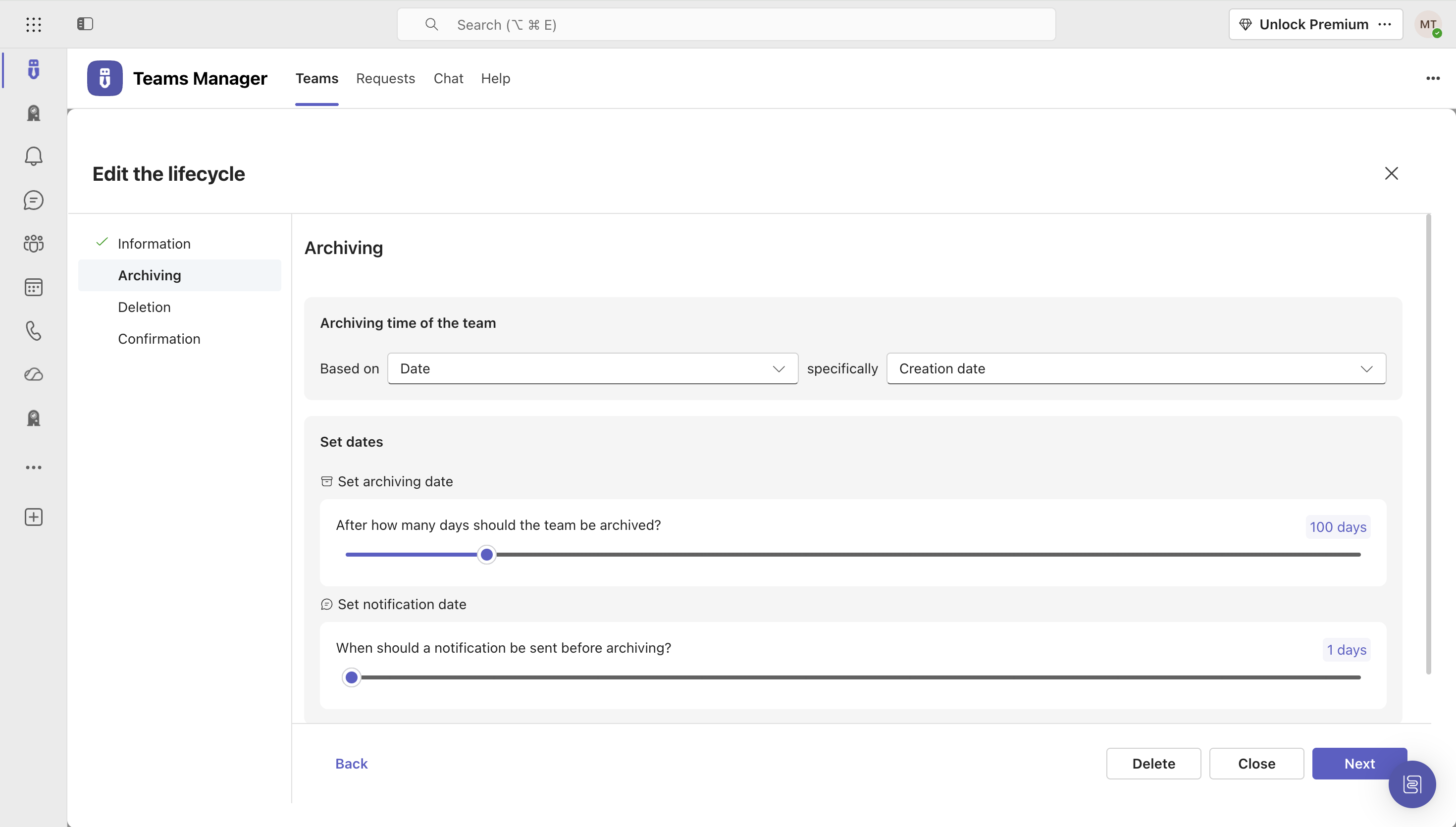
Screenshot of Governance Dashboard and Reports – for an overview of Microsoft 365 environmentsScreenshot of Automated request and approval process for new teams, M365 groups and SharePoint sitesScreenshot of Templates and provisioning for teams and SharePoint Sites (with channels, tabs, apps, folders, Planner with tasks, OneNote with content and more)Screenshot of Lifecycles for teams: inactive or obsolete teams can automatically be archived or even deleted after a specified period of timeScreenshot of Naming conventions for teams, OneNotes and Planners: rules for uniform, relevant names with predefined prefixes and suffixesScreenshot of Mobile view for all functionalities