OpenText Core Endpoint Backup, formerly Carbonite Endpoint, provides an enterprise-grade backup solution for all endpoints, including mobile devices or devices spread across a distributed enterprise network.
$24
per month
UpSafe (discontinued)
Score8.5 out of 10
N/A
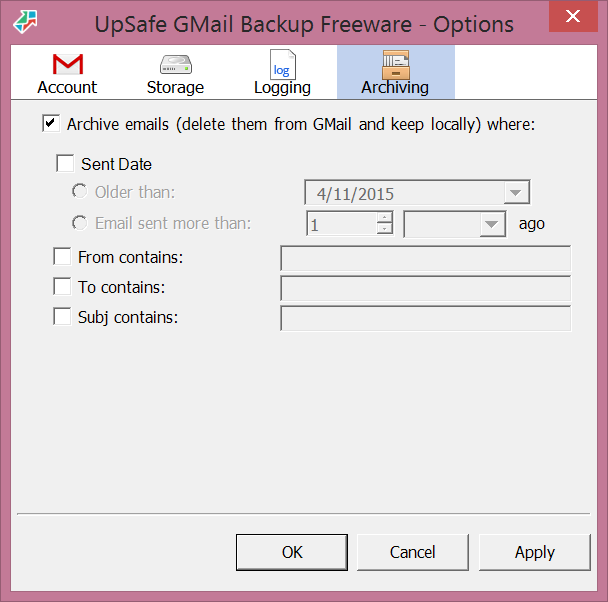
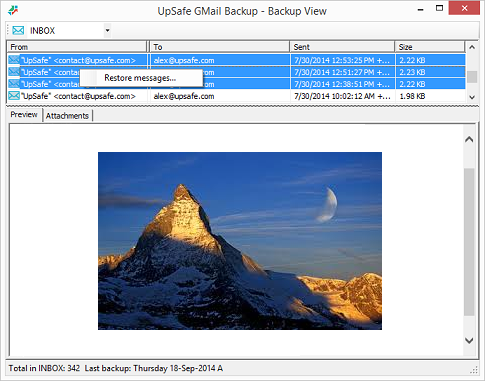
UpSafe was a solution for storing and backing up data stored in Gmail, Google Drive, Google Contacts, and Google Calendar, or Outlook. It has been discontinued.
Carbonite Endpoint 360 is a great solution for any organization with compliance needs. Office 365 defaults to a 30 day backup of all data. Carbonite Endpoint 360 extends this well beyond 30 days and provides an all-inclusive source for retention for data in Office 365. Any small to medium business would greatly benefit from this solution as they can design their entire infrastructure in Office 365 and ensure it's all backed up.
A de minimis incentive was given to thank the reviewer for their time. The incentive was not used to bias or drive a particular response, nor was the incentive contingent on a positive endorsement. More Info
If your company is using a lot of G-suite products such as Gmail, Google Drive, etc..., it's easy to backup your important documentations and texts from email via Free Gmail Backup. You can also schedule your backup automatically. Very easy to use. One downside is this is only for Google users.
A de minimis incentive was given to thank the reviewer for their time. The incentive was not used to bias or drive a particular response, nor was the incentive contingent on a positive endorsement. More Info
It is excellent at automating your backups. You don't need to manually do it, just set it up once and let it run in the background.
It's pretty simple to set up and use. It will automatically suggest the best options that work for most people and you can be up and running pretty quickly.
It's safe and reliable. We have been using it for a couple of years now and had no major issues.
Their phone support is excellent.
It's also really easy to maintain your backed up data to reduce redundancy.
A de minimis incentive was given to thank the reviewer for their time. The incentive was not used to bias or drive a particular response, nor was the incentive contingent on a positive endorsement. More Info
A de minimis incentive was given to thank the reviewer for their time. The incentive was not used to bias or drive a particular response, nor was the incentive contingent on a positive endorsement. More Info
To be honest not so impressed with the amount of time it has taken to get data backed up to the cloud.
I have not had to do a restore at this time so I cannot comment on the restore process.
I was not aware at time of procurement that the upload process would take so long since we were not procuring their hardware. Sales rep mad it seem like upload would only take a day or two and we are now starting week 7 hoping to be done by week 8 for 1.5 TBs of data.
A de minimis incentive was given to thank the reviewer for their time. The incentive was not used to bias or drive a particular response, nor was the incentive contingent on a positive endorsement. More Info
A de minimis incentive was given to thank the reviewer for their time. The incentive was not used to bias or drive a particular response, nor was the incentive contingent on a positive endorsement. More Info
I found their alerting to be very poor. I missed several days of backups without knowledge of this, until I signed into the portal. I would get daily emails reporting backups were in progress or done, but nothing indicating that a backup had been stuck or paused for 3 days. For this reason alone, I did not renew.
A de minimis incentive was given to thank the reviewer for their time. The incentive was not used to bias or drive a particular response, nor was the incentive contingent on a positive endorsement. More Info
Does what it needs to do quietly and efficiently in the background without interrupting the workflow. It offers instant automated back-ups without troubling the end user. As it is such an automated system, once it is up and running, there is little or no support needed from the service provider. From what I understand the support from Carbonite during the setup and implementation was absolutely fine.
A de minimis incentive was given to thank the reviewer for their time. The incentive was not used to bias or drive a particular response, nor was the incentive contingent on a positive endorsement. More Info
The support for this software has been very impressive. I have not had any problems as I have been using it for the past year. I never have to worry about what may happen if I lose a file because I know it can be recovered by the support provided here.
A de minimis incentive was given to thank the reviewer for their time. The incentive was not used to bias or drive a particular response, nor was the incentive contingent on a positive endorsement. More Info
We have also used Mozy Pro and Dropbox. They are all pretty similar in functionality/features of backing up data (not system state or databases as I don't think any of the 3 are well suited for that). To me, it comes down to personal preference and choosing a product that is universal for multiple users, for ease of management.
A de minimis incentive was given to thank the reviewer for their time. The incentive was not used to bias or drive a particular response, nor was the incentive contingent on a positive endorsement. More Info
I prefer Upsafe Free Gmail Backup as it works to effectively save and protect our important brainstorms and conversations, as Google auto-saves in real-time. Cloud Backup for Office365 is slightly clumsier and harder to share as so many team members don’t pay for Microsoft Office since the Google Suite does pretty much the same work.
A de minimis incentive was given to thank the reviewer for their time. The incentive was not used to bias or drive a particular response, nor was the incentive contingent on a positive endorsement. More Info
Carbonite Endpoint has demonstrated value in its ability to easily restore seemingly lost files for remote users.
While we haven't yet had to exercise it, knowing we have the option of remotely wiping endpoints containing sensitive data has brought confidence to our management team that we can mitigate data breaches through preventable means.
The privacy issue around device tracking is costing the company in terms of employee trust and morale and needs to be mitigated with appropriate messaging and/or disabling of this feature.
A de minimis incentive was given to thank the reviewer for their time. The incentive was not used to bias or drive a particular response, nor was the incentive contingent on a positive endorsement. More Info
A de minimis incentive was given to thank the reviewer for their time. The incentive was not used to bias or drive a particular response, nor was the incentive contingent on a positive endorsement. More Info