OpenText acquired Documentum from Dell EMC in 2017, and now supports the enterprise content management (ECM) system. The vendor says users can build content-centric applications and solutions from collaborating on business documents to delivering case-based applications to managing highly precise processes in the most regulated business environments.
N/A
UiPath Task Capture
Score9.9 out of 10
N/A
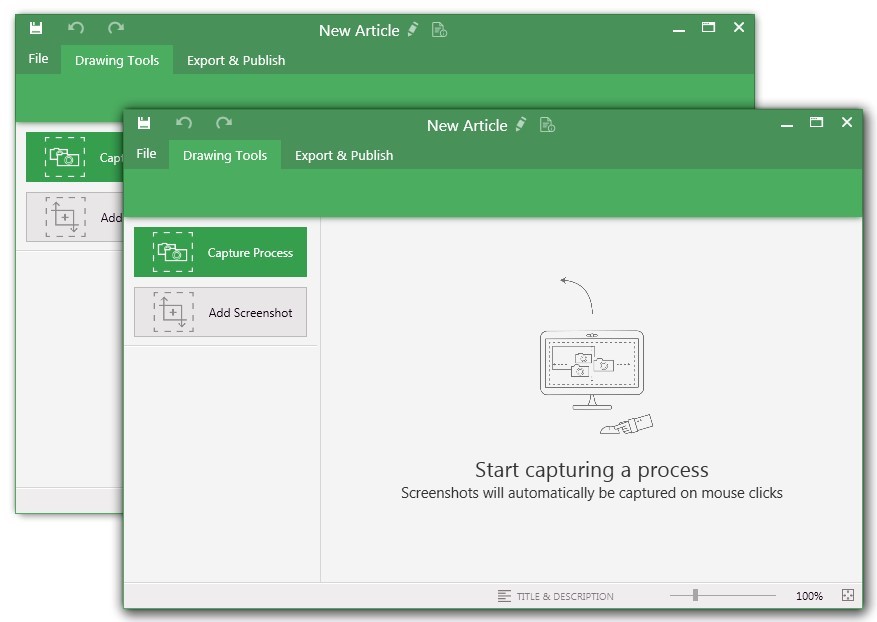
UiPath Task Capture (formerly StepShot, acquired October 2019) is a tool designed for quick and easy step-by-step documentation. During a recording mode, the software creates a separate screenshot on every click, groups them into a manual with automatically added metadata. Users can annotate captured images and structure documents in the way they want them to look.
N/A
Pricing
OpenText Documentum
UiPath Task Capture
Editions & Modules
No answers on this topic
No answers on this topic
Offerings
Pricing Offerings
OpenText Documentum
UiPath Task Capture
Free Trial
No
Yes
Free/Freemium Version
No
Yes
Premium Consulting/Integration Services
Yes
Yes
Entry-level Setup Fee
Optional
No setup fee
Additional Details
—
We have some discounts available all the time depending on the amount of ordered licenses.
More Pricing Information
Features
OpenText Documentum
UiPath Task Capture
Enterprise Content Management
Comparison of Enterprise Content Management features of OpenText Documentum and UiPath Task Capture
Feature
OpenText Documentum
9.2
7 Ratings
13% above category average
UiPath Task Capture
-
Ratings
Content capture & imaging
10.07 Ratings
00 Ratings
File sync, storage & archiving
9.07 Ratings
00 Ratings
Document management
9.07 Ratings
00 Ratings
Records management
9.07 Ratings
00 Ratings
Content search & retrieval
9.07 Ratings
00 Ratings
Enterprise content collaboration
9.07 Ratings
00 Ratings
Content publishing & creation
9.07 Ratings
00 Ratings
Security, risk management & information governance
Documentum is best used in medium to large institutions that can afford it, have alternate solutions for web publishing, and who have either in-house developers or can hire good Documentum developers (not the ones who know Java but do not understand ECM). It is, in my opinion, the best heavy duty ECM solution out there, assuming OT is not gutting it as we speak. That is my only hesitation to not giving it a 10, OpenText is an unknown quantity in this and I worry that they will only support Documentum until they have figured out how to fill the gap between Documentum and OT and then offer a migration path to OT with a Documentum sunsetting as an incentive.
A de minimis incentive was given to thank the reviewer for their time. The incentive was not used to bias or drive a particular response, nor was the incentive contingent on a positive endorsement. More Info
StepShot is perfect for showing your audience how they are supposed to navigate a new system you have implemented. You can take them from a login screen all the way through any technical process you want them to follow. The product is not ideal, however, for documenting a process that does not have tangible steps. For example, a process we have created includes some reflective thinking about alignment or outcomes in order to work, this can be articulated in the text area of the screen captures but doesn't really capture our message.
A de minimis incentive was given to thank the reviewer for their time. The incentive was not used to bias or drive a particular response, nor was the incentive contingent on a positive endorsement. More Info
Records management: Compared to other content management systems, this provides a efficient and scalable solution. It gives lot of flexibility in managing the content as Records or Legal holds.
Workflow system has external plugins to connect with FAX, Mail, Database and FTP servers etc. which gives an option to integrate with any system with documentum.
Creation of websites and maintenance is easy. Content authors can create the pages with effective mechanism.
A de minimis incentive was given to thank the reviewer for their time. The incentive was not used to bias or drive a particular response, nor was the incentive contingent on a positive endorsement. More Info
A de minimis incentive was given to thank the reviewer for their time. The incentive was not used to bias or drive a particular response, nor was the incentive contingent on a positive endorsement. More Info
WDK framework has been the biggest drawbacks from the application speed point of view, as well as client complexity and not so natural look and feel. Yes, with the latest releases much of these features are improved.
EMC is very expensive to buy, own and support, where some products require many dependent Docuemntum products to be installed to work at its best.
The "export & publish" button is kind of tiny and tucked away. It should be more prominent. After not using it for a couple weeks, I always forget where it is.
Updates aren't as frequent. Which is fine, since I haven't come across many bugs, it would just be cool to see some added features/functionality a bit more often.
The blur looks fine in the preview mode, but when exported, it's not the best.
A de minimis incentive was given to thank the reviewer for their time. The incentive was not used to bias or drive a particular response, nor was the incentive contingent on a positive endorsement. More Info
Stability is a key factor as well as its flexibility. Also, any organization that deploys Documentum will have made a significant investment in terms of time and money, so not renewing its commitment can come with a significant cost. That said, the decision to deploy Documentum initially should come only after extensive evaluation, knowing that once deployed it will likely remain the platform of choice.
A de minimis incentive was given to thank the reviewer for their time. The incentive was not used to bias or drive a particular response, nor was the incentive contingent on a positive endorsement. More Info
A de minimis incentive was given to thank the reviewer for their time. The incentive was not used to bias or drive a particular response, nor was the incentive contingent on a positive endorsement. More Info
I have only run into an issue once, which I believe was due to a newly released feature (cloud storage). I was running into issues with the functionality on my Mac. The team was incredibly helpful in both troubleshooting the issue by jumping on screen sharing sessions, as well as providing multiple releases for me to test to fix the problem!
A de minimis incentive was given to thank the reviewer for their time. The incentive was not used to bias or drive a particular response, nor was the incentive contingent on a positive endorsement. More Info
A de minimis incentive was given to thank the reviewer for their time. The incentive was not used to bias or drive a particular response, nor was the incentive contingent on a positive endorsement. More Info
A de minimis incentive was given to thank the reviewer for their time. The incentive was not used to bias or drive a particular response, nor was the incentive contingent on a positive endorsement. More Info
After this product, the client is able to manage content security and due to it, the client is able to use the business process, and this really reduces effort and increases the profit in business.
It provides integration with SAP easily which really helps the client to manage this effectively and with minimum effort system is ready to use.
Also searching, automated flows also create a bigger impact and reduce a lot manual effort.
A de minimis incentive was given to thank the reviewer for their time. The incentive was not used to bias or drive a particular response, nor was the incentive contingent on a positive endorsement. More Info
This has saved us MANY HOURS in either walking clients through processes in person or having to create a one-off guide through taking screenshots and creating our own documents with the screenshots hand placed.
Client satisfaction is high when they receive these guides. It is documentation that they can refer to at anytime that is personalized to their use or individual needs.
A de minimis incentive was given to thank the reviewer for their time. The incentive was not used to bias or drive a particular response, nor was the incentive contingent on a positive endorsement. More Info