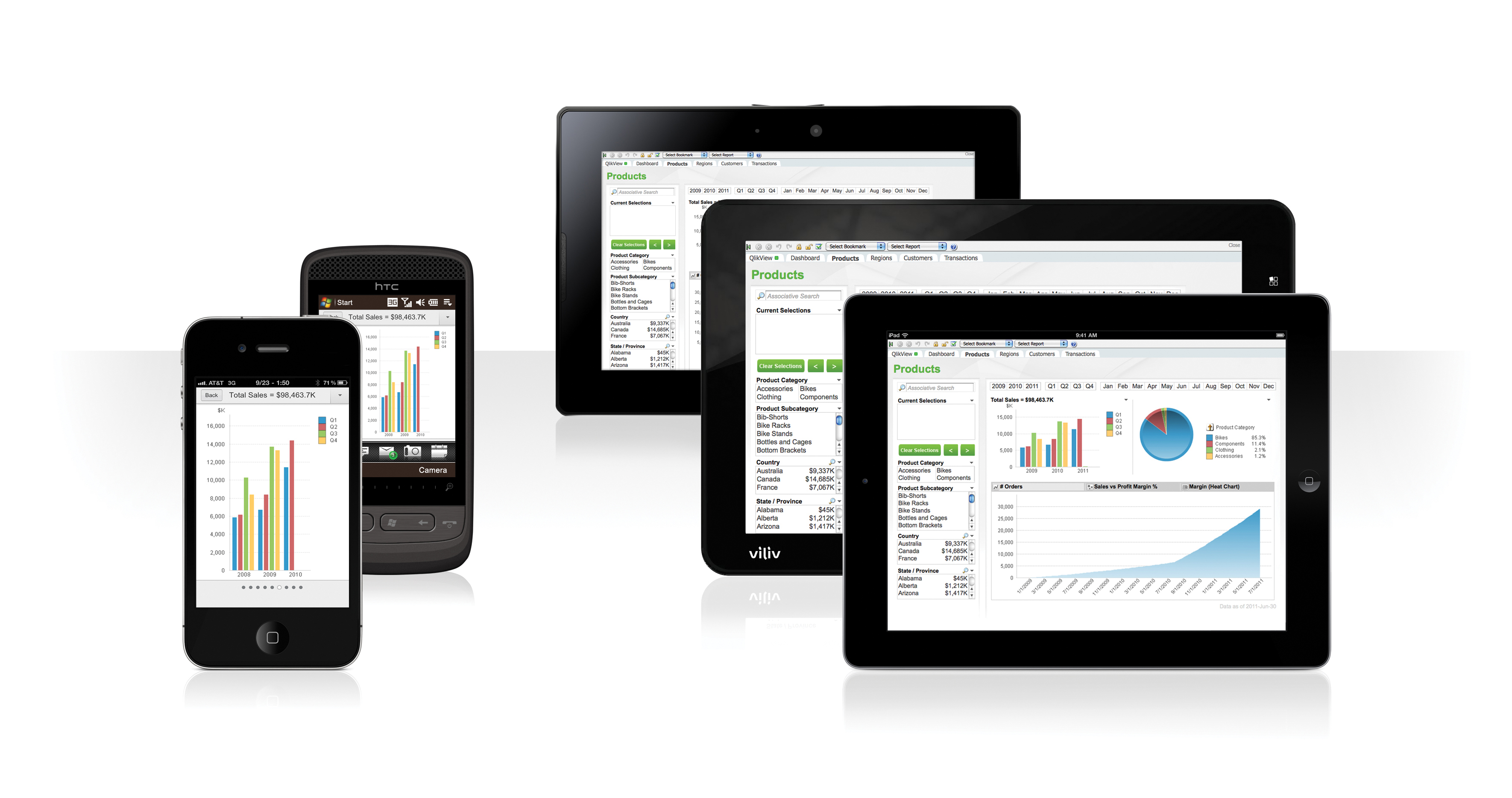
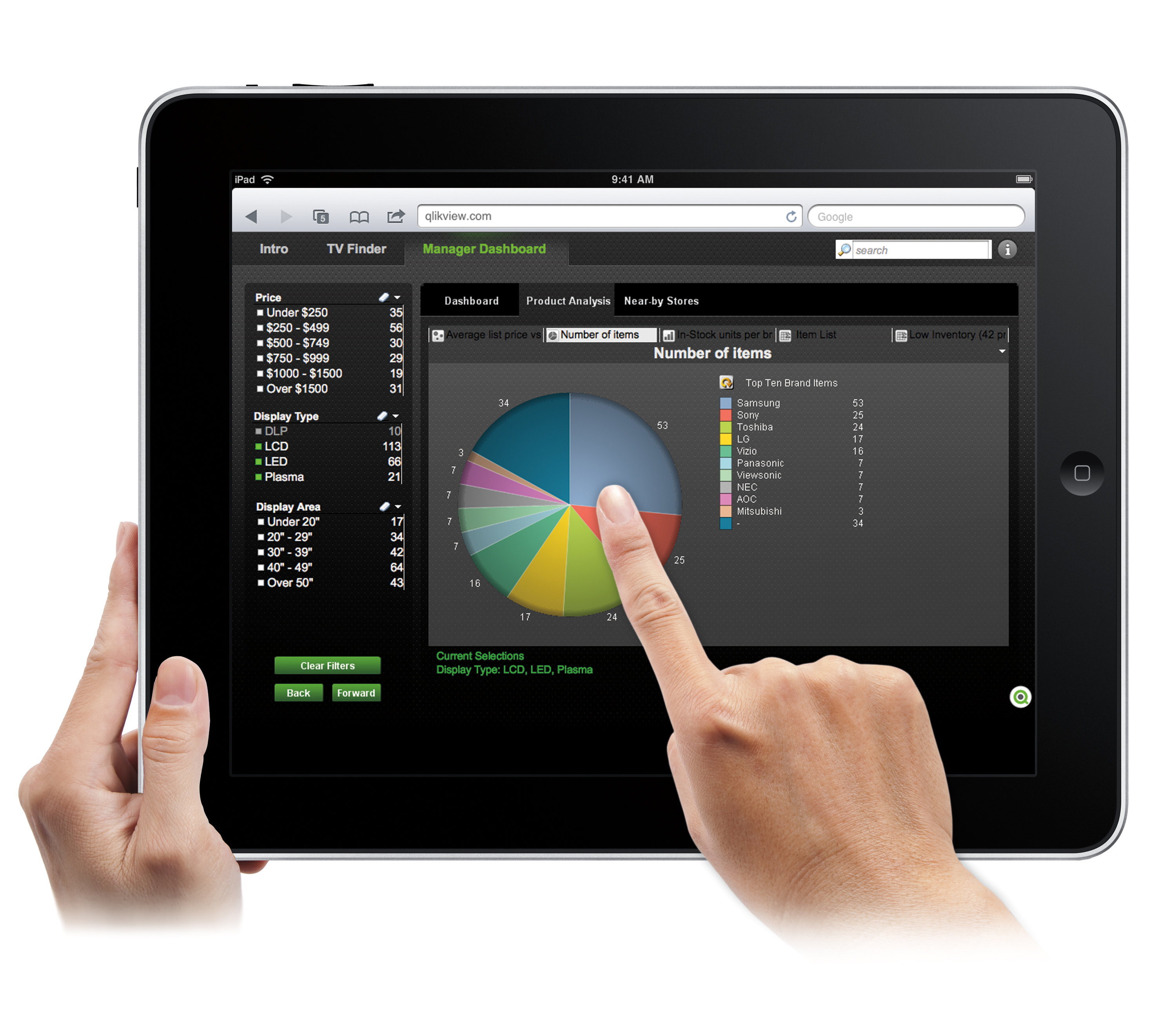
QlikView® is Qlik®’s original BI offering designed primarily for shared business intelligence reports and data visualizations. It offers guided exploration and discovery, collaborative analytics for sharing insight, and agile development and deployment.
N/A
QuickBooks Desktop Enterprise
Score7.7 out of 10
N/A
QuickBooks Desktop Enterprise is a widely-used accounting package designed for small to mid-sized businesses. It is the top of the QuickBooks line. Pricing starts at $3,000 for five users, and goes up depending on the number of additional users. They also offer an Advanced Inventory module for $999 / year.
$1,703
per year per user
Spotfire
Score7.8 out of 10
N/A
Spotfire, formerly known as TIBCO Spotfire, is a visual data science platform that combines visual analytics, data science, and data wrangling, so users can analyze data at-rest and at-scale to solve complex industry-specific problems.
N/A
Pricing
QlikView
QuickBooks Desktop Enterprise
Spotfire
Editions & Modules
QlikView
Custom
per user
Diamond
$447
per month per user
Diamond with Remote Access
$513
per month per user
Gold
2,210.00
per year per user
Platinum
2,717.00
per year per user
Gold with Remote Access
3,000.00
per year per user
Platinum with Remote Access
3,504.00
per year per user
No answers on this topic
Offerings
Pricing Offerings
QlikView
QuickBooks Desktop Enterprise
Spotfire
Free Trial
Yes
No
Yes
Free/Freemium Version
No
No
No
Premium Consulting/Integration Services
Yes
No
Yes
Entry-level Setup Fee
Optional
No setup fee
No setup fee
Additional Details
On an perpetual license basis, based on server plus number of users.
Contact vendor for pricing.
—
For Enterprise engagements, contact Spotfire directly for a custom price quote.
CFO (Chief Financial Officer) in Finance and Accounting at Rock Solid Finance (Consumer Goods, 51-200 employees)
Chose QlikView
I was forced into QV by QuickBooks -- I did not have the opportunity to evaluate it specifically against other packages. I have, however, seen Microsoft BI and BIRST --- both of which seem much more expensive (and perhaps complex) than QlikView. But I'm conjecturing a bit here.
A de minimis incentive was given to thank the reviewer for their time. The incentive was not used to bias or drive a particular response, nor was the incentive contingent on a positive endorsement. More Info
A de minimis incentive was given to thank the reviewer for their time. The incentive was not used to bias or drive a particular response, nor was the incentive contingent on a positive endorsement. More Info
Partner in Information Technology at Centric Consulting (Management Consulting, 201-500 employees)
Chose QlikView
TIBCO Spotfire and Tableau were other systems considered. Both of these products are very good and they all have different strengths. QlikView best met our business needs because of its ability to load multiple data sources directly, handle ETL logic on the data load, delivers …
Intuit
No answer on this topic
Cloud Software Group
Verified User
Chose Spotfire
It's better than Tableau but licensing is expensive. I think QlikView is better as they give free version for single users.
A de minimis incentive was given to thank the reviewer for their time. The incentive was not used to bias or drive a particular response, nor was the incentive contingent on a positive endorsement. TR verified that a representative sample of customers was invited. More Info
Verified User
Chose Spotfire
Spotfire is better at visualizations than Qlik Sense and more intuitive and friendly than QlikView, but it´s worst than both of them in ETL and associative engine.
A de minimis incentive was given to thank the reviewer for their time. The incentive was not used to bias or drive a particular response, nor was the incentive contingent on a positive endorsement. TR verified that a representative sample of customers was invited. More Info
Verified User
Chose Spotfire
Tableau rich in visuals and customization but easily breaks with large volume and complex drill downs. Spotfire being an enterprise level tool, handles it better. QlikView is great at handling large volumes of data but the visuals are not intuitive enough. Comparatively, …
A de minimis incentive was given to thank the reviewer for their time. The incentive was not used to bias or drive a particular response, nor was the incentive contingent on a positive endorsement. More Info
A de minimis incentive was given to thank the reviewer for their time. The incentive was not used to bias or drive a particular response, nor was the incentive contingent on a positive endorsement. TR verified that a representative sample of customers was invited. More Info
Verified User
Chose Spotfire
We compared Spotfire 7 to QlikView. QlikView is much older and very less easy to use for analysts (if you use QlikView from time to time, you will need 1 hour before each use to remember how to do things). QlikView is also only an in-memory tool which makes it less powerful.
A de minimis incentive was given to thank the reviewer for their time. The incentive was not used to bias or drive a particular response, nor was the incentive contingent on a positive endorsement. TR verified that a representative sample of customers was invited. More Info
Verified User
Chose Spotfire
I choose Spotfire because of the following - custom visual using JavaScript - on the fly chart property update using iron python - easy report Deployment and update -easy to manage user access via so or ldap - best report data Extraction -mix data sources -custom data load …
A de minimis incentive was given to thank the reviewer for their time. The incentive was not used to bias or drive a particular response, nor was the incentive contingent on a positive endorsement. More Info
Verified User
Chose Spotfire
It provides all tools along with in-built apps for analysis and generating reports, metrics, charts, and graphs. Comes with appropriate costing model at least for an average size organization
A de minimis incentive was given to thank the reviewer for their time. The incentive was not used to bias or drive a particular response, nor was the incentive contingent on a positive endorsement. TR verified that a representative sample of customers was invited. More Info
Verified User
Chose Spotfire
Within our use cases Spotfire is preferred due to the ability to manage live data as well as big data in an appropriate time. It is also much better in statistics and advanced analytics.
A de minimis incentive was given to thank the reviewer for their time. The incentive was not used to bias or drive a particular response, nor was the incentive contingent on a positive endorsement. TR verified that a representative sample of customers was invited. More Info
Solution Specialist (Data Analytics) in Information Technology at Revival Europe Ltd. (Computer Software, 51-200 employees)
Chose Spotfire
We are dealing with and evaluate as many data analytics and BI tools as it is feasible for us in order to be able to suggest the best tool to our clients. Spotfire is strong in intuitive and easy to learn analytics, plus it has built-in functionality to work with R, which is a …
A de minimis incentive was given to thank the reviewer for their time. The incentive was not used to bias or drive a particular response, nor was the incentive contingent on a positive endorsement. TR verified that a representative sample of customers was invited. More Info
A de minimis incentive was given to thank the reviewer for their time. The incentive was not used to bias or drive a particular response, nor was the incentive contingent on a positive endorsement. TR verified that a representative sample of customers was invited. More Info
Verified User
Chose Spotfire
less costly than Tableau and much more capabilities of analysis visualization.
A de minimis incentive was given to thank the reviewer for their time. The incentive was not used to bias or drive a particular response, nor was the incentive contingent on a positive endorsement. TR verified that a representative sample of customers was invited. More Info
Business Analytics - Data Analyst in Information Technology at HOSPITAL UNIVERSITARIO LUCUS AUGUSTI - Ednon (Hospital & Health Care, 1001-5000 employees)
Chose Spotfire
Way less intuitive to use, slower to deploy reports, more expensive
A de minimis incentive was given to thank the reviewer for their time. The incentive was not used to bias or drive a particular response, nor was the incentive contingent on a positive endorsement. TR verified that a representative sample of customers was invited. More Info
Verified User
Chose Spotfire
Ease of integration with open source R and mapping feature are positive.
A de minimis incentive was given to thank the reviewer for their time. The incentive was not used to bias or drive a particular response, nor was the incentive contingent on a positive endorsement. TR verified that a representative sample of customers was invited. More Info
Verified User
Chose Spotfire
I use Spotfire since it allows me to work with more than 200.000 rows and Excel does not. Also reporting with a simple link to a spot fire server is very professional in the sense that you don't have to go back and forth with heavy attached files like Excel spreadsheets or PPTs.
A de minimis incentive was given to thank the reviewer for their time. The incentive was not used to bias or drive a particular response, nor was the incentive contingent on a positive endorsement. More Info
A de minimis incentive was given to thank the reviewer for their time. The incentive was not used to bias or drive a particular response, nor was the incentive contingent on a positive endorsement. TR verified that a representative sample of customers was invited. More Info
A de minimis incentive was given to thank the reviewer for their time. The incentive was not used to bias or drive a particular response, nor was the incentive contingent on a positive endorsement. More Info
Verified User
Chose Spotfire
Spotfire had the best combination of ease of use, analytical features and performance. In my subjective ratings it and one other option were the only ones to achieve the highest rating in 6 out of 7 criteria.
A de minimis incentive was given to thank the reviewer for their time. The incentive was not used to bias or drive a particular response, nor was the incentive contingent on a positive endorsement. TR verified that a representative sample of customers was invited. More Info
A de minimis incentive was given to thank the reviewer for their time. The incentive was not used to bias or drive a particular response, nor was the incentive contingent on a positive endorsement. TR verified that a representative sample of customers was invited. More Info
Verified User
Chose Spotfire
We didn't really evaluate other alternatives. Spotfire met our expectations after the demo session.
A de minimis incentive was given to thank the reviewer for their time. The incentive was not used to bias or drive a particular response, nor was the incentive contingent on a positive endorsement. TR verified that a representative sample of customers was invited. More Info
A de minimis incentive was given to thank the reviewer for their time. The incentive was not used to bias or drive a particular response, nor was the incentive contingent on a positive endorsement. More Info
Verified User
Chose Spotfire
I have used Tableau & Qlikview. I felt QlikView is very IT & Developer friendly with great customizable options and a great scope of scalability. Tableau with the limited use i did, I felt was very easy to use for simpler operations but for a larger complex operations I felt …
A de minimis incentive was given to thank the reviewer for their time. The incentive was not used to bias or drive a particular response, nor was the incentive contingent on a positive endorsement. More Info
Global Pricing and Marketing Operations Lead, Analytics & Research in Marketing at General Electric - Power Generation Services (Oil & Energy, 10,001+ employees)
A de minimis incentive was given to thank the reviewer for their time. The incentive was not used to bias or drive a particular response, nor was the incentive contingent on a positive endorsement. More Info
Sales data validations have helped manage our justifications in the past, especially with regard to new product development and new business introduction. It has also been helpful in identifying trends with business impact and direction specific to quarter and monthly sales from ERP data as well as decisions to purchase equipment of staffing based on run rates and product demand.
One thing that can get out of hand is data output - if you aren't careful in your query, you may be overloaded with data dumps and drown in the amount of info you have to filter through. This is a user caution, not a comment on the software itself.
A de minimis incentive was given to thank the reviewer for their time. The incentive was not used to bias or drive a particular response, nor was the incentive contingent on a positive endorsement. More Info
QuickBooks Enterprise is great for managing our inventory, purchases and income as we receive it. We use it to help budget and plan our monthly purchases, as well as keep each location on track when it comes to their expenses. It's also used for payroll and timekeeping at each store.
A de minimis incentive was given to thank the reviewer for their time. The incentive was not used to bias or drive a particular response, nor was the incentive contingent on a positive endorsement. More Info
A high level of data integration is available here it supports various data sources and so on. Collaborating features allow users to give access to the dashboard and merge data analytics with other team members. It can meet the demands of both small and large size business enterprises. A customized dashboard and reports are provided to meet the specific needs and get support of extensibility through APIs and customized scripts.
A de minimis incentive was given to thank the reviewer for their time. The incentive was not used to bias or drive a particular response, nor was the incentive contingent on a positive endorsement. TR verified that a representative sample of customers was invited. More Info
A de minimis incentive was given to thank the reviewer for their time. The incentive was not used to bias or drive a particular response, nor was the incentive contingent on a positive endorsement. More Info
Updating as each transaction is posted means, in the event of a crash, power failure, whatever; all the posted transactions are securely in the data file and can be pulled up on another computer, if the computer being used crashes.
Reporting is generally user friendly, in that one can see the desired results by setting a few parameters for the report.
A de minimis incentive was given to thank the reviewer for their time. The incentive was not used to bias or drive a particular response, nor was the incentive contingent on a positive endorsement. TR verified that a representative sample of customers was invited. More Info
A de minimis incentive was given to thank the reviewer for their time. The incentive was not used to bias or drive a particular response, nor was the incentive contingent on a positive endorsement. More Info
We found that QlikView can be a bit slow in supporting some forms of encryption. It is web-based and we needed to upgrade all of our server to not support the older SSL and TLS 1 protocols, only support TLS 1.2 and TLS 1.3. However, QlikView could not run with TLS 1.2 and TLS 1.3. We had to wait over six months to get a version that would handle the newer TLS versions.
There are so many options with QlikView that you can get lost when developing a visualization. There are still items I have not yet figured out, such as labeling a graph with the name of a selected detail item.
QlikView works by pulling the data it is going to use for visualization into its database. I am a security reviewer and I need to make certain that PII and PHI is not pulled by QlikView for a visualization, otherwise this could become a reportable indecent.
A de minimis incentive was given to thank the reviewer for their time. The incentive was not used to bias or drive a particular response, nor was the incentive contingent on a positive endorsement. More Info
Wish we had the ability to track gallons. We are a truck stop and need to know how many gallons we buy and sell.
Matching up credits in Pay Bills can be challenging, especially if you make a mistake.
Wish in some of the reporting that it would automatically total some columns.
Downloading from the bank wish it would tell you the last time you downloaded and the dates you put in so you don't download the same information twice.
A de minimis incentive was given to thank the reviewer for their time. The incentive was not used to bias or drive a particular response, nor was the incentive contingent on a positive endorsement. TR verified that a representative sample of customers was invited. More Info
The donut chart is I guess a powerful illustrations but I hope it should be done quite simple in Spotfire. But in Spotfire there are lots of steps involve just to build a simple donut chart.
Table calculation (like Row or Column Differences) should be made simple or there should be drag and drop function for Table Calculation. No need for scripting.
Information Link should be changed. If new columns are added to the table just refreshing the data should be able to capture the new column. No need extra step to add column
A de minimis incentive was given to thank the reviewer for their time. The incentive was not used to bias or drive a particular response, nor was the incentive contingent on a positive endorsement. TR verified that a representative sample of customers was invited. More Info
Ease of use, ability to load from pretty much any data source. today I created an application that loaded time sheets from excel that are not in a table format. With Qlik's "enable transformation steps" I was able to automate loads of multiple spreadsheets and multiple tabs easily. Could not do that with any other tool.
A de minimis incentive was given to thank the reviewer for their time. The incentive was not used to bias or drive a particular response, nor was the incentive contingent on a positive endorsement. More Info
While QuickBooks Desktop Enterprise has been an amazing tool for many years, it seems it is getting phased out for QuickBooks Online. Intuit is decreasing the level of support it offers for QuickBooks Desktop in lieu of stronger support for QuickBooks Online. Although the desktop version is robust and helpful, it seems QBO is the way of the future for bookkeeping with QuickBooks.
A de minimis incentive was given to thank the reviewer for their time. The incentive was not used to bias or drive a particular response, nor was the incentive contingent on a positive endorsement. More Info
-Easy to distribute information throughout the enterprise using the webplayer. -Ad hoc analysis is possible throughout the enterprise using business author in the webplayer or the thick client. -Low level of support needed by IT team. Access interfaces with LDAP and numerous other authentication methods. -Possible to continually extend the platform with JavaScript, R scripts, HTML, and custom extensions. -Ability to standardize data logic through pre-built queries in the Information Designer. Everyone in the enterprise is using the same logic -Tagging and bookmarking data allows for quick sharing of insights. -Integration with numerous data sources... flat files, data bases, big data, images, etc. -Much improved mapping capability. Also includes the ability to apply data points over any image.
QlikView is very easy to implement. The installation is very straight forward. QlikView has several different data connectors that can connect to different data sources very smoothly. The user interface to build the reports is very easy to understand. This helps to have a smaller learning curve. Something very helpful is that QlikView is a browser application for the end users. So, you don't need to install any applications on the user's computer.
A de minimis incentive was given to thank the reviewer for their time. The incentive was not used to bias or drive a particular response, nor was the incentive contingent on a positive endorsement. More Info
QuickBooks provides all staff immediate access to the data in whatever form each person wants it. The balancing on entries prevents incorrect data entry on payables/receivables. Reports are easy to customize and save for future use. The records are easy to audit.
A de minimis incentive was given to thank the reviewer for their time. The incentive was not used to bias or drive a particular response, nor was the incentive contingent on a positive endorsement. TR verified that a representative sample of customers was invited. More Info
Basic tasks like generating meaningful information from large sets of raw data are very easy. The next step of linking to multiple live data sources and linking those tables and performing on the fly analysis of the imported data is understandably more difficult.
A de minimis incentive was given to thank the reviewer for their time. The incentive was not used to bias or drive a particular response, nor was the incentive contingent on a positive endorsement. TR verified that a representative sample of customers was invited. More Info
Rating: 7 out of 10 We rate QuickBooks Desktop Enterprise's availability a 7 out of 10. For the most part, the software is dependable and available when we need it. When hosted on a properly managed local server or through a reputable third-party cloud provider, uptime is generally consistent, and routine day-to-day operations run smoothly. However, availability challenges do arise, particularly when accessing QuickBooks remotely or during periods of high system demand. Because it's a desktop-based solution, availability is highly dependent on our internal IT infrastructure. If our network goes down, a server needs maintenance, or if there’s an issue with a remote desktop connection, access to QuickBooks can be temporarily disrupted. These outages aren’t necessarily caused by QuickBooks itself, but they do impact our experience with availability. Additionally, we’ve occasionally experienced application errors, especially after updates or when working with large company files. While Intuit support is usually helpful in resolving these issues, they can still lead to frustrating delays—especially during critical periods like month-end closing or grant reporting deadlines. Planned maintenance, while infrequent, also affects availability, especially when using a hosted environment. Coordination with IT or hosting providers is sometimes needed to minimize downtime. Overall, QuickBooks Desktop Enterprise is a reliable tool, but its dependence on local infrastructure introduces more potential points of failure compared to cloud-native solutions. Enhancements in cloud-based access or hybrid models could significantly improve both accessibility and uptime. That said, with strong internal IT support or a reliable cloud hosting provider, the availability can easily rise to an 8 or 9.
A de minimis incentive was given to thank the reviewer for their time. The incentive was not used to bias or drive a particular response, nor was the incentive contingent on a positive endorsement. TR verified that a representative sample of customers was invited. More Info
Even though, it's a rather stable and predictable tool that's also fast, it does have some bugs and inconsistencies that shut down the system. Depending on the details, it could happen as often as 2-3 times a week, especially during the development period.
I rate QuickBooks Desktop Enterprise's performance a 5 out of 10, mainly because while it’s functional for most routine tasks, it can lag significantly when handling complex operations, large data files, or during multi-user sessions. As our organization has grown, we’ve noticed that report generation—especially for customized or multi-dimensional reports—can be slow, sometimes taking several minutes to load or refresh. This impacts productivity, particularly during key financial cycles like audits, monthly closings, or grant reporting. Performance degradation is especially noticeable when multiple users are active in the system at the same time. Even with a solid server setup, there’s often a drop in responsiveness when more than a handful of users are generating reports or entering transactions concurrently. We’ve also experienced some slowdowns in third-party integrations, particularly when syncing with Vena Solutions or exporting data for use in external tools. While the integrations are valuable, they occasionally stall or require workarounds, adding friction to our workflows. In short, QuickBooks Desktop Enterprise delivers the basics well, but its performance limitations become more apparent in high-volume or complex use cases. It would benefit from better optimization for large datasets and faster processing for advanced reporting. Upgrades in system architecture—such as deeper support for cloud hosting or more efficient data handling—could significantly improve the user experience and move this rating closer to an 8.
A de minimis incentive was given to thank the reviewer for their time. The incentive was not used to bias or drive a particular response, nor was the incentive contingent on a positive endorsement. TR verified that a representative sample of customers was invited. More Info
Generally, the Spotfire client runs with very good performance. There are factors that could affect performance, but normally has to do with loading large analysis files from the library if the database is located some distance away and your global network is not optimal. Once you have your data table(s) loaded in the client application, usually the application is quite good performance-wise.
My experience with the Qlik support team has been somewhat limited, but every interaction I have had with them has been very professional and I received a response quickly. Typically if there is a technical issue, our IT team will follow up. My inquiries are specific to product functionality, and Qlik has been very helpful in clarifying any questions I might have.
A de minimis incentive was given to thank the reviewer for their time. The incentive was not used to bias or drive a particular response, nor was the incentive contingent on a positive endorsement. More Info
It takes a long time to get through to customer support. And sometimes you have to explain the situation multiple times before the rep actually understands the issue, but that's usually because the issue is complex and out of the ordinary. However, the rep is always patient, and will take as much time and effort as necessary to resolve whatever issue you're having. It's nice that they can "take over" your computer rather than having to talk you through the solution over the phone.
A de minimis incentive was given to thank the reviewer for their time. The incentive was not used to bias or drive a particular response, nor was the incentive contingent on a positive endorsement. More Info
Support has been helpful with issues. Support seems to know their product and its capabilities. It would also seem that they have a good sense of the context of the problem; where we are going with this issue and what we want the end outcome to be.
A de minimis incentive was given to thank the reviewer for their time. The incentive was not used to bias or drive a particular response, nor was the incentive contingent on a positive endorsement. TR verified that a representative sample of customers was invited. More Info
My team attended, but I cannot myself rate, but I think it was good as they've successfully launched a training program at our company themselves for users. It was 3-4 day training.
It is a very easy system to learn, so with the help it was even easier. QB is a good solid system, but it lacks some of the complexity other systems have. with QB you need to get additional modules to get the same functionality that other systems offer standard
A de minimis incentive was given to thank the reviewer for their time. The incentive was not used to bias or drive a particular response, nor was the incentive contingent on a positive endorsement. More Info
The instructor was very in depth and provided relevant training to business users on how to create visualizations. They showed us how to alter settings and filter views, and provided resources for future questions. However, the instructor failed to cover data sources, connecting to data, etc. While it was helpful to see how users can use the data to create reports, they failed to properly instruct us on how to get the dataset in to begin with. We are still trying to figure out connections to certain databases (we have multiple different types).
A de minimis incentive was given to thank the reviewer for their time. The incentive was not used to bias or drive a particular response, nor was the incentive contingent on a positive endorsement. TR verified that a representative sample of customers was invited. More Info
Training was as expected. The demo environments tend to be more fully featured that our own environment, but the training was clear and well delivered.
easy to learn system, specially with some kind of support. Just like with any other system, things get lot easier if you have guidance to lead you in your search for answers. having said that, QB is very easy to use and very easy to teach. you wont spend much time memorizing where to click.
A de minimis incentive was given to thank the reviewer for their time. The incentive was not used to bias or drive a particular response, nor was the incentive contingent on a positive endorsement. More Info
The online training is good, provides a good base of knowledge. The video demonstrations were well-done and easy to follow along. Provided exercises are good as well, but I think there could be more challenging exercises. The training has also gone up in price significantly in the last 3 years (in USD, which hurts us even more in Canada), and I'm not sure it is worth the money it now costs (it is worth how much it cost 3 years ago, but not double that.)
A de minimis incentive was given to thank the reviewer for their time. The incentive was not used to bias or drive a particular response, nor was the incentive contingent on a positive endorsement. TR verified that a representative sample of customers was invited. More Info
"Implementation" can mean a few things... so I'm not sure that this is the answer you want.... but here it goes: To me, implementation means: "Is the user interface intuitive and can I produce meaningful reports with ease?" On that score, I'd say YES. The amount of training required was minimal and the results were powerful. The desktop implementation is a simple, "blank" interface just waiting for your creativity. The pre-populated templates give you a reasonable start to any project -- and a good set of objects to "play around with" if you're just getting started. Finally, note that the "implementation" I used was baked into QuickBooks 2016 Enterprise -- called "Advanced Reporting"..... That integration makes it ultra useful and simple.
A de minimis incentive was given to thank the reviewer for their time. The incentive was not used to bias or drive a particular response, nor was the incentive contingent on a positive endorsement. More Info
If you're loading QuickBooks Enterprise Solutions onto a computer that you're going to directly log into, you should be able to do it yourself. If you are going to connect to a server through a network or remote connection, you should probably have a professional IT person set it up for you.
A de minimis incentive was given to thank the reviewer for their time. The incentive was not used to bias or drive a particular response, nor was the incentive contingent on a positive endorsement. More Info
The original architecture I created for our implementation had only a particular set of internal business units in mind. Over the years, Spotfire gained in popularity in our company and was being utilized across many more business units. Soon, its usage went beyond what the original architectural implementation could provide. We've since learned about how the product is used by the different teams and are currently in the middle of rolling out a new architecture. I suggest:
Have clearly defined service level agreements with all the teams that will use Spotfire. Your business intelligence group might only need availability during normal working hours, but your production support group might need 24/7 availability. If these groups share one Spotfire server, maintenance of that server might be a problem.
Know the different types of data you will be working with. One group might be working with "public" data while another group might work with sensitive data. Design your Library accordingly and with the proper permissions.
Know the roles of the users of Spotfire. Will there only be a small set of report writers or does everyone have write access to the Library?
ALWAYS add a timestamp prompt to your reports. You don't want multiple users opening a report that will try and pull down millions of rows of data to their local workstations. Another option, of course, is to just hard code a time range in the backing database view (i.e. where activity_date >= sysdate - 90, etc.), but I'd rather educate/train the user base if possible.
This probably goes without saying, but if possible, point to a separate reporting database or a logical standby database. You don't want the company pounding on your primaries and take down your order system.
The only other vendor product that I have worked with that provides a similar experience to Qlikview is Tableau. I would recommend Tableau if your use case is to build a fixed dashboard. You can share reports for free without needing to buy additional licenses. I would recommend Qlikview if your users are looking for a more interactive experience. They can create new objects to represent the data which can't be accomplished as easily in Tableau
A de minimis incentive was given to thank the reviewer for their time. The incentive was not used to bias or drive a particular response, nor was the incentive contingent on a positive endorsement. More Info
We have selected this product as it is affordoable in terms of pricing and features too. Our clients is geeting lots of benefits by using this product. By using QuickBooks desktop client also manage the information realted to financials and also get the clear picture for the future by using the accounting information from this product.
A de minimis incentive was given to thank the reviewer for their time. The incentive was not used to bias or drive a particular response, nor was the incentive contingent on a positive endorsement. TR verified that a representative sample of customers was invited. More Info
Spotfire is significantly ahead of both products from an ETL and data ingestion capability. Spotfire also has substantially better visualizations than Power BI, and although the native visualizations aren't as flexible in Tableau, Spotfire enables users to create completely custom javascript visaualizations, which neither Tableau or Power BI has. Tableau and Power BI are likely only superior to Spotfire with respect to embedded analysis on a website.
I would rate QuickBooks Desktop Enterprise a 7 out of 10 for overall scalability. The product offers solid scalability features, particularly for small to mid-sized organizations like ours that are growing and need reliable multi-user access, enhanced data capacity, and cross-departmental functionality. It handles increasing transaction volumes and user growth quite well, especially with its support for up to 40 users and the ability to manage large lists (customers, vendors, accounts, etc.)—a significant improvement over QuickBooks Pro or Premier. Its role-based permissions system also allows us to assign tailored access by department or user level, which is essential for maintaining control and security across teams like finance, HR, and program management. Additionally, features like advanced reporting, inventory management, and class tracking have helped us better manage multiple programs or sites within one system. That said, the scalability still has some limits. For example, deploying the software across multiple physical locations or for remote teams requires additional IT infrastructure—such as hosting it on a third-party cloud server or setting up a VPN—which introduces cost and complexity. Also, while QuickBooks Desktop Enterprise can technically handle a high volume of data, performance can decline as the file size grows over time unless regular maintenance and optimization are done. In summary, QuickBooks Desktop Enterprise scales well within its designed range, particularly for growing nonprofits and NGOs. However, organizations with distributed teams or very large, complex operations may eventually find the system’s desktop-based architecture less agile compared to cloud-native ERP platforms. With enhancements to cloud integration and remote accessibility, this rating could easily increase.
A de minimis incentive was given to thank the reviewer for their time. The incentive was not used to bias or drive a particular response, nor was the incentive contingent on a positive endorsement. TR verified that a representative sample of customers was invited. More Info
In an enterprise architecture, if Spotfire Advanced Data services(Composite Studio),data marts can be managed optimally and scalability in a data perspective is great. As the web player/consumer is directly proportional to RAM, if the enterprise can handle RAM requirement accomodating fail over mechanisms appropraitely, it is definitely scalable,
A de minimis incentive was given to thank the reviewer for their time. The incentive was not used to bias or drive a particular response, nor was the incentive contingent on a positive endorsement. More Info
You can use the free desktop version to do a lot of reporting and analysis work more quickly so the ROI is huge
QlikView is great at finding outliers such as data entry errors
QlikView is great at helping you quickly discover new insights about your business that can prompt you to take action that can immediately affect your cash flow.
A de minimis incentive was given to thank the reviewer for their time. The incentive was not used to bias or drive a particular response, nor was the incentive contingent on a positive endorsement. More Info
Good value for the price. The initial setup was quick and easy.
When properly set up and processes are followed it's decent at managing inventory which is something we had problems with. Have to have a dedicated employee to builds.
Rolling up costs in multi-level BOM's is a project each time we have to review costs, it's very time consuming to manually update all assemblies.
A de minimis incentive was given to thank the reviewer for their time. The incentive was not used to bias or drive a particular response, nor was the incentive contingent on a positive endorsement. More Info
A de minimis incentive was given to thank the reviewer for their time. The incentive was not used to bias or drive a particular response, nor was the incentive contingent on a positive endorsement. More Info