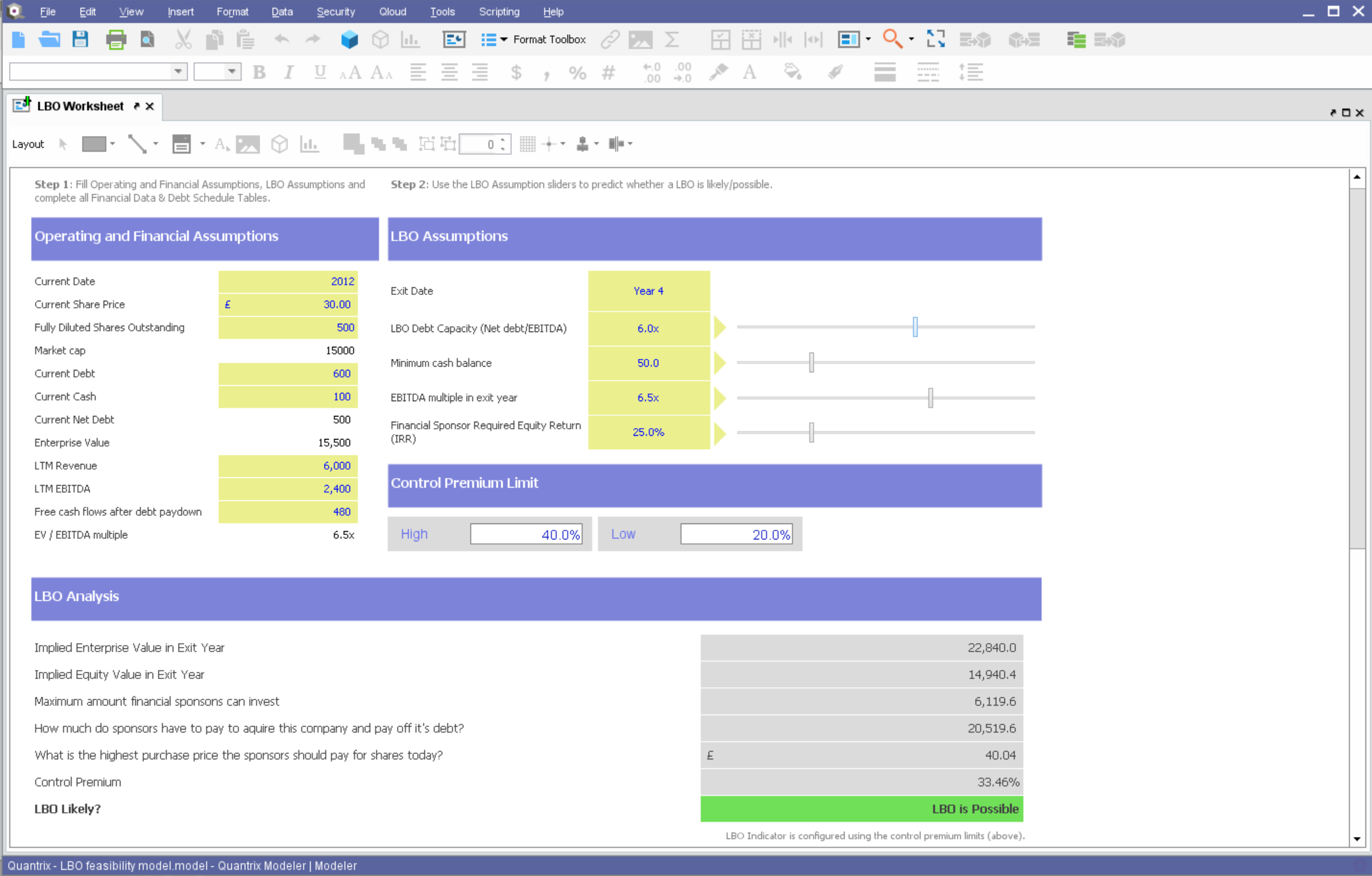
Quantrix is designed to allow users to address the limitations and risks inherent to spreadsheets when developing business-critical models. According to the vendor, this solution offers unmatched capability for forecasting, planning, budgeting, risk modeling and visual analytics, and also allows users to develop ‘what if’ scenarios and model the financial and operational impact of business decisions. Additionally, the vendor says sharing insight is made easier through the creation of interactive…
N/A
SurveyMonkey
Score8.1 out of 10
N/A
SurveyMonkey provides free, customizable surveys, and a suite of paid, back-end programs that include data analysis, sample selection, bias elimination, and data representation tools. SurveyMonkey also offers large-scale, enterprise options for companies interested in data analysis, brand management, and consumer focused marketing.
$99
per month
Pricing
Quantrix
SurveyMonkey
Editions & Modules
No answers on this topic
Team Advantage
$25
per month (billed annually) per user (starting at 3 users)
Team Premier
$75
per month (billed annually) per user (starting at 3 users)
Standard Monthly
$99
per month
Individual Plan - Advantage Annual
$468
per year
Individual Plan - Premier Annual
$1,428
per year
Offerings
Pricing Offerings
Quantrix
SurveyMonkey
Free Trial
Yes
No
Free/Freemium Version
No
Yes
Premium Consulting/Integration Services
Yes
No
Entry-level Setup Fee
No setup fee
No setup fee
Additional Details
Quantrix Modeler is licensed on a per user subscription basis.
If you find yourself in the ocean of traditional spreadsheets, overwhelmed by broken links, errors, model audit problems, hardwiring, etc. here is a lifebuoy for you. If you want to have full flexibility in your budgeting and forecasting in contrast to ERPs with rigid structures and one-size-fits-all concept. If you are small or medium size company and do not want to invest in costly enterprise solutions. If you need a fast implementation https://youtu.be/5W_q5Xhw5fg
SurveyMonkey is well suited for external, professional, client-facing forms and complex question types. I've tried generating forms on HubSpot, and it's not nearly as intuitive or clean-looking, and not all question types are supported (e.g. Likert scales). For quick, internal forms that don't need to be as pretty or professional, I find that Google Forms is the quickest and easiest to pull together, especially since it has a single, universal respondent link. If I wanted to embed a link in a mass email, SurveyMonkey doesn't allow multiple respondents to use the same link on my plan.
A de minimis incentive was given to thank the reviewer for their time. The incentive was not used to bias or drive a particular response, nor was the incentive contingent on a positive endorsement. More Info
Building complex financial planning model availing of a multidimensional data structure coupled with a powerful formula language, with the immediacy and intuitiveness typical of spreadsheets
Implement quickly model modifications (new products, new scenarios, new time periods) simply adding new "items" to "categories" (corresponding to dimensions in a multidimensional data model)
Scale up models to very large datasets with very fast computation times
Easily import data from text files, other Quantrix models and external databases via DataLink and DataNAV
Save snapshots of tables computed in Quantrix to external databases via DataPush
A de minimis incentive was given to thank the reviewer for their time. The incentive was not used to bias or drive a particular response, nor was the incentive contingent on a positive endorsement. More Info
Being able to close the survey at a set time without having to remember to do so.
Takes the guess work out of response collecting.
Makes it easy to categorize responses within the same survey. Being able to add tags to open-ended questions makes it easy for us to identify patterns in responses.
An array of survey options and questions.
An all around great product that meets multiple needs.
Can have multiple collectors for the same survey to included manual input.
Hard to be critical of the Quantrix team as I know they strive to produce the best product possible. I suppose the next thing on my wish list would be the application of the new Solver functionality to be available in the Qloud.
A big help for new users would be a good book on transitioning from Excel or other environment into Quantrix. I know first hand it can be difficult to transition when having to learn the program through a help guide, forums and tech support. I had a lot of trial and error in my journey to producing the desired models. On one hand it was a valuable method as it taught me a lot of what not to do, but I will admit it was not the most efficient way to do things.
Would also love to see local user groups being formed at some point in the future. Quantrix puts on a fantastic conference once a year in beautiful Maine, but it is a big journey for someone in Southern California (and limited to one or two days a year). I would like to see some local chapters formed in different areas of the country so local Quantrix users can get together more often and collaborate (maybe a quarterly or semi-annual meetup?). Our Quantrix community is still relatively small and may be a difficult task for some areas, but is also the very reason why this would be great idea.
I would like to have more customizable options for branding it to our hospital colors. Some survey options allow you to enter html color codes. SurveyMonkey allows you to change colors and you have to pick from selected options.
Embedding the surveys into a webpage, like WordPress is not as seamless as other services.
A de minimis incentive was given to thank the reviewer for their time. The incentive was not used to bias or drive a particular response, nor was the incentive contingent on a positive endorsement. More Info
Compared to other competitors in the market (including a few I've used internally), if you're looking for a survey application, this one does the job and it's quite inexpensive too. Considering the fact that it comes with a handy mobile application too (on iOS and Android), you also get flexibility thrown in the deal too.
It does everything a survey software should do, and it does it very well. I can't speak for how well it would work for a business that was surveying tens of thousands of people - but for a small business of 50 employees with a couple of thousand clients, it does everything it needs to do.
A de minimis incentive was given to thank the reviewer for their time. The incentive was not used to bias or drive a particular response, nor was the incentive contingent on a positive endorsement. More Info
I've never had to contact the SurveyMonkey customer care team directly, but they have a pretty good library of help articles on their website. Everything from designing and executing your survey to account and billing questions. I never had a need for further support from Survey Monkey.
A de minimis incentive was given to thank the reviewer for their time. The incentive was not used to bias or drive a particular response, nor was the incentive contingent on a positive endorsement. More Info
Overall, I was not part of the ultimate decision to purchase Quantrix. I terms of user-friendliess and robust reporting capabilities I do think Tableau has Quantrix outclassed. That being said, Quantrix does provide more in-depth analyses for our relevant data and provides better modeling for our forecasts out of the box. The accuracy of the tools output is also much better
A de minimis incentive was given to thank the reviewer for their time. The incentive was not used to bias or drive a particular response, nor was the incentive contingent on a positive endorsement. More Info
SurveyMonkey is easier to customize and provides much more in depth analytics. SurveyMonkey also provides better templates providing us with a better presentation to our employees. SurveyMonkey also comes with a more trustworthy platform that ensures confidentiality, which is incredibly important to our employees and means we're getting more reliable results from the surveys.
A de minimis incentive was given to thank the reviewer for their time. The incentive was not used to bias or drive a particular response, nor was the incentive contingent on a positive endorsement. More Info
Capacity forecasting used to take hours to calculate with a ton of manual modifications. Quantrix has automated that so a model can be updated at any time with a click of a button
The accuracy of the models is incredible. It took some tweaking to add in data scubbers, but now it runs almost flawlessly
The confidence the management teams have in the output of the model is amazing. Before, people would question the output, have you rebuild it, and then compare. Now the report comes out and the output has high confidence.
A de minimis incentive was given to thank the reviewer for their time. The incentive was not used to bias or drive a particular response, nor was the incentive contingent on a positive endorsement. More Info
The speed at which we can develop, program, execute and generate actual usable results provides significant value, particularly when we need fresh numbers to illustrate a point.
The fact that we can execute a research project so quickly means that new research is always a primary option when we're developing campaigns. That's a huge value proposition.
A de minimis incentive was given to thank the reviewer for their time. The incentive was not used to bias or drive a particular response, nor was the incentive contingent on a positive endorsement. More Info