QuickBooks Desktop Premier is an installed version of QuickBooks for general business, contractors, manufacturing and warehouse accounting, as well as nonprofits, professional services, and retail.
N/A
Sage 100cloud
Score7.1 out of 10
Small Businesses (1-50 employees)
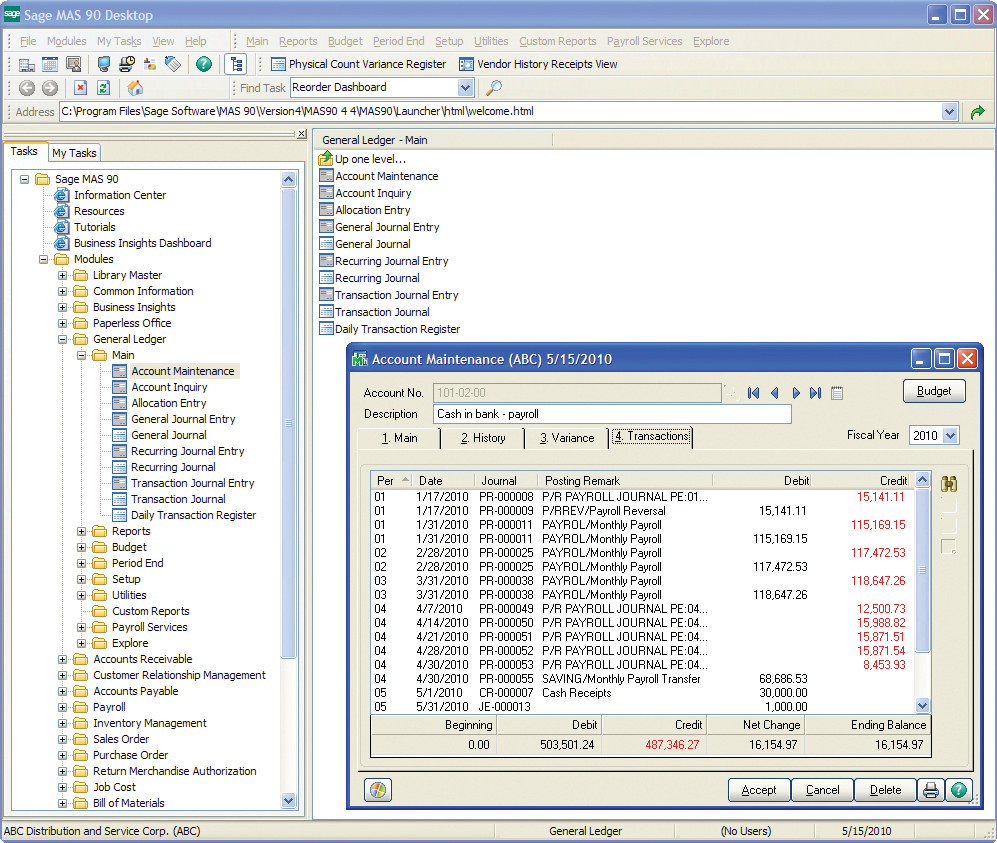
Sage 100 (or Sage 100cloud is a business management software offering a broad range of modules designed to meet the many needs of virtually any business. It encompasses financial operations and accounting, payroll, business intelligence, CRM, eBusiness, manufacturing and distribution.
N/A
Pricing
QuickBooks Desktop Premier
Sage 100cloud
Editions & Modules
No answers on this topic
Sage 100 ERP Standard
Custom Pricing
Per Seat per Month
Sage 100 ERP Advanced
Custom Pricing
Per Seat per Month
Sage 100 ERP Premium
Custom Pricing
Per Seat per Month
Sage 100 ERP Online
$0
Per User per Month
Offerings
Pricing Offerings
QuickBooks Desktop Premier
Sage 100cloud
Free Trial
No
No
Free/Freemium Version
No
No
Premium Consulting/Integration Services
No
No
Entry-level Setup Fee
No setup fee
No setup fee
Additional Details
—
—
More Pricing Information
Community Pulse
QuickBooks Desktop Premier
Sage 100cloud
Considered Both Products
Intuit
Verified User
Chose QuickBooks Desktop Premier
measures up well, but due to recent cuts to desktop support, Sage is getting demo'ed at several client sites
A de minimis incentive was given to thank the reviewer for their time. The incentive was not used to bias or drive a particular response, nor was the incentive contingent on a positive endorsement. More Info
Verified User
Chose QuickBooks Desktop Premier
It is so much better with reports and journal entries.
A de minimis incentive was given to thank the reviewer for their time. The incentive was not used to bias or drive a particular response, nor was the incentive contingent on a positive endorsement. More Info
Verified User
Chose QuickBooks Desktop Premier
MAS 90 - QuickBooks is much more user friendly, easier to use, and the reports are much better.
A de minimis incentive was given to thank the reviewer for their time. The incentive was not used to bias or drive a particular response, nor was the incentive contingent on a positive endorsement. More Info
Controller/HR Manager in Finance and Accounting at Pajunk Medical Systems (Medical Device, 11-50 employees)
Chose Sage 100cloud
Sage 100cloud has taken some time to get used to. It is not a user-friendly as some of the other software, but you can get the hang of it by using it enough. It provides a lot of accounting, inventory and customer data management for our company.
A de minimis incentive was given to thank the reviewer for their time. The incentive was not used to bias or drive a particular response, nor was the incentive contingent on a positive endorsement. More Info
We really think that ANY typical business would be a reasonable fit for QuickBooks Desktop Premier. While not necessary, even a comparatively unexperienced accounting person could look at the "Home" screen and follow their nose thru typical daily accounting processes without much detailed knowledge. Reporting is simple, looking up customer info and prior transactions is simple, looking up vendors and prior payments is simple... all in all, quite straightforward. I really can't think of an instance where it would be 'less appropriate'.
A de minimis incentive was given to thank the reviewer for their time. The incentive was not used to bias or drive a particular response, nor was the incentive contingent on a positive endorsement. More Info
Sage 100 has been well suited for running the monthly accounts receivable and accounts payable aging reports. This helps us track our accounts that need to be collected and payments that need to be made. Our field operations team has been slow and unwanting to adopt the Sage Field Ops just because they're resistant to change and technology. It's less appropriate for really detailed accounting reports spanning for long periods of time with all accounts because it takes a very long time to run and process.
A de minimis incentive was given to thank the reviewer for their time. The incentive was not used to bias or drive a particular response, nor was the incentive contingent on a positive endorsement. More Info
A de minimis incentive was given to thank the reviewer for their time. The incentive was not used to bias or drive a particular response, nor was the incentive contingent on a positive endorsement. More Info
A de minimis incentive was given to thank the reviewer for their time. The incentive was not used to bias or drive a particular response, nor was the incentive contingent on a positive endorsement. More Info
Support for older versions of QuickBooks ends after three years, then users must purchase the newest version at full price. Renewals should be deeply discounted for existing users.
I would like to see better in-product inventory tracking, so we can choose LIFO or FIFO rather than the ambiguous "average cost" method.
I would like to be able to assign payroll taxes to jobs for better job costing.
A de minimis incentive was given to thank the reviewer for their time. The incentive was not used to bias or drive a particular response, nor was the incentive contingent on a positive endorsement. More Info
Sage 100 at times will simply not connect to our server, we get remote support & all is well but, that issue tends to happen 2-3X a year.
Other than the above, I really can't complain. Coming from a more custom U.V. type database that used a whole bunch of codes to navigate, I think Sage 100 is 10x easier to use.
A de minimis incentive was given to thank the reviewer for their time. The incentive was not used to bias or drive a particular response, nor was the incentive contingent on a positive endorsement. More Info
Because we have been extremely happy with the product and our organization tends to be creatures of habit. We rarely leave a product that works this well for the latest and greatest. Typically we follow the "if it's not broken, don't fix it rule". While QB does make changes we typically just roll with it. If we do find something we don't like we work through it until we fully understand its functionality.
A de minimis incentive was given to thank the reviewer for their time. The incentive was not used to bias or drive a particular response, nor was the incentive contingent on a positive endorsement. More Info
I would put this out to bid, if I were at the same organization. There have been a lot of improvements and changes in enterprise software and my preference would be to find a good web-based or cloud-based tool. Lower overall cost of ownership and improved efficiency would be my target criteria for a rebid of this.
A de minimis incentive was given to thank the reviewer for their time. The incentive was not used to bias or drive a particular response, nor was the incentive contingent on a positive endorsement. More Info
We switched to a more "robust" software program with the hiring of a new CFO. The migration of historical data and ancillary information has been cumbersome and riddle with errors and issues. In hindsight much of what the new software program was touted to accomplish is not come to fruition. QB Desktop Premier was sufficient for the organization needs
A de minimis incentive was given to thank the reviewer for their time. The incentive was not used to bias or drive a particular response, nor was the incentive contingent on a positive endorsement. More Info
Overall Sage 100 has been pretty user friendly. If we have a question on anything, we are able to contact our implementation rep who helps us right away. Some of the Sage Field Operations may not be as intuitive for our field personnel to use. I wish the reports ran faster so that we could run and put together many reports quickly at once.
A de minimis incentive was given to thank the reviewer for their time. The incentive was not used to bias or drive a particular response, nor was the incentive contingent on a positive endorsement. More Info
A de minimis incentive was given to thank the reviewer for their time. The incentive was not used to bias or drive a particular response, nor was the incentive contingent on a positive endorsement. More Info
A de minimis incentive was given to thank the reviewer for their time. The incentive was not used to bias or drive a particular response, nor was the incentive contingent on a positive endorsement. More Info
This is where QuickBooks falls short. Many times my staff has had questions that have not been able to get resolved easily with a chat or call. I personally have had more general questions that have not been answered easily as well. I think QuickBooks needs to provide the resources of having readily accessible help in order to make it simpler to get solutions.
A de minimis incentive was given to thank the reviewer for their time. The incentive was not used to bias or drive a particular response, nor was the incentive contingent on a positive endorsement. More Info
A de minimis incentive was given to thank the reviewer for their time. The incentive was not used to bias or drive a particular response, nor was the incentive contingent on a positive endorsement. More Info
It is important to do your research. There are tutorial videos online that could help new user of this accounting system. These tutorials are straightforward and easily understandable.
A de minimis incentive was given to thank the reviewer for their time. The incentive was not used to bias or drive a particular response, nor was the incentive contingent on a positive endorsement. More Info
We had an advantage in implementing the tool in that our director of Ops had been part of the team implementing the ERP for other users so we knew what to expect and were able to avoid a lot of the challenges people sometimes face with implementations. However, the process still took far longer than desired.
A de minimis incentive was given to thank the reviewer for their time. The incentive was not used to bias or drive a particular response, nor was the incentive contingent on a positive endorsement. More Info
QuickBooks Premier handles most of my business functions efficiently in one package. It is not my "everything." I use Replicon for time rather than QuickBooks. I don't want my WIP data interfering with my accounting. I use PaySimple for it's web interface and back office processing. I don't have security issues since I don't have any credit card data in my possession. With today's identity theft environment, I have to protect myself as much as I can. Not having credit card data in my accounting software lets me sleep much better at night. Quicken will do basic accounting but does not have all the double entry accounting systems contained in QuickBooks. QuickBooks Online does much of the basic business functions but I don't like the pricing structure. As a professional accountant, that is very important to me. Bill.com provided a good service but the ability of QuickBooks to add bills and receipts to transactions makes it redundant.
A de minimis incentive was given to thank the reviewer for their time. The incentive was not used to bias or drive a particular response, nor was the incentive contingent on a positive endorsement. More Info
I didn't choose Sage 100 ERP -- it was already in use when I started at the organization over five years ago. It has the same types of pros and cons as other big hulking software suites meant to power the infrastructure of corporations. It's slow, tough to customize, and doesn't connect well with other software. It does bring all the information into one place, which is great
A de minimis incentive was given to thank the reviewer for their time. The incentive was not used to bias or drive a particular response, nor was the incentive contingent on a positive endorsement. More Info
A de minimis incentive was given to thank the reviewer for their time. The incentive was not used to bias or drive a particular response, nor was the incentive contingent on a positive endorsement. More Info
Most of our business clients use QuickBooks which makes it efficient for us to work on clients that use the program. We can import QuickBooks data into our software which adds efficiencies to our tax practice.
Having staff that are familiar with the software enables our firm to provide quality service to the clients that use QuickBooks.
We receive referrals from satisfied QuickBooks clients.
A de minimis incentive was given to thank the reviewer for their time. The incentive was not used to bias or drive a particular response, nor was the incentive contingent on a positive endorsement. More Info
Sage 100 overall had a very positive overall ROI for the business. All users were making decisions based on the same information and valuable time was no longer spent trying to analyze data from a number of sources.
Moving the warehouses to using Sage 100 reduced the operating expense of the distribution side of the business by 5% on an annual basis (~$100K).
A de minimis incentive was given to thank the reviewer for their time. The incentive was not used to bias or drive a particular response, nor was the incentive contingent on a positive endorsement. More Info