TrustRadius: an HG Insights company

Solutions2Share Teams Manager vs. Square 9 Softworks

Save this comparison

Save this comparison

Contact about Square 9 Softworks

Please fill out the form below to get in touch.

Square 9 Softworks

Connect with Square 9 Softworks

What are you interested in?

Already have an account?

You hereby consent to have TrustRadius share the information supplied on this form with Square 9 Softworks so that Square 9 Softworks and TrustRadius may contact you in regard to the information requested.

Add Product

Recommended Comparisons

    Overview
    ProductRatingMost Used ByProduct SummaryStarting Price

    Teams Manager

    Score8 out of 10
    Mid-Size Companies (51-1,000 employees)
    IT administrators can keep control of their Microsoft 365 environment with Teams Manager. Teams Manager is used to prevent the uncontrolled creation of Teams and Groups and automate governance processes. Key Features: • Governance Dashboard and Reports – provides an overview of the M365 environment (inactive or ownerless teams, teams with guests etc.) • Provisioning of new teams & SharePoint sites – with channels,…

    $1.60

    per year

    Square 9 Softworks

    Score9.3 out of 10
    N/AFor document-intensive companies looking to improve business efficiency, Square 9 Softworks develops solutions for process automation that aim to drive increased productivity across all business applications.

    $250

    per month 5 users

    Pricing
    Teams ManagerSquare 9 Softworks
    Editions & Modules
    Extra Large (4,000+ users)
    $1.60
    per year per user
    Small (up to 249 users)
    1,599
    per year per installation
    Medium (up to 999 users)
    4,049
    per year per installation
    Large (up to 4000 users)
    6,499
    per year per installation
    Square 9 Process Automation Essentials
    $50
    per month per user (5 User Minimum)
    Square 9 Digital Transformation Essentials
    $68
    per month per user (5 User Minimum)
    Square 9 Enterprise Essentials
    $75
    per month per user (10 User Minimum)
    Offerings
    Pricing Offerings
    Teams ManagerSquare 9 Softworks
    Free Trial
    YesNo
    Free/Freemium Version
    NoNo
    Premium Consulting/Integration Services
    YesYes
    Entry-level Setup FeeOptionalRequired
    Additional DetailsPrices are starting prices. Not listed here are the different support and service packages.Offered via a three-tier pricing model that allows customers to scale their solution up or down based on the changing needs of their organization. Pricing excludes professional services and implementation fees
    More Pricing Information
    Community Pulse
    Teams ManagerSquare 9 Softworks
    Considered Both Products
    Solutions2Share
    No answer on this topic
    Square 9 Softworks
    No answer on this topic
    Key User Insights
    Would buy again
    90%
    Would buy again
    9 Answers
    96%
    Would buy again
    68 Answers
    Delivers good value for the price
    100%
    Delivers good value for the price
    8 Answers
    97%
    Delivers good value for the price
    63 Answers
    Happy with the feature set
    100%
    Happy with the feature set
    10 Answers
    96%
    Happy with the feature set
    68 Answers
    Lived up to sales and marketing promises
    No answers on this topic
    100%
    Lived up to sales and marketing promises
    48 Answers
    Implementation went as expected
    100%
    Implementation went as expected
    5 Answers
    88%
    Implementation went as expected
    50 Answers
    Best Alternatives
    Teams ManagerSquare 9 Softworks
    Small Businesses
    No answers on this topic
    M‑Files
    Score8.9 out of 10
    Medium-sized Companies
    No answers on this topic
    Esker
    Score7.4 out of 10
    Enterprises
    No answers on this topic
    Tungsten Capture
    Score9.5 out of 10
    All AlternativesView all alternativesView all alternatives
    User Ratings
    Teams ManagerSquare 9 Softworks
    Likelihood to Recommend
    8.0
    (10 ratings)
    9.3
    (75 ratings)
    Likelihood to Renew
    -
    (0 ratings)
    4.9
    (7 ratings)
    Usability
    8.0
    (1 ratings)
    8.0
    (6 ratings)
    Availability
    -
    (0 ratings)
    7.3
    (2 ratings)
    Performance
    -
    (0 ratings)
    7.3
    (2 ratings)
    Support Rating
    -
    (0 ratings)
    7.9
    (26 ratings)
    In-Person Training
    -
    (0 ratings)
    7.3
    (1 ratings)
    Implementation Rating
    -
    (0 ratings)
    6.4
    (3 ratings)
    Configurability
    -
    (0 ratings)
    7.3
    (1 ratings)
    Ease of integration
    -
    (0 ratings)
    4.5
    (2 ratings)
    Product Scalability
    -
    (0 ratings)
    7.3
    (2 ratings)
    Vendor post-sale
    -
    (0 ratings)
    7.3
    (2 ratings)
    Vendor pre-sale
    -
    (0 ratings)
    7.3
    (2 ratings)
    User Testimonials
    Teams ManagerSquare 9 Softworks
    Likelihood to Recommend
    Solutions2Share
    It's well suited if you or your organization performs tasks incorporating other Microsoft programs such as OneNote or Planner. Teams Manager allows for easy management of that software usage; if you do not use any of those, I'm not sure if there is much advantage in using it to manage workflow.
    Incentivized
    Read full review
    Square 9 Softworks
    Square 9 Softworks is really good for internal and external filing services. Square 9 Softworks is also an application that can be utilized for databases to store and extract data. If the volume of your filing isn’t heavy or on a day-to-day basis then I wouldn’t recommend Square 9 Softworks.
    Incentivized
    Read full review
    Pros
    Solutions2Share
    • Handles different teams and teams members
    • Giving them permissions as per their job profile and necessity
    • Seeing the projects' progress through one platform
    Incentivized
    Read full review
    Square 9 Softworks
    • The software is very flexible, and the technicians were great at implementing our customizations for the PO project.
    • While indexing fields in Global Search, the Key Free tool works great.
    • Global Search is well-organized. It's easy to navigate and find your documents.
    • The process for completing your project was well done. Communicating with individuals at Square 9 who were responsible for different aspects of the project was easy.
    Incentivized
    Read full review
    Cons
    Solutions2Share
    • user interface can be enhanced to seperate the color coding for different channels
    • It would be great to receive notifications in Outlook for Shifts and be able to approve/deny requests and schedule changes there while it's synced with the Outlook calendar.
    Incentivized
    Read full review
    Square 9 Softworks
    • GlobalSearch could use some enhancements in layout - THIS IS FIXED WITH THE NEWEST VERSION OF GLOBALSEARCH 6.3 and their Sleek GUI GlobalSearch GO! - WELL DONE!
    • GlobalSearch could use external sharing of documents THIS IS FIXED WITH THE NEWEST VERSION OF GLOBALSEARCH 6.3 and their Sleek GUI GlobalSearch GO! - WELL DONE!
    • GlobalForms could have better formatting tools to enhance the fields and text formatting
    Incentivized
    Read full review
    Likelihood to Renew
    Solutions2Share
    No answers on this topic
    Square 9 Softworks
    We absolutely can't imagine not continuing software maintenance as there are always new additions that improve the system not to mention the excellent tech support when issues are encountered. Response times for troubleshooting are very quick and usually, my issue is resolved in less than an hour after connecting with support.
    Incentivized
    Read full review
    Usability
    Solutions2Share
    It is a well-designed and polished application on Teams. Most of its issues stem from Teams UI and UX, which could be improved further. However, if you can fit the team manager to your needs, it can become a very powerful tool to manage data flow.
    Incentivized
    Read full review
    Square 9 Softworks
    The items I am searching for are easily found. They are found in at least 95% of the searches. The failure rate generally is related to another employees user error or a template error set up by our Square 9 team in house.
    Incentivized
    Read full review
    Reliability and Availability
    Solutions2Share
    No answers on this topic
    Square 9 Softworks
    Square-9 can get this product out to you in almost the same hour your order it. We got ours very fast.
    Read full review
    Performance
    Solutions2Share
    No answers on this topic
    Square 9 Softworks
    With the PDF projected viewer, the document retrieval-to-display can drag for a second more than some systems, and the capture workflow if you overload a server array can also drag, but those are the only two issues we've ever seen with this product, and they are not serious issues at all.
    Read full review
    Support Rating
    Solutions2Share
    No answers on this topic
    Square 9 Softworks
    We had one "production down" incident that took about a day to get help on. I think that's a bit too long. The support people seem confident but not that friendly. I feel like I'm bothering them when I get help, but they get the job done.
    Incentivized
    Read full review
    In-Person Training
    Solutions2Share
    No answers on this topic
    Square 9 Softworks
    It would have been higher, but the training is a bit muted for the lesser qualified office equipment vendors who signed up as partners to sell and support it. The more experienced ECM vendors and customer end-users will find the training very good, but a bit slow.
    Read full review
    Implementation Rating
    Solutions2Share
    No answers on this topic
    Square 9 Softworks
    I think the implementation could have gone a little smoother than it did. Now that I know how to use the software, I could do it myself. I feel that as an organization, we could have been a little better prepared. If the consultant was more aware of what we were looking for, they could have assisted in setting up some workflows for us as per the contract. But because we were not prepared, the initial implementation process was a little painful. That said, adding a document management system to ANY business kinda means everyone has to re-think the way they do their work which can be difficult for some staff.
    Incentivized
    Read full review
    Alternatives Considered
    Solutions2Share
    We still use it for our one-off situations, but mostly stick to Teams as it is much more user-friendly and allows better sharing capabilities through virtual meetings. Skype is not as easily customized, so it's a no-brainer to use Microsoft Teams and Team Manager for all of our instant messaging and virtual meeting needs.
    Incentivized
    Read full review
    Square 9 Softworks
    We tried Etrieve before Square 9 and it never got off the ground. Our requirements were too complex and the platform could not accommodate them. Square 9 offered the flexibility and customization we needed from the start. Support worked with us to build workflows that actually fit our processes instead of forcing us into a rigid structure.
    Incentivized
    Read full review
    Scalability
    Solutions2Share
    No answers on this topic
    Square 9 Softworks
    The scale-ability is quite good actually, but you need competent sales/support folks providing it to you, so the scale is set right for the demands of your system use. Some resellers are not good at doing this, some are fantastic. If you are scaled correctly at first implementation, you'll be very happy with this system.
    Read full review
    Return on Investment
    Solutions2Share
    • Positive in regards to easy access to quick answers through instant messaging
    • Positive in that the Managers have a secure place to go to retrieve sensitive information.
    • Negative in that we do not fully utilize the tool.
    Incentivized
    Read full review
    Square 9 Softworks
    • Reduction in human error through manual data entry process now being automated
    • Reduction in cost due to automation allowing the function to not require a full time employee
    • Reduction in time spent performing the previous manual tasks. Example: on our consolidated shipment days, it could take doc clerk 2-3 hours to prepare master document package. This has been reduced to 30 minutes or less (depending on size of shipment and time needed for OCR to complete)
    Incentivized
    Read full review
    ScreenShots

    Teams Manager Screenshots

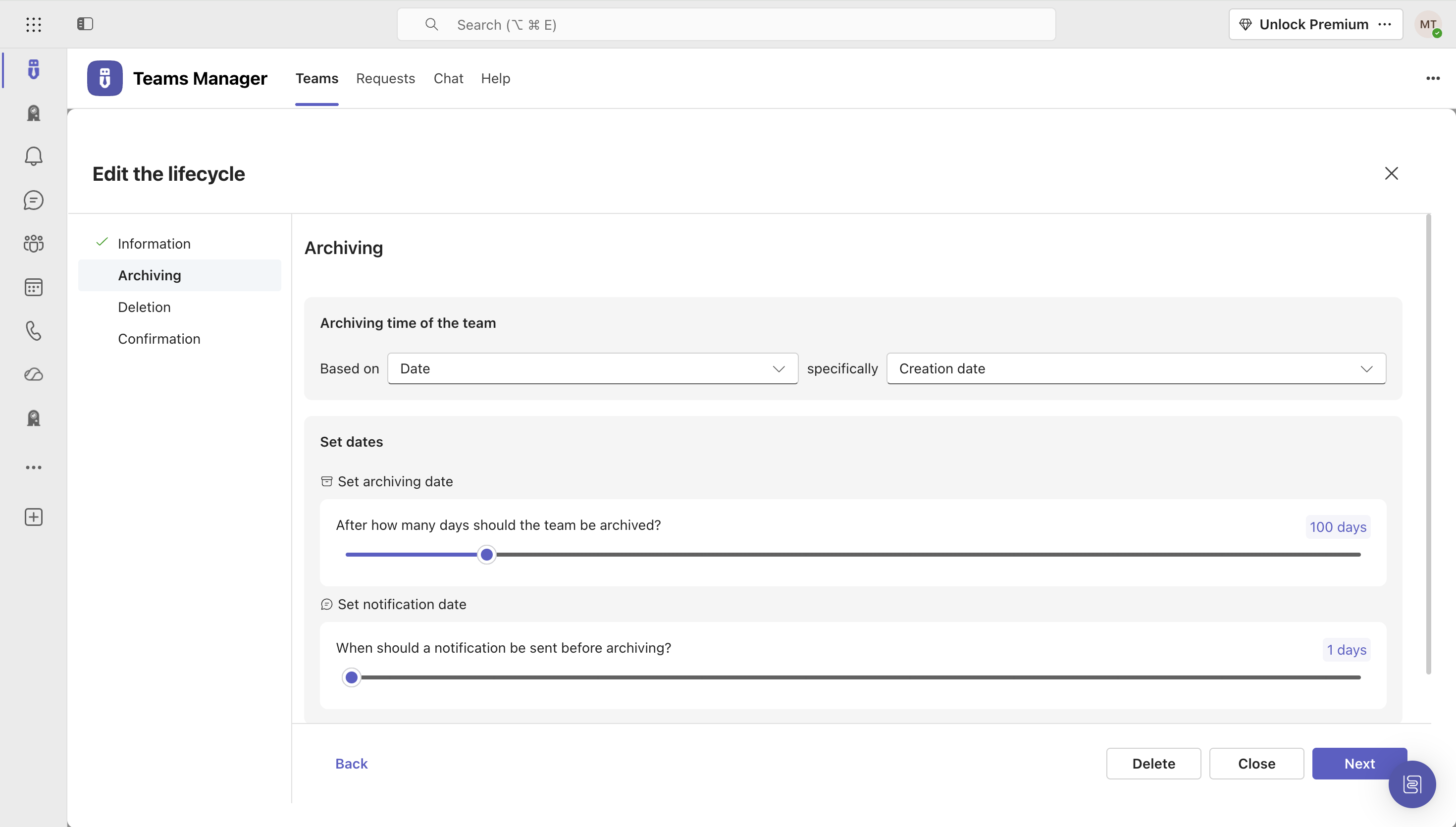
    Screenshot of Governance Dashboard and Reports – for an overview of Microsoft 365 environmentsScreenshot of Automated request and approval process for new teams, M365 groups and SharePoint sitesScreenshot of Templates and provisioning for teams and SharePoint sites (with channels, tabs, apps, folders, Planner with tasks, OneNote with content and more)Screenshot of Lifecycles for teams: inactive or obsolete teams can automatically be archived or even deleted after a specified period of timeScreenshot of Naming conventions for teams, OneNotes, Planners and SharePoint URLs: rules for uniform, relevant names with predefined prefixes and suffixesScreenshot of Policy packages for teams: automatically enforce governance policies for team requests, approvals, access reviews and more

    Square 9 Softworks Screenshots

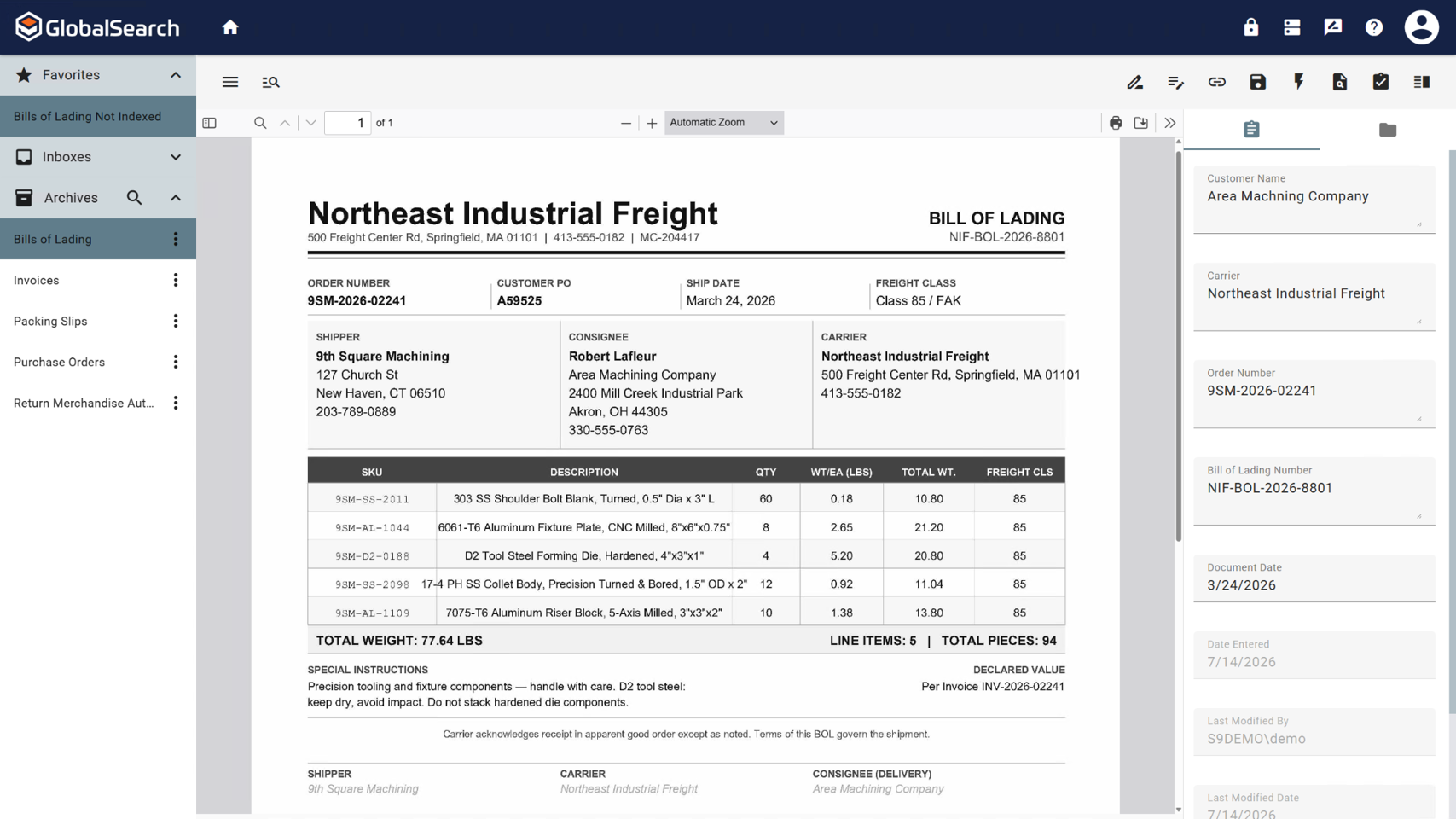
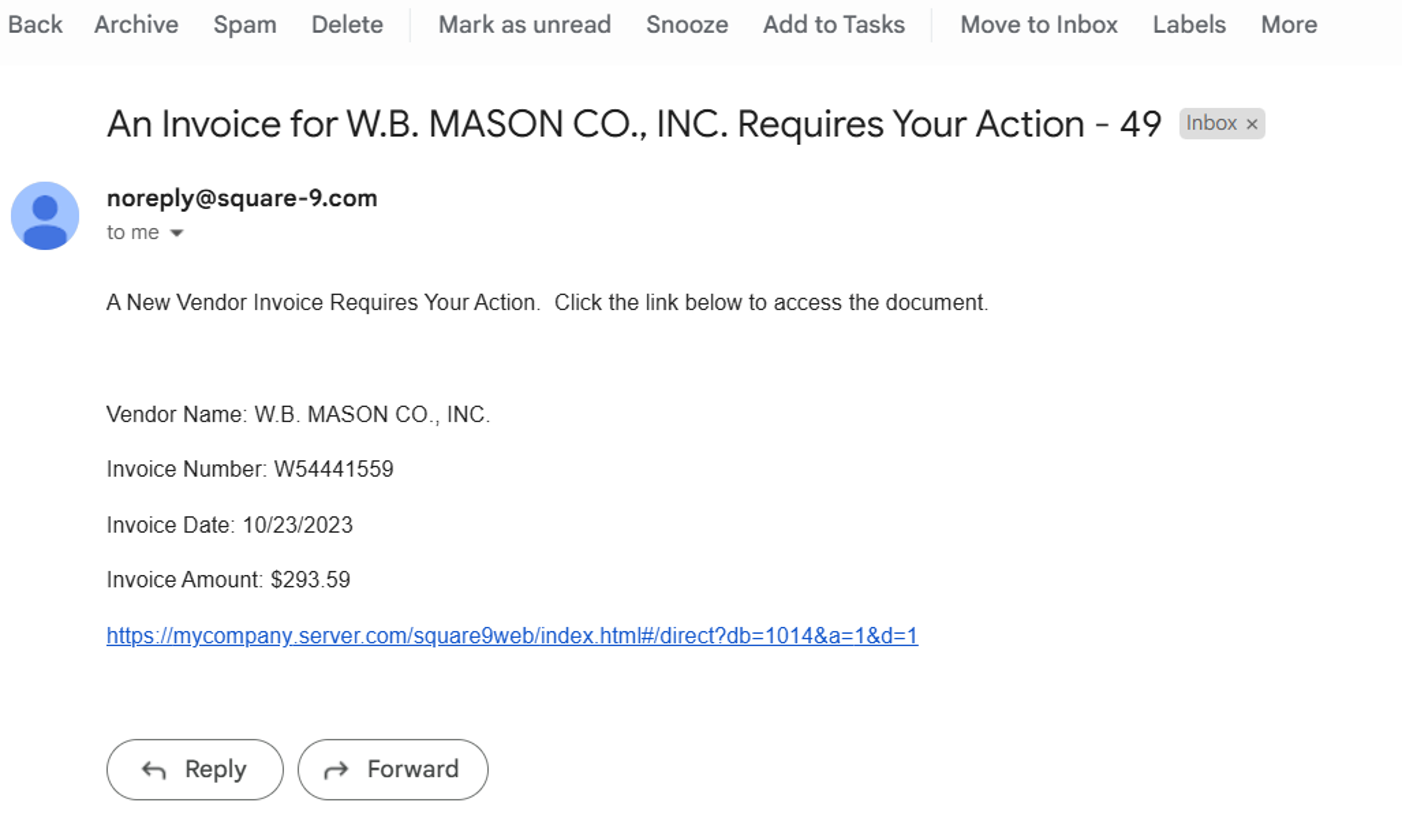
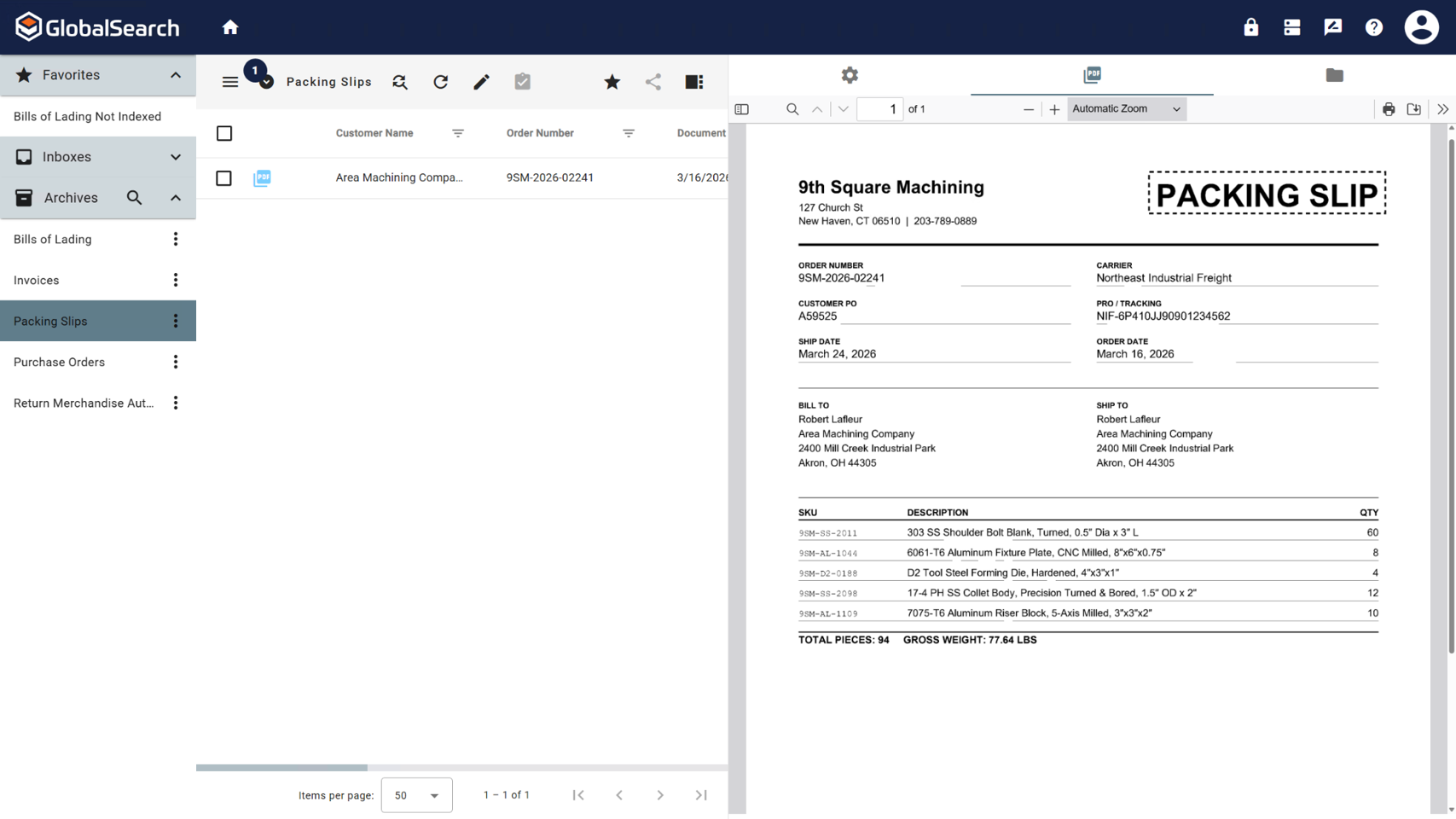
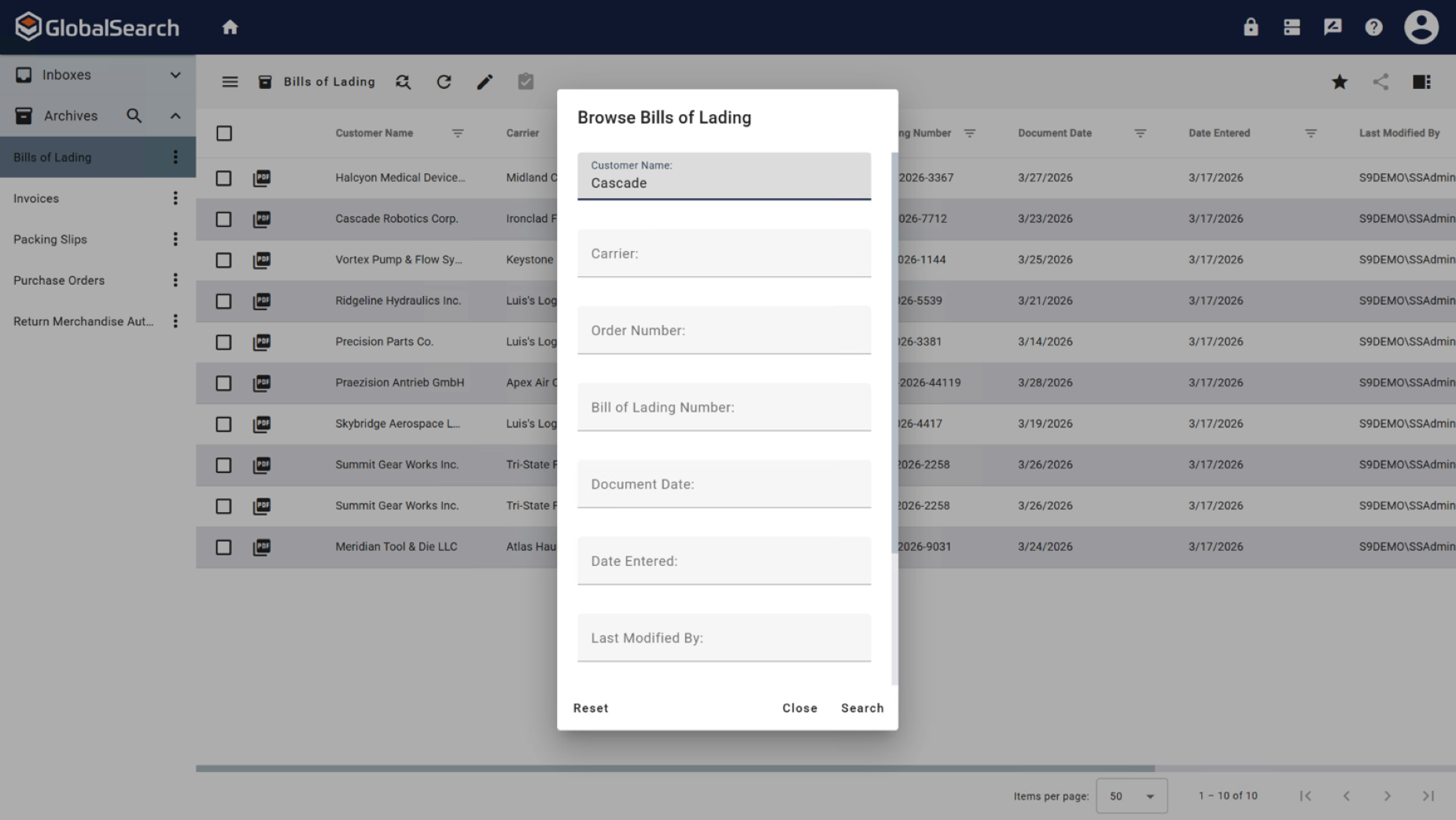
    Screenshot of GlobalSearch Go, which organizes documents based on extracted data.Screenshot of InquireAI, which offers AI-driven data extraction of invoice and receipt fields to eliminate the need for manual data entry.Screenshot of a contract. Contracts are a complex document format that can require contextual understanding to collect accurate data points.Screenshot of the invoice review process, where users can be notified by email when a pending approval is available.Screenshot of a fully indexed document. These can be released for secure access within GlobalSearch or sent to other repositories, including QuickBooks, Dynamics 35 Business Central, Citrix ShareFile, or Google Drive.Screenshot of Documents are stored in a secure, searchable archive.