TimeClick is time tracking software available via a one-time lifetime purchase - no monthly fees, no subscriptions. Presented as ideal for small to mid-sized businesses, TimeClick runs on a local network. Users can track clock-ins/outs, manage PTO and sick leave, and generate payroll-ready reports in minutes. Optional support and upgrades are available, but not required.
$299
one-time fee per installation
UKG Ready
Score 8.2 out of 10
N/A
The UKG Ready® software suite is a centralized HCM solution designed for small to mid-sized businesses. It automates and streamlines HR, payroll, benefits, time, talent, and scheduling processes. UKG Ready's suite of tools offer actionable insights while helping to ensure compliance. Using AI, it draws on work, people, and culture data to boost efficiency and productivity. For example, UKG Ready streamlines core HR functions by centralizing…
N/A
Pricing
TimeClick
UKG Ready
Editions & Modules
1 Device License
$299
one-time fee per installation
2 Device License
$499
one-time fee per installation
3 Device License
$599
one-time fee per installation
5 Device License
$749
one-time fee per installation
10 Device License
$999
one-time fee per installation
15 Device License
$1,249
one-time fee per installation
20 Device License
$1,499
one-time fee per installation
25 Device License
$1,749
one-time fee per installation
35 Device License
$1,999
one-time fee per installation
50 Device License
$2,349
one-time fee per installation
No answers on this topic
Offerings
Pricing Offerings
TimeClick
UKG Ready
Free Trial
Yes
No
Free/Freemium Version
No
No
Premium Consulting/Integration Services
Yes
Yes
Entry-level Setup Fee
No setup fee
Required
Additional Details
Here’s How Our Pricing Works: Unlimited Users. Just Pay For Each Device That Uses TimeClick.
#1
Your first device acts as a Server.
Your server stores all your data. TimeClick works completely off the cloud, so only you can see your data.
#2
Every other device is a Client.
Every device that connects to the server is called a client. Note that mobile devices can only be clients, not servers.
#3
Choose your license.
Select your license based on how many devices your team will use.
Single-Device License = Server Only
Multi-Device License = Server + Clients
Example (3-Device License): 1 Server + 2 Clients
TimeClick is very user friendly and appropriate for any job that requires employees to use their computers, such as offices. All employees have the TimeClick software on their computers in our office and clock in once they get seated at their desks. I do not think it would be as appropriate or easy to use in a more quick-paced setting where employees don't have computers, such as in restaurants and retail.
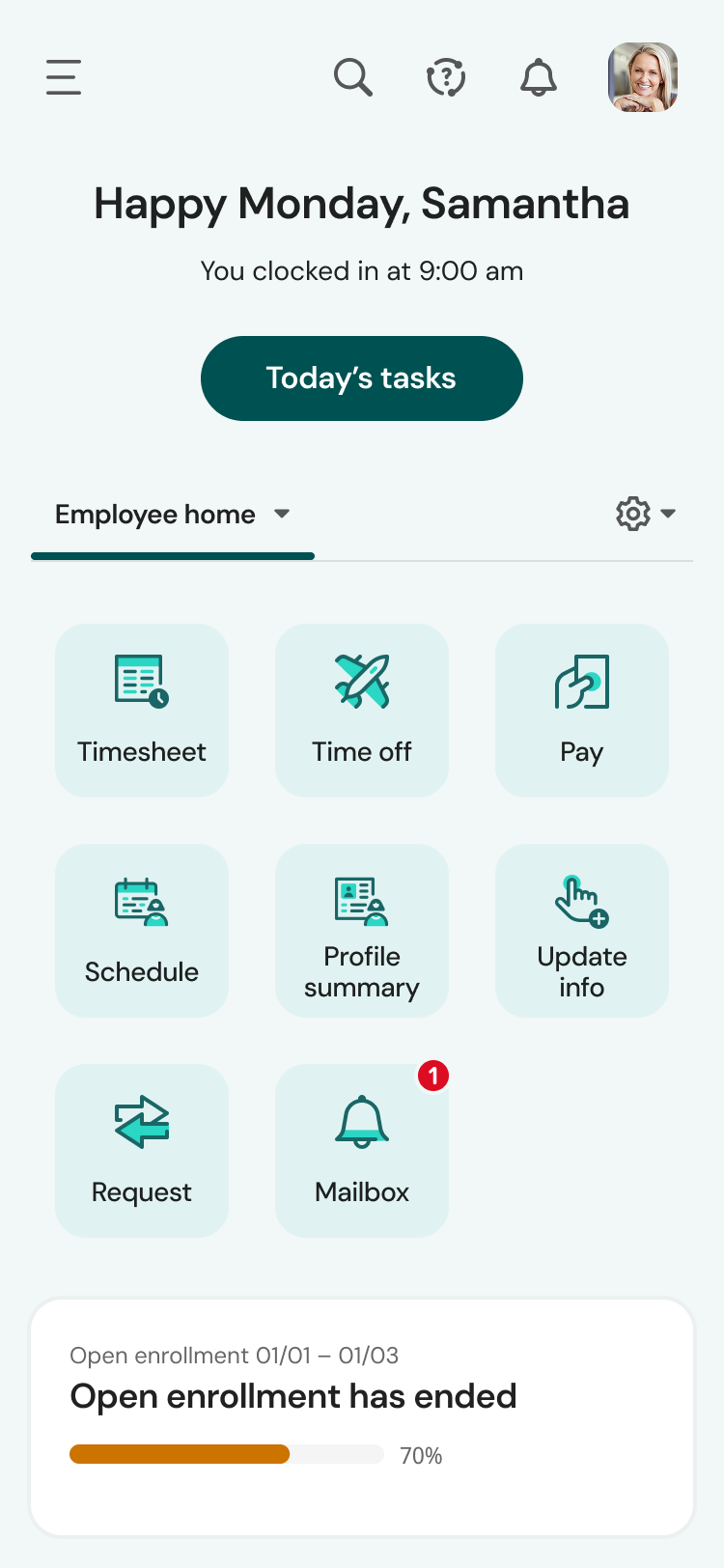
UKG is great for storing personal information and is easy to use for clocking in and out. And you can easily find the next payday at the bottom, your calendar with requested time off, and the available hrs. UKG is less user-friendly and more difficult when editing your personal information, like your phone number, and requesting time off is a little confusing to me.
The mobile app experience is terrific. Once the employees figured out the navigation, they now prefer the app over the web version. The app mirrors the web version, although the navigation is somewhat compressed due to the mobile view. Other than that, the tools in the app work exactly as the web.
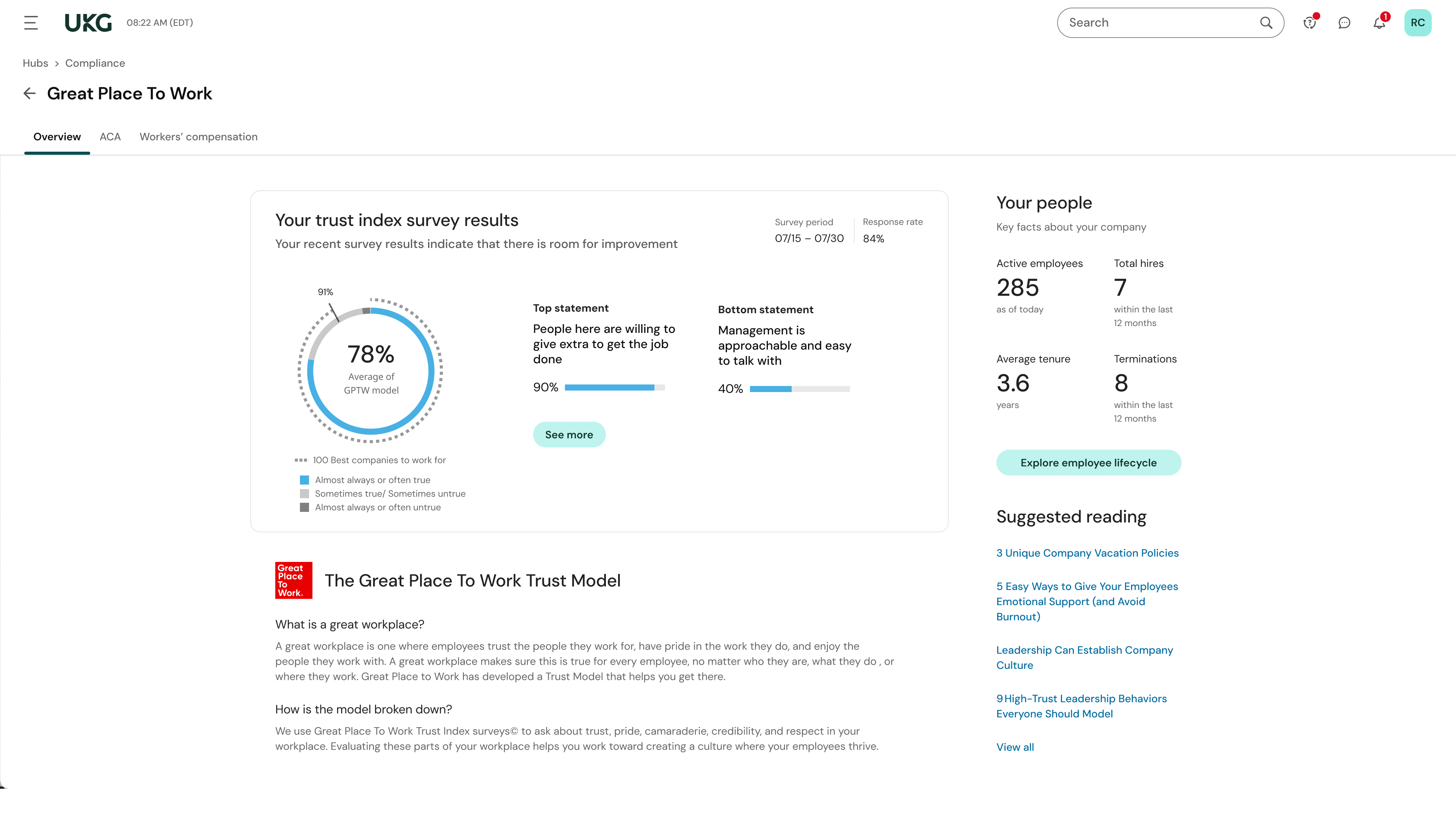
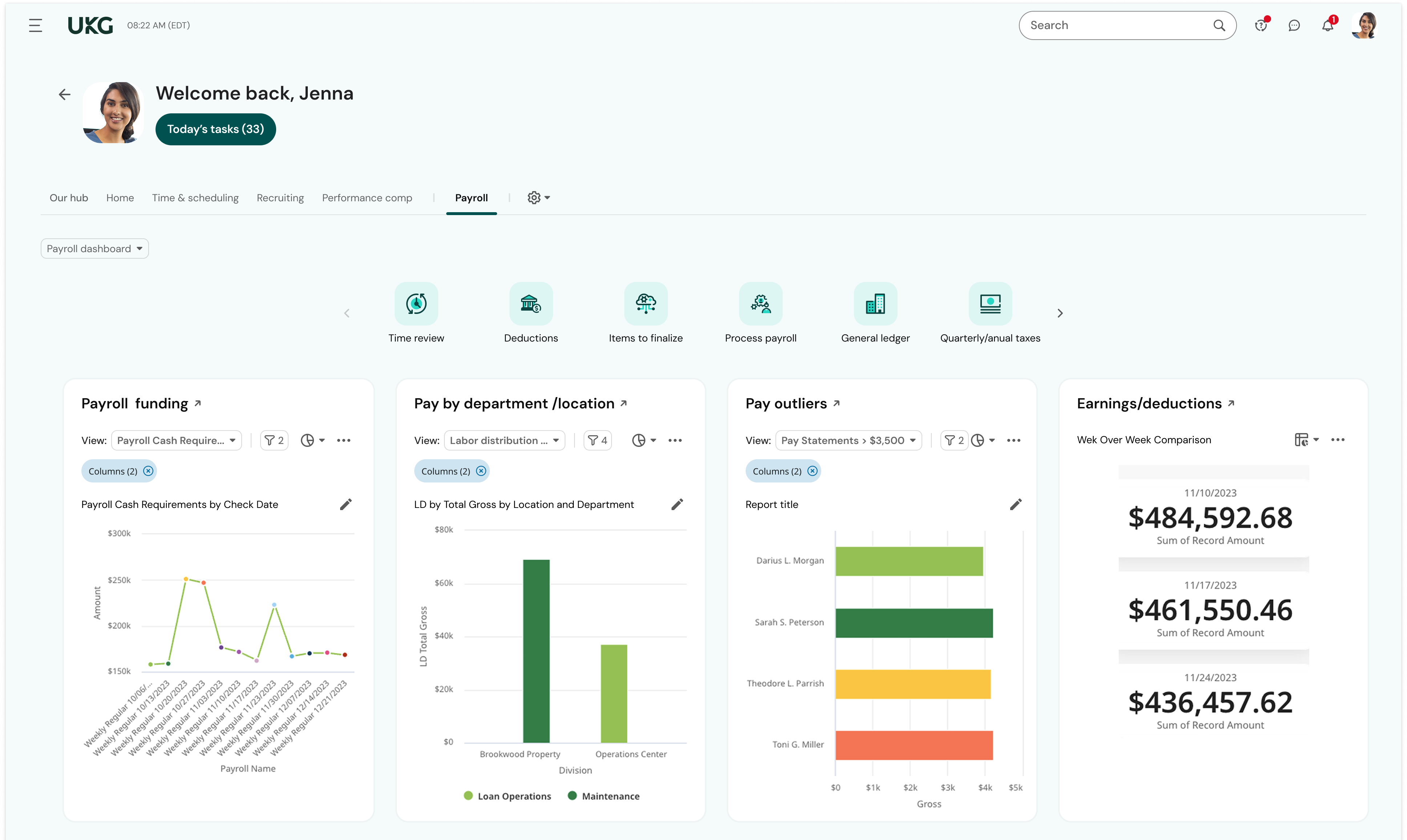
Reporting - there hasn't been a time when I couldn't run a report on the information I needed. And the reports dashboard is very robust - my most important reports were already built in the system. I saved so much time because I didn't have to cobble together the data from multiple reports or contact support to build the report for me.
Community page - I log into UKG's Community page daily. I learn so much from experienced UKG users and the UKG moderators are quick to provide answers and best practices. When I have a question about how to use a feature in UKG Ready, my first stop is the Community - I almost always find what I need without the need to submit a ticket/case or call Support. When I can't find what I need using Community, I can trust that Support will be responsive and helpful. For example, I needed help learning how our onboarding process was configured and submitted a case for assistance. The representative scheduled multiple meetings with me to help me not only navigate the onboarding setup but also to teach me how to revise the associated workflows and test the changes. I was also able to ensure our onboarding was set up correctly as well as modify it as needed.
Employee Self-Service - Once employees were trained to find their HR Actions tool, they quickly adapted to submitting their requests through UKG Ready rather than asking for help from an admin. Now, they readily submit change requests to update their direct deposit, address, and withholding. Sure, they still need a little help from time to time, but employees are initiating these changes without the need for payroll or HR to chase down signatures or paperwork.
Learning and training is poor and has not provided our team with a way to approach our problems in a cost-effective and meaningful way
Consistent glitches in some areas result in errors that persist through multiple payrolls despite a thorough review of all settings
Reports don't live in the same place, multiple types of reports exist in multiple places with little explanation of the difference. We often build custom reports only to have them disappear or have to spend a long time trying to find them.
We plan to renew our support and use of UKG Ready each year unless it becomes unavailable or the district seeks another vendor. As of now, there are no plans to changes vendors. The district staff is now familiar with using UKG. Another vendor will need to meet the same expectations we have come to enjoy with using UKG
Overall, the TimeClick software is very easy to use for anyone who is familiar using basic computer programs. You open the app, find your name, and clock in or out using your short password. Each employee's password is different but easy to remember (or change if forgotten), which makes it simple to log in and out for the day or during lunch.
We have been very happy with the product. Occasionally, there are things we run into that do not seem so clear, yet the customer service provided by UKG community and service cases is unparalleled. Their specialists have been great to take the time to walk us through how to properly set up open enrollment and we appreciate the written follow up from the service cases so we can save the instructions.
The system seems very stable. Being hosted in the cloud, we are vulnerable to internet speeds and busy times. The system has been down a couple times over the 3 months we have been live, but Kronos resolved the issues very quickly. To have access from a desktop, tablet, time clock, or phone app is one of the best features....users have almost NO REASON they can't clock in.
We were always told that Kronos was the best, but there are reports that we got out of ADP and other payroll providers that we cannot get out of Kronos. One example is a report of Productive/Non-productive hours by department. We also need the dollar amount associated with the hours. This is information that is required on our cost report and we were told that that report is unavailable. It is very frustrating when I can't get what I need.
If I was only rating support itself that would be a 10. Every support case I have entered has been addressed efficiently and with the desired result. On the implementation and transition to support there were multiple issues that those doing the implementation or transition could not answer or workflows and various settings left undone only to be discovered later. We implemented 3 different modules and the expertise we got for each one varied widely.
Our in-person training was a hybrid. Live online training with an instructor. They were very knowledgeable of the product & the area they were training on. I asked several specific questions and if they didn't know the answer immediately they followed up after class.
Pretty good online training, you have many how to options and can watch them several times. It can be hard at times to dig through the amount of data online but can usually find what you are looking for. Also you can download documentation for setting up the profiles and policies.
Make sure the people who are doing the build have extensive knowledge on employment law and asking the right questions. I would bet that the people who helped with our builds did not read any of our employment contracts or ordinances; and when I asked questions about how other companies handled certain basic dictates from federal employment laws, they didn't have any idea what FMLA, FLSA, etc were.
TimeClick is very easy and straight-forward for clocking in and out of work. Other software programs are less updated or more confusing, and not always pleasing to the eye. While TimeClick software has some issues, it does provide necessary and frequent updates, is pleasing to the eye, and is user friendly.
UKG is much easier to use and customize for our business needs. I enjoy that the time piece is directly connected with the payroll function. This is something that we didn't see when working with Paylocity. There was a manual time data upload that we needed to process into the Payroll function to process payroll. UKG has this setup and it's just a click of a button, so simple!