TrustRadius: an HG Insights company

Dynamo Software

Score9.9 out of 10

20 Reviews and Ratings

What is Dynamo Software?

Dynamo Software is a purpose-built investment management platform that can support the entire private market investment lifecycle. It offers modules for CRM, deal management, investor relations, investor portal, portfolio monitoring, fund accounting, research management, portfolio management, and ESG reporting.

Media

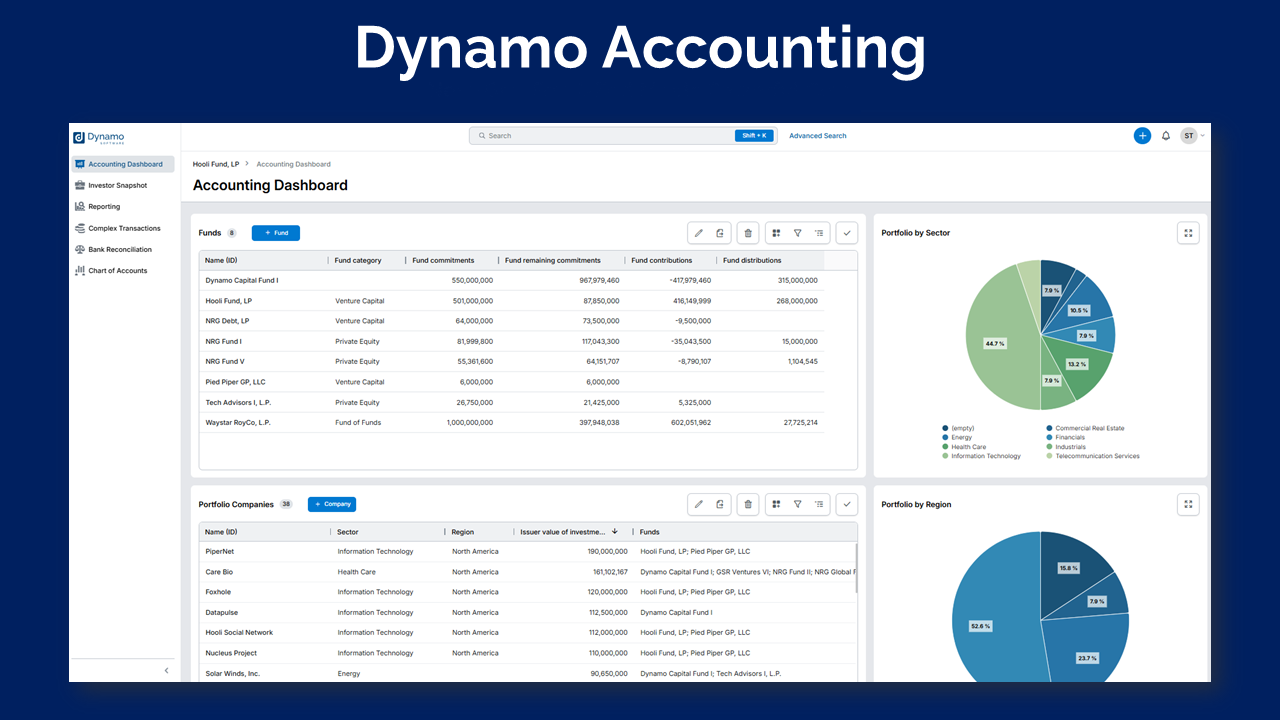
Screenshot of Dynamo Accounting, which helps manage and automate complex fund administration and reporting workflows, delivering Excel-powered financial packages and audit-ready outputs for alternative investment firms.
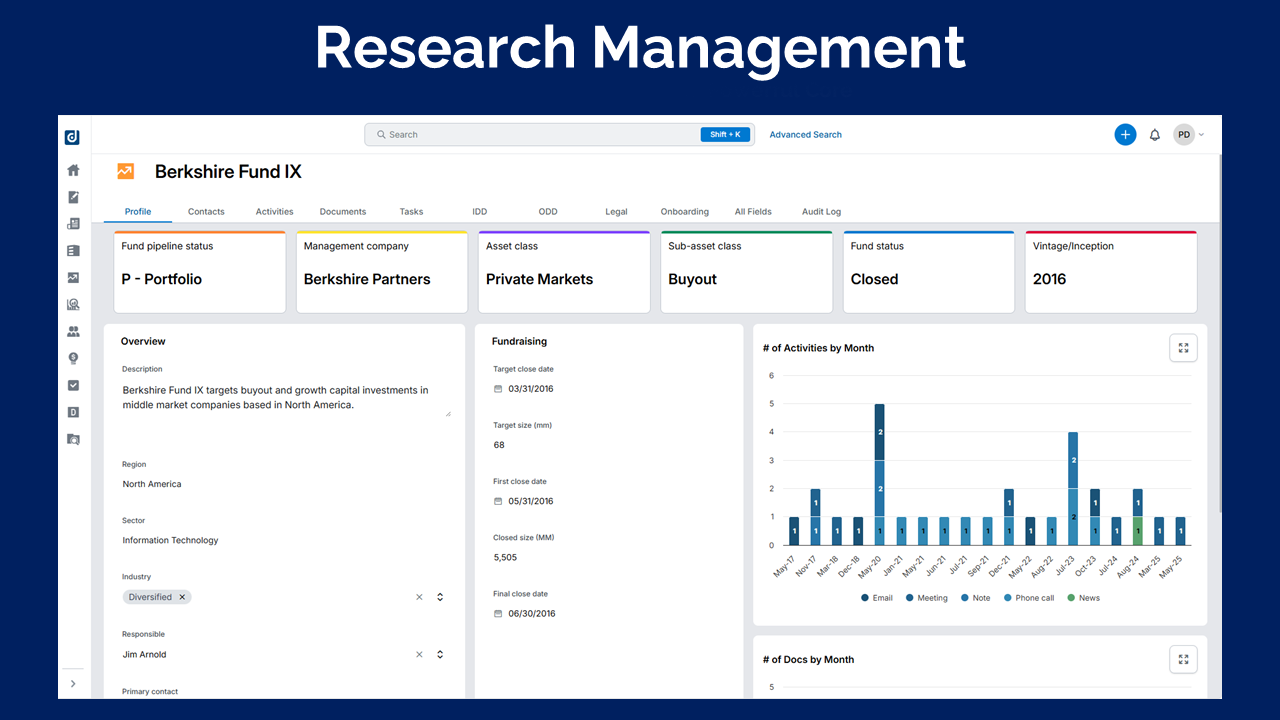
Screenshot of Dynamo Research Management, a platform that centralizes and automates investment research and due diligence workflows for multi-asset class investors.
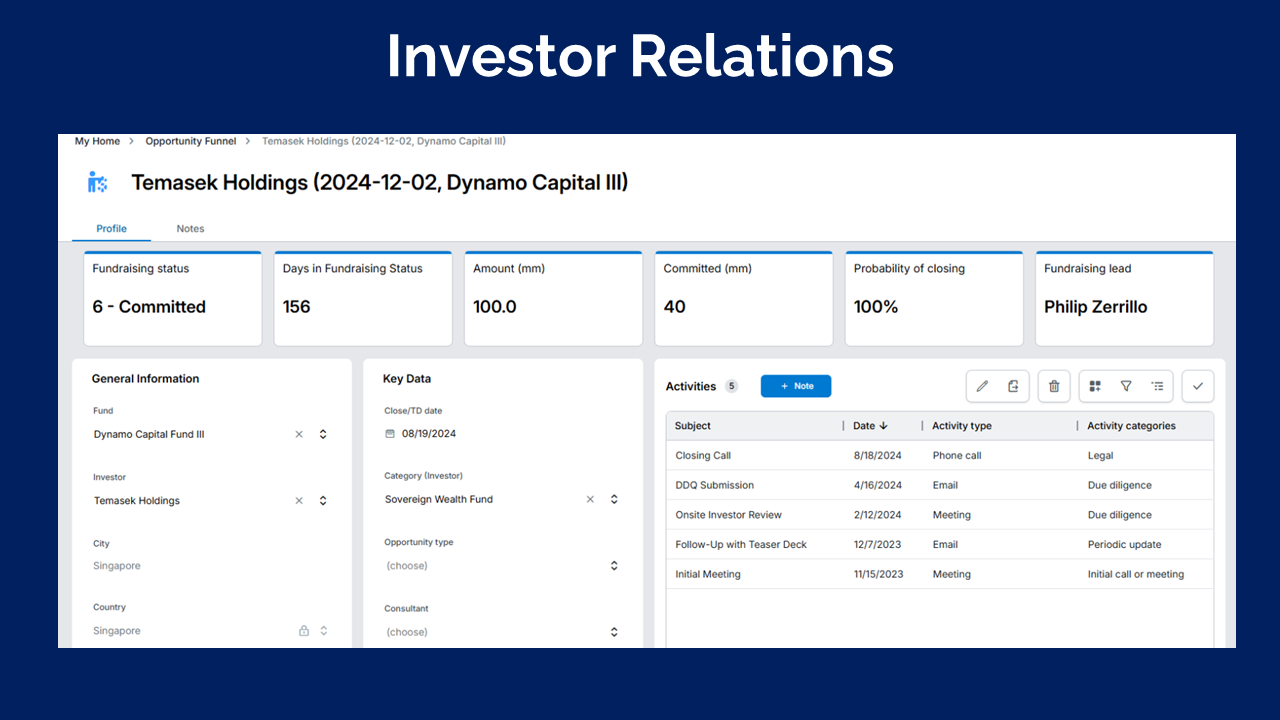
Screenshot of Dynamo’s Investor Relations platform, which streamlines fundraising and marketing by centralizing investor data, automating outreach, with integrated CRM, analytics, and a secure investor portal.
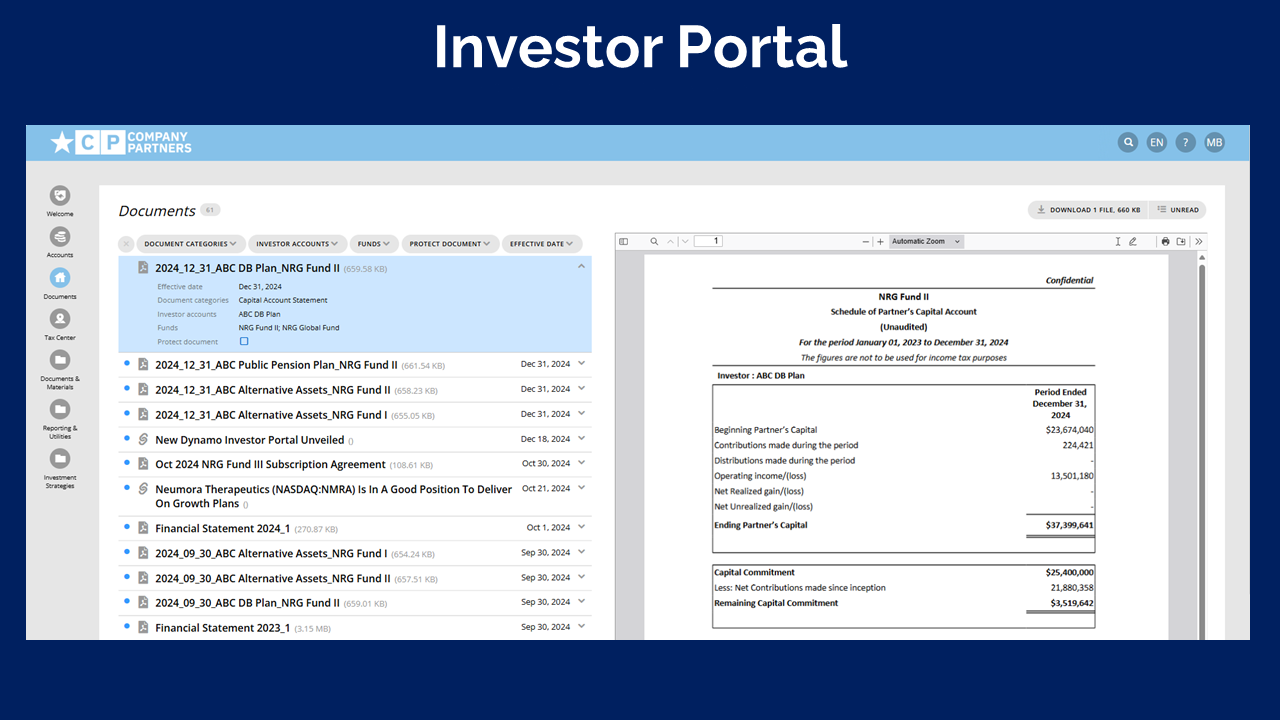
Screenshot of Dynamo Investor Portal, which is a secure, configurable platform that streamlines investor communications, performance reporting, and document management to deliver GP and LP engagement.
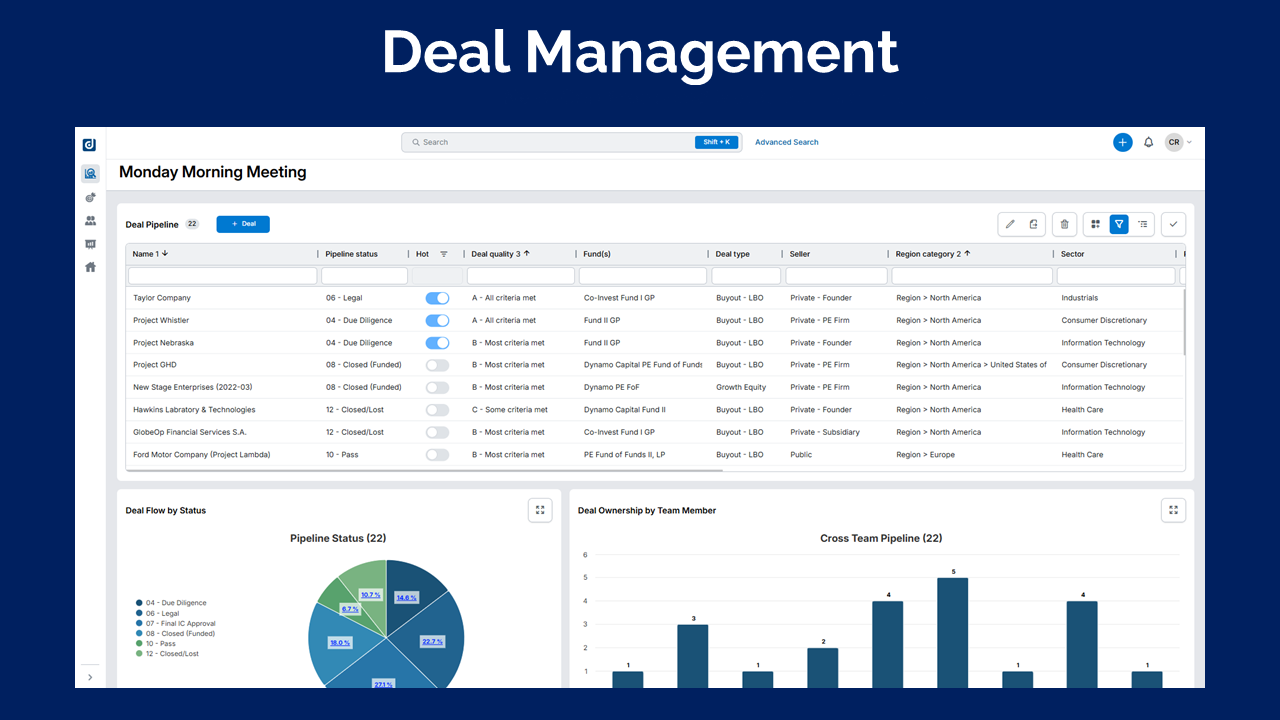
Screenshot of Dynamo Deal Management, used to streamline GP deal sourcing, pipeline tracking, and due diligence with intuitive workflows, unified data, and intelligent automation.

1 / 5

Screenshot of Dynamo Accounting, which helps manage and automate complex fund administration and reporting workflows, delivering Excel-powered financial packages and audit-ready outputs for alternative investment firms.

Would Recommend Dynamo

Use Cases and Deployment Scope

Our challenge was finding a new system to migrate our existing CRM onto. One that would be nuanced yet powerful enough to cater to our firms style and basic needs of operating.

Some problems we were trying to solve were ease of functionality from the user perspective, and the translation of data into clear actionable information to drive business activities, as well as buy-in from team members to actually start using a different platform.

Pros

  • Relationing of data seems rather basic of an ask when it comes to CRMs, but in actuality, isn't as easy to visualise out or navigate when moving that much data from one system to another that's completely different.
  • Dynamo understands this and simplifies for us how data can be used and presented best, allowing the relational aspect to fall quite naturally to new users like us.
  • Self serving interfaces for both general users and admins, provides a sense of ownership and knocks down the need for customisable views and screens that would otherwise require a developer or more technically savvy operator time to create.
  • I have to say, it's the implementation team's absolute heart and knowledge, hand holding us through ground 0 on day 1 to where we can now run specific departmental functions on the platform efficiently. Kudos to Joe, Jamie, Anita, Phillip and of course James! Humanistic support is what customers today still need, and the Dynamo team have been our pillar for getting us through each migration phase, and using the platform.

Cons

  • The UI is long overdue for a change, but we hear it is already out for new users and we'll get to it soon as well. Looking forward to something less 90s and more 2020s~
  • With so much AI enablement going on, one can say it's great but also can be very daunting and end up as a build up of a lot of unintentional user driver technical debt and completely nascent users down the black hold of prompts and vibe coding stuff. I think putting out a library/repository of prompts that apply to common usage scenarios could be a good way to educate customers how best to interact with their Dynamo. Also, great if it tells users how much credits are being used for AI driven work, time saved etc. Not impertinent for a small shop like Cento, but I would image large orgs appreciate indicators like which are required to validate and drive workplace productivity.
  • I think the data import studio is still only PC and windows friendly. It would be good to consider non PC users to occasionally feel more empowered as well to handle their own tweaks and updates, that the importing studio plugin be made available for Mac, and also perhaps have a plugin that connects to google drive directly to more ease and to save time. I imagine more companies being on cloud be somewhat normalised these days, if we can save time having to download or upload stuff onto our local as unnecessary that would be fab.

Return on Investment

  • I think we have managed to save time on how certain meetings are conducted using Dynamo as our agenda and guide for prioritising talking points.
  • Fundraising data is much more organised now and is housed neatly for access and updating.
  • To replicate digests on activities around certain entities and topics that we want to retain and keep accessible to team members. This was doable without too much difficulty and downtime.

Usability

Other Software Used

Anthropic Claude, Asana, Notion, Slack, Dropbox

Less Dyna-no More Dyna-YES

Use Cases and Deployment Scope

We use Dynamo for our CRM, our investor relations, email tracking and fund performance. We are working up to get into the investor portal, but internal issues are causing delays. We enjoy using Dynamo because it is more dynamic than Salesforce and provides a more 3 dimensional feel with the relations. We also use it to mass email our tax documents that have saved a ton of manual time and effort.

Pros

  • Allow for us to keep track of our investors details and fund performance
  • Mass emails to provide news and tax documents
  • Ability to map out investors for road trips

Cons

  • Mass mailings for tax documents that you submit in draft and go into Outlook should be automatically captured in Dynamo instead of having to add in outlook
  • Its become much better, but having a client manager that wouldnt bail on calls and not know where we are with our projects

Return on Investment

  • Simplified our workbooks where we have created a export and drop and its updated.
  • Provides a pipeline that is easily trackable for our executives to see how our BD is going
  • Ability to build reports that are sent weekly/monthly to track new contacts, companies etc.. which helps compliance know if we need to qualify

Usability

Other Software Used

QuickBooks Online, Snowflake

Dynamo Software - Best Private Equity Software Solution

Use Cases and Deployment Scope

We use Dynamo Software for our CRM, Investor Portal, communication to limited partners, accounting and fund administration. Dynamo Software has allowed us to almost triple the size of our business. There are numerous things that were not even possible previously that we are now able to do within the software. We also have a single source of truth now rather than multiple excel files tracking data that was time consuming and frustrating for our internal team.

Pros

  • Tracking relationships in the CRM and the Web Add-in tool to add new information straight from emails.
  • The flexibility to build out whatever view you would like to see certain data in and the ability to then export information to Excel.
  • The Mail Merge Tool allows us to communicate to over 100 different subsets of our limited partners in different SPVs.

Cons

  • With the ability to build or have something custom built there isn't much to add here.
  • We are very unique in the PE space and there is some functionality we would like but I'm not sure many other clients would find it beneficial.

Return on Investment

  • Streamlined Reporting for our Limited Partners
  • Overall Efficency: Monday Mgmt Meetings, Deal Pipeline, Tracking Deals
  • Productivity in Fundraising
  • Single Sources of Trust for our internal teams

Usability

Other Software Used

Adobe Acrobat Sign, Mail Merge Toolkit, Progress ShareFile

[...] Review

Use Cases and Deployment Scope

We use Dynamo Software to act as the home base for all investor data for all of our various funds. We also use it to send out quarterly reports to investors. As we grow, this is likely going to change a bit in terms of "how" we use Dynamo Software. The software helped our business streamline communications with investors and have a one stop shop for investors to access their documents, financial data, etc.

Pros

  • Investor Portal Hub
  • Mail Merge tool

Cons

  • I think the software is so robust it can be difficult to use. I often get intimidated to make changes within our platform because I don't want to mess anything up.
  • I also feel like once you finish your "training" that it would be nice to have an account manager that can help you when you need it, rather than someone who is in the sales department or contacting the support team. It can be frustrating to have to re-explain your company and how you do things every time you are needing help or want to make changes to your platform that you don't know how to do.

Return on Investment

  • it has helped us streamline our fundraising process and tracking our progress

Usability

Alternatives Considered

Allvue Investor Portal, NetSuite ERP and BILL

Other Software Used

BILL, NetSuite ERP

Dynamo Software

Use Cases and Deployment Scope

<div>Dynamo Software solves two issues for us.</div><div>1a) Is a document organizer and storage facilitator. It allows us to store all of the documents/research we receive and create and retrieve them in a very efficient an effective way saving us time. </div><div>1b) This also helps in the annual audit as the auditors are able to retrieve any documents they need. </div><div>1c) It is also an internal notes and communication hub as we have a blog for short summary of activities that is shared with the entire group. </div><div>2) Investment accounting system that tracks all of our investments, liquidity, returns... We are able to input all of the transactions for all asset classes (funds, stocks, futures....) including Fund Class specific transactions and valuations. </div>

Pros

  • We are able to build work Flows to ensure all documents are reviewed in a timely fashion
  • Dynamo is a very flexible system, so we have been able to make adjustments to meet our specific needs over time
  • It is easy to use, so everyone in our office uses as they need too.

Cons

  • If I am processing a transaction, drop downs for the related fund classes should be available to reduce chance of an error

Return on Investment

  • Dynamo has saved us a number of hours each week by uploading all emails we receive each day.
  • Dynamo is able to reduce errors in calculating our returns in a structured way.
  • Dynamo is able to save hours of searching for documents

Usability

Other Software Used

FactSet Workstation