TrustRadius: an HG Insights company

Nintex

Score8 out of 10

530 Reviews and Ratings

What is Nintex?

Nintex offers a platform that helps companies discover, automate, and optimize business processes.

Media

Nintex Automation CE, a complete agentic business orchestration platform — unifying process intelligence, agentic workflow orchestration, and AI-driven solution building in one governed platform.
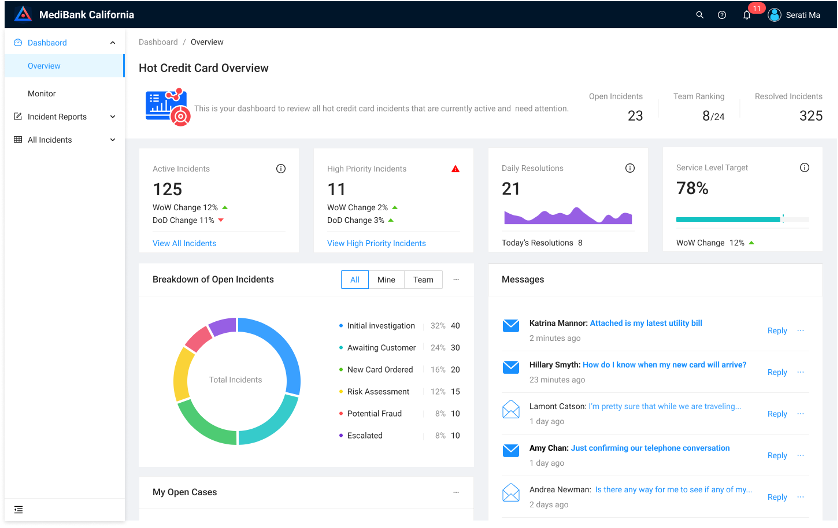
the Nintex K2 dashboard. The application offers on-premises and hosted solutions that brings together advanced orchestration, control, and scalability, and security into a single platform.

1 / 2

Top Performing Features

  • Content management

    Content management tool for storing and managing versioning of electronic documents, images, etc.

    Category average: 7.8

  • Social collaboration tools

    Social tools for discussion threads, wikis, enabling decision making

    Category average: 8.2

  • Form builder

    Integrated form design tool

    Category average: 8.2

Areas for Improvement

  • Custom reports

    Users can create custom reports.

    Category average: 7

  • Support for modeling languages

    Support for modeling languages like BPML, BPEL, and BMMN.

    Category average: 7.9

  • Process simulation

    Evaluating model performance with real data, and optimizing

    Category average: 7.6

Streamlining Business Processes with Nintex Efficient Scalable and User-Friendly.

Use Cases and Deployment Scope

Nintex Workflow is a powerful automation tool that streamlines business processes directly within SharePoint.

We use it to manage documents efficiently, ensuring smooth approvals and version control.

For contracts, Nintex helps automate reviews, signatures, and compliance tracking.

In HR, it streamlines tasks such as onboarding, leave requests, and employee records.

It also supports order management by automating requests, approvals, and notifications.

Pros

  • Contracts approvals.
  • Documents approvals.
  • Expenses approvals.
  • Mileage approvals.

Cons

  • User Interface Complexity – Some workflows can become difficult to manage or troubleshoot, especially for non-technical users, so a more intuitive design experience would help.
  • Performance at Scale – Large or complex workflows can slow down execution; optimizing speed and scalability improves reliability.
  • Integration Flexibility – While it works well in SharePoint, expanding seamless integration with more third-party applications and modern cloud tools would enhance its usefulness.

Return on Investment

  • Significant time savings through automated approval processes.
  • Reduced operational costs by minimizing manual tasks.
  • Improved customer experience with faster response times.

Usability

Alternatives Considered

SharePoint Designer (discontinued) and Microsoft Visual Studio

Other Software Used

Microsoft Power Automate, SharePoint Designer (discontinued), Microsoft Visual Studio

Has the basics but, in my opinion, lacking in a few key areas

Use Cases and Deployment Scope

Nintex is used in our organisation for two distinct purposes. firstly as a workflow automation tool integrated with SharePoint, and secondly as a knowledge and process mapping platform. Workflow automations include forms to kick off new employee user provisioning, across payroll, technology, human resources etc.

Process Manager is a specific Nintex product we use as a knowledge management platform for our organisation, containing processes, policies, and other key documents.

Pros

  • Process mapping
  • Process ownership and feedback mechanisms
  • Basic workflows

Cons

  • APIs and integrations are lacking
  • Architecture and UI is dated
  • Search functionality is poor
  • Integrations require cumbersome manual coding

Return on Investment

  • Streamlined processes
  • Enabled knowledge management
  • Incompatibility with Copilot agents will likely lead to migration away to SharePoint

Usability

Alternatives Considered

Microsoft SharePoint

Other Software Used

Microsoft SharePoint, Microsoft Copilot, Microsoft Copilot Studio

Great for Scaling Outreach Workflows Limited for Deep Customization.

Use Cases and Deployment Scope

I’m using it to create workflows and automate my fundraising outreach. I really like how they stay up to date by integrating AI solutions into their platform, with a wide variety of options. There are also many tools you can use to build or generate AI-powered workflows. I’m using it for fundraising: I have a Google Sheet, and I want to send a personalized email to each contact.

Pros

  • Workflow automation without heavy coding.
  • Easy to create approvals chains with rules.
  • You can collect data via forms and immediately run automated workflows on top of it.

Cons

  • More templates.
  • Error visibility should be clearer.
  • no limits for datasets, even larger data are accepted.
  • More onboarding tutorial.

Return on Investment

  • Time saved.
  • Personalized outreach.
  • Automating the workflow.

Usability

Nintex Process Manager Review.

Use Cases and Deployment Scope

My organization uses Nintex to map business processes and improve them. This addresses the business problem of incomplete documentation and helps with transitioning responsibilities when people switch roles or a new person joins the organization. For the scope of our use of Process Manager, we try to focus mainly on interdepartmental processes, as Process Manager is designed for these.

Pros

  • Automatically generates swimlane diagrams for processes with multiple actors.
  • Provides automatic reminders to review process documentation on a predetermined schedule.
  • Allows for the easy transfer of all processes attached to a specific user, facilitating easy reassignment.

Cons

  • If you are creating a process with parallel subprocesses, there's no way to see, in a single view in Nintex, all the steps for the subprocesses. You have to view each sub-process in its own view, so it's hard to see what's going on at a high level.
  • There isn't an easy way to filter the processes by another user (not yourself) in Nintex. There is a report that shows processes and objects by user, but that's not as convenient. This is something that I've seen in other tools (OpenPages by IBM) so I am surprised that it is missing.
  • Nintex doesn't really have a way to capture iterative processes (which we have a lot of). It's designed for linear processes.

Return on Investment

  • Made onboarding easier for staff.

Usability

Alternatives Considered

Microsoft Visio

Other Software Used

Microsoft 365, Wrike, Atlassian Confluence

Nintex docgen review.

Use Cases and Deployment Scope

We are using the docgen api to enable our customers to use a document automation workflow. Our customers are lawyers from various law firms in the U.S., and they are heavily involved with generating new documents in their daily lives. Using our Clio’s vast data within the law firm and using Nintex’s docgen api, we’ve been able to let the lawyers create automated docgen in different file extensions

Pros

  • Customer support response speed.
  • Point of contacts.

Cons

  • Docgen api maintainability is quite low priority than other features.
  • Performance could see some improvements.
  • Giving more descriptive error messages for api users could be handy for developers.

Return on Investment

  • Customers are getting doc generation flow seamlessly.
  • The price is always on debate from our organization, we are hoping to get better pricing.
  • Making the api easier to use could unlock more usage across our multi-application.

Usability

Alternatives Considered

Apryse PDF SDK

Other Software Used

Apryse PDF SDK