Adobe Experience Manager is a combined web content management system and digital asset management system. The combined applications of Adobe Experience Manager Sites and Adobe Experience Manager Assets is offered by the vendor as an end-to-end solution for managing and delivering marketing content.
N/A
Verint Channel Automation
Score8 out of 10
Mid-Size Companies (51-1,000 employees)
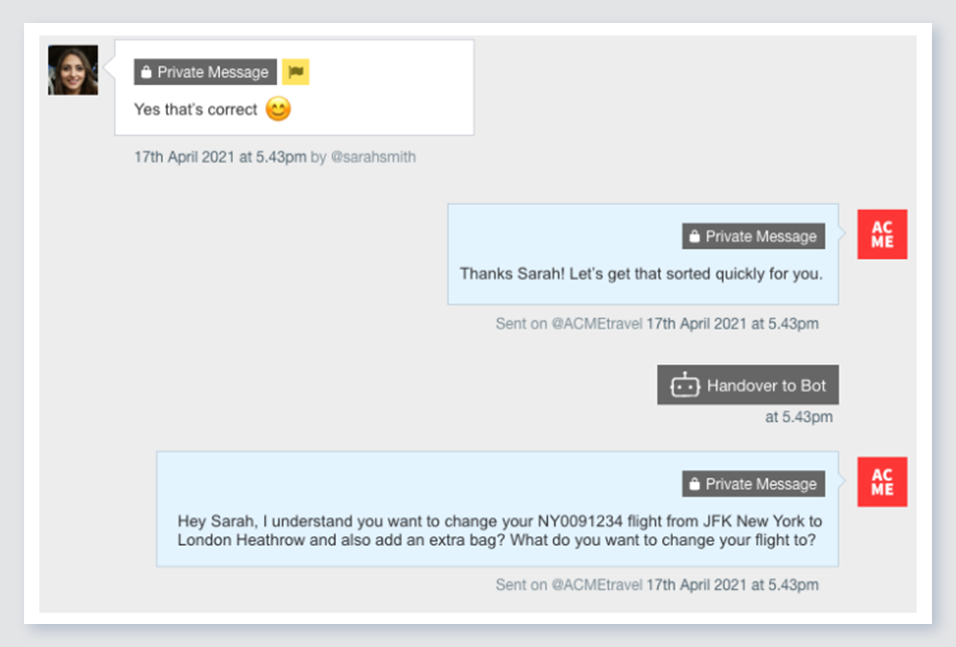
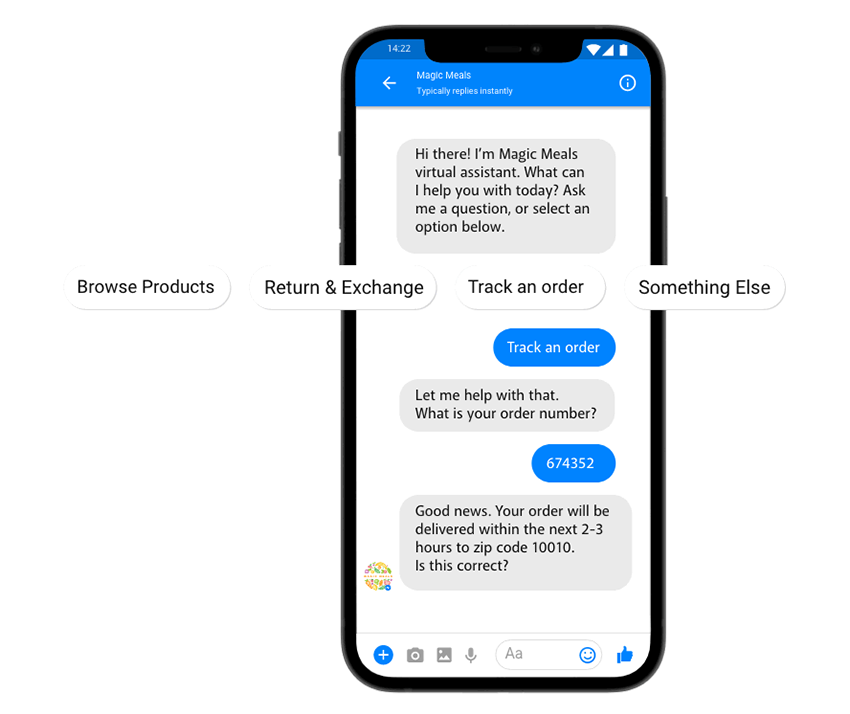
Verint Channel Automation is a social customer service software that enables companies to engage in large volumes of social media conversations with their customers. The cloud-based software combines intelligent prioritization with team management workflows.
I'll answer the second one because I mean, the first one I don't have an issue with. The second scenario is we oftentimes have the need to spin off very small campaign style sites or sites that generate leads but are unbranded and that sort of thing. So that's hard to do in AEM because you have to then create another organization within AEM to do that. And we're talking about sites that are maybe five to 10 pages in size. So we've been investigating Edge, but then that's a different workflow, so we'd have to train people on that. So it would be nice if there was something within the AEM structure that could allow you to do something very similar to Edge, where you make some small micro sites that are not necessarily branded, that you could still host within the platform and not have to retrain everybody on a completely different platform.
A de minimis incentive was given to thank the reviewer for their time. The incentive was not used to bias or drive a particular response, nor was the incentive contingent on a positive endorsement. TR verified that a representative sample of customers was invited. More Info
From experience, you may ask the Conversocial team to make recommendations on licenses for larger vs. smaller social customer service teams. The need for support and the amount of usage you may get from the tool's robust offering may differ as a result of those precedents. The tool is adaptable in both scenarios it would seem.
It allows us to scale so that we can make a change on a global footer. And it applies to all of the different property websites. It allows us to set up components and compartmentalize things in a way. The big thing is that it's scalable. And then it also ties into Adobe Analytics and other Adobe products. So we are a complete Adobe shop. Every Adobe product that we can use, we use. I don't think we do it for marketing so much, but for doing target testing and analytics, data scientists are using the same product and so it all speaks.
A de minimis incentive was given to thank the reviewer for their time. The incentive was not used to bias or drive a particular response, nor was the incentive contingent on a positive endorsement. More Info
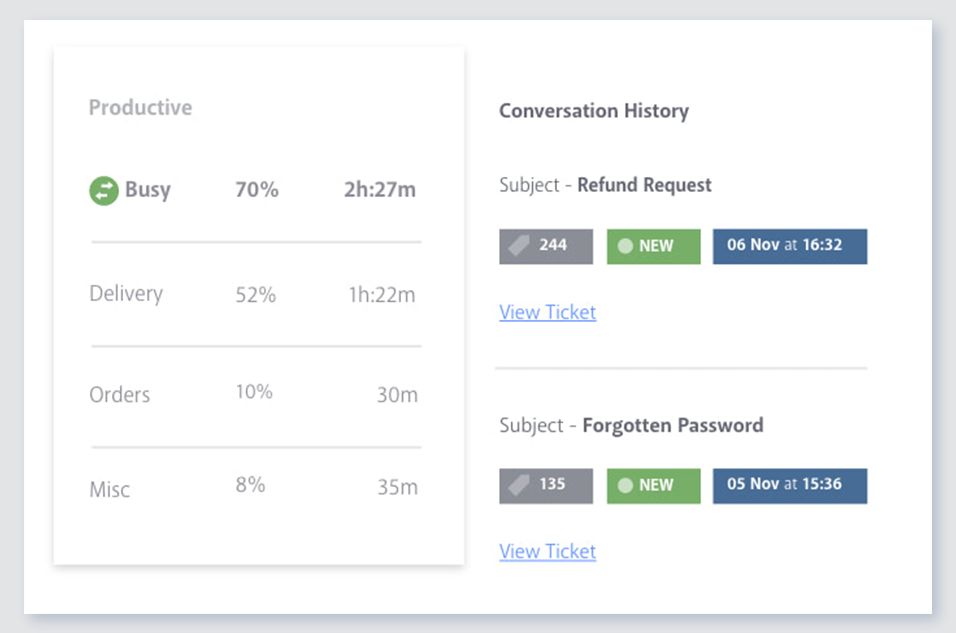
Previous conversations: This is one of the main reasons why I personally love Conversocial over Hootsuite and other social media engagement tools. Conversocial pulls in all previous interactions we've had with community members and it helps us identify if we've already addressed their problem, if they are a detractor/advocate, and so much more. With other engagement tools, it's frustrating as a community member may repost the same thing over and over again, but at different time periods. If you're unable to see what someone has said in the past, we may waste our time replying to the same thing multiple times, or we also risk responding with the same general advice, when we could try a different approach.
Tags and filters: Conversocials use of tags and filters are extremely simple to use. They have shortcuts which help you easily assign a tag to an item and then you can easily pull up each of those tags within Conversocial itself or your can open up an external report. If my team is in a hurry and wants to quickly see a certain tag, we can use the filter option and within seconds we have all the information we need.
Simple shortcuts: Conversocial has several shortcuts that save my team a lot of time. One single button on my keyboard can apply sentiment and archive something so it's out of my way. I can also use shortcuts to apply a tag, assign an item, and do other tasks. It may seem like a small benefit but each second saved really adds up throughout each day and week.
Communication: As we know, technology has issues and every tech issue Conversocial has experiences has been handled extremely well. I've never encountered any issues contacting Conversocial, we're always notified when they are working on a solution and once the problem has been fixed. We also receive random pop-ups within Conversocial to notify us of known issues before our team experiences them, and when there is a new feature that we should be aware of. Their communication is always on point and it's great to know that we can always rely on them.
A de minimis incentive was given to thank the reviewer for their time. The incentive was not used to bias or drive a particular response, nor was the incentive contingent on a positive endorsement. More Info
There are some glitches in permissions inheritance that require us to toggle a save on permissions in groups that inherit from a group that was recently updated.
Large packages require stopping the workflow launcher OSGi components or many workflows will slow down the server.
Locked pages are hard to find unless I use /siteadmin... I often hear that the CQ tools will go away, but if we lose that, some small things might be harder to do, like finding locked pages.
A de minimis incentive was given to thank the reviewer for their time. The incentive was not used to bias or drive a particular response, nor was the incentive contingent on a positive endorsement. More Info
I would like to see an improvement in the reporting dashboard which is something I mentioned to Josh (the CEO) on a call back in April. He said that it is something they are working on but to remember that this is truly a customer service social media platform so some of the features that I would like to see may not fit well with the users of the product.
A de minimis incentive was given to thank the reviewer for their time. The incentive was not used to bias or drive a particular response, nor was the incentive contingent on a positive endorsement. More Info
We had and still have a fantastic experience using Adobe CQ. Lots of flexibility, great integration with other Adobe products we already use and a powerful technology make it a great fit for our corporate environment. Also as the community grows, it makes it easier to network with other developers and users to get new ideas on how to continue to get the best out of the software.
The only two reasons we would not continue using Conversocial are it's lack of comprehensive analytics and its lack of Radian6's categorization tools. Tags make up for the categorization pretty well, however, and we're considering switching everything over to this now that we've tested tags for a couple months within Conversocial. (I previously wrote that Conversocial lacks support for some social channels like Instagram, LinkedIn, and YouTube, but they have now added Instagram and YouTube.)
Adobe Experience Manager overall is fairly easy to use and caters to a wide range of users when it comes to their technical abilities. It has the flexibility to enable UI/UX designers to pop in and easily design new content with drop in components. It also has sufficient capabilities for those who are more technically inclined and want to dig more into custom code or solutions
A de minimis incentive was given to thank the reviewer for their time. The incentive was not used to bias or drive a particular response, nor was the incentive contingent on a positive endorsement. TR verified that a representative sample of customers was invited. More Info
Because of the number of features it offers and the manner in which they're presented. I've explored a number of other tools that just don't do it as well. When sorting through and responding to hundreds of social media messages each day, the number of clicks it takes to do something really matters. Conversocial does a great job of minimizing clicks and presenting the data we need without having to click to find it
Being part of Adobe Suite means you are already notified when the tool has any outages. However, I have never faced unplanned outages. Whenever you face any issue with the site, it is clearly stated if there were any planned outages and how quickly you will be back to normal. So, I will say that even the outages are planned and managed in a great way like their other services.
A de minimis incentive was given to thank the reviewer for their time. The incentive was not used to bias or drive a particular response, nor was the incentive contingent on a positive endorsement. More Info
With respect to performance, Adobe experience manager is one of the best in the CMS space. We didn't observe frequent slowness on platform, however the systems which are accessing experience manager should be of good specifications without which slowness would be observed. Adobe experience manager works well in integration with other solutions, unless the destination application is designed to trigger frequent calls to AEM.
A de minimis incentive was given to thank the reviewer for their time. The incentive was not used to bias or drive a particular response, nor was the incentive contingent on a positive endorsement. More Info
Adobe Experience Manager, in all its capacity, is a great alternative to any other CMS you are using. It helps in rapid development and makes life easier for maintaining the website for multi-language sites. Technical know-how is eliminated at content authoring. Better documentation in terms of live examples with videos would be appreciated.
A de minimis incentive was given to thank the reviewer for their time. The incentive was not used to bias or drive a particular response, nor was the incentive contingent on a positive endorsement. TR verified that a representative sample of customers was invited. More Info
Our account rep at Conversocial has set up a call with me every two weeks to check in, talk about new features, or answer questions. I know I can email or call her for help anytime. Their support team also responds quickly.
Comprehensive training in all aspects of the software and general usages (including social media) for both agents and managers. Simulation workshops really made the live deployment process very smooth.
Depending on your individual needs, It is really quite simple to create an authoring experience for a website that looks really good. I have been part of many implementations and many teams and have seen many projects that were super successful and others that were not implemented well. AEM has room for a lot of flexibility in the implementation process compared to other CMS like SharePoint
SSO is one fits all, so we don't have to have a separate SSO for each application of Adobe The integration with Analytics works perfectly and bring directly value really quickly Target remains more complicated to set up, but can also bring a lot of value once integrated with the rest of the Adobe platform The fact that the solution is Cloud services is also a big advantage for maintenance
A de minimis incentive was given to thank the reviewer for their time. The incentive was not used to bias or drive a particular response, nor was the incentive contingent on a positive endorsement. TR verified that a representative sample of customers was invited. More Info
Early on we did comparisons with Hootsuite and later with Adobe. While they have similarities, the difference at the time and likely currently, was the personal interest and general accessibility of Conversocial's platform and people. The combination of an effective CRM solution and a team that was readily available to help proved to be the winning formula for our business.
Instead of being directly involved in the tool purchase, I am involved in analysis or what we can use to maximize the tool. Small organizations may find it expensive. However, if the team or organization focuses more on your ROI or the features you will get, then it will definitely be worth it. Pricing is based on a number of factors, including team size or the use of the tool. The user can select the pricing option that best fits their needs based on the number of form submissions they make or the number of pages they wish to publish on their global/multisite sites.
A de minimis incentive was given to thank the reviewer for their time. The incentive was not used to bias or drive a particular response, nor was the incentive contingent on a positive endorsement. More Info
The professional services team within adobe is one of the best in terms of technical and solutioning knowledge. However, considering the billing charges of adobe professional services team, it is always recommended to involve them during platform initial setup or when a complex solution is to be built with platform customizations.
A de minimis incentive was given to thank the reviewer for their time. The incentive was not used to bias or drive a particular response, nor was the incentive contingent on a positive endorsement. More Info
too soon to tell on increased conversion rates based on external marketing factors in play but having increased visibility into customer engagement trends will most likely lead to improvement of our conversion rates.
There have been productivity gains from the perspective of actually migrating all of our externally managed sites to the same in-house Adobe Experience Manager platform and then being able to utilize those universal components.
A de minimis incentive was given to thank the reviewer for their time. The incentive was not used to bias or drive a particular response, nor was the incentive contingent on a positive endorsement. TR verified that a representative sample of customers was invited. More Info
One of the biggest benefits we are seeing is that we have reduced the number of post-holiday complaints coming into head office. Since we are responding to issues and concerns as they arise, we can impact overall customer satisfaction.
The efficiencies gained from using a centralized platform for managing the response process has enabled us to reduce our team by 50%.
We can track that we are responding to a fan's first message within 30 minutes.
We can track the number of messages each user engages with.
We can see the most effective times of day to post and reply.