Adobe Marketing Cloud is a suite of products including analytics, social, advertising, targeting and web experience management. It comprises foremost the popular integrated web content management and digital asset management (WCMS / DAM) solution Adobe Experience Manager, Adobe Campaign's cross-channel campaign management and marketing resource management capabilities (based on technology acquired with Neolane in 2013), the Adobe Audience Manager data management platform, analytics, and other…
N/A
Woopra
Score 3.0 out of 10
Enterprise companies (1,001+ employees)
Woopra provides real-time customer analytics. It begins by tracking users across digital touch points (website, mobile app, help desk, marketing automation, etc.) and building a comprehensive behavioral profile for each user. These Customer Profiles are Woopra's building blocks, which are used to generate custom analytics reports, funnel analytics, retention analytics, and more.
If you have a rather large budget and/or several clients to take advantage of the AMC, you would likely benefit from its all-in-one solutions. There are a myriad of excellent tools for digital marketing professionals to take advantage of within the suite, and creating a campaign becomes much more manageable for collaboration and execution through to reporting thanks to the suite's vertically integrated nature.
My rating of Woopra is the absolute best possible. I would recommend them to anyone looking for an analytics website that prefers a visual interface and a beautiful design. I have not encountered any problems using their app -- ZERO! Their integration with other marketing software, such as MailChimp, helps our company zero in on our marketing campaigns and gives us the information we need to make better choices. I LOVE Woopra and think they are the best out there! I have used other websites and there is no comparison!
Content Analysis - Between the Pages report and the participation metrics which show what percentage of conversions a page was involved with, you get an excellent analysis of what content is important and effective, and what is not. With the ability to add up to ten metrics side by side, drill downs, and power tools like Ad Hoc Analysis, you will know exactly where you need better content.
Pathing - Adobe Analytics captures every single path of every single visit of every single visitor and puts it at your fingertips. There are tools to aggregate common paths so you find out how frequent they are, lots of good page flow reports, and tools to pick out specific paths that will keep you from being overwhelmed. This has been absolutely invaluable to us as we have learned about how our customers are using our sites and which paths are leading to exits rather than converions.
Customization - There are so many custom metrics and dimensions you can add and you can create segments based on all of them, along with the out of the box metrics and dimensions. You truly get an implementation that is specific to your company, your needs, your strategy, and your site.
Woopra tracks *individual users and customer accounts*. It cannot be understated how important this is. Google Analytics and other low cost solutions only sample users and provide aggregate data. For enterprise sales, this is critical. Likewise, for product managers trying to segment product usage by types of accounts, this is incredibly useful.
Woopra updates user analytics in real time. This is critical in a sales context as you want to be able to follow up quickly on opportunities. Likewise, it is useful for customer success as they can see usage in real time for an individual they are supporting.
Woopra has the most turnkey integrations of any web analytics solution on the market. By far the most useful are Marketo, SalesForce, and Slack, but there are several more we didn't tap into. While any solution worth its salt has an API, Woopra's integrations usually require a login and/or API key, and you are good to go. Here is the current list: https://www.woopra.com/appconnect/.
Woopra enables B2B product managers to track product and feature usage by revenue, not just clicks. Again, in a B2B context, this is critical, as there are high-value users and low-value users. Knowing the difference is critical.
Woopra's implementation is super simple. We were able to set it up with a couple of hours of one frontend developer and some help from our product intern.
Customer services could be improved for smaller clients. Adobe Marketing Cloud provides great support for most of its customers, however, it may not work well enough for smaller engagements.
Adobe could offer multiple price options based on the usage, which is missing at the moment.
Although a powerful tool, Google Analytics has been catching up in capabilities and is much simpler to use. As analytics move to the spotlight, more sections in a company want to have access to it. However, creating straightforward reports/dashboards and sharing them with different groups is not a strength of Adobe Marketing Cloud.
We just really like the tool. There are lots of us using it internally... from Product, to marketing, to customer service, to optimization team, to traffic acquisition, to Executives. Really helps us answer questions about how well things are going, and what is not going well.
The UI and reports are great overall. Creating reports just requires a few too many screens and clicks. Also dashboard tiles can't be resized. Both of these are easy items that are being addressed
Compared to other products, the support was a small effort. We only had part time contributions from a product management intern and front end developer.
I would say it is the leader in the industry and was easily the number one choice in two of the three places I have implemented a marketing automation platform. Hubspot is its closest competitor and ended up being the better choice for a membership association but the Adobe product can doo all the things and do them well. Just make sure you get all the discounts available before closing the deal.
Woopra is much easier to setup and use than Google Analytics. I've spent hours trying to create custom reports in Google Analytics. Woopra does not take this much time to get solid reporting for our site. If you need something that tracks marketing efforts then Google Analytics will likely be a better fit.
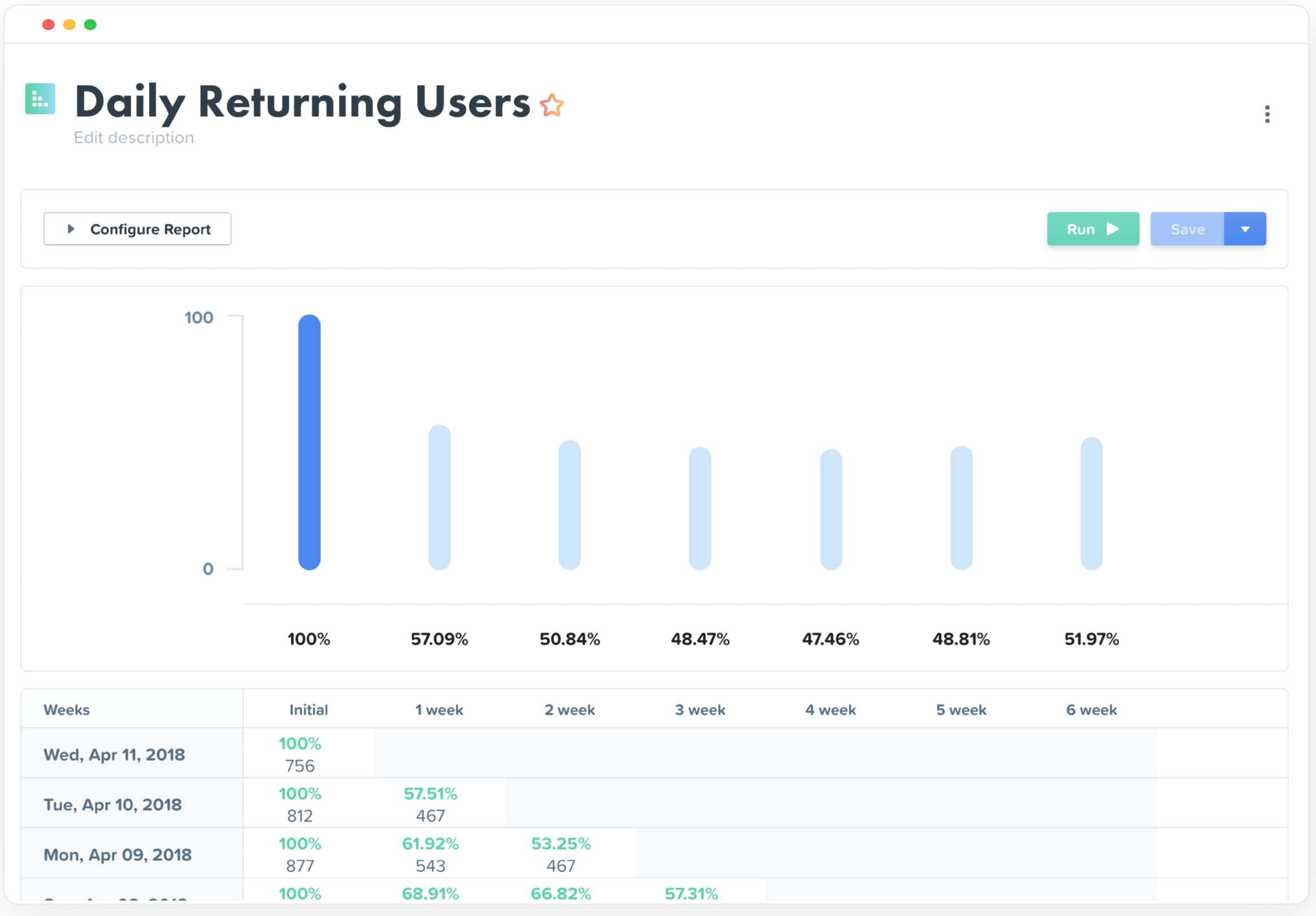
Really helped us begin to segment our users based on their engagement and retention.
Helped increase retention by about 1.5% after about 5 months of implementation (don't shoot the messenger if your team can't implement that quickly).
I felt like it had great potential to create a pipeline between sales and the CSM, but I had trouble getting the sales team to implement it properly as they had their noses deep in calls and emails (they struggle entering notes in SalesForces as well, so it's more a company specific problem).