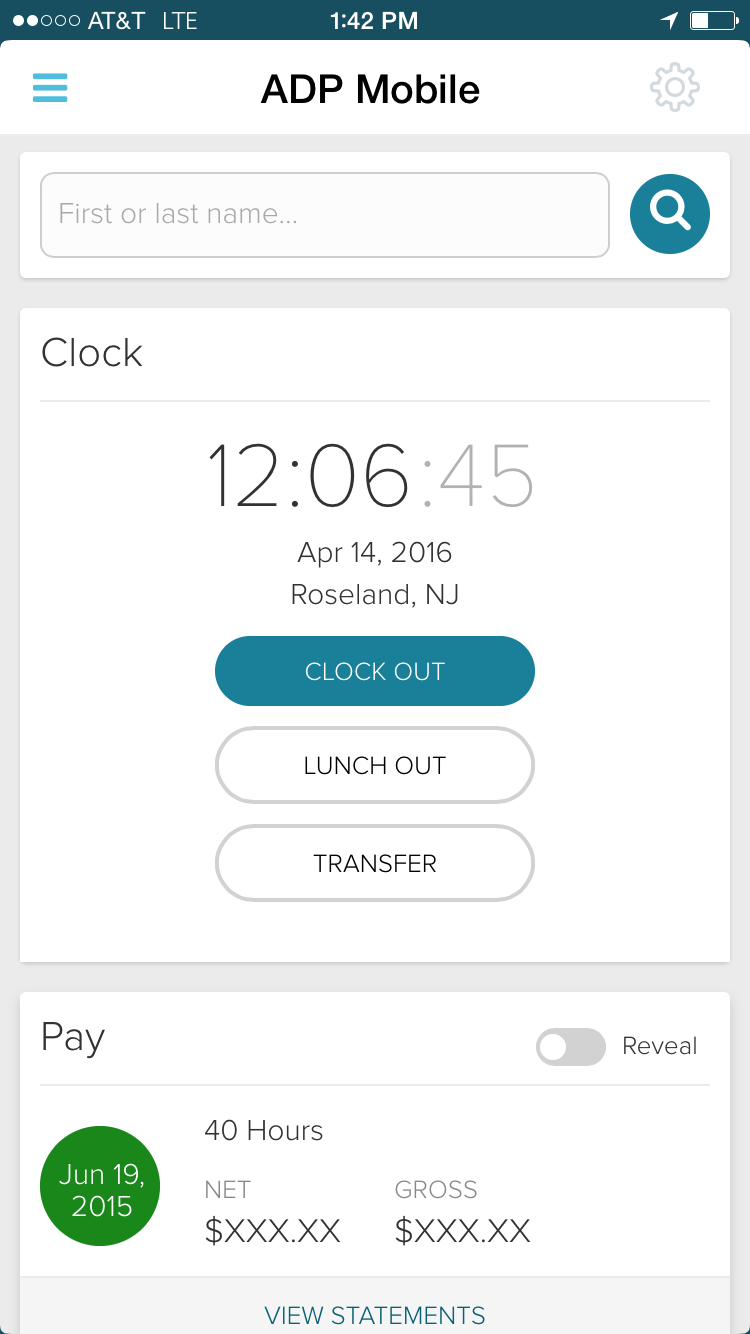
ADP Workforce Now is a cloud-based HR platform for mid-sized businesses. It features customizable modules of various HR services that businesses can tailor to their specific needs, as well as regulatory monitoring and alerts to help businesses remain compliant.
N/A
LinkedIn Learning (Lynda.com)
Score 8.1 out of 10
N/A
Lynda.com (now offered as part of LinkedIn Learning) is an elearning course library acquired and now supported by LinkedIn in May 2015.
N/A
Pricing
ADP Workforce Now
LinkedIn Learning (Lynda.com)
Editions & Modules
Essential
Contact sales team
Enhanced
Contact sales team
Complete
Contact sales team
HR Pro
Contact sales team
Payroll Essentials
Contact sales team
HR Plus
Contact sales team
Hiring Advantage
Contact sales team
Performance Plus
Contact sales team
No answers on this topic
Offerings
Pricing Offerings
ADP Workforce Now
LinkedIn Learning (Lynda.com)
Free Trial
No
No
Free/Freemium Version
No
No
Premium Consulting/Integration Services
Yes
No
Entry-level Setup Fee
Required
No setup fee
Additional Details
Please contact ADP for a product demo and ask about a hands-on "test drive" of Workforce Now.
To be perfectly frank, the payroll side of this solution works and our payroll person is happy. I went back to ADP because of the pressure from our finance team and have regretted it everyday. It is horrible. I have used UltiPro and Paylocity and I recommend UltiProp all day, …
LinkedIn Learning (Lynda.com)
No answer on this topic
Features
ADP Workforce Now
LinkedIn Learning (Lynda.com)
Human Resource Management
Comparison of Human Resource Management features of Product A and Product B
ADP Workforce Now
7.8
1072 Ratings
4% below category average
LinkedIn Learning (Lynda.com)
-
Ratings
Employee demographic data
8.5947 Ratings
00 Ratings
Employment history
8.3988 Ratings
00 Ratings
Job profiles and administration
8.2938 Ratings
00 Ratings
Workflow for transfers, promotions, pay raises, etc.
7.5964 Ratings
00 Ratings
Organizational charting
7.2676 Ratings
00 Ratings
Organization and location management
7.6740 Ratings
00 Ratings
Compliance data (COBRA, OSHA, etc.)
7.1680 Ratings
00 Ratings
Payroll Management
Comparison of Payroll Management features of Product A and Product B
ADP Workforce Now
8.0
1085 Ratings
2% below category average
LinkedIn Learning (Lynda.com)
-
Ratings
Pay calculation
9.01045 Ratings
00 Ratings
Support for external payroll vendors
7.8414 Ratings
00 Ratings
Off-cycle/On-Demand payment
8.2336 Ratings
00 Ratings
Benefit plan administration
7.5825 Ratings
00 Ratings
Direct deposit files
9.01032 Ratings
00 Ratings
Salary revision and increment management
7.3813 Ratings
00 Ratings
Reimbursement management
7.5498 Ratings
00 Ratings
Leave and Attendance Management
Comparison of Leave and Attendance Management features of Product A and Product B
ADP Workforce Now
8.0
890 Ratings
2% below category average
LinkedIn Learning (Lynda.com)
-
Ratings
Approval workflow
7.7810 Ratings
00 Ratings
Balance details
8.1844 Ratings
00 Ratings
Annual carry-forward and encashment
8.1686 Ratings
00 Ratings
Employee Self Service
Comparison of Employee Self Service features of Product A and Product B
ADP Workforce Now
7.8
1064 Ratings
5% below category average
LinkedIn Learning (Lynda.com)
-
Ratings
View and generate pay and benefit information
8.41026 Ratings
00 Ratings
Update personal information
8.51015 Ratings
00 Ratings
View company policy documentation
8.0819 Ratings
00 Ratings
Employee recognition
6.5386 Ratings
00 Ratings
View job history
7.732 Ratings
00 Ratings
Asset Management
Comparison of Asset Management features of Product A and Product B
ADP Workforce Now
6.0
12 Ratings
29% below category average
LinkedIn Learning (Lynda.com)
-
Ratings
Tracking of all physical assets
6.012 Ratings
00 Ratings
HR Reporting
Comparison of HR Reporting features of Product A and Product B
ADP Workforce Now
6.9
988 Ratings
9% below category average
LinkedIn Learning (Lynda.com)
-
Ratings
Report builder
7.6971 Ratings
00 Ratings
Pre-built reports
7.2966 Ratings
00 Ratings
Ability to combine HR data with external data
5.7575 Ratings
00 Ratings
Onboarding
Comparison of Onboarding features of Product A and Product B
ADP Workforce Now
7.3
150 Ratings
9% below category average
LinkedIn Learning (Lynda.com)
-
Ratings
New hire portal
7.6146 Ratings
00 Ratings
Manager tracking tools
6.9118 Ratings
00 Ratings
Performance and Goals
Comparison of Performance and Goals features of Product A and Product B
ADP Workforce Now
6.8
335 Ratings
17% below category average
LinkedIn Learning (Lynda.com)
-
Ratings
Corporate goal setting
6.9261 Ratings
00 Ratings
Individual goal setting
6.6313 Ratings
00 Ratings
Line-of sight-visibility
6.8258 Ratings
00 Ratings
Performance tracking
7.0308 Ratings
00 Ratings
Performance Management
Comparison of Performance Management features of Product A and Product B
ADP Workforce Now
6.5
432 Ratings
19% below category average
LinkedIn Learning (Lynda.com)
-
Ratings
Performance plans
6.5389 Ratings
00 Ratings
Performance improvement plans
6.2332 Ratings
00 Ratings
Review status tracking
6.2392 Ratings
00 Ratings
Review reminders
7.0408 Ratings
00 Ratings
Multiple review frequency
6.5341 Ratings
00 Ratings
Succession Planning
Comparison of Succession Planning features of Product A and Product B
ADP Workforce Now
6.0
7 Ratings
26% below category average
LinkedIn Learning (Lynda.com)
-
Ratings
Create succession plans/pools
5.86 Ratings
00 Ratings
Candidate ranking
5.86 Ratings
00 Ratings
Candidate search
6.37 Ratings
00 Ratings
Candidate development
6.26 Ratings
00 Ratings
Recruiting / ATS
Comparison of Recruiting / ATS features of Product A and Product B
ADP Workforce Now
5.7
445 Ratings
31% below category average
LinkedIn Learning (Lynda.com)
-
Ratings
Job Requisition Management
7.0389 Ratings
00 Ratings
Company Website Posting
6.6381 Ratings
00 Ratings
Publish to Social Media
4.5305 Ratings
00 Ratings
Job Search Site Posting
6.0341 Ratings
00 Ratings
Duplicate Candidate Prevention
2.38 Ratings
00 Ratings
Applicant Tracking
6.7384 Ratings
00 Ratings
Notifications and Alerts
6.9404 Ratings
00 Ratings
Learning Management
Comparison of Learning Management features of Product A and Product B
ADP Workforce Now
-
Ratings
LinkedIn Learning (Lynda.com)
7.6
13 Ratings
12% below category average
Course authoring
00 Ratings
6.412 Ratings
Course catalog or library
00 Ratings
8.613 Ratings
Player/Portal
00 Ratings
8.712 Ratings
Learning content
00 Ratings
9.213 Ratings
Progress tracking & certifications
00 Ratings
8.613 Ratings
Learning reporting & analytics
00 Ratings
7.612 Ratings
Social learning
00 Ratings
5.410 Ratings
Gamification
00 Ratings
6.14 Ratings
eLearning Content
Comparison of eLearning Content features of Product A and Product B
The ease in which you can process payroll and year end (T4s). Ability to maintain payroll - enter upcoming changes (e.g. pay raises for a certain date) ahead of time. While we don't use it in my current company, in past ones the time & attendance integration with timesheets is fabulous. Our company uses a 3rd party scheduling & timesheet platform which also integrates with one click but is a little more work to maintain time off balances within ADP Workforce Now. We use the 3rd party platform (Evolia) for scheduling and timesheets as the management here wanted the ability to see salaried employees on site, have a chat feature, and some self-management on the employee side with the ability to swap shifts.
I've learned hundreds of software applications over the last several decades, and trained teams in offices and one-on-one. At one point, books and trade magazines were a great way to get up to speed with an application, but they've become less and less effective for getting started. Video lessons have some strengths; you can get a rapid overview of a program's capabilities and watch an experienced user using its tools efficiently. On rare occasions they'll even point out bugs that could trip you up, but I wish instructors shared more of those issues. However, it takes a very self-motivated learner to sit through training sessions. Most people don't fit that category, and a subscription may end up gathering dust like a pandemic gym membership. My account is sometimes dormant for months, but then I'll be watching lessons continually the following month. I've often wondered if it was worth it for that reason. I have some friends that voraciously devoured class after Lynda.com class, and built successful careers on that training. But many others never use their account. It's helpful to consider whether you're a self-motivated learner. If not, it may not be the best format for you. More complicated software often can't be adequately introduced in a several-hour-long series of videos. I found Final Cut Pro (7) hard to learn online, also Logic Pro. Other somewhat complicated programs like DVD Pro were a snap to learn, and I learned a lot about PHP and Actionscript programming from Lynda.com. Some web and graphics software is exceptionally explained by real experts, such as Lynda's Photoshop classes, which are the best I've seen on that subject. Many of her web production courses will take you every step along the way to creating your own website, even if you haven't coded before. Adobe and Apple have both published similar project-based tutorial classes in book form, and I think they're a bit more polished, but the video instructor can help move you along through all the content more easily. Learning software seems to work better from an online video than a book these days; it's helpful to already be sitting at the computer where you're able to try everything out as it's explained. Most people don't seem to retain software principles unless they're trying them while learning. A bad instructor can make it difficult to sit through a video class. Lynda.com and others generally have a large variety of content creators, so you're not as limited with instructors as you might be at a University, where the same instructor may teach several related applications. Departmental faculty may have much more targeted and creative applications for your software though, while paid corporate software training can be mind-numbingly bad. Continuing ed classes that I've taken usually seemed to just focus on learning the tools in a software product. They often don't or even can't show you how to apply the software for your purposes as full time faculty at a University might. Some Lynda.com instructors weren't great, but most seemed a cut above the continuing ed and corporate software trainers I've learned from or contracted. The majority of the classes seemed to apply the software for an impressive final project. Redundancy is a real drawback among the online lessons. Often the advanced classes repeat many of the concepts from the introductory "Essentials" courses. If you know an earlier version of an application and just want to learn new features, a book may be a faster route to your goal. I originally suggested the "New Features" lessons that Lynda began to offer for updated releases, and I think they're especially helpful. It's much harder to skim through a video than a page of text, so I'd anticipate having to complement your Lynda.com lessons with other instructional materials. Lynda.com didn't have as many of the "fluff" courses that LinkedIn is now offering. These titles read like articles from Cosmo. They might be better served to offer "How to respond to a connection request from a recruiter who works in a field completely unrelated to you."
Industry expert authors/instructors - you're learning from people with pedigree.
Breadth and depth of catalog - not only is there a wide range of topics and disciplines, but there are frequently several levels of depth within each (eg. Beginner, Intermediate, Advanced).
Time needed to complete each course AND each section of a course are included - you know what you're getting into from the first click.
Due to the lack of support from the sales and service center we are looking at other options outside of ADP. Again it is a good system, it just lacks the support it deserves from the company employees. It is just unimaginable that you will need to reach out to a service provider several times for the same issue and not get it resolved.
It can help all employees learn to strengthen current skills or to learn new skills and then can learn to excel in their current department or they learn a new skills in a new department creating interconnection and cross-departmental value in a company.
I would give it a 10 however I do not like when ADP does facelifts in Workforce Now which does not add any value other than having to relearn navigation. I am also not a big fan of being forced to refer to the Bridge. We have Google which gives the same results. If I understood the answer I would not contact our Account Rep.
The platform is very easy to use and navigate, the content is clearly itemised via the Contents section and the video playback speed can be adjusted. It's also useful to have optional captions (I always use them) and a transcript for accessibility purposes.
Overall, I think the functionality of the program works pretty well. Sometimes, certain browsers do not work well for the policy function of ADP, but that is the only issue thus far
Kelly La Rosa and Brian McLaughlin have been exceptional partners over the last few years and a tremendous source of support in my role. They are consistently solution‑oriented, highly responsive, and proactive in identifying opportunities to improve our processes. Both regularly brought forward thoughtful recommendations, including suggestions for new ADP products that aligned well with our evolving needs. Their expertise, reliability, and genuine commitment to client success have made a meaningful impact on my work and on our overall experience with ADP.
The technical team behind LinkedIn Learning (or Lynda.com) knows their job, and they usually solve problems very quickly. While I haven't had many run-ins with them (thus the low rating), I do find that when we call them, the problem gets resolved in a reasonable amount of time. The flip-side of this comment is that we never have needed to call them with a high-priority issue.
In-person training was pretty good - I think this significantly depends on the trainer. Our trainer was really good and showed what ADP can do - but I know that all trainers are not the same - and this truly makes such as difference. Overall, our training went pretty well.
At the time training was not as expansive as it is now. If it could go wrong it did for me so the process was difficult and lengthy. I needed to have more in person walkthroughs of things to ensure the transition was done correctly. Not sure what else I can say, we were part of the initial move to Workforce Now when it was introduced.
Either assign more than one specialist to the implementation process, or assign less clients to the implementation specialist. The process requires attention to detail and the ability to test and re-test as well as verify the information. It also requires a lot of back and forth between the client ant the implementation specialist, so they need to be readily available during the whole implementation process.
By implementation we are able to achieve 1.Skill improvement 2.Reduced burden on training staff 3.Learning new market leading technologies like Generative AI.
I also used UltiPro (way back -- it didn't even appear in dropdown). Recommend ADP Workforce Now above all others. Paycor and Paycom were both very clunky. I even helped implement Paycom and could never get it to work how the business needed it to.
Our organization has used different webinars, including ones on LinkedIn, to provide similar insight. But it's a totally different ballgame. Lynda.com offers in-depth tutorials rather than just a 2-hour video broadcast. With lynda.com there are more information and experts, as well as so many different courses fit for every need/want. There is also a lot more flexibility with lynda. You can take it on the go, watch on mobile and at anytime, rather than being tied to a certain time slot.
We have several departments that utilize the reporting, utilize the timecards and the system. We also have self service that is nice for all of our employees. This system allows us to designate what each group can see, and what employees can change, or who can clock in and out offsite
ADP WorkforceNow has provided a positive ROI for our company. It has saved me countless hours in the time I used to spend preparing reports, managing benefits, and annual enrollment, recruitment tracking, and much more.
The integration with Payscale has allowed our company to take every position in our organization and benchmark it to industries and job titles. This has allowed us to be more competitive on recruitment and retention.
We have used the new DE&I dashboard to provide valuable information on the landscape of our workforce, as well as areas of our organization that may not be as diverse.
I can't think of a negative impact that Lynda.com has when it relates to the extensive library of training software that is available to subscribers. I'm lucky that my job provides a free subscription for instructors. I use Lynda.com to hone in on my technical skills.