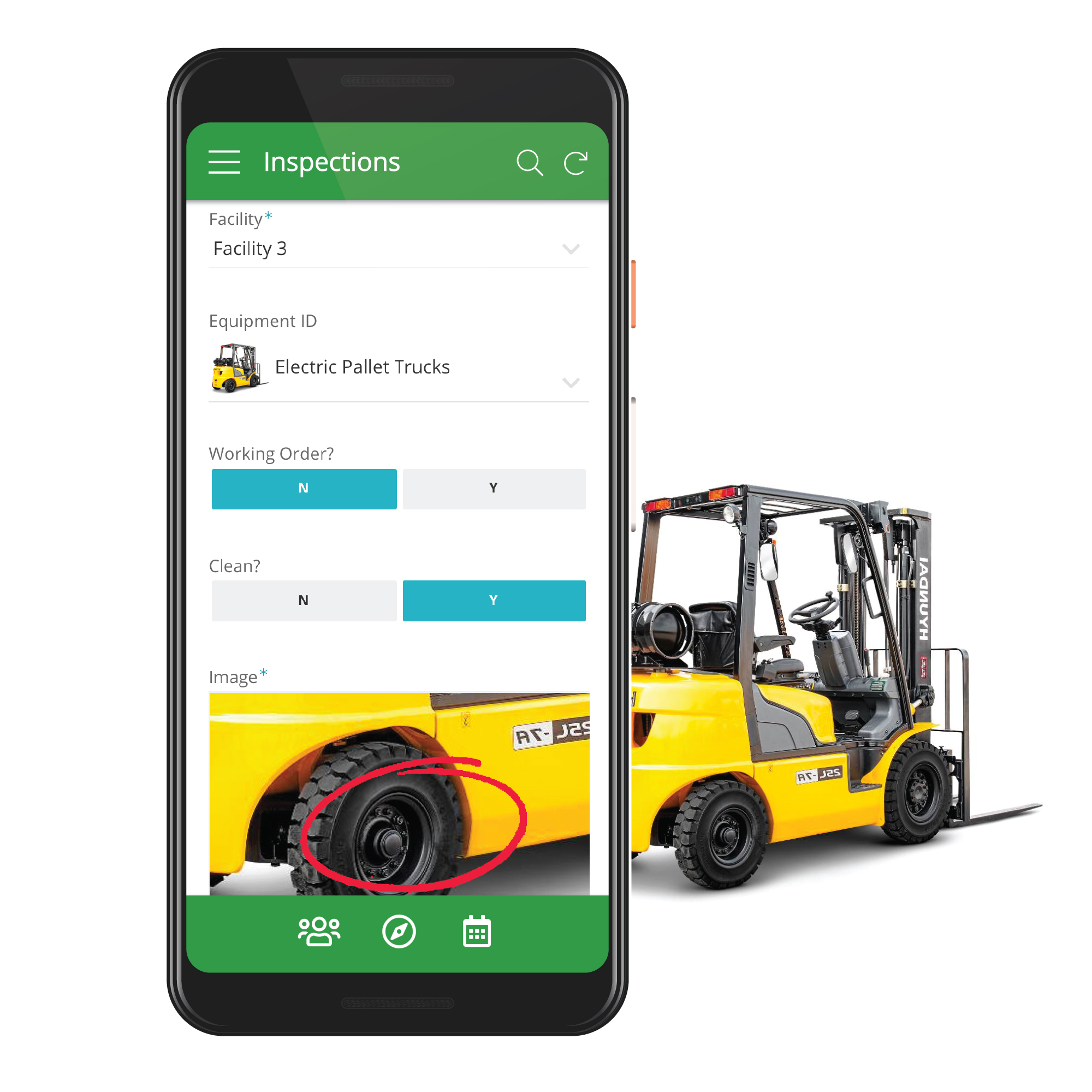
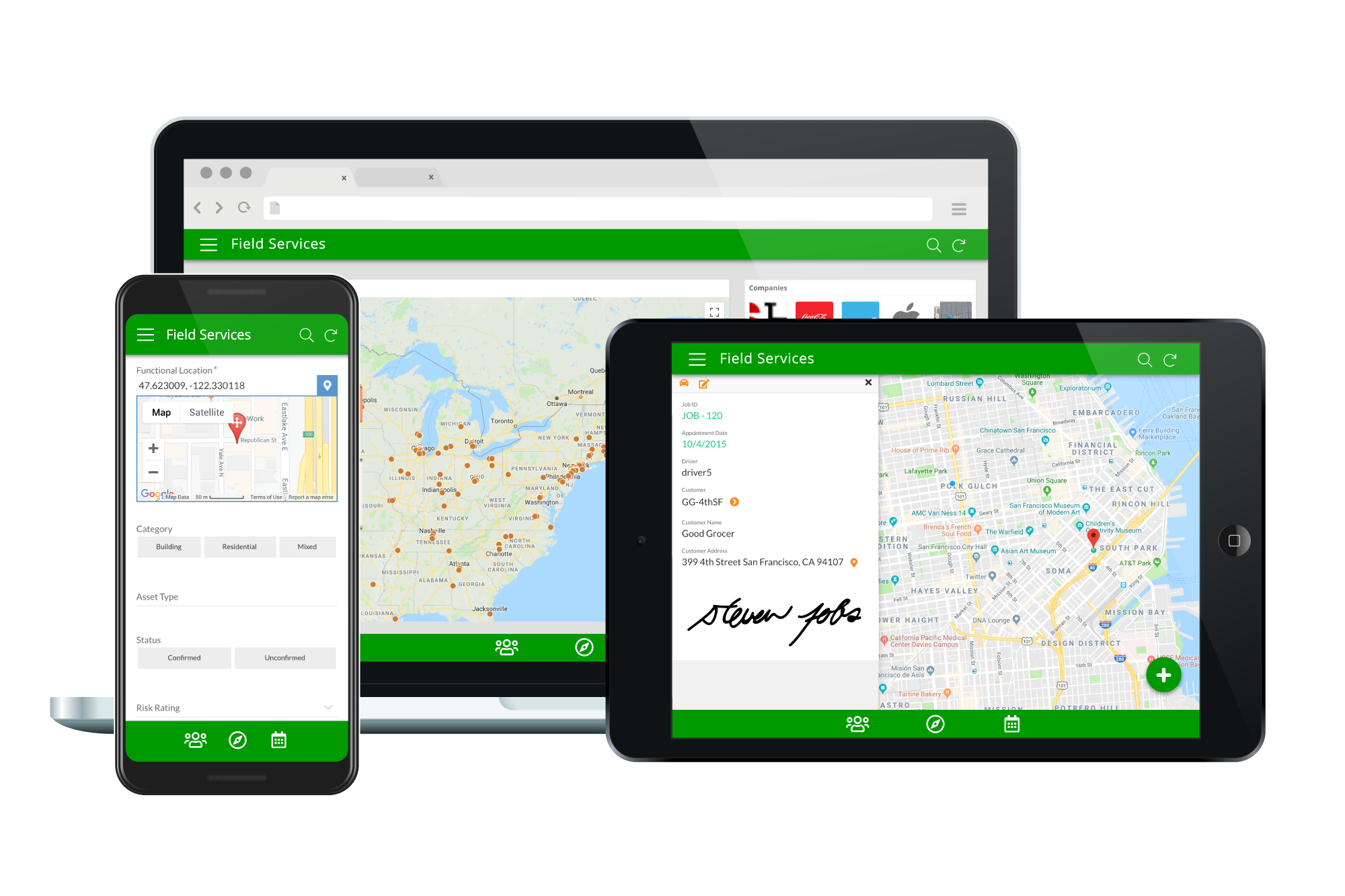
Acquired by Google in Spring 2020, AppSheet is an intelligent, no-code app platform for everyone. Users can create apps to transform the workplace. Common use cases include field service, transportation, customer surveys, incident reports, field data capture, compliance reports, delivery tracking, and property surveys. Used by the Fortune 500 & Industry Leaders Customers include Clearlink, Enterprise Holdings, ESPN, Pepsi, the University of Michigan, and the State of…
$5
per user/per month
Claris FileMaker
Score 7.6 out of 10
N/A
Claris' FileMaker is presented as a Workplace Innovation Platform, and is used to create a custom app. Manual processes can be automated with Claris FileMaker Pro, and apps can be created to manage contacts, track inventory, organize projects, etc.
$21
per month per user
Microsoft Access
Score 7.5 out of 10
N/A
Microsoft Access is a database management system from Microsoft that combines the relational Microsoft Jet Database Engine with a graphical user interface and software-development tools.
$139.99
per PC
Pricing
AppSheet
Claris FileMaker
Microsoft Access
Editions & Modules
Premium
$5.00
per user/per month
Pro
$10.00
per user/per month
Business
Contact sales team
Enterprise
Contact sales team
Platform Subscription
$21
per month per user
Individual desktop license
$594
one-time fee
Microsoft Access
$139.99
per PC
Offerings
Pricing Offerings
AppSheet
Claris FileMaker
Microsoft Access
Free Trial
Yes
No
No
Free/Freemium Version
Yes
No
No
Premium Consulting/Integration Services
Yes
No
No
Entry-level Setup Fee
No setup fee
No setup fee
No setup fee
Additional Details
Personal apps and prototype are always free to build. Don't pay until you're ready to deploy.
What can I do for free?
Use the complete set of AppSheet features for free while building one or many app prototypes (for as long as you like). Invite up to 10 users for free to use your apps & share feedback.
How do Business Subscription pricing work?
Business Subscriptions enable a suite of performance & management features for organizations with cross-departmental app creators, and pricing is based on each unique requirements. Connect with the AppSheet team at solutions.appsheet.com/contact to learn more.
I have done a lot of software development and have made several programs that can input data into Microsoft Excel and then process the data for integration into ERP solutions. In doing this IT development work I have made several web sites and updated several others. I also …
MYOB has great accounting features but doesn't have the customisability or features to create the business management system that will do what you want it to do. Using a FileMaker Pro solution for business management and MYOB/XERO for the accounting is a great combination.
I chose FileMaker over a custom DB with Azure and SQL Server because of the low code nature of FileMaker. And we needed ease of access with Apple products so we didn't use Microsoft Access.
I've used Microsoft Access, and it doesn't compare to Filemaker. The Filemaker software system is robust and had the ability to expand and work with other programs. I have a small business, and I can say that for a small to medium sized business, I do not think there is a …
Access is very complex leading to longer deployment, more user training, and therefore higher costs. Caspio is decent but quite limited in its native ability.
FileMaker Pro is the chaotic, cumbersome and non-integratable little sibling of MS Access. And even MS Access can't be taken serious in a medium sized company. FileMaker Pro can not even be compared to serious products like OutSystems and Sitecore. It's also not free... whereas …
I am now using WORKetc for my CRM, and there are more benefits to me and my business using this software than using FileMaker Pro. WORK Etc Benefits: CloudBase, App, Email Response Update Project Automatically, Invoicing, Reports, Tags, Some quick add features Work Etc. Cons: …
The most direct competitor to FileMaker Pro is Microsoft Access. If you understand the way Microsoft Access works, then you can probably get more functionality and features in Microsoft Access. With that said though, FileMaker is much easier to learn and develop in. I tried …
I used to work with Access some years ago, and liked the rigid structure. It had rules that were easy to adhere to, and once learnt, it was a powerful way to collect data.
When I discovered FileMaker, I had to completely unlearn what I had thought were the boundaries of data …
As compared to other tools, FileMaker is a more robust and backwards compatible tool. As a product is always has had a stability that is unseen. I have developed solution over the years that even after 15 years are still used and loved by customers. As compared to programming …
I compared FileMaker to Microsoft Access - and am so pleased I selected FileMaker - it was a clear choice to create a database - provide management tools within the database to some users and then give access to many users through the web interface. With Microsoft or other …
FileMaker was so much easier to use and much more flexible. I tried creating a database in access and just got frustrated. In the early 1990's my boss loaded FileMaker 2.0 on my computer & told me to see what I could do with it. With no formal programming training, I created …
FileMaker Pro focuses more on data collection in a single, flat file while Access allows for relationships to be drawn between data tables the reduces duplication. I have not worked with FileMaker Pro for several years but found it to be very unwieldy for my needs which were …
FileMaker is much more robust for sharing amongst users. However, Microsoft has proven useful in its availability to our user base as well as helping drive complex needs to a centralized solution.
If you need to manage special assets with unique characteristics and keep data in spreadsheets, Appsheet is ideal for replacing these sheets with a system. Once you start using it, you find yourself trying to move everything into Appsheet. It is perfect for generating internal software that would otherwise never be developed due to programming costs.
If your company is really small, I can understand the need for a product like this. However, I would go for MS Access... FileMaker Pro can not be integrated with other systems (like MS Access can at least be handled by C# for instance, and can be integrated with MS Excel or even SQL server). I'm really not sure in what scenario one would choose for FileMaker Pro. If your application or company grows bigger, you're going to have a problem to move to another environment. Also, the fact that only one person can work with the backend at any given time is a problem in a somewhat larger company.
As a Material Purchasing/Planning/inventory tracking application, Microsoft Access serves its purpose well. It's presentation is clean, data entry is simple and the ability to customize search fields is welcome. It does, however, come with some caveats; namely, when setting search filters and the need arises to back up a step or two, with Microsoft Access you have to reset, or "clear all", adding extra steps/time to a query.
Calculations - I have several apps that do some pretty complicated calculations, and decision making to build things like Shopping Lists for a Kanban assembly team, where the app will help a stocker determine whats low in a kanban assembly line stock box.
Document generation and record keeping - I have an app that users digitally sign and receive PDF contracts, and the system automatically records all records from the transaction. Everything is held in files on YOUR OWN DRIVE (Google Drive) so when you're done with the project or AppSheet you DONT loose your data.
Client/Customer Management - I follow the old school "Swimming with Sharks" model for client retention and customer engagement, and have built several small customer tracking tools for local businesses. This tool is limited ONLY by your imagine and desire to learn.
The relational database management system makes the program highly customizable to fit the needs of any product. You can add a ton of information to each record and update your inventory on a regular basis with an Excel import or manually inside of the record. It has the capability to incorporate barcoding, which can manage your available inventory with ease.
The scripting language allows FileMaker to automatically calculate complex algorithms automatically or generate report outs with the click of a button. This allows for greater UI, especially with active users who are not familiar with writing code. Almost all of our internal data is linked to the FileMaker database
The server license allows many users to update the database in real time, which is handy if your inventory is constantly changing. We have users with Macs, PCs, iPhones and handheld tablets linked to our FileMaker database and they are updating the information constantly throughout the day.
If you invest some time into formatting and scripting the database, there is a high ease of use for users without knowledge of any programming or FileMaker itself.
Once the tables / UX Views get way too many in number, it can become a little daunting to manage. This part of the UX may need something really smarter.
Ability to Undo.
Could provide more UI Look and Feel options. BTW, the new Graphs look great, but have some bugs, while the new INPUT() feature is a great addition too.
Developer features need to be beefed up - namely adding the ability to search code for a phrase or keyword and the ability to do the same in the "relationship graph" in the database.
Add ability for users to edit the same table record at the same time by version control.
Allow Filemaker Server to use more than 1 core; currently multi-processing is not supported and it can be tricky to find just the right server to support the application you've built to the fullest capacity.
Microsoft Access has not really changed at all for several years. It might be nice to see some upgrades and changes.
The help info is often not helpful. Need more tutorials for Microsoft Access to show how to do specific things.
Be careful naming objects such as tables, forms, etc. Names that are too long can get cut off in dialog boxes to choose a table, form, report, etc. So, I wish they would have resizable dialog boxes to allow you to see objects with long names.
I wish it could show me objects that are not in use in the database for current queries, tables, reports, forms, and macros. That way unused objects can be deleted without worrying about losing a report or query because you deleted the underlying object.
It it not really up to me but my opinion does have some weight in the decision and the reason I would renew my use FileMaker Pro 8.5 is because I am finally getting used to it! Now that I have been working with the program, tasks have become quicker and projects are getting done faster. File Maker Pro 8.5 really is a versatile tool and I think we are just scratching the surface with it's abilities.
I and the rest of my team will renew our Microsoft Access in the future because we use and maintain many different applications and databases created using Microsoft Access so we will need to maintain them in the future. Additionally, it is a standard at our place of work so it is at $0 cost to us to use. Another reason for renewing Microsoft Access is that we just don' t have the resources needed to extend into a network of users so we need to remain a single-desktop application at this time.
It's just great. The usability is the best thing about Appsheet. You must choose which things will really be used later. You have to be careful of not generating something too big and then it feels like something that need to be learned. This is something that resolve problems, but you had to be able to think before doing. It will not solve problems itself. You need to find the problem, think a solution, and then use appsheet to make this solution a reality
It's almost what it should be after so may years and with Apple's longevity and strength behind it. For people who earn their living based on efficiency I think there are too many developer obstacles that waste time and therefore money.
Microsoft Access is easy to use. It is compatible with spreadsheets. It is a very good data management tool. There is scope to save a large amount of data in one place. For using this database, one does not need much training, can be shared among multiple users. This database has to sort and filtering features which seem to be very useful.
AppSsheet has a support group and they show videos to help app builders. Though I have truck drivers' hours and can't join the webinars. Support groups with better assists me on a Saturday evening or a Sunday that I have time off. It's hard to watch videos driving down the highway.
The forums are great with lots of helpful experts and the staff monitor them to provide help where needed. There have been a couple of unique technical issues I've had to deal with that I haven't been able to get resolved so I chose to score this a 9 instead of a 10.
While I have never contacted Microsoft directly for product support, for some reason there's a real prejudice against MS Access among most IT support professionals. They are usually discouraging when it comes to using MS Access. Most of this is due to their lack of understanding of MS Access and how it can improve one's productivity. If Microsoft invested more resources towards enhancing and promoting the use of MS Access then maybe things would be different.
Suggest you use an iterative R.A.D. or AGILE development approach. (i.e. rather than writing a gigantic spec for a system, then building it). FileMaker facilitates quick prototypes. Developing an example, then allowing users to "try it out" is a snap.
The ease that AppSheet provides to the developer is limitless. Before starting with AppSheet I used other software, but they didn't give me the tools at my fingertips. When I learned about AppSheet and everything it could do, I understood that it was what I was looking for, the ease with which everything is related within the app with a few clicks is impressive.
FileMaker is still the quickest way to go from zero to having a minimum viable working solution. Simple solutions can be built in as little as a afternoon of development. It is the only tool I am aware of which allows tech savy end users with domain knowledge to build bespoke apps for their businesses without undertaking professional software development training.
Excel is a fantastic - robust application that can do so much so easily. Its easy to train and understand. However - excel does not provide a reporting function and that is typically where we will suggest a move to [Microsoft] Access. [Microsoft] Access requires a little more knowledge of data manipulation.
A good impact in general at the beginning since the free version allows great development so the investment in the implementation is of knowledge and time.
As a consultant I have expanded my services through this platform including new low code application building services.
We are a more agile company because of FileMaker. A few of us who are tech-savvy enough to manage the database (but are not professional developers) can make needed adjustments to our database without having to employ an in-house developer or contract with a 3rd party. As our business processes evolve and change, it's easy to update the database to accommodate those changes.