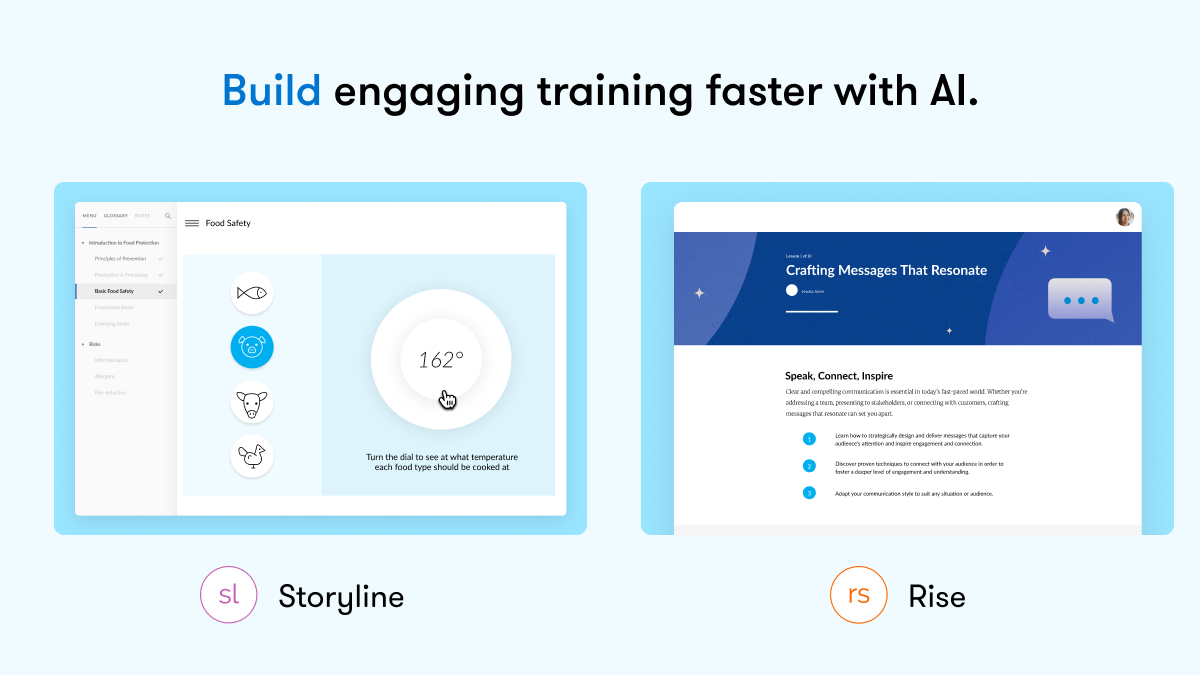
Articulate 360 is an e-learning platform for creating workplace training. Users can build engaging courses with AI-enhanced authoring, simplify collaboration, and quickly share content. A subscription includes robust onboarding resources and access to a community of 1.5M pros.
$1,449
per year per user
Snagit
Score9.7 out of 10
N/A
Snagit is screen capture and recording software from TechSmith, that lets users capture the screen and camera, add additional context, and share images, GIFs, or videos across preferred platforms.
$39
per year per user
Pricing
Articulate 360
Snagit
Editions & Modules
Articulate 360 AI - Personal Plan
$1,449
per year
Articulate 360 AI - Teams Plan
$1,749
per year
Frontline
Starting at $500
No answers on this topic
Offerings
Pricing Offerings
Articulate 360
Snagit
Free Trial
Yes
Yes
Free/Freemium Version
No
No
Premium Consulting/Integration Services
No
No
Entry-level Setup Fee
Optional
No setup fee
Additional Details
If you’re new to Articulate 360, you can try it out free of charge. After the trial period is over, you can subscribe to one of the following packages:
Articulate 360 AI
Teams plan: $1,749 per user per year
Rise: Build beautiful training that automatically adapts to every screen
Storyline: Create deeply custom, interactive courses
AI generation: Guide AI to draft complete courses and other formats from source material
Collaboration: Get stakeholder input, share for review, and finalize faster
Integrations: Stay in your flow of work with connections to Google Drive, OneDrive, Claude, ChatGPT, and more
Flexible distribution: Share trackable links, export to your LMS, use our native LMS—Reach—or download in more formats
AI tutor: Give learners personalized, in-context guidance and coaching
Analytics: Track engagement and completion, with insights to improve effectiveness
Advanced workflows available with credits (purchased separately)
Personal plan: $1,449 per user per year
Rise: Build beautiful training that automatically adapts to every screen
Storyline: Create deeply custom, interactive courses
AI generation: Guide AI to draft complete courses and other formats from source material
Review: Get stakeholder input, share for review, and finalize faster
Integrations: Stay in your flow of work with connections to Google Drive, OneDrive, Claude, ChatGPT, and more
Flexible distribution: Share trackable links, export to your LMS, use our native LMS—Reach—or download in more formats
AI tutor: Give learners personalized, in-context guidance and coaching
Analytics: Track engagement and completion, with insights to improve effectiveness
Advanced workflows available with credits (purchased separately)
Frontline: Starting at $500
Complete training kits: Turn source content into a connected set of training assets, with the right mix of formats chosen for what you're trying to teach
Formats that fit the job: Create training decks, guides, scenarios, interactive videos, and quick references, each built for a different training need
Quick updates and editing: Use AI to quickly update a whole kit, individual format, or specific sections
Insights and analytics: Gather data from surveys, track engagement and completion, and see what questions your team has to improve effectiveness
Easy distribution: Share trackable links anywhere your team already works: Slack, Microsoft Teams, email, or text
Integrations: Stay in your flow of work with connections to Google Drive, OneDrive, Claude, ChatGPT, and more
AI avatars: Create presenter-led videos, no filming required
Multi-format translation: Translate each output into 80+ languages in a click
AI tutor: Give learners personalized, in-context guidance and coaching
One-time license cost
One license per user - install on 2 machines, for work and home use
Compatible with Windows and MacOS
Optional Maintenance renewal - first year included
FREE Upgrade to the next version
Phone, chat and email support
Access to Snagit Certification with 20+ exclusive how-to videos
Enhanced Screencast integration to share content, plus the newest starter Assets for Snagit
I used some of the above chosen products in conjunction. For example, screen record and animate in Camtasia, upload and split them into scenes in Vyond with animation and avatars to present the course. Currently, I'm using a one-stop place: Articulate 360 for all of the above …
A de minimis incentive was given to thank the reviewer for their time. The incentive was not used to bias or drive a particular response, nor was the incentive contingent on a positive endorsement. More Info
Senior Instructional Designer at Dish (E-Learning, 1001-5000 employees)
Chose Articulate 360
Articulate 360 is the industry leader for e-learning authoring. While we use the Adobe Creative Suite for artistic support, we find that when it comes to authoring tools, Articulate products are superior in both design and accessibility. Articulate 360 has strong support …
A de minimis incentive was given to thank the reviewer for their time. The incentive was not used to bias or drive a particular response, nor was the incentive contingent on a positive endorsement. More Info
instructional designer in Professional Services at ID for Hire (E-Learning, 1-10 employees)
Chose Articulate 360
The functionality, which includes layers,
triggers, states, and variables, provides flexibility and creative
possibilities that can’t be found in any other authoring tools.
A de minimis incentive was given to thank the reviewer for their time. The incentive was not used to bias or drive a particular response, nor was the incentive contingent on a positive endorsement. More Info
Verified User
Chose Articulate 360
Articulate 360 offers more variety and is easier to use. For me, if you can use PowerPoint, you can use Storyline.
A de minimis incentive was given to thank the reviewer for their time. The incentive was not used to bias or drive a particular response, nor was the incentive contingent on a positive endorsement. More Info
Verified User
Chose Articulate 360
It stacks up very well, but I do have to utilize other tools to create the engaging content like videos and editing footage. For building basic graphics it is fine, but for more brand aligned imagery I rely on other programs. Like videos production it still mostly handled by …
A de minimis incentive was given to thank the reviewer for their time. The incentive was not used to bias or drive a particular response, nor was the incentive contingent on a positive endorsement. More Info
A de minimis incentive was given to thank the reviewer for their time. The incentive was not used to bias or drive a particular response, nor was the incentive contingent on a positive endorsement. More Info
A de minimis incentive was given to thank the reviewer for their time. The incentive was not used to bias or drive a particular response, nor was the incentive contingent on a positive endorsement. More Info
Instructional Designer in Human Resources at Garmin (Consumer Electronics, 10,001+ employees)
Chose Articulate 360
Again Captivate is just was a very clunky very difficult user interface it took a long time to learn people really struggled with it whereas Articulate 360 just has a very super easy interface
A de minimis incentive was given to thank the reviewer for their time. The incentive was not used to bias or drive a particular response, nor was the incentive contingent on a positive endorsement. More Info
Sr. Learning Architect at Hendall Inc (E-Learning, 51-200 employees)
Chose Articulate 360
In my opinion, there is no comparison. Articulate 360 is feature-rich, intuitive, visually appealing, and flexible. The customer and technical support are also stellar.
A de minimis incentive was given to thank the reviewer for their time. The incentive was not used to bias or drive a particular response, nor was the incentive contingent on a positive endorsement. More Info
A de minimis incentive was given to thank the reviewer for their time. The incentive was not used to bias or drive a particular response, nor was the incentive contingent on a positive endorsement. More Info
Verified User
Chose Articulate 360
Like most Adobe products, Captivate can be harder to use out of the box. Functions are not obvious and can be hard to locate.
A de minimis incentive was given to thank the reviewer for their time. The incentive was not used to bias or drive a particular response, nor was the incentive contingent on a positive endorsement. More Info
Verified User
Chose Articulate 360
In my experience, this is far more intuitive than any other software.
A de minimis incentive was given to thank the reviewer for their time. The incentive was not used to bias or drive a particular response, nor was the incentive contingent on a positive endorsement. More Info
Verified User
Chose Articulate 360
It’s the only one I’ve used. What look around if you’re happy with what you have
A de minimis incentive was given to thank the reviewer for their time. The incentive was not used to bias or drive a particular response, nor was the incentive contingent on a positive endorsement. More Info
Lpx designer in Manufacturing at Coke Florida (Food & Beverages, 5001-10,000 employees)
Chose Articulate 360
The tools I added above work with Articulate 360. I wouldn’t exclusively create a video in Articulate, mostly because I don’t think the recording tool is very good. There seems to be a lot of compression.
A de minimis incentive was given to thank the reviewer for their time. The incentive was not used to bias or drive a particular response, nor was the incentive contingent on a positive endorsement. More Info
A de minimis incentive was given to thank the reviewer for their time. The incentive was not used to bias or drive a particular response, nor was the incentive contingent on a positive endorsement. More Info
Verified User
Chose Articulate 360
I've observed it really didn't have much interest in it also. Well, in the past I've used Captivate was just so painfully difficult to use. It's not user-friendly or intuitive for learners to really understand how to use. I mean, it's powerful, but it's nothing like Articulate. …
A de minimis incentive was given to thank the reviewer for their time. The incentive was not used to bias or drive a particular response, nor was the incentive contingent on a positive endorsement. TR verified that a representative sample of customers was invited. More Info
Verified User
Chose Articulate 360
So much more user friendly! And a suite of options.
A de minimis incentive was given to thank the reviewer for their time. The incentive was not used to bias or drive a particular response, nor was the incentive contingent on a positive endorsement. TR verified that a representative sample of customers was invited. More Info
Instructional Designer in Human Resources at Cupertino Electric (Construction, 1001-5000 employees)
Chose Articulate 360
Compared to other products I’ve used such as Adobe Captivate, uPerform, Articulate Studio and more, Articulate 360 strikes the best balance between pre-built (yet customizable) interactions as well as having open-ended development capabilities, all in a very user-friendly …
A de minimis incentive was given to thank the reviewer for their time. The incentive was not used to bias or drive a particular response, nor was the incentive contingent on a positive endorsement. TR verified that a representative sample of customers was invited. More Info
Verified User
Chose Articulate 360
I like Captivate because it allows for more coding. I don't like that things are so easy it looks so cookie cutter. Same style of graphics or interactions.
A de minimis incentive was given to thank the reviewer for their time. The incentive was not used to bias or drive a particular response, nor was the incentive contingent on a positive endorsement. TR verified that a representative sample of customers was invited. More Info
Principal Trainer in Information Technology at Northeast Georgia Health System (Hospital & Health Care, 10,001+ employees)
Chose Articulate 360
So far I've only used Camtasia for its video editing. I don't know what else it has to offer really. But I am sorry to say that articulate doesn't hold a candle in the wind to what Camtasia has to offer in terms of the video editing capacity. Camtasia is a amazing product. I …
A de minimis incentive was given to thank the reviewer for their time. The incentive was not used to bias or drive a particular response, nor was the incentive contingent on a positive endorsement. TR verified that a representative sample of customers was invited. More Info
A de minimis incentive was given to thank the reviewer for their time. The incentive was not used to bias or drive a particular response, nor was the incentive contingent on a positive endorsement. TR verified that a representative sample of customers was invited. More Info
A de minimis incentive was given to thank the reviewer for their time. The incentive was not used to bias or drive a particular response, nor was the incentive contingent on a positive endorsement. TR verified that a representative sample of customers was invited. More Info
A de minimis incentive was given to thank the reviewer for their time. The incentive was not used to bias or drive a particular response, nor was the incentive contingent on a positive endorsement. TR verified that a representative sample of customers was invited. More Info
TechSmith
Verified User
Chose Snagit
We also use Microsoft Snipping Tool. Snagit gives us more options in one tool and easier use to build within our department.
A de minimis incentive was given to thank the reviewer for their time. The incentive was not used to bias or drive a particular response, nor was the incentive contingent on a positive endorsement. More Info
Conseillère en formation in Sales at Commission de la santé et de la sécurité du travail (CSST) (Government Administration, 1001-5000 employees)
Chose Snagit
I had used the basic screenshot tools before and other tools that I don't even remember the names. I selected Snagit because it has an image editor included that has many options and possibilities and also because it is very easy nd fun to use.
A de minimis incentive was given to thank the reviewer for their time. The incentive was not used to bias or drive a particular response, nor was the incentive contingent on a positive endorsement. More Info
Customer Care Information System Analyst in Marketing at North American Bancard - Merchant Services (Financial Services, 1001-5000 employees)
Chose Snagit
Similar products are free while others are more expensive; however, I have yet to find one that competes with SnagIt in all the areas I use this software for!
A de minimis incentive was given to thank the reviewer for their time. The incentive was not used to bias or drive a particular response, nor was the incentive contingent on a positive endorsement. More Info
Training Developer at CriticalPoint, LLC (Hospital & Health Care, 1-10 employees)
Chose Snagit
SnagIt is way better than the snipping tool. I don't think any other product compares. I have been a big advocate and promoter of SnagIt. It's very rare to use a product with literally no issues. SnagIt is very reliable, because I review a lot of lessons, SnagIt is the #1 tool …
A de minimis incentive was given to thank the reviewer for their time. The incentive was not used to bias or drive a particular response, nor was the incentive contingent on a positive endorsement. More Info
It is pretty well suited for information sharing. Where it lacks is training that requires discussions or a lot of complex thinking or decision-making. For content like that, we will usually host live sessions so we can facilitate discussions and actually hear from the learners on how they are using the material that they may have learned in a Rise course
A de minimis incentive was given to thank the reviewer for their time. The incentive was not used to bias or drive a particular response, nor was the incentive contingent on a positive endorsement. More Info
I have recommended Snagit several times. Discussion of screenshot programs is not something that often arises often, in my work environment. When such a situation does arise, I make it clear that Snagit is my go-to solution for anything related to screenshot capture. It opens the captured image directly into an editor window for quick and easy manipulation.
A de minimis incentive was given to thank the reviewer for their time. The incentive was not used to bias or drive a particular response, nor was the incentive contingent on a positive endorsement. More Info
A de minimis incentive was given to thank the reviewer for their time. The incentive was not used to bias or drive a particular response, nor was the incentive contingent on a positive endorsement. TR verified that a representative sample of customers was invited. More Info
Being able to take screen captures quickly and with just a keystroke is a prime feature. I took several screenshots just yesterday to show folks, which saved me from taking the time to meet with [...] everyone.
Obviously recording and sharing video is Snagit's strength. It does this as well as any product I have used. It is not an editor but there are a lot of capture features that cover just about any situation.
One great feature that Snagit has is the ability to pull text from a capture. We don't use this a lot but when it is needed it is a huge time saver.
The settings and tools within Snagit are intuitive and easy to find.
A de minimis incentive was given to thank the reviewer for their time. The incentive was not used to bias or drive a particular response, nor was the incentive contingent on a positive endorsement. More Info
A de minimis incentive was given to thank the reviewer for their time. The incentive was not used to bias or drive a particular response, nor was the incentive contingent on a positive endorsement. More Info
This has been a huge time saver with all the new features. It has become a trusted platform for ease of use and reliability. Cost per license continues to stay at a good point for renewal. Using it to think outside of our current needs and innovate in a timely manner.
A de minimis incentive was given to thank the reviewer for their time. The incentive was not used to bias or drive a particular response, nor was the incentive contingent on a positive endorsement. TR verified that a representative sample of customers was invited. More Info
I think that the tool is excellent for what it is being used for. I particuarly like the ability to capture content from the screen whilst using the scroll wheel on my mouse. It is very annoying when your try to capture something with grab and you can't scroll which leads to multiple images
A de minimis incentive was given to thank the reviewer for their time. The incentive was not used to bias or drive a particular response, nor was the incentive contingent on a positive endorsement. More Info
I love the tool and while I do use others, this is my go to for Rise and Storyline. While Rise is very easy to use, Storyline is a learned platform. I do not have anyone on my team, yet, and will need to catch new ID up to speed which is why I rated 9
A de minimis incentive was given to thank the reviewer for their time. The incentive was not used to bias or drive a particular response, nor was the incentive contingent on a positive endorsement. TR verified that a representative sample of customers was invited. More Info
It's button centric for easy access to every feature. Everything allows undo! It works like any other standard Windows application. Everyone can be a professional without having to select every feature yourself by using the built in styles with just one click of a button in most cases. Every button is clearly labeled too.
A de minimis incentive was given to thank the reviewer for their time. The incentive was not used to bias or drive a particular response, nor was the incentive contingent on a positive endorsement. More Info
A de minimis incentive was given to thank the reviewer for their time. The incentive was not used to bias or drive a particular response, nor was the incentive contingent on a positive endorsement. More Info
A de minimis incentive was given to thank the reviewer for their time. The incentive was not used to bias or drive a particular response, nor was the incentive contingent on a positive endorsement. TR verified that a representative sample of customers was invited. More Info
I rate the overall support for Articulate 360 with a 9. On the one hand because of the smooth and accurate support from Articulate's support team (usually within 24 hours) and on the other because of the commitment / use of a community (e-learning Heroes) where I have all kinds of insights from other helpful users.
I've actually never had to contact support as the tool is easy to use. One aspect is that they upgrade and send email notifications of the upgrades. They don't charge extra for upgrades and their enhancements fall in line with the way we use the tool. We haven't had to submit any upgrade requests as the tool already does what we need it to do.
A de minimis incentive was given to thank the reviewer for their time. The incentive was not used to bias or drive a particular response, nor was the incentive contingent on a positive endorsement. More Info
A de minimis incentive was given to thank the reviewer for their time. The incentive was not used to bias or drive a particular response, nor was the incentive contingent on a positive endorsement. TR verified that a representative sample of customers was invited. More Info
The online training options given by the online tutorials, forums, and "E-Learning Heroes" community are simply awesome. Examples galore, easy to understand descriptions including step-by-step guides, images, occasionally videos, and the "Articulate Insiders" sub-community give you more materials to learn about Storyline than you are likely to be able to read.
Outside of having to dedicate a powerful enough PC for the installation and having to update Flash in our browsers there really isn't much pain involved in using Articulate. For the most part this is an easy to implement and roll-out product. The installation occurs quickly and smoothly with no additional steps needed.
It's a simple next next finish install. The SnagIt Library in the user profile should probably be backed up to make sure they have access to their old screen captures. We frequently will go back to previous captures and add context bubbles etc. when software changes to show the "old" vs "new". Also, go to SnagIt's website and download the additional Stamp Sets for the user. These are terrific. I wish there was one download to get them all, but you have to download and install them one set at a time. It's worth it - especially for training how-to's.
A de minimis incentive was given to thank the reviewer for their time. The incentive was not used to bias or drive a particular response, nor was the incentive contingent on a positive endorsement. More Info
In my opinion, Articulate 360 offers what all of these provided to me in one place. I love that I can create my own graphics, my own VOs, my own touch, all while also using form fillable templates. I love that I can work with my team on my design in real time. And zipping and posting my packages on our platforms is so easy! To me, these other programs, they all have the LEGO pieces individually , but Articulate 360 has built the whole LEGO castle.
A de minimis incentive was given to thank the reviewer for their time. The incentive was not used to bias or drive a particular response, nor was the incentive contingent on a positive endorsement. More Info
Windows free snipping tool - Con: had to save each screen shot before I could take another screen shot and couldn't draw nice circles/rectangles around the area of the screen shot to bring attention. Chrome plugin options - Con: editing tools were lacking.
A de minimis incentive was given to thank the reviewer for their time. The incentive was not used to bias or drive a particular response, nor was the incentive contingent on a positive endorsement. More Info
The immersive 360 image activities allowed us to train our field engineers on dangerous topics and environments like electrical safety and on-site safety without even putting a hard hat on.
The new AI outline features have decreased our time-to-product by at least 30%
The use of a single suite of tools, (along with the creative cloud) led to decreased annual costs over alternative piecemeal solutions.
A de minimis incentive was given to thank the reviewer for their time. The incentive was not used to bias or drive a particular response, nor was the incentive contingent on a positive endorsement. More Info
A de minimis incentive was given to thank the reviewer for their time. The incentive was not used to bias or drive a particular response, nor was the incentive contingent on a positive endorsement. More Info