
Atlassian Confluence vs. SolarWinds Engineer's Toolset
Atlassian Confluence vs. SolarWinds Engineer's Toolset
| Product | Rating | Most Used By | Product Summary | Starting Price |
|---|---|---|---|---|
 Confluence | N/A | Confluence is a collaboration and content sharing platform used primarily by customers who are already using Atlassian's Jira project tracking product. The product appeals particularly to IT users. | $6.40 per month per user | |
 SolarWinds Engineer's Toolset | N/A | SolarWinds® Engineer’s Toolset (ETS) helps users monitor and troubleshoot a network with over 60 tools for network management. ETS allows users to monitor and receive alerts in real time on network availability and health, and perform network diagnostics for faster troubleshooting and resolution of complex network issues. With ETS users can deploy an array of network discovery tools including Port Scanner, Switch Port Mapper or advanced Subnet Calculator, manage Cisco® devices with specialized… | $1,585 Per Instance |
| Atlassian Confluence | SolarWinds Engineer's Toolset | |||||||||||||||
|---|---|---|---|---|---|---|---|---|---|---|---|---|---|---|---|---|
| Editions & Modules |
|
| ||||||||||||||
| Offerings |
| |||||||||||||||
| Entry-level Setup Fee | No setup fee | No setup fee | ||||||||||||||
| Additional Details | Prices shown here reflect prices for deployments with 100 users or less. The prices decrease wien the user base surpasses 100. | — | ||||||||||||||
| More Pricing Information | ||||||||||||||||
| Atlassian Confluence | SolarWinds Engineer's Toolset |
|---|
| Atlassian Confluence | SolarWinds Engineer's Toolset | |||||||||||||||||||||||||||
|---|---|---|---|---|---|---|---|---|---|---|---|---|---|---|---|---|---|---|---|---|---|---|---|---|---|---|---|---|
| Project Management |
| |||||||||||||||||||||||||||
| Communication |
| |||||||||||||||||||||||||||
| File Sharing & Management |
|
| Atlassian Confluence | SolarWinds Engineer's Toolset | |
|---|---|---|
| Small Businesses |  Stackby Score 8.9 out of 10 |  NinjaOne Score 9.1 out of 10 |
| Medium-sized Companies |  Troop Messenger Score 9.8 out of 10 |  Intermapper Score 8.4 out of 10 |
| Enterprises |  HCL Connections Score 9.0 out of 10 |  Cisco Meraki Dashboard Score 9.0 out of 10 |
| All Alternatives | View all alternatives | View all alternatives |
| Atlassian Confluence | SolarWinds Engineer's Toolset | |
|---|---|---|
| Likelihood to Recommend | 8.2 (173 ratings) | 8.6 (11 ratings) |
| Likelihood to Renew | 9.0 (21 ratings) | - (0 ratings) |
| Usability | 8.0 (61 ratings) | 8.2 (1 ratings) |
| Availability | 9.0 (3 ratings) | - (0 ratings) |
| Performance | 8.0 (5 ratings) | - (0 ratings) |
| Support Rating | 5.4 (25 ratings) | 8.2 (1 ratings) |
| Implementation Rating | 8.8 (4 ratings) | - (0 ratings) |
| Configurability | 6.0 (1 ratings) | - (0 ratings) |
| Ease of integration | 8.0 (4 ratings) | - (0 ratings) |
| Product Scalability | 8.0 (2 ratings) | - (0 ratings) |
| Vendor post-sale | 8.0 (1 ratings) | - (0 ratings) |
| Vendor pre-sale | 8.0 (1 ratings) | - (0 ratings) |
| Atlassian Confluence | SolarWinds Engineer's Toolset | |
|---|---|---|
| Likelihood to Recommend |  Atlassian
|  SolarWinds
|
| Pros | Atlassian
| SolarWinds
|
| Cons | Atlassian
| SolarWinds
|
| Likelihood to Renew | Atlassian
 Charles Thomasset, MBA Director, Project/Process Management | SolarWinds No answers on this topic |
| Usability | Atlassian
| SolarWinds
|
| Reliability and Availability | Atlassian
 Normand Whitehead Senior R&D Eng. Technologist | SolarWinds No answers on this topic |
| Performance | Atlassian
| SolarWinds No answers on this topic |
| Support Rating | Atlassian
| SolarWinds
|
| Implementation Rating | Atlassian
 Bill Kratzer Chief Innovation Officer | SolarWinds No answers on this topic |
| Alternatives Considered | Atlassian
| SolarWinds
|
| Scalability | Atlassian
| SolarWinds No answers on this topic |
| Return on Investment | Atlassian
| SolarWinds
 Jacob Garrett Senior System Engineer |
| ScreenShots | SolarWinds Engineer's Toolset Screenshots   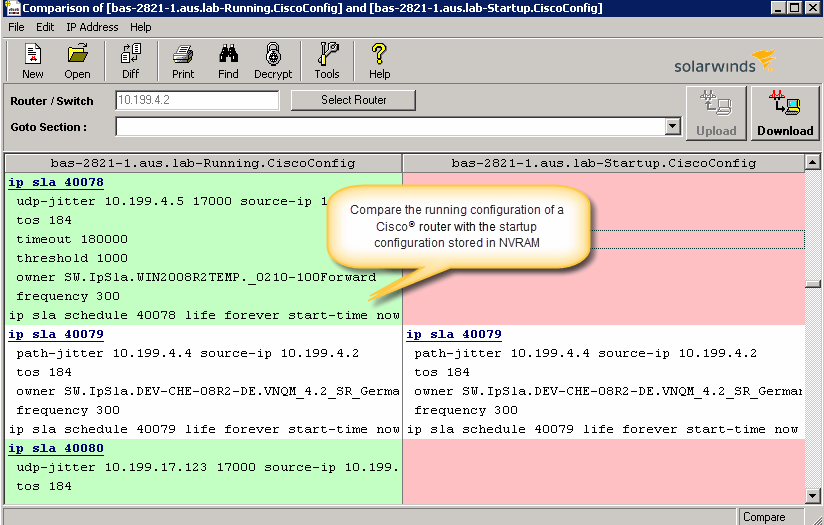  |
