Atlassian Loom vs. Sendspark

Overview
ProductRatingMost Used ByProduct SummaryStarting Price
Atlassian Loom
Score 9.5 out of 10
N/A
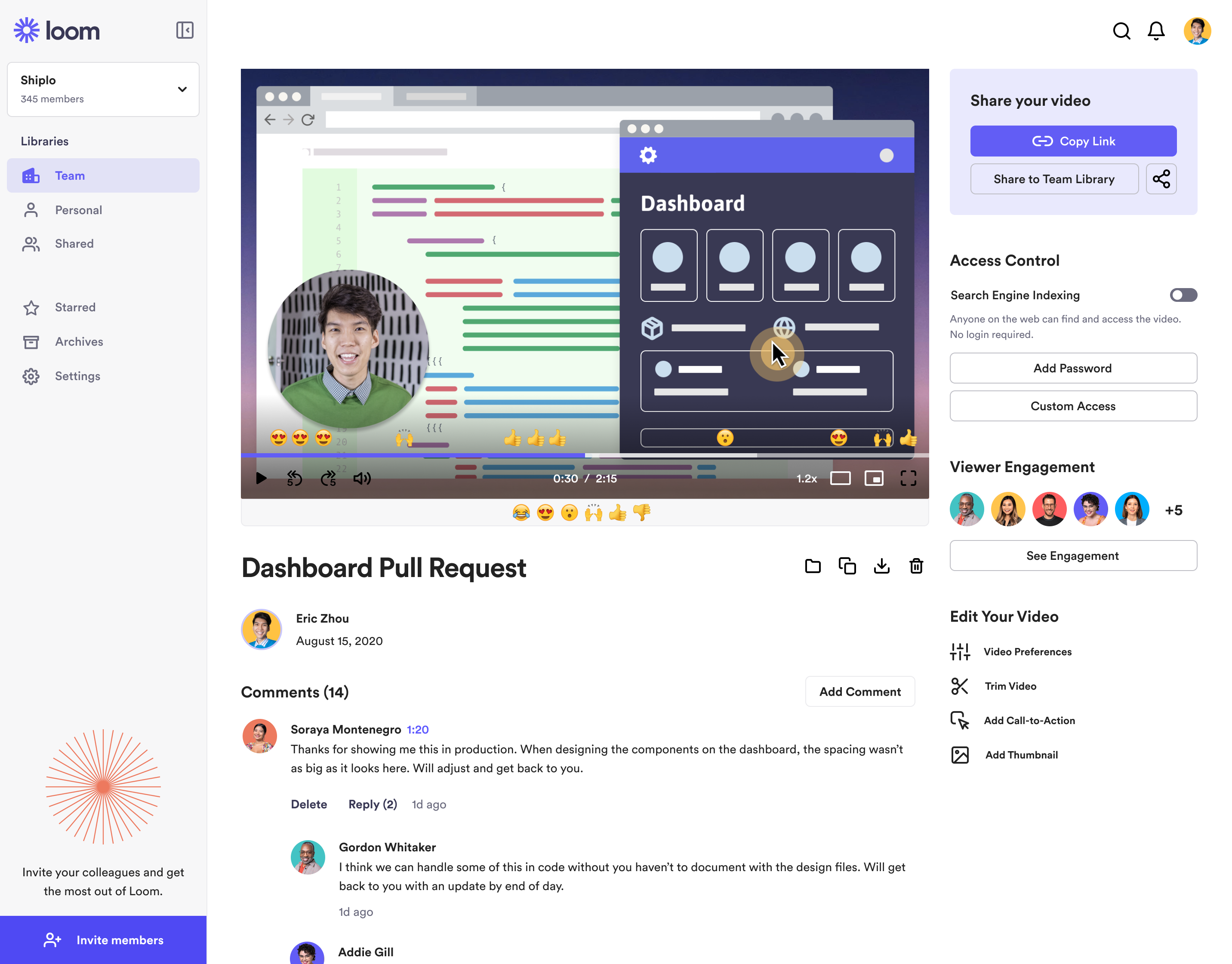
Loom is a screen recorder for Chrome, Mac, Windows, and iOS from Atlassian, presented as quick to install, easy to use, and boasting a functional free edition.
$10
per creator/per month
Sendspark
Score 10.0 out of 10
N/A
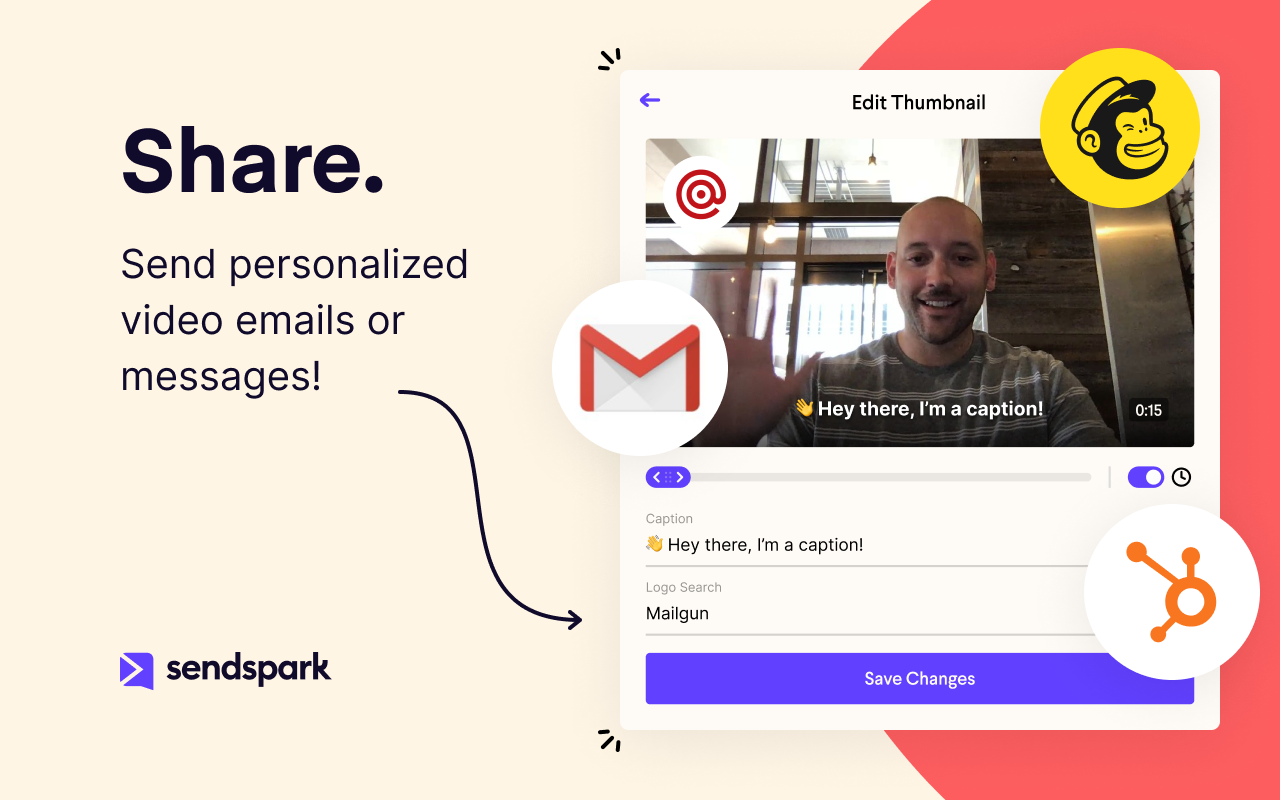
Sendspark helps businesses connect to customers with personalized video messages. Whether the user is an individual, manager, or enterprise, Sendspark can be used to create polished videos for demand generation, sales, or customer success. Videos can be shared in Gmail, LinkedIn, or email marketing platforms — wherever communication with customers is happening — to drive higher engagement.N/A
Pricing
Atlassian LoomSendspark
Editions & Modules
Business
$10
per creator/per month
Starter
Free
Enterprise
Custom Pricing
No answers on this topic
Offerings
Pricing Offerings
Atlassian LoomSendspark
Free Trial
NoYes
Free/Freemium Version
YesYes
Premium Consulting/Integration Services
NoNo
Entry-level Setup FeeOptionalNo setup fee
Additional Details
More Pricing Information
Community Pulse
Atlassian LoomSendspark
Considered Both Products
Atlassian Loom
Chose Atlassian Loom
Loom is great as it is the first in the market. But sendspark is a close second with its pricing and support
Chose Atlassian Loom
We have used zoom, google meet or youtube to manage our videos in the past. But both did not seem to be as seamless for everyone to use it. Loom came in to provide an easy way for everyone to use video and share screens or communicate in general. Loom integrates with slack and …
Chose Atlassian Loom
Loom: Loom offers both free and paid plans. The free plan includes basic features and limitations, while the paid plans unlock additional functionalities such as longer video recordings, HD quality, and more advanced sharing options. Either way, quite affordable Vidyard: …
Chose Atlassian Loom
I use Loom because everybody knows Loom, and they are more likely to click on the link.
Chose Atlassian Loom
As mentioned before not a team collaboration replacement but a great tool for individual issue resolution and sharing best practice resources.
Chose Atlassian Loom
I tried other solutions for video feedback and none of them could match how quick and easy the video recording and sharing is on Loom. Also the consistency of the recordings and reliability is crucial.
Chose Atlassian Loom
When we evaluated the alternatives, Loom was by far the most advanced tool, with multiple types of integrations. Additionally, Loom also provided a Free plan, which made it easy to consider as an alternative. Vidyard and similar tools integrated better with certain other tools …
Chose Atlassian Loom
Honestly, before using Loom, I was recording videos from my cell phone and sending them through Whatsapp or Telegram to try to send large file sizes! I know there are other screen recording tools, but Loom's web interface with all the settings just knocks it out of the park for …
Chose Atlassian Loom
I selected Loom because of product superiority and intuitiveness. Loom has high quality videos compared to others, the Freemium tier is very exciting in Loom. Loom is a multipurpose tool that comes to our help in many areas- whereas other tools are more focused on a specific …
Chose Atlassian Loom
I didn't use any other product like Loom. Skype or Viber just won't work for what I needed. I talked with people who used other products but didn't try one myself. Loom was the first to try and I stayed with it. I was satisfied enough with Loom that I didn't feel like exploring …
Chose Atlassian Loom
I prefer loom to droplr because of its easy interface. I had to take extra time to learn how to become effective with Droplr, while Loom felt self explanatory.
Chose Atlassian Loom
Zoom's recording feature has been helpful before Loom, but I appreciate that with Loom I can go back and re-record something if I made a mistake. It's much easier.
Chose Atlassian Loom
Simplified version of ScreenFlow, not as comprehensive as ScreenFlow in terms of features, but it does the trick for making short training videos. If you just want to capture something on-screen and not do a lot of editing, then Loom is perfect for that. Great for generating …
Chose Atlassian Loom
I tried lots of different screen recording software but ultimately chose Loom because it had the simplest and most user-friendly UI. There are certainly more advanced apps, like ScreenFlow, but my use case is fairly simple—I just want to be able to record video/screen-shares as …
Chose Atlassian Loom
I've used Camstasia and Screen-o-Matic to record screen capture videos in the past. These 2 options at the time didn't have an online platform to upload the videos, so I uploaded it to Youtube or Google Drive so my collaborators could watch them. Loom is easier than them, as it …
Chose Atlassian Loom
Loom solves something that no one else is even trying to solve. Quick visualization of your online experience. Every other solution that records your screen takes time to render the video before it can be shared. Loom is taking the magic of sharing a screenshot of your computer …
Chose Atlassian Loom
Loom is the best video screen sharer that we have come across. Its ease of use and relative value in its free product make it an easy stand out when we went looking for a platform to use. Though there are different video recording platforms out there that can do similar things …
Chose Atlassian Loom
I also use Wistia, which has more functionality around saving and organizing videos. Wistia has a product called Soapbox that is very similar to Loom.
Chose Atlassian Loom
I used to use Zoom to do screen capture video - even I don't have someone else in a video conference - just because it does a good job of creating screen captures. But that's not really what Zoom is designed to do. Now, when I need to do a fast, low-production-value, …
Chose Atlassian Loom
I also have used eCamm and Quicktime for screen-share/screen recordings. All of the tools here require some patch working of a screen recording, uploading the video to a hosting site, and then eventually sending it to the client. Huge time suck!
Chose Atlassian Loom
There are plenty of screengrab / screen recording tools out there. I like loom based on it's simplicity for acheiving regularly occuring challenges. I don't typically need anything heavier, so having this as a quick tool is great!
Chose Atlassian Loom
For desktop recordings, I've only used Quicktime. Loom is overall a nicer looking and functioning tool for recording videos, although there are a couple tools that Quicktime has (like splicing videos and selecting a specific recording size) that I wish Loom had.
Sendspark
Chose Sendspark
Anytime we onboard a new client Sendspark sends all customer's details back to Hubspot. This is so handy as it's an automated process. If you prefer to use Zoho then no problem. It's in Sendspark as well. It would be great to use webhooks and API. But it's coming very soon.
Chose Sendspark
Loom provides all basic features of screen recording software but because they are established now, they sometimes fail to work on customer feedback while Sendspark is always innovative e.g one of the life-saving features is a link to share with customers to record their …
Chose Sendspark
No brainer. Stick with what is easy, has great customer service, and more functionality to be unique to your brand. Sendspark is the way to go for simplicity and the pricing is more affordable.
Chose Sendspark
Virtually all other video platforms have more functions, more functionality, more integrations, and more ways to customize everything. The only exception is (possibly) Vidyard. Layers of complexity lead to inertia. That leads to plenty of excuses to not incorporate video into a …
Chose Sendspark
Former user of BombBomb. In fact, let my account lapse when I discovered how much easier this product was to use (and cheaper).
Chose Sendspark
Simpler and easier to use. Users are not intimidated when using Sendspark because it's less complicated.
Chose Sendspark
While Sendspark has a bit less functionality than popular rivals such as Loom and CloudApp, its affordability and simplicity have ultimately caused us to stick around. We are confident with the continued upgrades and functionality Sendspark is developing, it will continue to be …
Chose Sendspark
Pretty much similar in terms of delivery and usability. Both have a free version. But I like the flexibility of storage on demand as well as the UI seems to be more adaptable with Sendspark. In terms of functionality there is room for improvement thought but it is still early …
Chose Sendspark
Sendspark's ease of use and animated gif generation are two distinct advantages of this platform.
Chose Sendspark
So far I love it and cant compare it to other software.
Chose Sendspark
Sendspark is much better than Loom:
- CNAME
- Complete white label
Chose Sendspark
I've used Loom and Bonjoro. I switched to Sendspark because it basically does what both of those do so I only need one tool instead of two.
Chose Sendspark
I see a lot more flexibility and room for growth in Sendspark. The team is very [responsive and has] an excellent direction and roadmap of how they want to grow Sendspark. The ability to have Video Landing Pages is awesome and their video engagement analytics is superb as well. …
Chose Sendspark
Sendspark stands among other solutions due to the perspective behind the tool. They are trying to improve business conversion and client experiences by humanizing and customizing the touchpoints across different channels. People got tired of simple emails and tasteless contacts;…
Chose Sendspark
Well… to be honest, I decided to give it a try because of the price.
Chose Sendspark
Over the years, I've tried Loom and Vidyard but SendSpark trumps them all with white-labeling and reasonable costs.
Chose Sendspark
Camtasia is fine but it is not as simple to use, is not cloud-based, and the client has to download software to record their own screen and respond to your emails.
Chose Sendspark
Best all-around choice. It may not be as specialized as the others but it gives you the ability to do everything you need to get done as a solo freelancer without having to pay 3 different subscriptions for video tools that all do the same thing in a slightly different way.
Chose Sendspark
I used Loom before Sendspark and I think SendSpark is more economical and startup-friendly. Loom started off great and had a free plan. Eventually, things started getting pretty expensive and they started shutting down the free plan bit by bit till it became very limited. …
Best Alternatives
Atlassian LoomSendspark
Small Businesses
Sendspark
Sendspark
Score 10.0 out of 10
Snagit
Snagit
Score 9.6 out of 10
Medium-sized Companies
Snagit
Snagit
Score 9.6 out of 10
Snagit
Snagit
Score 9.6 out of 10
Enterprises
Snagit
Snagit
Score 9.6 out of 10
Snagit
Snagit
Score 9.6 out of 10
All AlternativesView all alternativesView all alternatives
User Ratings
Atlassian LoomSendspark
Likelihood to Recommend
9.7
(0 ratings)
10.0
(0 ratings)
Likelihood to Renew
-
(0 ratings)
9.1
(0 ratings)
Usability
9.7
(0 ratings)
-
(0 ratings)
Availability
-
(0 ratings)
9.1
(0 ratings)
Performance
10.0
(0 ratings)
8.2
(0 ratings)
Support Rating
8.9
(0 ratings)
-
(0 ratings)
Ease of integration
8.1
(0 ratings)
-
(0 ratings)
Product Scalability
-
(0 ratings)
7.3
(0 ratings)
User Testimonials
Atlassian LoomSendspark
Likelihood to Recommend
Loom is literally the best free (or depending on your team size) tool that I have found in recent years honestly. I have a consulting practice on the side where we work in multiple timezones. Im not the best with words or explaining things over email, and im a much more visual person. being able to show somehow how to do something rather than explain it via email is HUGE. Its literall creating the office culture vibe over video, and its exactly what i need to help scale my consulting while also help provide training at my current job.
Read full review
In my experience, Sendspark is particularly well-suited for sales and marketing professionals who need to create and send personalized videos at scale. The platform makes it easy to quickly record and share videos, which can be a great way to stand out in a crowded market and provide a more engaging and personal experience for clients. Additionally, the branding and marketing features of Sendspark are handy for maintaining a consistent and professional image. On the other hand, I think Sendspark may be less appropriate for organizations that require more robust collaboration and video editing features. The platform is designed for simplicity and speed, so it may not be the best choice for users who need more advanced editing tools or the ability to work on videos with multiple users simultaneously. Additionally, the limited customization options for video themes may not be suitable for users who need more flexibility in terms of design and layout. Other video recording and sharing platforms may be a better fit in these cases.
Read full review
Pros
  • They have various integrations and apps, so using it on any platform is easy.
  • They have an easy recording feature - so we don't need training to use Loom.
  • Editing the video once it's made is suer easy on their backend tool - so we don't need to get the video completely right while recording.
  • Their folder system makes it easy to organize videos.
Read full review
  • In this post-pandemic world, Sendspark engages prospective clients in more fun, highly engaging, and natural way.
  • Easy to stay on brand and connect with my audience.
  • Seamless Integration with my autoresponder.
  • Video integration is the new norm - so Sendspark captivates the audience which helps to increase sales.
Read full review
Cons
  • The video trim feature has improved a lot recently, but it's still not perfect. Sometimes when I trim a video clip, it distorts other parts of the video.
  • It would be nice if they had a referral/affiliate program. I would get all my friends to sign up!
Read full review
  • I would love to have a "Pause" button and to be able to resume a recording.
  • There is no editing functionality, but on the other hand what I like is its simplicity. So it's all about compromises!
  • It would be nice to be able to switch from the camera only to screen. (note that we can record both using the Chrome extension).
Read full review
Likelihood to Renew
No answers on this topic
Because with such a contribution it is possible to reach customers much better than with many other expensive tools. It is comparatively cheaper to do marketing with emails. So you should make your email campaigns as effective as possible. What really works with Sendspark. I think Sendspark will implement many more things. Which is why I am currently convinced to continue using Sendspark.
Read full review
Usability
It's dirt easy for the one thing it does exceptionally well. If you think, "hmmm, I should make a quick screen capture of this thing on screen, you can start recording in seconds with almost no additional effort." Once you're done, the recording is automatically uploaded to your account site, and automatically creates a URL you can copy and share with your target audience. From IDEA to EXECUTION to DISTRIBUTION is literally seconds.
Read full review
No answers on this topic
Reliability and Availability
No answers on this topic
Acutally we didnt have had any problems so far. Everything works since we use it. The Servers are fast, and creating videos is a breeze. The Dashboard works properly and we can work very Smooth with Sendspark so far.
Read full review
Performance
Loom is one of my favorite solutions and I've been a raving fan since they first launched. The value of quickly sharing videos in seconds is amazing. Our customers love it so much that they have even downloaded the Loom Chrome extension for their own use with their clients! It's so simple, and nothing else compares or competes.
Read full review
Support is very fast. I actually get Support between 8-24 Hours which is Important for us. The website tend to slow down sometimes, but will not affect the overall usage. I think they have a good Server Plan, which runs smooth. Until now we didnt had any serious problems with saving our Video Files or Uploading.
Read full review
Support Rating
I use Loom for simple tasks. Never used customer support really. It's so simple to use. I haven't had any real issue with Loom which would require customer support to help me out. So I just put 5 because I don't know if the customer support is good or bad since I never used, so I'm kind of neutral.
Read full review
No answers on this topic
Alternatives Considered
We have used zoom, Google Meet or youtube to manage our videos in the past. But both did not seem to be as seamless for everyone to use it. Loom came in to provide an easy way for everyone to use video and share screens or communicate in general. Loom integrates with Slack and that is another cool feature
Read full review
Virtually all other video platforms have more functions, more functionality, more integrations, and more ways to customize everything. The only exception is (possibly) Vidyard. Layers of complexity lead to inertia. That leads to plenty of excuses to not incorporate video into a workflow because it's always easier for (most) people to type an email than add the layers of vulnerability to a prospect that comes with a video. Sendspark is affordable, by far the easiest to use and, on the rare occasion, we've needed them, the support is very responsive. If you want to get your employees - or more especially yourself - to follow through on using video in your sales|marketing|customer support then I suggest you seriously consider Sendspark (unless you're one of our competitors :) )
Read full review
Scalability
No answers on this topic
I think there is a lot of space for scaling. But for a Company like us there is plenty enough of capabilites to use Sendspark without any lack of performance issues. Maybe Sendspark could be limited for very Big Companys. But since they are a Startup, maybe they will grow and dive us to a better overall experience.
Read full review
Return on Investment
  • It gives me back 2-3 hours per week in time saved fussing with typing out long emails.
  • Our team and vendors understand us faster and better when we offer revisions and training using Looms vs. trying to type it out - causing better client satisfaction.
  • We still have to use Snagit, though, until Loom gives us still screenshot edit/markup abilities!
Read full review
  • A member of my sales team went 10 for 10 on receiving replies from outreach prospects when leading with a Sendspark video message.
  • Received a PO for $109K on the last day of the quarter after messaging a customer with a polite and earnest Sendspark video to get the PO that day.
  • Supported a team member closing a sale by creating a Sendspark demo/explanation video of "this is how it would work" for the owner of a prospect company.
Read full review
ScreenShots

Atlassian Loom Screenshots

Screenshot of Loom for DesktopScreenshot of Chrome extensionScreenshot of Loom videopageScreenshot of Loom for iOS

Sendspark Screenshots

Screenshot of Record videos of yourself or your productScreenshot of Personalize videos for your prospects and customersScreenshot of Share videos in Gmail, LinkedIn, email marketing platforms, or anywhere.Screenshot of Drive more customer engagement and conversions