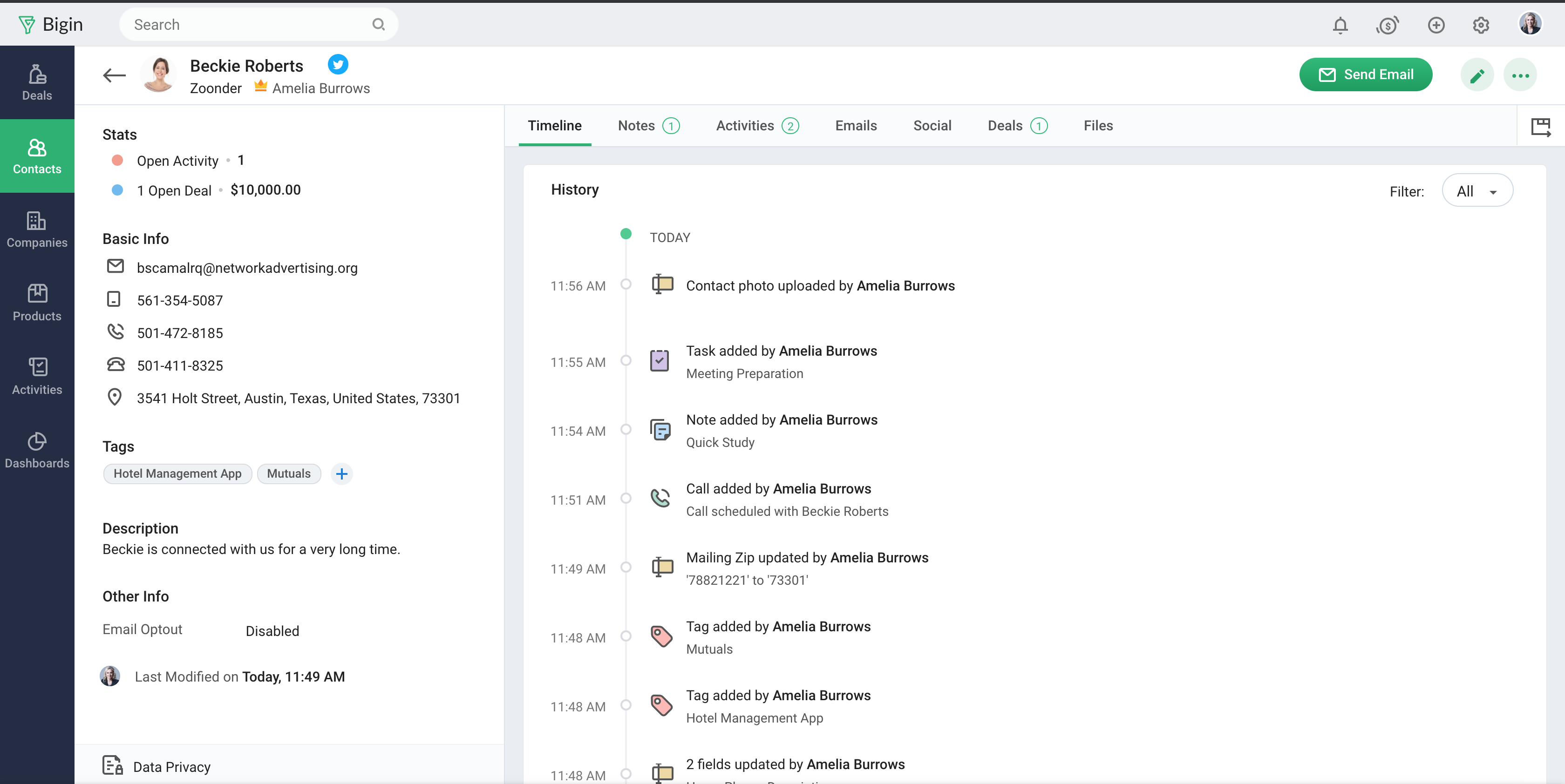
Bigin by Zoho CRM is a simplified customer relationship management (CRM) software designed specifically for small businesses, startups and teams. Bigin helps small businesses unify customer-facing operations— marketing, sales, onboarding, delivery, and support, and it offers features that help to manage these customer relationships effectively.
$9
per month per user
Copper
Score8.6 out of 10
N/A
Copper is a customer relationship management (CRM) built as an integration into Google Apps.
$12
per month per user
Pricing
Bigin by Zoho CRM
Copper
Editions & Modules
Express
$9.00
per month per user
Premier
$15.00
per month
Bigin 360
$21
per month per user
Starter - Paid Annually
$9.00
per month per user
Basic - Paid Annually
$23.00
per month per user
Professional - Paid Annually
$59.00
per month per user
Business - Paid Annually
$99.00
per month per user
Offerings
Pricing Offerings
Bigin by Zoho CRM
Copper
Free Trial
Yes
Yes
Free/Freemium Version
Yes
No
Premium Consulting/Integration Services
No
No
Entry-level Setup Fee
No setup fee
No setup fee
Additional Details
20% discount for annual pricing.
Up to 15% discount for annual pricing.
More Pricing Information
Community Pulse
Bigin by Zoho CRM
Copper
Considered Both Products
Zoho
Verified User
Chose Bigin by Zoho CRM
For Pipedrive, the setup is very similar and lets users start serious work right away. For Copper, I'm sure it's a good product for a certain market, but it's not serious enough for our needs.
A de minimis incentive was given to thank the reviewer for their time. The incentive was not used to bias or drive a particular response, nor was the incentive contingent on a positive endorsement. More Info
Verified User
Chose Bigin by Zoho CRM
All of these other programs can perform CRM capable. The difference with Bigin is that the GUI is very easy and not confusing. Setup is stright forward and you don't need a dedicated IT person to oversee the project. If you have basic understanding of CRM, you can do 90 percent …
A de minimis incentive was given to thank the reviewer for their time. The incentive was not used to bias or drive a particular response, nor was the incentive contingent on a positive endorsement. More Info
A de minimis incentive was given to thank the reviewer for their time. The incentive was not used to bias or drive a particular response, nor was the incentive contingent on a positive endorsement. More Info
- Multiple pipelines let me organize processes like sales, marketing, customer support, and assets clearly. - The forms builder allows me to gather leads, sign-ups, and customer requests from my website directly into the Bigin by Zoho CRM. - Integrations with Zapier and Make connect website orders and data from other sources smoothly. - Email templates make it easy to send professional, branded communications. - Automations handle repetitive tasks like managing customers, orders, and team tasks, saving me time.
If you need to track contract expiration dates of your clients or your prospects that you're trying to sell - Copper is your tool. If you want to track specific products, solutions, vendors, etc. Copper can do it. I use it to track many brands of IT products and services with the use of custom fields to track which prospects/clients have any number of these items. Rather than taking notes, I can select the product from a drop down list that I created VERY EASILY within Copper.
Manage big databases. We have a large database of contacts and partners (more than 5,000 contacts), which are updated day by day, as a result of our participation in conferences, webinars, etc. For this reason, we needed a platform that would allow us to always have our database up to date, and accessible and editable by any member of the company.
Pipelines. Pipelines are very necessary in our daily lives, since we present many service proposals to different clients, and until now we control the status very manually. With Bigin by Zoho CRM, we can have all this information centralized in a single place, and know at all times the status of the service proposals we present (sent, pending decision, lost, won...).
Product definition. The product definition block has allowed us to further structure our typologies of products and services. At least, it has allowed us to reflect on them and what is the best way to package the service offered.
Control panel. The control panel has been very useful for us to be able to quickly see the main indicators (offers presented, next actions to be taken, etc.).
Allows for contacts to be synced and organized directly from Gmail.
Gives a flexible style and customizable settings to match our company's specific needs.
Does a great job of helping us keep track of projects. We easily created a customized "Status" field with several status options that help us update the many phases of our project.
A de minimis incentive was given to thank the reviewer for their time. The incentive was not used to bias or drive a particular response, nor was the incentive contingent on a positive endorsement. More Info
The interface is clean, but I can see how, as we get into more complex workflows, it may be limited, whereas a heavier CRM may be necessary at that point.
Mobile app works pretty well, it isn't quite as smooth as the web app.
Reporting could be a little more robust, but it does what we need.
Window change: for mobile - when you tap on a card from a pipeline it takes you to the lead’s basic info. I wish it would immediately just open all activities so I can quick see notes
I usually use Copper on the go. When you open the Copper app, it immediately opens a collab window. I wish it had some sort of easy dashboard….plus a notes area. I open Copper on mobile to quickly search for someone’s name or to take quick notes from a sales meeting
Sales Development Representative Account Executivessss sssssssssssssssss ss ssss s ss s ssssss ss s s ss sss sssssss sssss s ssssssss sssss sss sssssssssssssss ss ss sss sssss s ssss sssssss s s s s ssss sss s s ss ss ssss s s sssssss s ssssssssss sssss sss ss eads sd
A de minimis incentive was given to thank the reviewer for their time. The incentive was not used to bias or drive a particular response, nor was the incentive contingent on a positive endorsement. More Info
A de minimis incentive was given to thank the reviewer for their time. The incentive was not used to bias or drive a particular response, nor was the incentive contingent on a positive endorsement. More Info
Zoho Bigin has been almost perfect in almost every sense of the word. It has been very easy for us to use. Onboarding new staff has been a breeze, and we have never had to retrain them on how to use it, as they get the hang of it on the very first attempt. It has also saved us a lot of money compared to what it would have cost if we had used other CRM tools.
Copper is simple to use and it's simple to figure out the additional functionality you may need or want to use. There are a lot of support articles and the support itself is great. But it's also fairly simple to figure out on your own. It integrates easily with Google Workspace as well.
A de minimis incentive was given to thank the reviewer for their time. The incentive was not used to bias or drive a particular response, nor was the incentive contingent on a positive endorsement. More Info
The support is all international and it takes a while to get support as you have to go through chats and set up times, not as easy to just call and get the support you need. They are very nice when you do finally connect with someone and they are knowledgeable, just challenging being international sometimes.
A de minimis incentive was given to thank the reviewer for their time. The incentive was not used to bias or drive a particular response, nor was the incentive contingent on a positive endorsement. More Info
There have been a few times when I contacted the "help desk" or "support team" and they just told me to watch a video or join a seminar to learn what I am looking to do. I would have expected someone to take a few minutes and literally walk me through the steps one by one until either I figured it out or accomplished the goal of my request.
Simplicity Without Sacrificing Core Features Unlike full-scale CRMs that often feel overwhelming, Bigin by Zoho CRM provides a focused set of features that are perfect for managing deals, contacts, and activities. It’s not bloated, and that was exactly what we needed for a lean, fast-moving team.
We selected Copper over these other CRMs mainly because of its ability to integrate with Google Workspace. Members of our team have used Salesforce in the past and found it to be a nightmare to work with/on. Candidly, Copper doesn't fill all of our needs so we supplement that with the use of Asana.
A de minimis incentive was given to thank the reviewer for their time. The incentive was not used to bias or drive a particular response, nor was the incentive contingent on a positive endorsement. More Info
A de minimis incentive was given to thank the reviewer for their time. The incentive was not used to bias or drive a particular response, nor was the incentive contingent on a positive endorsement. More Info
A de minimis incentive was given to thank the reviewer for their time. The incentive was not used to bias or drive a particular response, nor was the incentive contingent on a positive endorsement. More Info