Bridge LMS, Skills & Performance Management vs. WorkBright

Overview
ProductRatingMost Used ByProduct SummaryStarting Price
Bridge LMS, Skills & Performance Management
Score 7.5 out of 10
Mid-Size Companies (51-1,000 employees)
Bridge is an integrated talent management platform that combines learning management, performance management, career development, and engagement measurement into one platform. Bridge enables companies to develop their people with live, virtual, on-demand and experience based training, manager/employees 1:1s, and career development plans. Used by more than 1000 companies worldwide, Bridge helps companies achieve their strategic people development goals by facilitating connection, alignment, and…
$15,000
per year
WorkBright
Score 9.9 out of 10
Mid-Size Companies (51-1,000 employees)
For businesses that are rapidly, seasonally, or just plain constantly hiring, WorkBright aims to take the cumbersome and traditionally paper-heavy process of onboarding and puts it all online. They make it possible for new employees to fill out their W4s, upload photos of licenses and certifications, sign digitally, and complete any paperwork from their laptop, tablet, or smartphone before they show up for their first day on the job. Integrations and an open API…
$158
hires per year
Pricing
Bridge LMS, Skills & Performance ManagementWorkBright
Editions & Modules
Learn (LMS)
Contact Sales
Talent Suite (LMS and Skills)
Contact Sales
Full Suite (LMS, Skills and Performance)
Contact Sales
Onboarding
Starting at $158/mo
hires per year
Offerings
Pricing Offerings
Bridge LMS, Skills & Performance ManagementWorkBright
Free Trial
NoYes
Free/Freemium Version
NoNo
Premium Consulting/Integration Services
YesNo
Entry-level Setup FeeRequiredRequired
Additional DetailsOur pricing is based off the number of hires in a given contract year. All contracts are annual but can be billed on a monthly basis.
More Pricing Information
Community Pulse
Bridge LMS, Skills & Performance ManagementWorkBright
Features
Bridge LMS, Skills & Performance ManagementWorkBright
Learning Management
Comparison of Learning Management features of Product A and Product B
Bridge LMS, Skills & Performance Management
7.6
41 Ratings
7% below category average
WorkBright
-
Ratings
Course authoring8.040 Ratings00 Ratings
Course catalog or library8.037 Ratings00 Ratings
Player/Portal5.028 Ratings00 Ratings
Learning content8.037 Ratings00 Ratings
Mobile friendly3.040 Ratings00 Ratings
Progress tracking & certifications10.039 Ratings00 Ratings
Assignments10.034 Ratings00 Ratings
Compliance management10.031 Ratings00 Ratings
Learning administration10.033 Ratings00 Ratings
Learning reporting & analytics10.035 Ratings00 Ratings
Social learning2.022 Ratings00 Ratings
Best Alternatives
Bridge LMS, Skills & Performance ManagementWorkBright
Small Businesses
iSpring LMS
iSpring LMS
Score 9.5 out of 10
PowerDMS by NEOGOV
PowerDMS by NEOGOV
Score 7.0 out of 10
Medium-sized Companies
iSpring LMS
iSpring LMS
Score 9.5 out of 10
PowerDMS by NEOGOV
PowerDMS by NEOGOV
Score 7.0 out of 10
Enterprises
Axonify
Axonify
Score 10.0 out of 10
Vibe HCM (discontinued)
Score 4.3 out of 10
All AlternativesView all alternativesView all alternatives
User Ratings
Bridge LMS, Skills & Performance ManagementWorkBright
Likelihood to Recommend
10.0
(41 ratings)
9.7
(6 ratings)
Likelihood to Renew
8.8
(2 ratings)
-
(0 ratings)
Usability
9.1
(1 ratings)
-
(0 ratings)
Support Rating
9.1
(1 ratings)
-
(0 ratings)
Implementation Rating
8.2
(1 ratings)
-
(0 ratings)
User Testimonials
Bridge LMS, Skills & Performance ManagementWorkBright
Likelihood to Recommend
GetBridge LLC
Bridge is suited for scenarios where you need ppl to complete steps in order or test that they received the correct amount of knowledge after watching a video. I do think Bridge is less appropriate for companies that use it in external training scenarios as there is some key functionality missing. We gotten very good at brainstorming and finding solutions/ways to get Bridge to work the way that we need it to
Read full review
WorkBright
Workbright is well suited because of the following reasons: 1. Data transmission between browser and application is highly encrypted 2. Bank grade data encryption for maximum security 3. Data is backed up at various locations 4. Database security is maintained to the highest standards with Engineers 5. Automated reminders and user correction error flow system
Read full review
Pros
GetBridge LLC
  • Bridge is designed for the user so it is intuitive and easy to use.
  • Bridge includes an authoring tool so building custom content is fast and easy.
  • Bridge does a good job of providing user information for managers. Managers can quickly and easily see how many courses their reports are enrolled in and if anyone is overdue on required courses.
  • Bridge is also built with learning science in mind. There are multiple options for assessments, including an option for verified tasks to be completed to demonstrate proficiency.
Read full review
WorkBright
  • Being able to share candidate information with other supervisors or team members and others involved in the hiring process.
  • The convenience of filling in new employee hiring forms.
  • Create groups, organize all paperwork and send to employees with just one click.
Read full review
Cons
GetBridge LLC
  • Bridge could improve their categorization feature for trainings; folders would be great!
  • I'd like to see more ways to add content in the Bridge native environment in the future. Being able to create tables, infographics, and other training materials right in the system would be a great time saver.
Read full review
WorkBright
  • Onboarding Paperwork - It would be great if there was only one website we had to log into. For example, I have to log into one to send paperwork, and then log into another domain to check the paperwork sent.
  • Note Timeline - Anytime any application is touched, viewed, etc. a note is made. We also utilize the note feature to communicate about each applicant. However, it gets quite messy when their are over 40 notes and you are not able to sort or organize them.
  • Attachments - Can't attach items in notes, would be nice feature for attaching images, snippets, pdfs, etc.
Read full review
Likelihood to Renew
GetBridge LLC
It has been very useful to our organization in getting compliance training complete. We have a 24/7/365 organization with some folks only working 2 days a week during the summer only, many work full-time jobs elsewhere and can't make weekday programs and facilities don't have to alter schedules to get mass numbers of people through training like you have to do with live training..
Read full review
WorkBright
No answers on this topic
Usability
GetBridge LLC
Even our folks who fought using it realized how easy it was once they took their first course.
Read full review
WorkBright
No answers on this topic
Support Rating
GetBridge LLC
Always timely and knowledgeable assistance. Very patient explaining answers to novice users.
Read full review
WorkBright
No answers on this topic
Implementation Rating
GetBridge LLC
Our challenges were internal - nothing with Bridge. We had regular, productive meetings with our implementation representative.
Read full review
WorkBright
No answers on this topic
Alternatives Considered
GetBridge LLC
Our previous LMS was Symphony. Hands down, there is no comparison. Switching to Bridge was the best decision made by our management team. All we used Symphony for was for our monthly compliance training. Many times people would complain that they would need to retake their compliance course as Symphony would lose records. It became a hassle having to retake a course because you didn't save a copy of the completion certificate. Bridge allows for more than just compliance training AND we are able to see if learners didn't complete their courses via the reports.
Read full review
WorkBright
WorkBright was selected as the primary HR software within our company. One of the main reasons it was selected is the intuitive user interface and dashboard. Additionally, the software had excellent features for the cost such as custom reporting, notifications, enhanced security, and training. WorkBright offered many features that other HR software in the same price range did not.
Read full review
Return on Investment
GetBridge LLC
  • Certainly, Bridge was not an inexpensive option when we were reviewing platforms. To date, we have not seen a positive ROI but believe that will happen in the near future as we expand an offering of an additional program.
  • Reviews from our users indicate that they appreciate the professional and easy to use features Bridge provides, along with the video based design of the program.
  • The program we developed with the Bridge platform supports our position as educators in our industry.
Read full review
WorkBright
  • Huge return on investment in terms of time needed to circulate new openings nationally.
  • Very positive impact on speed with which interviewer can contact prospective employees.
  • Outstanding onboarding for new employees. Tick 5 boxes and all info is emailed directly to the new employee.
  • Very challenging build process that took many weeks to fully integrate.
Read full review
ScreenShots

Bridge LMS, Skills & Performance Management Screenshots
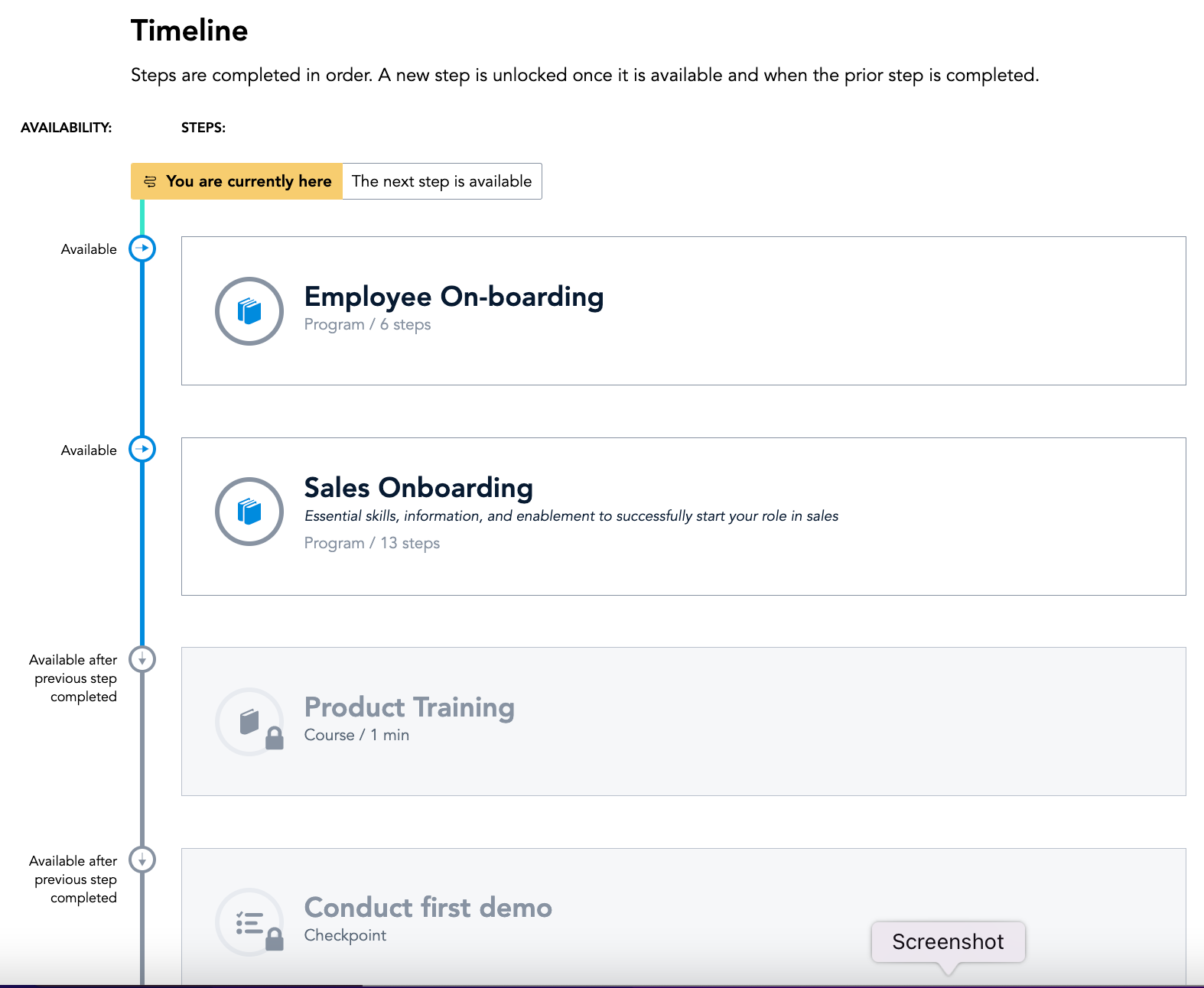
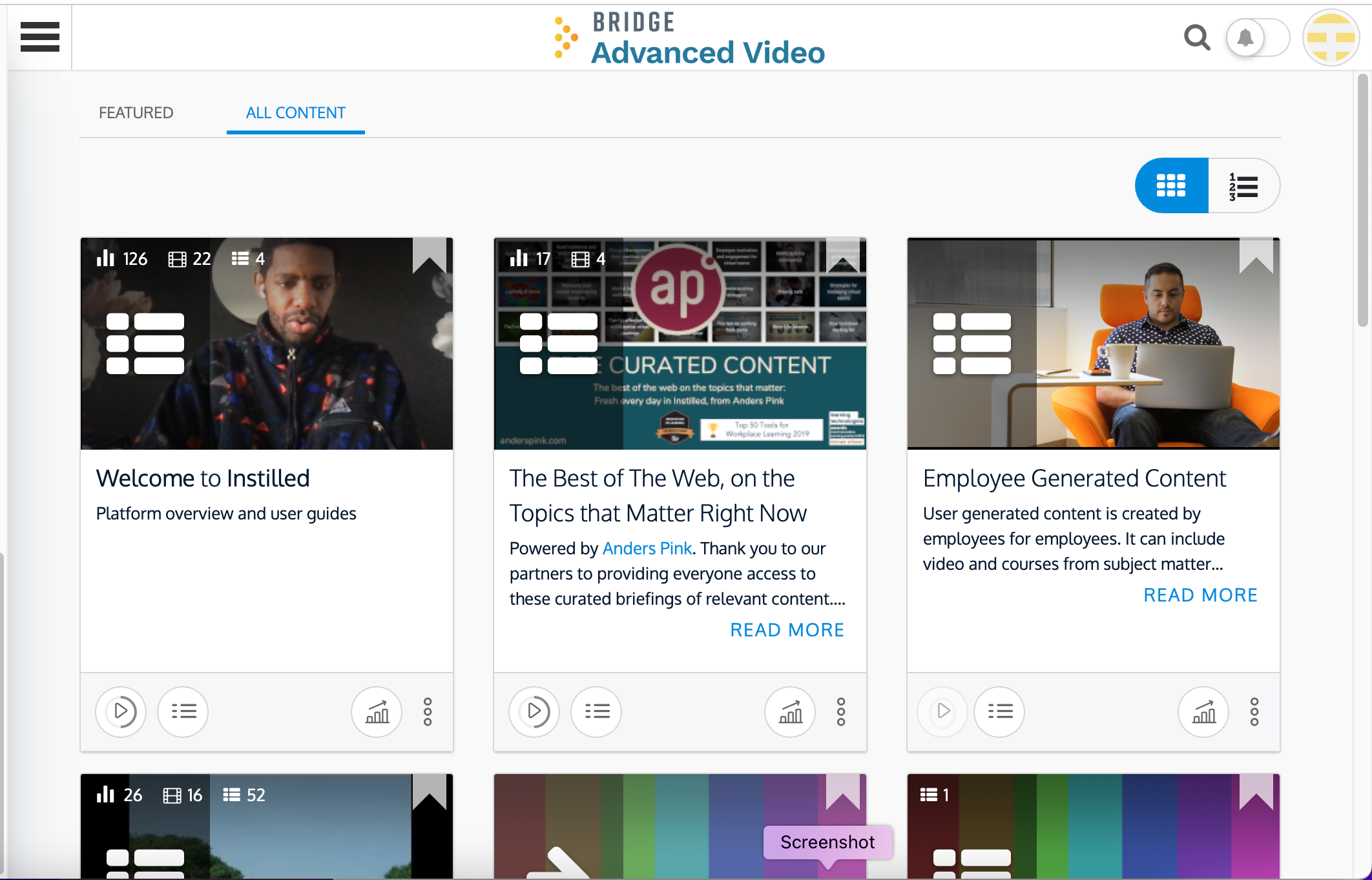
Screenshot of Bridge's Employee Home Page: See courses, programs, 1:1s, Goals, learning tasks, all in one place.Screenshot of Bridge's Journeys: Journeys helps you build the courses you want and deliver an engaging training experience—every timeScreenshot of Bridge's Learning Page: Incredibly intuitive interface makes it easy to find, engage with, and complete assigned and optional learningScreenshot of Bridge's Career Vision Page: Identify career vision, core drivers, and needed skills and then map a plan with courses and activitiesScreenshot of Bridge's Analysis Overview: From custom reports, scheduled data delivery, to simply downloading the dashboard as a PDF, understanding your data is quick, easy and intuitiveScreenshot of Bridge Advanced Video: Video based LXP that provides users with an enhanced video learning experience that is easy to use, quick to deploy and critical for retaining top talent and providing meaningful engagement with employees

WorkBright Screenshots

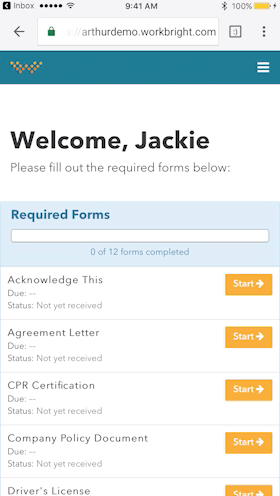
Screenshot of Works on any Device - Not just ‘mobile friendly’ but mobile FIRST! Designed to complete all forms quickly and efficiently from any smart enabled device.Screenshot of Automatic Reminders - Reminders are automatically sent out to employees who have not completed their forms with increasing urgency and frequency.Screenshot of Fingertip Signature - Best in class eSignatures allows employees to sign forms with their fingers on mobile devices including timestamp and IP address.