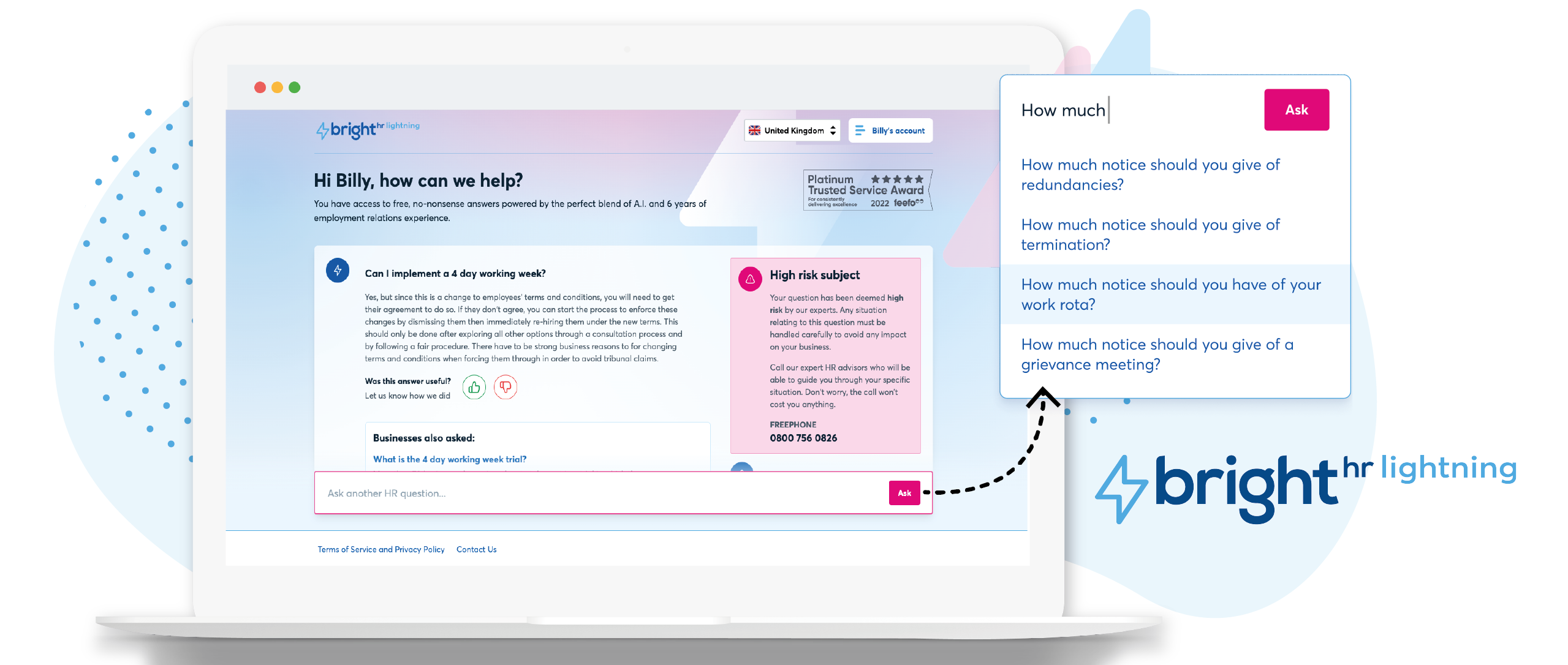
British company BrightHR offers a human resources platform which helps replace paper documents with edocuments and contains features for managing employee scheduling and ROTA, sick leave and tardiness, vacation and holiday shift planning, as well as providing employment law legal advice.
$4.50
Expensify
Score 9.1 out of 10
N/A
Expensify automates the entire spend management process. Scan receipts, track mileage, submit and approve expenses, manage corporate cards, reimburse employees, pay bills, send invoices, and book travel. Built for individuals and companies of all sizes, anywhere in the world.
$5
per month per user
Pricing
BrightHR
Expensify
Editions & Modules
No answers on this topic
Collect
$5
per month per user
Control
$9
per month per user
Offerings
Pricing Offerings
BrightHR
Expensify
Free Trial
No
Yes
Free/Freemium Version
Yes
No
Premium Consulting/Integration Services
Yes
No
Entry-level Setup Fee
No setup fee
No setup fee
Additional Details
Prices start at £4.50 (per employee/per month)
—
More Pricing Information
Community Pulse
BrightHR
Expensify
Features
BrightHR
Expensify
Human Resource Management
Comparison of Human Resource Management features of Product A and Product B
BrightHR
7.1
41 Ratings
13% below category average
Expensify
-
Ratings
Employment history
7.135 Ratings
00 Ratings
Job profiles and administration
7.533 Ratings
00 Ratings
Workflow for transfers, promotions, pay raises, etc.
7.319 Ratings
00 Ratings
Organization and location management
6.231 Ratings
00 Ratings
Compliance data (COBRA, OSHA, etc.)
7.218 Ratings
00 Ratings
Payroll Management
Comparison of Payroll Management features of Product A and Product B
BrightHR
7.3
16 Ratings
11% below category average
Expensify
-
Ratings
Pay calculation
7.114 Ratings
00 Ratings
Support for external payroll vendors
6.88 Ratings
00 Ratings
Salary revision and increment management
8.09 Ratings
00 Ratings
Reimbursement management
7.29 Ratings
00 Ratings
Leave and Attendance Management
Comparison of Leave and Attendance Management features of Product A and Product B
BrightHR
7.2
53 Ratings
12% below category average
Expensify
-
Ratings
Approval workflow
6.551 Ratings
00 Ratings
Balance details
7.545 Ratings
00 Ratings
Annual carry-forward and encashment
7.426 Ratings
00 Ratings
Employee Self Service
Comparison of Employee Self Service features of Product A and Product B
BrightHR
8.2
52 Ratings
0% above category average
Expensify
-
Ratings
View and generate pay and benefit information
7.417 Ratings
00 Ratings
Update personal information
8.350 Ratings
00 Ratings
View company policy documentation
9.048 Ratings
00 Ratings
HR Reporting
Comparison of HR Reporting features of Product A and Product B
BrightHR
7.1
25 Ratings
6% below category average
Expensify
-
Ratings
Pre-built reports
7.125 Ratings
00 Ratings
Onboarding
Comparison of Onboarding features of Product A and Product B
BrightHR
7.3
16 Ratings
9% below category average
Expensify
-
Ratings
New hire portal
7.014 Ratings
00 Ratings
Manager tracking tools
7.613 Ratings
00 Ratings
Performance Management
Comparison of Performance Management features of Product A and Product B
BrightHR
7.5
19 Ratings
5% below category average
Expensify
-
Ratings
Review reminders
7.719 Ratings
00 Ratings
Multiple review frequency
7.316 Ratings
00 Ratings
Recruiting / ATS
Comparison of Recruiting / ATS features of Product A and Product B
BrightHR
6.3
14 Ratings
22% below category average
Expensify
-
Ratings
Job Requisition Management
6.07 Ratings
00 Ratings
Applicant Tracking
5.96 Ratings
00 Ratings
Notifications and Alerts
7.013 Ratings
00 Ratings
Expense Management
Comparison of Expense Management features of Product A and Product B
BrightHR
-
Ratings
Expensify
9.8
169 Ratings
17% above category average
Employee Expense Reporting
00 Ratings
9.9168 Ratings
Corporate Card Reconciliation
00 Ratings
9.774 Ratings
Payment Management
Comparison of Payment Management features of Product A and Product B
I feel Bright HR is well suited to most small/medium sized businesses where they have a 'straight' forward resource set up. For larger businesses or for complex businesses similar to ourselves, where we operate 24 hours per day, rotational shift patterns, ambulatory staff, locums etc...we have to 'fudge' the way we use the information sometimes to make it work for us.
I think it's really good for small businesses. At least in the way we use it. It's very good for keeping an eye on employee spending in nearly real time. I'm not sure how it works for larger companies when there is a larger number of people to keep track of.
Notifications for requests should be optional based on individual employees. For example an admin won’t necessarily want every staff members leave requests by email and push notification. The settings only currently allow for notifications for everyone or no one. Being assigned as a manager may not allow data viewing required of wider staff.
Toil should automatically be accrued into a balance if the employees clocked in time amounts to more than the target hours. It shouldn’t have to be calculated and requested.
When reviewing hours worked for the week, the history calculation should take into account approved leave and sickness etc. I have a staff members target of 37 hours, but if their hours show 29 hours worked then I have to work out why they worked less. It should account for this if the absence is approved.
I wish that I could sync accounts on the back end kind of like with banking software, so that Expensify would automatically port over receipts for recurring expenses as soon as they're available
It would be nice to one-click submit an expense all the way through instead of having to attach it to a report
Wackier profile icons? :) Not a big deal. This software is pretty much amazing as it is now, and typically the urge to update and modify very good software leads to poor outcomes!
It's not entirely my decision - we are members of a 'community' of veterinary practices who have signed up to the contract with pensinusla and have bright hr as part of that contract however, I am usually involved in the tender process as I am one of the biggest users of both bright hr and the services from peninsula
We like using the tool and we receive positive feedback from employees and management who use the tool. It saves time and helps us concentrate on the value adding activities so we are very likely to keep using Expensify in the future
Onboarding took too long due to our unique working ways however the support team tried their hardest to make it work (still ongoing) In particular Leyla S. who has been our point of contact, she has ensured our issues are addressed and always follows up.
My rating of 8 out of 10 for Expensify's overall usability reflects its strong performance in empowering individual users and streamlining core expense processes, while acknowledging that there are specific areas, particularly on the administrative or enterprise side, where the user experience could be further refined. Exceptional End-User Experience (for basic tasks).Automation & Time-Saving Features.Clear Workflow for Approvers. Why it's not a perfect 10 (areas for improvement that dock points): Limited corporate bank to choose from, limited multi-currency to pay to ( for instance, as a foreign corporatio,n i cannot pay with my US account to Israeli employees, or pay to our UK employees)
The team are proactive, having an advocacy team is just amazing and a great way to really understand their product roadmap and have input into useful features or feedback
Our rep has been amazing. He has built custom reports for us that have been very time consuming and difficult. Our reps are also currently looking into new submission solutions for us that we are excited about. They came up with this and recommended it on their own without me complaining about an issue. They are about our success and are very excited about the product they offer.
it was fairly easy to do but timely as i had to enter everything from scratch - i didn't at the time realise how important it was to set up the variable or fixed working pattern correctly given future changes as this is very tricky once it has been set up and i wished i had been aware that sometimes you can't make future changes without deleting the whole profile and starting again
The implementation process went rather smoothly, linking it to the bank and cards was handled easily. without too many unnecessary steps. Getting the accounts setup did take some time, but that would be true with any organization. All in all things went smoothly and I was very pleased with the setup and implementation process
I chose BrightHR as it offered a one-stop platform for HR management for which we have dedicated UK and ROI HR specialists who not only give HR advice but also write policies and handbooks, etc. They are a one-stop-shop, which was very important as when I signed the contract I did not have an HR person in my team and they were essentially my back office. Also, by signing up, I got access to Bright Safe too; which is great as again it's a one-stop-shop for Health and Safety in the workplace. So I can roll out toolbox talks, training, and accident management.
It is definitely 10 times better than using an Excel spreadsheet. We are talking a digitized with AI type capabilities to do the work for you. It’s honestly a lifesaver. This beats manual calculations and data entry any day. Scanning 100 receipts and saving them to pdf files not only takes space on your storage but it is an extra unnecessary step
We went from paying credit card fees with no approval process to a no fees and complex approval processes.
I personally save time in not having to develop a spend report I just have my admin assistent fill in the details of the auto generated report and it is done. Went from an hour long process to 5- 10 minutes max to prepare a high quality audit ready report.