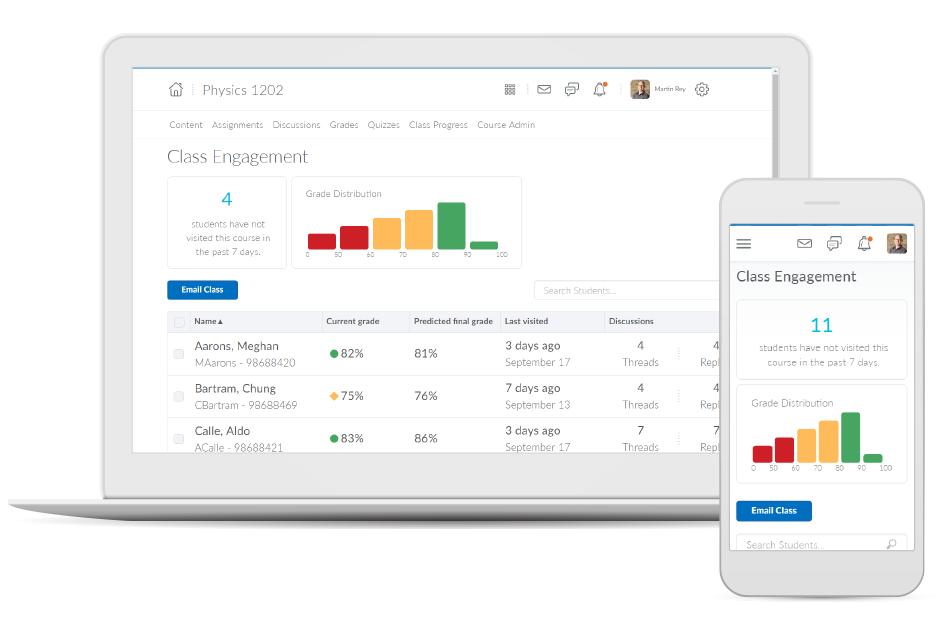
Brightspace is an academic and corporate learning management platform. It provides core e-learning features, as well as mobile accessibility and granular personalization and analytics insights.
N/A
Google Classroom
Score 8.2 out of 10
N/A
N/A
$0
per month
Unique Learning System
Score 8.7 out of 10
N/A
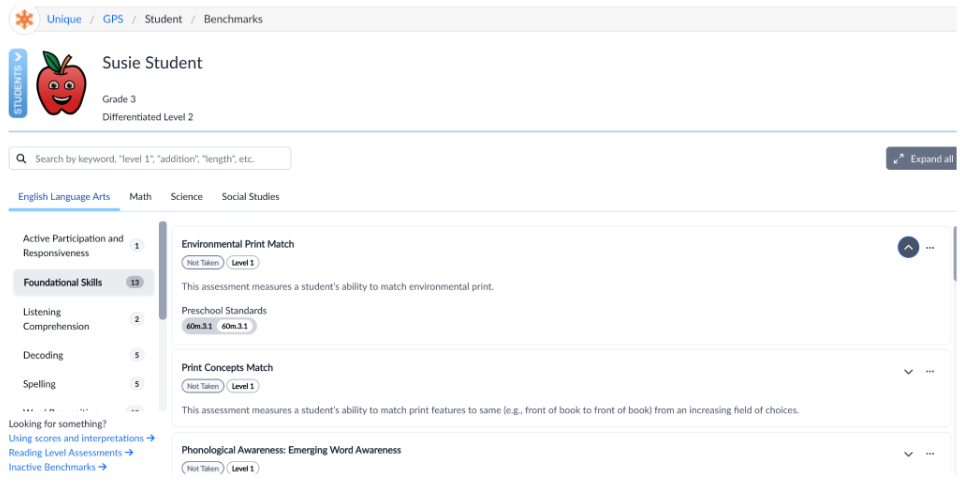
Unique Learning System (ULS) is a special education solution that supports students with disabilities from Pre-K through transition. It provides differentiated, standards-aligned lessons in ELA, math, science, social studies, and life skills with built-in assessments, progress tracking, and automated differentiation.
N/A
Pricing
D2L Brightspace
Google Classroom
Unique Learning System
Editions & Modules
No answers on this topic
Education Fundamentals
$0
per license/per month
Google Workspace for Education Standard
$3
per student/per year
Teaching and Learning Upgrade
$4
per license/per month
Google Workspace for Education Plus
$5
per student/per year
No answers on this topic
Offerings
Pricing Offerings
D2L Brightspace
Google Classroom
Unique Learning System
Free Trial
Yes
Yes
Yes
Free/Freemium Version
No
No
Yes
Premium Consulting/Integration Services
Yes
No
No
Entry-level Setup Fee
No setup fee
No setup fee
No setup fee
Additional Details
Must contact vendor for pricing information. 30-day free trial is available.
Education Fundamentals Version - 30-day free trial for qualifying institutions.
In looking at Brightspace versus its competitors currently, it continues to provide the widest functionality, great value, and better ability to tailor the user experience of it to our organizations needs. The longer that our institution has had Brightspace, the more we've been …
If you're an educational institution (K-12, Higher Ed, etc.), this is an amazing tool, and it will provide you all the functionality to support anything you may want and need it to do. If you are looking at Brightspace as a tool for corporate training, I'm not sure exactly how good or bad it will be for you. My guess would be that it likely depends on your organization's size. Along that line, what I can speak to is how we use it for our customized training and in-house professional development/training, and it works fantastically for that. While we primarily use it for normal higher ed coursework, we regularly do training and professional development for all of our employees and I manage those along with our HR department. Because we use it for many other things as well, all of our employees are familiar with the product, which makes our trainings go that much smoother and makes my job that much easier.
Google Classroom allows teachers to post for daily lessons and assignments. It also allows teachers to be able to communicate with students easily outside of class. Students are able to stay connected and know where to find all information and resources easily in a streamlined manner for all of their classes.
I have actually recommended it to another teacher in a different district for her autism program since she could level and pace it easily and also easily collect IEP data without stressing out her students with extra work. Unique Learning System is also a good program for our autism program because it is consistent with all core subjects, making is very routine based.
Allowing users to embed content links from YouTube or Google Drive enables learners to experience a richer lesson.
Providing a powerful editor that allows developers to also include content from Adobe Stock as well as textbook publishers and cloud storage companies gives more power and creative ability to instructors.
Providing scaling for mobile and traditional computer systems ensures students will not have issues on the go.
The customization of home pages and groups enable courses to be used for small training sessions with breakout groups, large courses with separate sections, and even just more engaging courses that present themed icons and logos.
Student-teacher communication - I love using Classroom for this because my students can always go back and check what was on Classroom by looking through the stream. This way they don't have to go dig through emails to find what they're looking for.
Posting to multiple classes - I can post the same announcement or assignment to multiple classes at once without having to repeat the process or send separate emails.
Streamlining grading - when students turn work in on Classroom, it all goes to one place and then when I'm grading I can open their documents directly from Classroom or my Drive folder. This way, I'm not looking through emails and Google Doc shared files for their assignment.
Data tracking and progress reports - Unique Learning System's Polaris feature is a user-friendly, simple way to track and monitor progress towards learners IEP goals. When creating a roadmap that follows a learner's IEP, you input data such as learning profiles and benchmark assessments and rubrics that then produce goal suggestions. You can craft your own goal, use a suggested goal, or choose a goal from the goal library. It gives you a great idea of what goals to target based on learner needs and progress. Entering data is super easy, just a date and a data point, and a graph generates for you. From there, it will show the data trend and flag it for you when it's at risk. It is also easy to add an intervention. Quarterly, I use the progress report feature to generate a report that provides me with the graphs that I use to put into IEP writer.
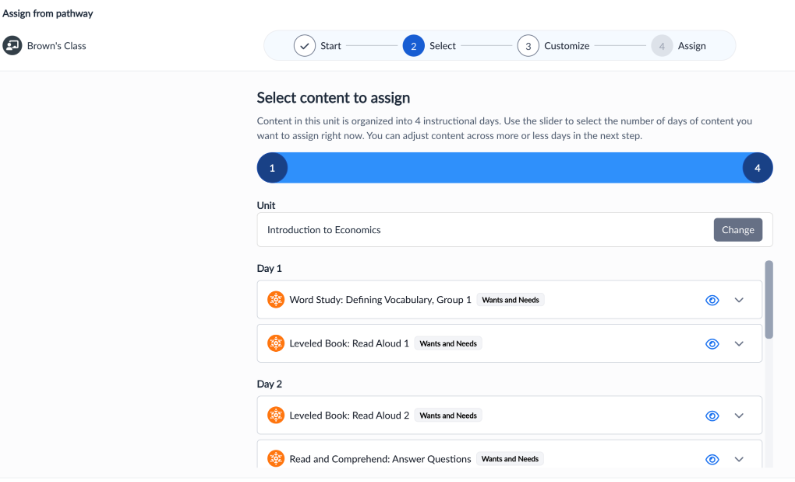
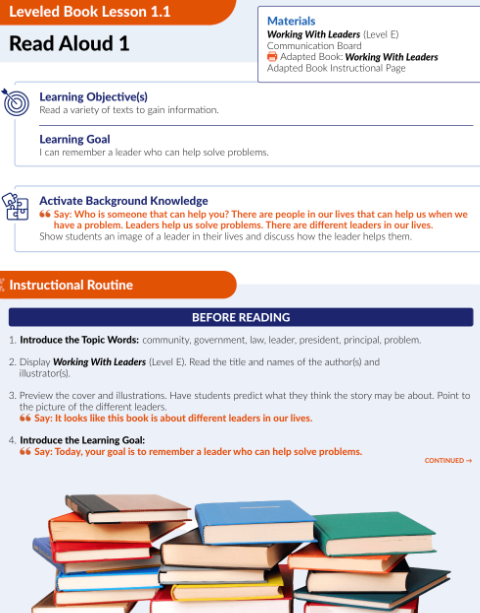
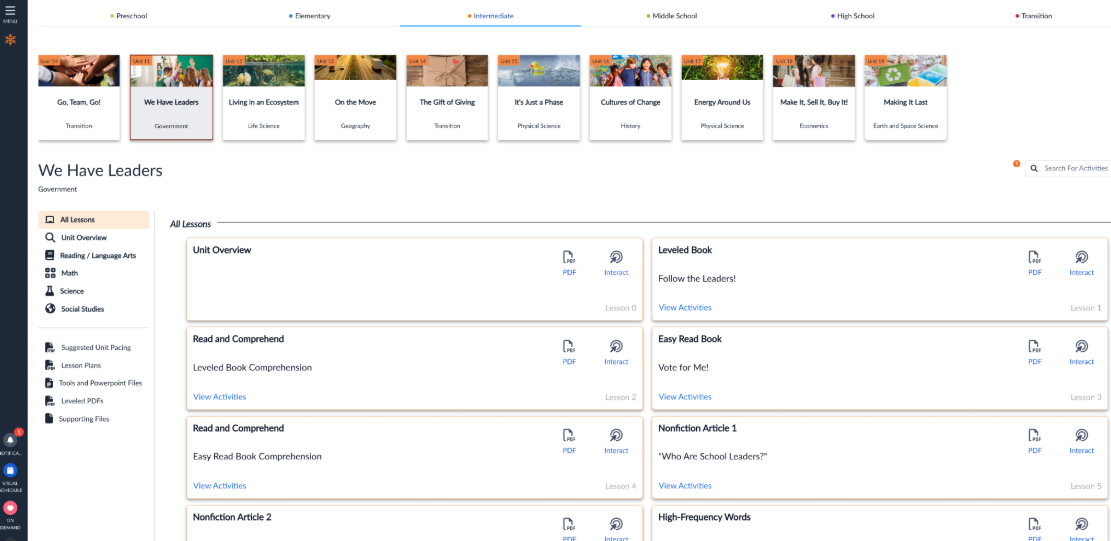
Curriculum pacing - My school utilizes Unique Learning System for our daily instruction. Unique Learning System provides pacing guides with what to teach and when. Everything is standards aligned and all of the lesson plans have ways that you can differentiate already built into the plans as well as an easy to use, structured/routine based set up that makes daily lessons predictable for learners to increase engagement.
N2Y - My learners love News To You! This provides children with access to informational text. We use it as a "fun Friday" read every week. We read the article in class, watch videos, answer questions, and typically do an activity to go along with it. The kids look forward to it every week, and also enjoy the Joey's Locker games that go along with the articles. They have a new feature to be able to assign activities that go along with the article which is really nice because I assign them as supplemental activities to go along with what we are learning about in class!
One can feel a bit rushed on the Brightspace platform during the log-out period. Security requirements may require this, but it makes end-users more conscious about getting through content than taking notes.
From my experience, there is not a direct connection between the platform and Outlook.
Unique Learning System's materials in the science and social studies areas aren't "fluffy" as other areas, but they are continuously adding materials
The layout of the website isn't the most user friendly, but most teachers are able to navigate easily after an initial training
The administrator side of things isn't super straightforward, reports can be confusing to find/run, but the one on one meetings always provide clarity.
I would never give any system a perfect score. In the technology environment today we need to be constantly looking at ways to improve the user experience and LMS companies like Desire2Learn need to know that we have options today with other systems and they need to stay current with features and listen to their customers.
Testing is particularly important in online learning, and Google Classroom falls far short of other learning management systems in this regard. Security is also a concern: while account control is reasonable for the account used with Google Classroom, the person controlling a particular account is often able to, for example, forward or download proprietary materials.
I appreciate all the various resources that Unique Learning System has to offer. However, due to my limited interaction with other resources similar to Unique Learning System I do not know enough to compare it against other programs. I also am not a person in charge of renewing Unique Learning System for my organization.
Overall, the learning environment works as expected. However, there are plenty of bugs. For example, for a few versions, trying to print out a PDF from the Content screen in several browsers would produce a blank page. We inform D2L support about these issues, most of which are known issues. However, they are very slow to respond. D2L seems to spend more time selling than actually coding and testing their product. Most of the issues are not major -- however, there have been a few that are unbelievable. In fact, this past week we had a sudden issue where the "Submit" button in quizzes would not appear if users had a certain browser/operating system combination. This is a major problem, if students cannot submit their exams! D2L is slow to respond to these kinds of situations, which do occur more often than I would like.
Simple design and seamless integration with Google tools and drive, but missing some key features. However, since it is limited in overall functions and ability to truly personalize / customize, it is quite user friendly and easy to set up and get going, other than sending out the code to your course or dropping students in via their gmail account. Users of Google Forms and sites will find the layout similar in design.
There is a lot of content in Unique Learning System. It can sometimes be time consuming to navigate through everything. I appreciate the depth and breadth of the resources, but it can also be tough to use when I need a worksheet or packet for my students. The use of Unique Learning System on the computer is great, but my students seem to learn best when they have a pen and paper in front of them.
Both students and instructor enjoy the 24-hoiur access. After, all isn't that the point of online learning. As an instructor located in an Eastern time zone state it is great to connect with students located in a Pacific time zone state. I have gotten comments about the early hours I am in the course room grading assignments . . . 4:00 a.m. PST; 7:00 a.m. EST So, it's sleep time for my students and "first cup of coffee" time for me.
I have had excellent support from Desire2Learn. Any ticket that I submit is acknowledged immediately and the correction is usually almost as quick. We use this for thousands of classes and it is pretty well liked by both faculty and students. We have been using it for almost 4 years now and most of our instructors have become pretty proficient with it.
Since this platform is provided by Google, the technical support is better than any others, and we are not required to bother about the space constraints for adding the contents. If we have a good uninterrupted internet facility we can access Google Classroom without any delay or lag. They have app support in both Android and iPhone.
The training provided online did not, necessarily, fit the version of the system that I was using. Screens were somewhat different and not all options were readily available. This could have been due to customization on the part of my institution however, I rather believe it was due to version changes and training materials not yet being updated.
It was relatively easy to implement due to the simplicity of the platform. Even our more technology challenged teachers found it easy to get started with Google Classroom.
I have used Blackboard Learn 8 and 9. I am currently learning about Canvas. Blackboard is overall much clunkier and lacks the intuitive feel in some parts of D2L. Its grade book is much harder to control and manipulate than D2L's. Its navigation menu can be more radically modified from the default than D2L's, but this doesn't seem that useful to me. Discussions in Blackboard can be more easily reorganized than in D2L, but no grading of discussions is possible. Blackboard Assignments is a good innovation which allows markup directly in the students' submissions, but it displays student work in a confusing manner that doesn't allow for any customization, and its markup options need further tweaking. Furthermore, no rubrics can be used in Blackboard in any way to grade any kind of work (that I am aware of). Overall, I would choose D2L over Blackboard.
I haven't tested or evaluated another digital classroom website or application. I feel like Google Classroom is convenient for many reasons such as compatibility to Google docs, slides, etc. I also love the ability to link to YouTube and other sites. I don't know if there would be a site that is easier to maneuver.
We viewed Encore by TeachTown. The product seemed to be a notch above Unique Learning System and included workbooks and other books but was very expensive. The downfalls of Encore was that it did not include the Profile Assessments like Unique Learning System and also the monthly checkpoints which are very valuable.
During my first semester working with Desire2Learn the integrated learning management system was more down than up. This meant reconfiguring assignment due dates, frustration for both the instructor, students, and help desk staff. After an upgrade, Desire2Learn has been reliable.
I cannot speak to whether this system is less expensive than the more fully featured Blackboard, but employees are far less efficient, frustrated, and require frequent calls to the help center to set up fairly simple course templates.
I have been asked to consider teaching courses which will be completely online at my current institution. I have done such online courses several times at other universities, but I have decided Desire2Learn is too frustrating and cumbersome to do so. I am now exploring using Google Drive to teach a course online. Otherwise, I will not teach online until required or I find an alternate system.
Ease of planning is #1. I am able to plan an entire lesson or a week's worth of lessons during my 30-minute planning time.
Data that is collected for IEPs is so valuable and reports are parent-friendly.
Students are able to work on the alternative path toward a diploma because this curriculm is covering all of the standards they need to see in order to earn their diploma.