Overview
ProductRatingMost Used ByProduct SummaryStarting Price
BulkSignature
Score 9.1 out of 10
Mid-Size Companies (51-1,000 employees)
BulkSignature is an email signature management tool for Google Workspace boasting over 400,000 users. BulkSignature integrates with Google Workspace, allowing users to import data and manage Organizational Units and Groups. The sign-in process uses a single Google Account and Universal Navigation. Managing user and company data can enhance profiles with high-quality pictures, selectively update information, and users can perform bulk updates using CSV file uploads.…
$11
per month 10 users ($1.1/user/month)
Exclaimer
Score 9.4 out of 10
N/A
Exclaimer is a provider of email signature solutions, empowering businesses to u
$0.90
per month (billed annually) per user
Pricing
BulkSignatureExclaimer
Editions & Modules
No answers on this topic
Starter
$0.90
per month (billed annually) per user
Standard
$1.45
per month (billed annually) per user
Pro
$1.75
per month (billed annually) per user
Offerings
Pricing Offerings
BulkSignatureExclaimer
Free Trial
YesYes
Free/Freemium Version
NoNo
Premium Consulting/Integration Services
NoYes
Entry-level Setup FeeNo setup feeNo setup fee
Additional DetailsLicensing is based on the number of active mailboxes Exclaimer adds email signatures to. Subscriptions are on a monthly or annual basis. Volume and charitable discounts are available. Minimum number of users is 10 per month.
More Pricing Information
Community Pulse
BulkSignatureExclaimer
Best Alternatives
BulkSignatureExclaimer
Small Businesses
Terminus ABM Platform
Score 8.0 out of 10
Terminus ABM Platform
Score 8.0 out of 10
Medium-sized Companies
Terminus ABM Platform
Score 8.0 out of 10
Terminus ABM Platform
Score 8.0 out of 10
Enterprises

No answers on this topic

No answers on this topic

All AlternativesView all alternativesView all alternatives
User Ratings
BulkSignatureExclaimer
Likelihood to Recommend
9.1
(1 ratings)
9.7
(269 ratings)
Likelihood to Renew
-
(0 ratings)
8.9
(17 ratings)
Usability
8.2
(1 ratings)
10.0
(67 ratings)
Availability
-
(0 ratings)
9.1
(2 ratings)
Performance
-
(0 ratings)
7.3
(2 ratings)
Support Rating
-
(0 ratings)
10.0
(19 ratings)
Implementation Rating
-
(0 ratings)
7.9
(7 ratings)
Configurability
-
(0 ratings)
8.2
(2 ratings)
Contract Terms and Pricing Model
-
(0 ratings)
9.1
(2 ratings)
Ease of integration
-
(0 ratings)
9.1
(1 ratings)
Product Scalability
-
(0 ratings)
9.1
(2 ratings)
Professional Services
-
(0 ratings)
1.0
(1 ratings)
Vendor post-sale
-
(0 ratings)
7.3
(1 ratings)
Vendor pre-sale
-
(0 ratings)
1.0
(2 ratings)
User Testimonials
BulkSignatureExclaimer
Likelihood to Recommend
BulkSignature
definitly suited for small and mid-size companies
Read full review
Exclaimer
Exclaimer is highly beneficial for larger companies that have a range of business units and requirements around the look and feel of signatures. Smaller organisations are unlikely to need the same degree of customisation, so the requirement is diminished. Particularly as there is something of a cost premium and another platform to manage.
Read full review
Pros
BulkSignature
No answers on this topic
Exclaimer
  • Allows for easily customizing the templates for the signatures.
  • Allows uploading custom logos or banners to be applied in the different signatures
  • Allows assigning specific signatures to groups of users
  • Connects easily with all Google Suite email accounts within the organization
Read full review
Cons
BulkSignature
No answers on this topic
Exclaimer
  • A complete tutorial could be added to avoid common pitfalls (such as when to use 0 and when to use auto).
  • The email add-in seems quite clunky when getting going.
  • There is no way to self-serve user-specific changes (such as toggling on/off certain extras, such as direct dials, extensions, and job titles).
Read full review
Likelihood to Renew
BulkSignature
No answers on this topic
Exclaimer
We are very happy with exclaimer it runs 99.9% of the time without any issues. It also very easy to use and maintain and the design team are happy to use it as its so user friendly. When compared to how much time we used to spend updating banners exclaimer saves us hours. This more than justifies the cost and when it comes to renew we wont be thinking twice about doing so
Read full review
Usability
BulkSignature
super intuitive and easy to use for non technical people, but also with the flexibility to create whatever you want with technical knowledge
Read full review
Exclaimer
In the order that I recall the setup process: Signature templates need to be set up (attribute mapping to AD) Office 365 connector needs to be set up (global admin needed and exclaimer engineer for guidance) Signature policies need to be set up (who gets which signatures) Office membership groups need to be setup (who in the org will use exclaimer) Members need to be added to those groups (user membership) Agents need to be deployed on the end-user hosts (local agent)
Read full review
Reliability and Availability
BulkSignature
No answers on this topic
Exclaimer
Never had any issues with availability during our outages.
Read full review
Performance
BulkSignature
No answers on this topic
Exclaimer
I have to admit that there has been an odd occasion when the pages have taken a while to load. This is the exception rather than the rule.
Read full review
Support Rating
BulkSignature
No answers on this topic
Exclaimer
I've only had one issue in 7 years where I needed to reach out to Exclaimer for support, but it was handled quickly and resolved my issue. No messing around to provide additional information. Just a quick solution to what I was facing which resolved the issue on the first go around.
Read full review
Implementation Rating
BulkSignature
No answers on this topic
Exclaimer
Our implementation was relatively easy as we weren't cutting over from anything. We just got the software installed, set up the file share and got active directory set up. We got exsync on a scheduled task and it just worked. We built our templates and policies and it has always been relatively smooth.
Read full review
Alternatives Considered
BulkSignature
No answers on this topic
Exclaimer
Exclaimer blows the doors off compared to Letsignit. Exclaimer is a little more expensive, but you get what you pay for. What you get is a much better user interface, real analytics instead of one crappy report you have to manually sort, and a much more robust campaign area. With Letsignit I was constantly getting messages that they were experiencing one problem or another, leading to service outages that impacted our users. Gotta love it when the CEO calls because he can't find his email signature. I've had no service interruptions with Exclaim and no email "excuses." That's the sort of thing that makes you lose confidence in a supplier quickly. Oh, and no communication/bills in French. I lived near the Canadian border, I get it, but you have customer databases, communicate appropriately.
Read full review
Contract Terms and Pricing Model
BulkSignature
No answers on this topic
Exclaimer
Everything runs smoothly between us
Read full review
Scalability
BulkSignature
No answers on this topic
Exclaimer
you can easily design more than one signature and spit it among the organisation
Read full review
Professional Services
BulkSignature
No answers on this topic
Exclaimer
We used the Design Template service; this was a very pleasant experience and the design team we in constant communication with us to ensure the templates were designed exactly to our remit.
Read full review
Return on Investment
BulkSignature
No answers on this topic
Exclaimer
  • Uniform feel for all emails sent by the organisation.
  • Meets regulatory Compliance.
  • Ability to send out the right phone numbers for the right departments.
  • It is easy to onboard new staff with the correct details from day 1 (no setup is needed from the new starter).
Read full review
ScreenShots

BulkSignature Screenshots

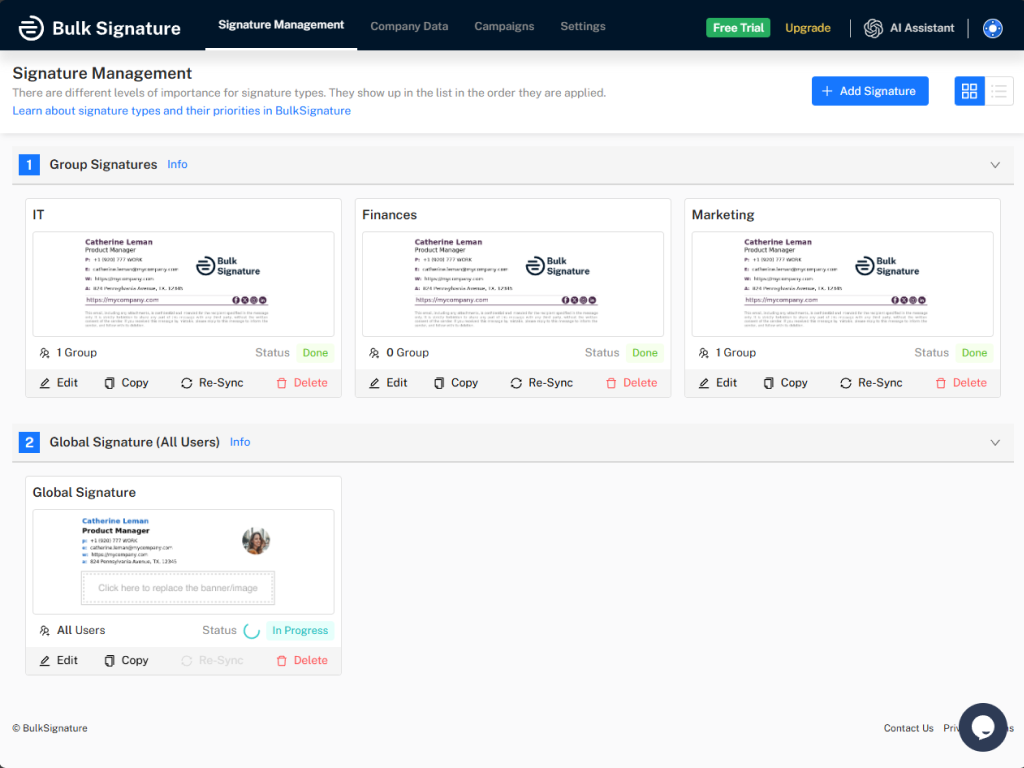
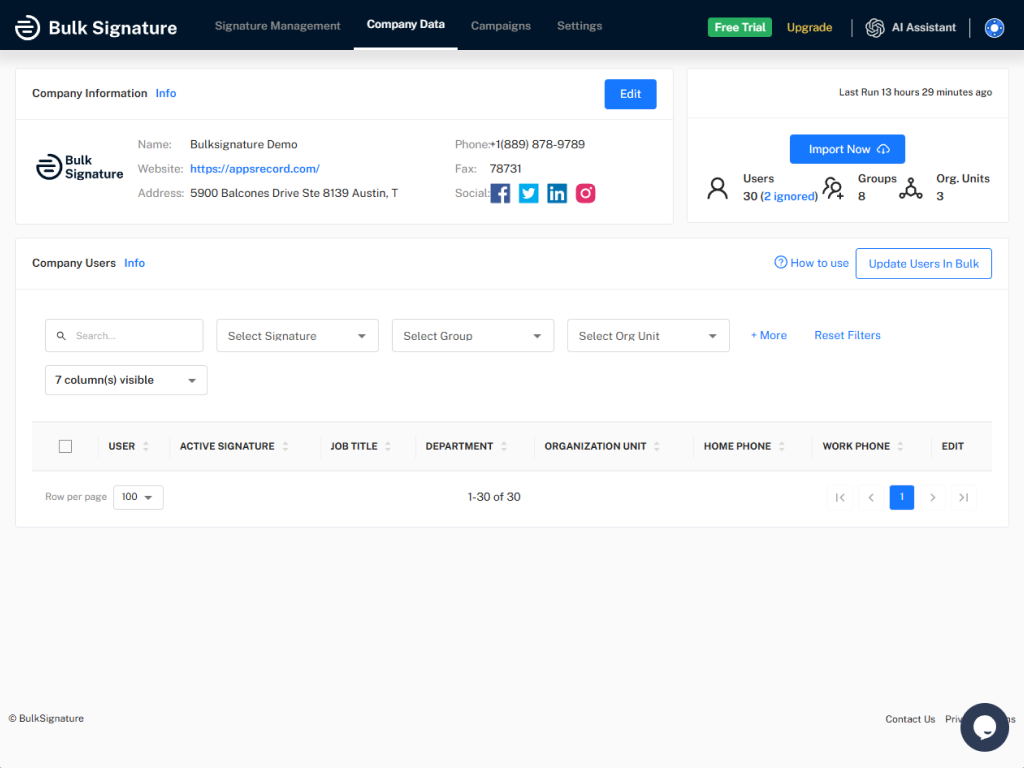
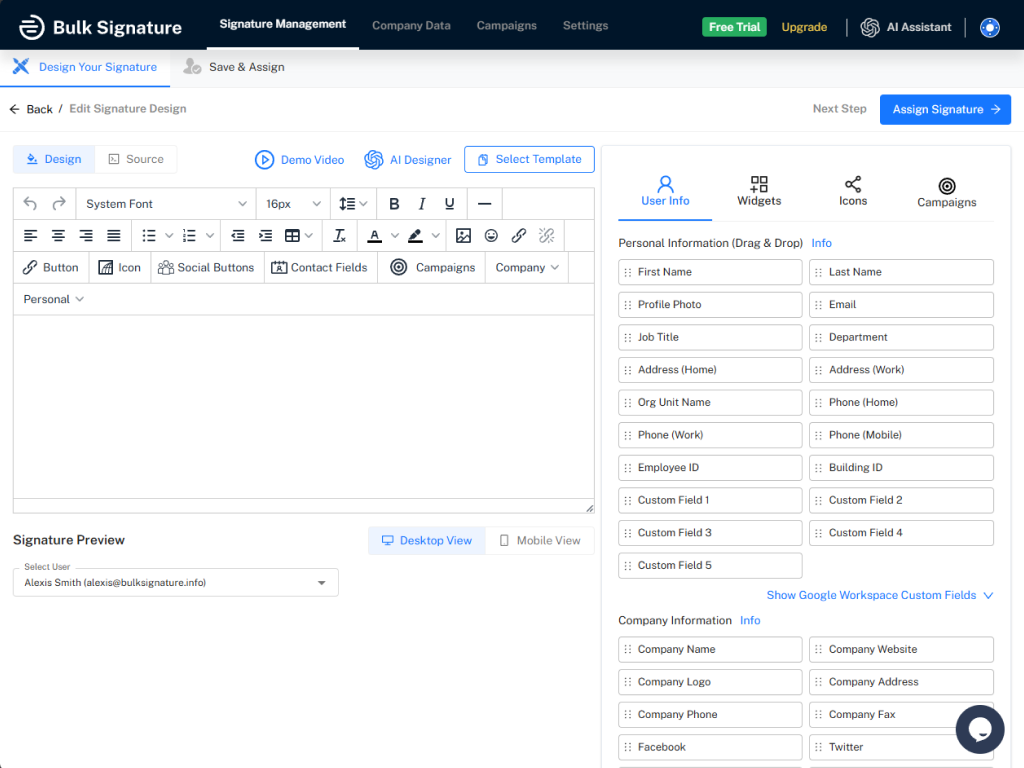
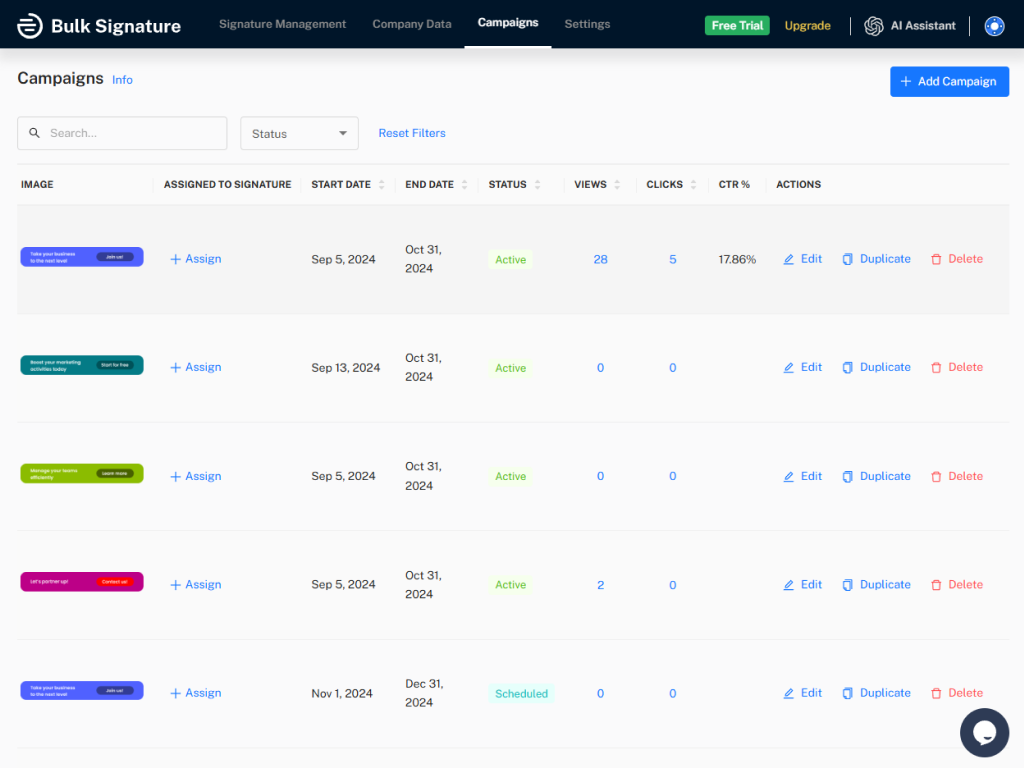
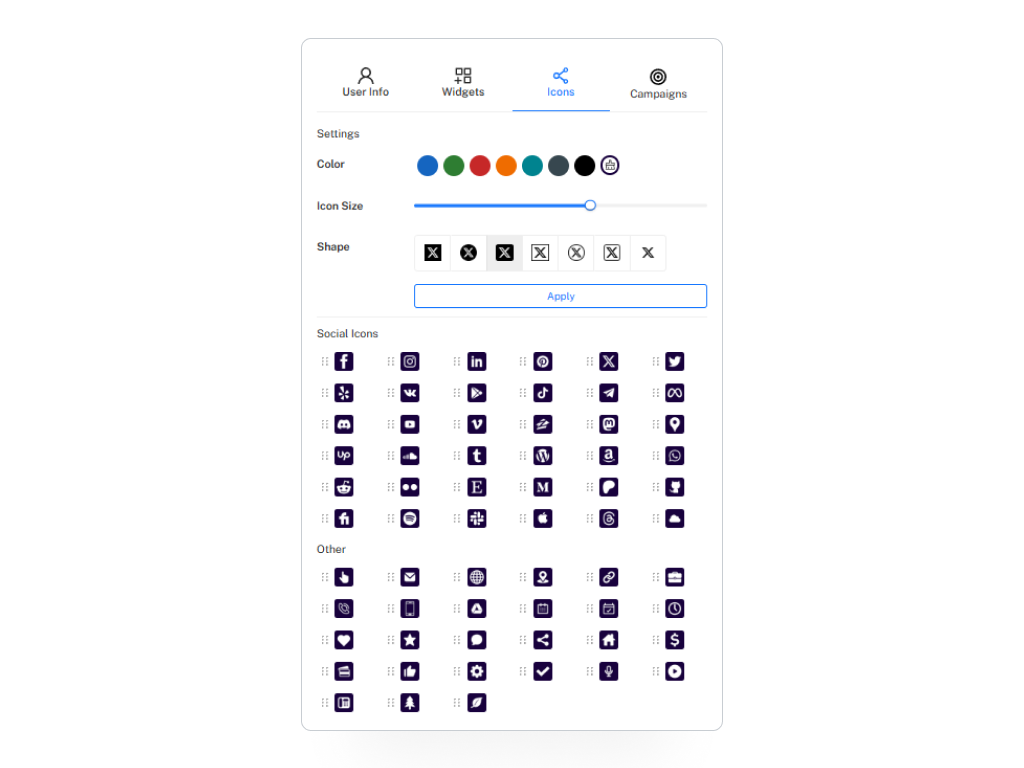
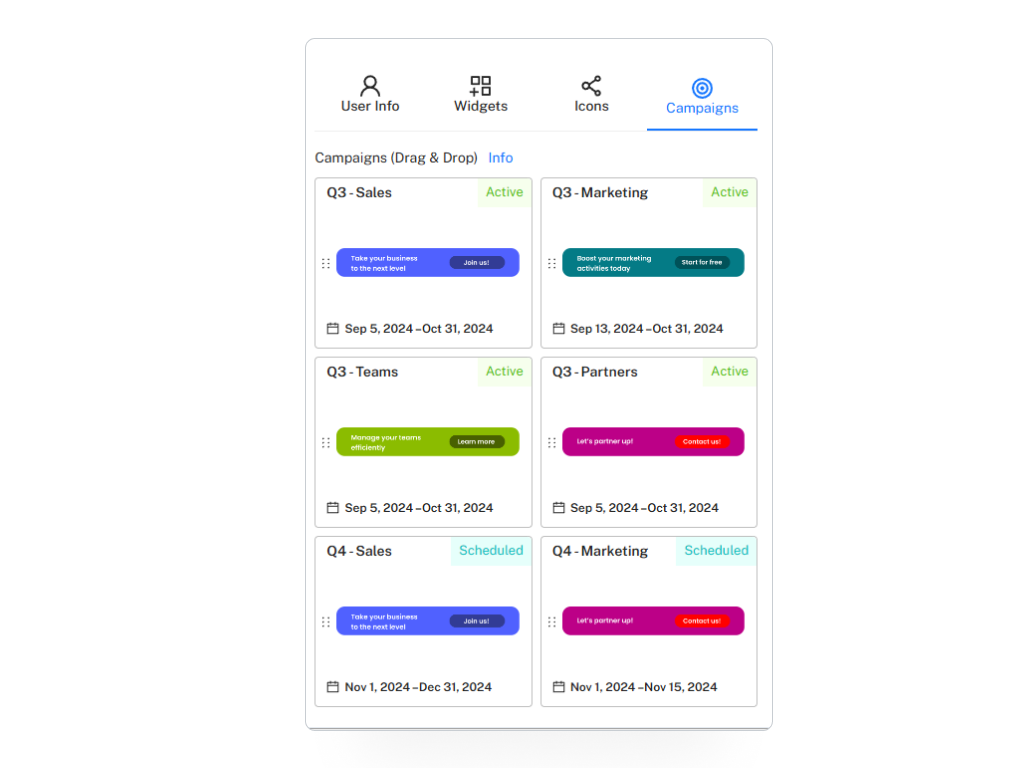
Screenshot of the Signature Management interfaceScreenshot of Company InformationScreenshot of the signature design editorScreenshot of the Campaign management interfaceScreenshot of some of the available iconsScreenshot of campaigns

Exclaimer Screenshots

Screenshot of how Exclaimer helps amplify every email with optimized email signatures for the whole organization.Screenshot of the Social Feeds feature. This can display the three latest social posts in an email signature, to strengthen connections and communities.Screenshot of where Exclaimer gives users the ability to automate and schedule signature updates. This helps to guarantee consistent, branded signatures on every email – even from mobile devices and Macs.Screenshot of the Exclaimer Cloud Outlook Add-in, which allows users to choose their email signature as they compose a message.Screenshot of where users can assign signatures to teams, departments, or entire organizations. This interface lets users tailor messages for specific recipients, fostering engagement through personalized approaches.