Camtasia is a video editor and screen recorder. Camtasia offers a range of plans designed to meet varying video creation needs, and enables users to produce professional-looking videos. Its features include Camtasia Rev, script generation, text-to-speech, translations, and avatar videos, to streamline the video creation process. The editions available are Free, Essentials, Create, or the Pro plan.
$198
per year per seat
ScreenFlow
Score 9.1 out of 10
N/A
Telestream in Nevada City offers ScreenFlow, a video editing and screen recording application for Mac boasting a range of editing tools, graphics and effects, and easy video sharing.
N/A
Sendspark
Score 10.0 out of 10
N/A
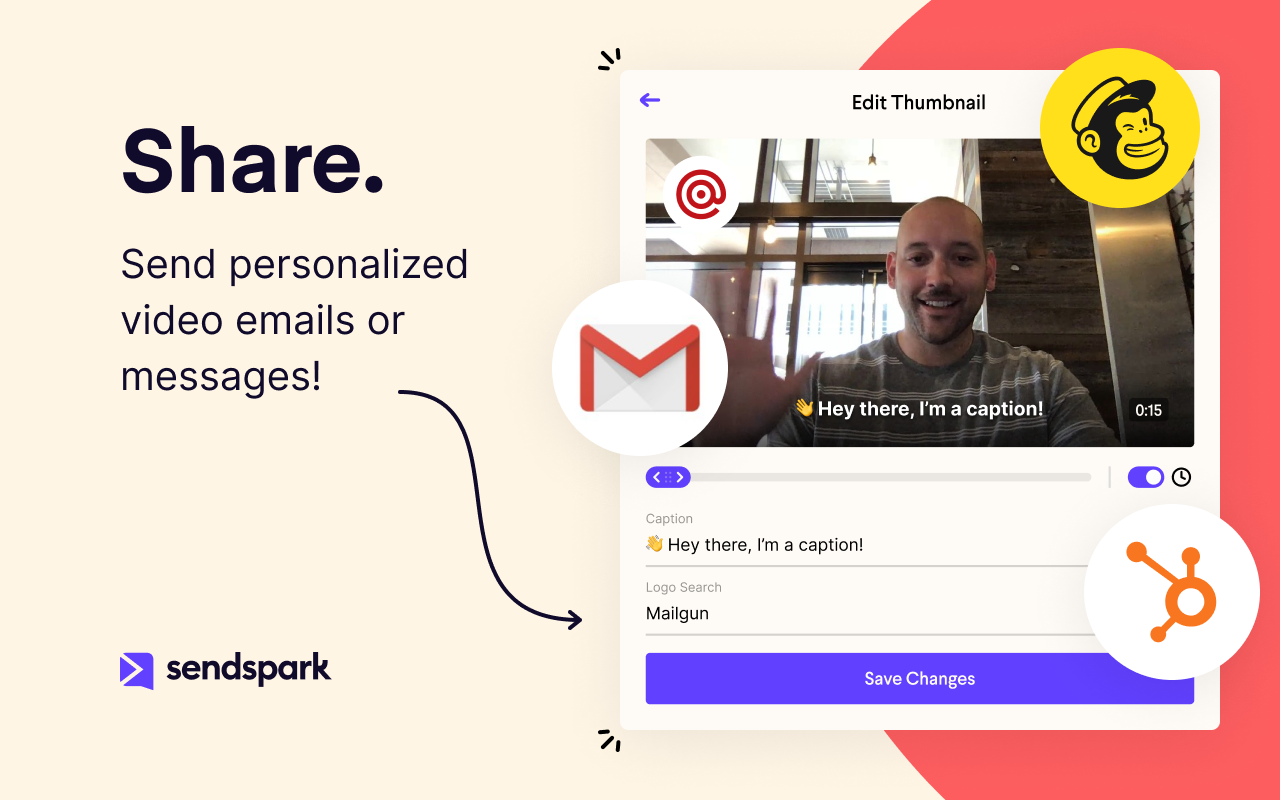
Sendspark helps businesses connect to customers with personalized video messages. Whether the user is an individual, manager, or enterprise, Sendspark can be used to create polished videos for demand generation, sales, or customer success. Videos can be shared in Gmail, LinkedIn, or email marketing platforms — wherever communication with customers is happening — to drive higher engagement.
N/A
Pricing
Camtasia
ScreenFlow
Sendspark
Editions & Modules
Camtasia Business
$198
per year per seat
No answers on this topic
No answers on this topic
Offerings
Pricing Offerings
Camtasia
ScreenFlow
Sendspark
Free Trial
Yes
No
Yes
Free/Freemium Version
Yes
No
Yes
Premium Consulting/Integration Services
No
No
No
Entry-level Setup Fee
No setup fee
No setup fee
No setup fee
Additional Details
*Discounts available for purchases supporting a large volume of users.
—
—
More Pricing Information
Community Pulse
Camtasia
ScreenFlow
Sendspark
Considered Multiple Products
Camtasia
Verified User
Anonymous
Chose Camtasia
Personally find that Camtasia has better video editing tools than those available in the above competition. That being said the other software I have used has been mainly focused on other areas; their video editing tool is more of an afterthought and isn't as easy to use as …
Camtasia is much more robust than iMovie. You can customize Camtasia and easily adjust video and audio settings. With iMovie, you can always "tell"- it is only customizable to a certain degree. Camtasia is like the "advanced" version of iMovie, giving you more flexibility and a …
Ease of use, the daily notifications that I receive. Ability to track support skills and subject matter experts. Teams are able to provide feedback on needs and what works, what doesn't. I use other Techsmith products as well as tools like Scribe. Camtasia offered a variety of …
My goal was to quickly create a professional-looking course and video in no time with Camtasia. 'Time is money,' as the old saying goes. Because of my lack of time and patience, I didn't bother with other applications. Camtasia is everything I need and more. I just wished I can …
As with most software products, you'll always find pros and cons when making comparisons. Camtasia is always my go-to application when someone asks me to whip up a video on a very tight deadline. You can very quickly turn an idea into a finished video and be happy with the …
Camtasia is much more expensive than Filmora, but it is much more robust. Filmora is great if you're on a budget, but Camtasia can add an extra level of professionalism that is difficult to achieve in Filmora without a lot of extra work. Either is great, but Filmora is only a …
I honestly have not worked with any others in at least three to four years. There is virtually no learning curve with Camtasia--super simple and does everything I need. I cannot say how others stack up currently, as there has been no reason to explore other options since using …
Danaher Business System Leader (DBSL), Awesomizer, Fixer, Maker, Collaboration Enabler
Chose Camtasia
Camtasia is not on the same level as Premiere Pro, but it isn’t designed to fill that niche either. Premiere Pro is much more capable, but it is also much more expensive and much more broadly focused as a linear editor. It is much more approachable, it is much more affordable, …
Captivate is high-end to the extent that it is beyond the use of a "typical" user. It has a steep and lengthly learning curve. Camtasia's learning curve can be mastered potentially within an hour to be productive, and it weds with SnagIt to become versatile in presenting …
The two first, well too complicated. I couldn't move fast enough to be able to edit what I needed. I tried and every single time, I came back to Camtasia. The rendering process seems to be faster (I worked prior with a third party company and the rendering process took a lot of …
I've tried several freeware recorders, too. If all you want to do is literally record your screen, and nothing else, you don't need Camtasia. There are literally dozens of apps that will do that. If you want an app that will record your screen while capturing mouse clicks, …
Our advanced editors use programs like Adobe Premiere Pro and DaVinci Resolve, but we only have about 5-6 employees that have that skill level. That isn't enough to support our video output. Camtasia allows everyone that is not at that level to create quality videos with a much …
Camtasia lets you purchase the software and download it to your computer. You don't need to have an internet connection to work on your projects with Camtasia. You don't have to pay a monthly subscription for Camtasia like you do the others. Camtasia is the software to use if …
I have used others, but I consider that the closest to Camtasia are: Movavi, Filmora, Openshot, IMovie and perhaps DaVinciResolve (although this is something more for the professional sector). Among the others I've used: LumaFusion (Ipad), Kinemaster (Android), Vllo (Android) …
Camtasia has more features and more customization options than the other products we've used. It allows us to record presentations while keeping a video of the presenter in the corner. It has green-screen features, which a lot of other software does not have. Some programs have …
They are similar products. For someone devoted to video-editing, Captivate might be a better choice - it has a bit more functionality but is harder to learn and use.
The last time I used Captivate, it couldn't handle a multi-screen setup, which was a deal-breaker for us, and …
Adobe offers you a lot more tools and control over what you are doing when editing a video, but there tends to be a lot of features you never use and get overly complicated. Camtasia offers the basic tools that you need to get almost any job done if perfection is not required.
Having used both solutions, I would recommend them for different uses. iMovie is a great platform for family videos but does not go beyond clipping videos together. Camtasia allows you to do some nicer editing of videos. This is why it is a much better platform for small …
ScreenFlow is quick and easy. The interface doesn't seem complicated like other tools I've used in the past and it works offline which is a benefit if you need to work offline using screen recorded footage.
I haven't used Camtasia much, but it's the alternative for teachers using PC systems. It seems very popular among the instructors. We have received video exports from Camtasia to edit in Adobe Premiere. Another way we have done screen recordings is a combination of QuickTime …
We looked at things like Loom and all those other screen recorders, but Screenflow is just so much more powerful. It can do everything we want it to and more, even things like Chroma Key (green screen), text on video, transitions, all that. It's a pretty great software for …
Founder | Digital Marketing Strategist & Facebook Lead Gen Expert
Chose ScreenFlow
screenflow is much easier, and less expensive as well. Anyone can make a screen record using quicktime, but the tools that are included help you polish off your content end to end.
Camtasia is a strong competitor to screenflow. Camtasia has a bit more functionality. screenflow is less expensive and does exactly what I need it to do. screenflow doesn't have any bells and whistles, Camtasia does. I prefer screenflow because it is very straightforward to use …
Screenflow offers a clean interface and intuitive tools like I have not seen across other video editing products, often times because of the many complexities that are delivered with video editing software. I have used many many video editing tools in my past and this one …
Beginning with Adobe Premiere Pro - which I still use, it is a computer-power consuming product and has many more options for video production that are needed for training videos. There have been a few times where I have used Premiere Pro and taken the video and added it to …
While loom is the fastest, it lacks editing power. Loom is best suited for quick communication. Camtasia is the only direct competitor I'm aware of, but it's much more expensive and not as easy to use. The only benefit of Camtasia is that it has superior text on screen …
I haven't personally used Camtasia but was informed by multiple people who have that it is much harder to use than Screenflow is which is one of the main reasons we moved away from using it.
While Final Cut Pro X is definitely more full-featured, the learning curve is also considerably steeper. Also, as far as I can tell, Final Cut does not have the built-in capability to record my computer screen. If you are a hardcore video editor, Final Cut is the way to go. …
Adobe Premiere Pro is the golden child of video editing software, and sadly screenflow cannot truly compare. However, screenflows ability to capture video/ audio from internet sources is the best reason to purchase.
Anytime we onboard a new client Sendspark sends all customer's details back to Hubspot. This is so handy as it's an automated process. If you prefer to use Zoho then no problem. It's in Sendspark as well. It would be great to use webhooks and API. But it's coming very soon.
Loom provides all basic features of screen recording software but because they are established now, they sometimes fail to work on customer feedback while Sendspark is always innovative e.g one of the life-saving features is a link to share with customers to record their …
No brainer. Stick with what is easy, has great customer service, and more functionality to be unique to your brand. Sendspark is the way to go for simplicity and the pricing is more affordable.
Virtually all other video platforms have more functions, more functionality, more integrations, and more ways to customize everything. The only exception is (possibly) Vidyard. Layers of complexity lead to inertia. That leads to plenty of excuses to not incorporate video into a …
While Sendspark has a bit less functionality than popular rivals such as Loom and CloudApp, its affordability and simplicity have ultimately caused us to stick around. We are confident with the continued upgrades and functionality Sendspark is developing, it will continue to be …
Pretty much similar in terms of delivery and usability. Both have a free version. But I like the flexibility of storage on demand as well as the UI seems to be more adaptable with Sendspark. In terms of functionality there is room for improvement thought but it is still early …
I see a lot more flexibility and room for growth in Sendspark. The team is very [responsive and has] an excellent direction and roadmap of how they want to grow Sendspark. The ability to have Video Landing Pages is awesome and their video engagement analytics is superb as well. …
Sendspark stands among other solutions due to the perspective behind the tool. They are trying to improve business conversion and client experiences by humanizing and customizing the touchpoints across different channels. People got tired of simple emails and tasteless contacts;…
Camtasia is fine but it is not as simple to use, is not cloud-based, and the client has to download software to record their own screen and respond to your emails.
Best all-around choice. It may not be as specialized as the others but it gives you the ability to do everything you need to get done as a solo freelancer without having to pay 3 different subscriptions for video tools that all do the same thing in a slightly different way.
I used Loom before Sendspark and I think SendSpark is more economical and startup-friendly. Loom started off great and had a free plan. Eventually, things started getting pretty expensive and they started shutting down the free plan bit by bit till it became very limited. …
Well-suited scenarios Camtasia is an excellent video creation tool if you are new to making/editing videos. Its definitely the easiest application to use and doesn't overcomplicate things. Once you are used to the way things work within Camtasia, coupled with applying some important, basic principles of making videos, you can produce some nice-looking videos. I've had lots of compliments on some of the product promo videos I've created using Camtasia. If you want to create something quick, simple, and eye-catching, you can certainly do that in Camtasia without a ridiculously steep learning curve. Not so well suited scenarios Camtasia wouldn't be my choice of product if I wanted to make a full-length feature film, but that isn't really its intended target audience. There are more powerful applications out there, such as Adobe Premier Pro, or Final Cut Pro (if you're an Apple user) for that type of thing.
ScreenFlow is well suited to the creation of short video projects. When the project becomes longer than 10 or 15 minutes, the application seems to bog down independently of the configuration of the hardware on which is running. if you want to create animations, this is not the application to use
In my experience, Sendspark is particularly well-suited for sales and marketing professionals who need to create and send personalized videos at scale. The platform makes it easy to quickly record and share videos, which can be a great way to stand out in a crowded market and provide a more engaging and personal experience for clients. Additionally, the branding and marketing features of Sendspark are handy for maintaining a consistent and professional image. On the other hand, I think Sendspark may be less appropriate for organizations that require more robust collaboration and video editing features. The platform is designed for simplicity and speed, so it may not be the best choice for users who need more advanced editing tools or the ability to work on videos with multiple users simultaneously. Additionally, the limited customization options for video themes may not be suitable for users who need more flexibility in terms of design and layout. Other video recording and sharing platforms may be a better fit in these cases.
Screenflow easily records your desktop video and/or audio, with functionality that works even across multi-monitor setups.
The program has really incredible features for basic cutting and editing of the capture within screenflow once it is done.
The program has an impressive amount of options for expecting different formats of video and audio. I'm most impressed by the lossless audio and uncompressed video formats that give the best possible quality for importing into video projects.
Each release of Camtasia has added just enough functionality to justify the upgrade to the new version. I like that Camtasia is not a subscription-based product as we have more flexibility and control over our spend on the product. We can also purchase support packages that include the next version when released.
Because with such a contribution it is possible to reach customers much better than with many other expensive tools. It is comparatively cheaper to do marketing with emails. So you should make your email campaigns as effective as possible. What really works with Sendspark. I think Sendspark will implement many more things. Which is why I am currently convinced to continue using Sendspark.
I haven't used another video recording and editing tools that is as comprehensive and straight-forward as Camtasia. Typically, if you want a user-friendly video editing tools for novice users, you have to compromise on features. Camtasia solves this problem by offering extensive editing features in a simplistic, user-friendly environment. Highly recommend
It's simple to set up and use. The editing features are laid out in an easy to understand way making it the perfect go-to tool for a novice video editor and an advanced one. I will use ScreenFlow at times over other bigger tools like Adobe Premiere because it's quicker to make changes to videos.
Acutally we didnt have had any problems so far. Everything works since we use it. The Servers are fast, and creating videos is a breeze. The Dashboard works properly and we can work very Smooth with Sendspark so far.
Support is very fast. I actually get Support between 8-24 Hours which is Important for us. The website tend to slow down sometimes, but will not affect the overall usage. I think they have a good Server Plan, which runs smooth. Until now we didnt had any serious problems with saving our Video Files or Uploading.
With the latest version (Camtasia 2020), I actually had problems with an Imac with HighSierra, but from the first moment they answered and guided me to solve the problem, even before making the purchase (with some doubts I had). And they have support in English and Spanish, I really liked that.
It works well and fits into my workflow. The tools are much easier and straightforward to work with. Other video editing tools like Adobe Premier or Final Cut Pro are simply too complicated for this type of task.
My goal was to quickly create a professional-looking course and video in no time with Camtasia. 'Time is money,' as the old saying goes. Because of my lack of time and patience, I didn't bother with other applications. Camtasia is everything I need and more. I just wished I can afford the upgrade.
Beginning with Adobe Premiere Pro - which I still use, it is a computer-power consuming product and has many more options for video production that are needed for training videos. There have been a few times where I have used Premiere Pro and taken the video and added it to what I do in Screenflow. Additionally, Premiere is a subscription-based purchase / rent - which I am not fond of whatsoever. Screenflow is my first choice.
Adobe Captivate is again, too much offered - hence the higher pricing and then the complexities that are not necessary. I can accomplish all that I need with screenflow and at a more reasonable price ... AND it doesn't crash -- in four years it never has.
I keep Snagit on my computer but find it is better for still image / screenshots vs video screen capturing. Screenflow is much smoother, quicker, and complient.
Camtasia has not produced a "Good" Mac version - Screenflow is much better in producing what I want, speed, and compatibility. Not to mention, major price differences.
Virtually all other video platforms have more functions, more functionality, more integrations, and more ways to customize everything. The only exception is (possibly) Vidyard. Layers of complexity lead to inertia. That leads to plenty of excuses to not incorporate video into a workflow because it's always easier for (most) people to type an email than add the layers of vulnerability to a prospect that comes with a video. Sendspark is affordable, by far the easiest to use and, on the rare occasion, we've needed them, the support is very responsive. If you want to get your employees - or more especially yourself - to follow through on using video in your sales|marketing|customer support then I suggest you seriously consider Sendspark (unless you're one of our competitors :) )
I think there is a lot of space for scaling. But for a Company like us there is plenty enough of capabilites to use Sendspark without any lack of performance issues. Maybe Sendspark could be limited for very Big Companys. But since they are a Startup, maybe they will grow and dive us to a better overall experience.
We used to source instructional videos. Now we do them in house, saving us time and money. Not only that, they are of higher production value.
We have used Camtasia to produce promotional videos in house. These used to be outsourced.
We don't have to wait for an outside firm to find capacity to help us with simple video projects, but can now do them on our timeline.
Camtasia has surprising power for the price. Again, don't expect Primiere Pro, but understand you may find you can do a lot with this program. We keep finding more and more use-cases for it.
A member of my sales team went 10 for 10 on receiving replies from outreach prospects when leading with a Sendspark video message.
Received a PO for $109K on the last day of the quarter after messaging a customer with a polite and earnest Sendspark video to get the PO that day.
Supported a team member closing a sale by creating a Sendspark demo/explanation video of "this is how it would work" for the owner of a prospect company.