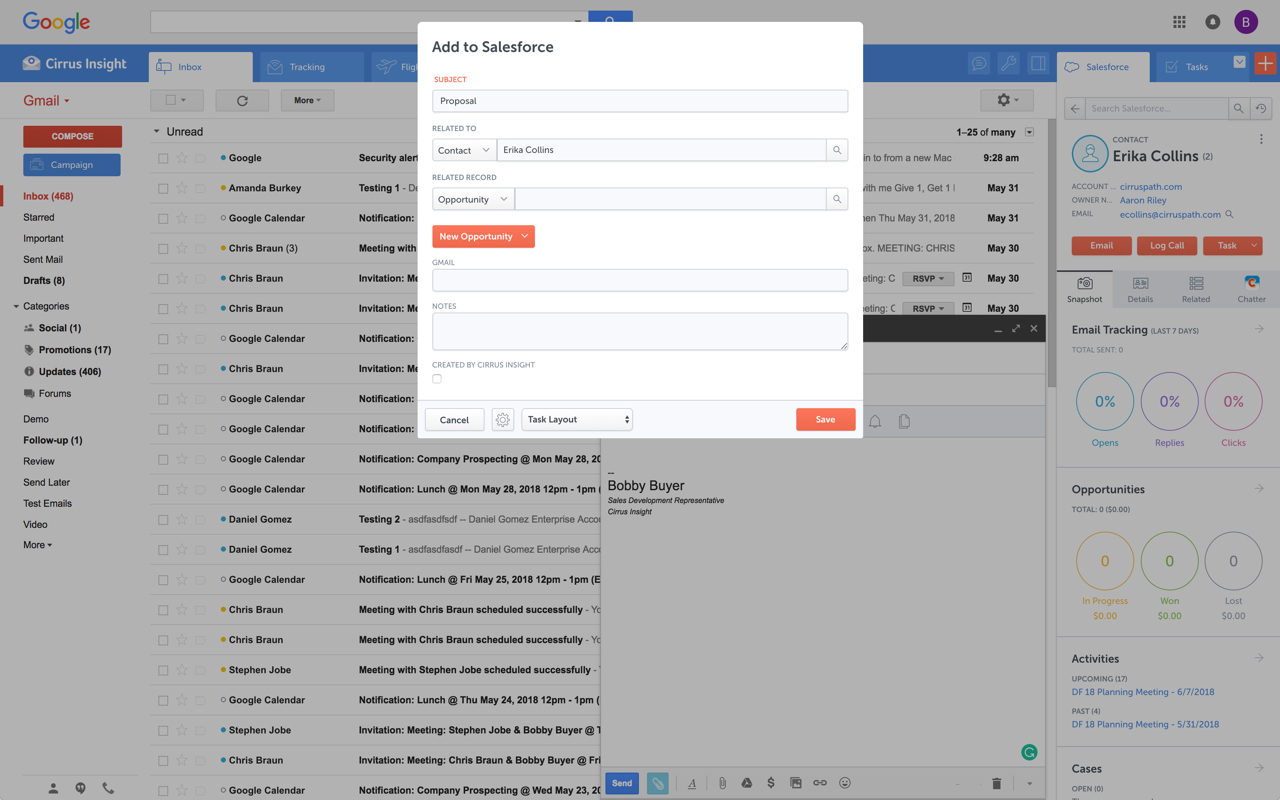
Cirrus Insight integrates Salesforce with Gmail, Google Calendar, and Google Contacts. Instantly View Contextual Salesforce Information in Your Inbox. Save Emails & Attachments to Salesforce with a Click. Sync Your Google & Salesforce Calendars. Create & Edit Salesforce Records on the Fly. Customize Your Salesforce Workflow in Gmail. Add Google Contacts to Salesforce. Salesforce Tasks Integration. Salesforce Templates Integrated with Gmail.
$15
per month
Ring.io
Score9 out of 10
N/A
Ring.io in Herndon Virginia offers their Salesdialer for Salesforce or Zoho CRMs, featuring automatic activity logging to its associated CRM, local dialing, click-to-call from the CRM, and custom call dispositions.
N/A
Pricing
Cirrus Insight
Ring.io
Editions & Modules
Starter
$27
per user/month
Closer
$45
per user/month
Rainmaker
$72
per user/month
No answers on this topic
Offerings
Pricing Offerings
Cirrus Insight
Ring.io
Free Trial
Yes
No
Free/Freemium Version
No
No
Premium Consulting/Integration Services
Yes
No
Entry-level Setup Fee
$500 per installation
No setup fee
Additional Details
Pricing based on annual billing.
—
More Pricing Information
Community Pulse
Cirrus Insight
Ring.io
Considered Both Products
Cirrus Insight
No answer on this topic
Ring.io
Verified User
Chose Ring.io
I haven't had an opportunity to use many other dialer technologies, because other companies I've worked at haven't had the right technology or integrations to make it work. Previously I've had to manually dial numbers from a desktop phone, or even use my cell phone in some …
A de minimis incentive was given to thank the reviewer for their time. The incentive was not used to bias or drive a particular response, nor was the incentive contingent on a positive endorsement. More Info
Key User Insights
Would buy again
No answers on this topic
No answers on this topic
Delivers good value for the price
No answers on this topic
No answers on this topic
Happy with the feature set
No answers on this topic
No answers on this topic
Lived up to sales and marketing promises
No answers on this topic
No answers on this topic
Implementation went as expected
No answers on this topic
No answers on this topic
Features
Cirrus Insight
Ring.io
Preview Dialer
Comparison of Preview Dialer features of Cirrus Insight and Ring.io
Feature
Cirrus Insight
-
Ratings
Ring.io
9.0
5 Ratings
21% above category average
Contact preview
00 Ratings
8.95 Ratings
Dialer-CRM integration
00 Ratings
9.05 Ratings
Call notes & tags
00 Ratings
9.05 Ratings
Automatic call logging
00 Ratings
9.05 Ratings
Core Dialer
Comparison of Core Dialer features of Cirrus Insight and Ring.io
Feature
Cirrus Insight
-
Ratings
Ring.io
9.0
5 Ratings
16% above category average
Outbound dialing
00 Ratings
9.05 Ratings
Inbound routing
00 Ratings
9.04 Ratings
Custom caller ID
00 Ratings
9.05 Ratings
Click-to-call
00 Ratings
9.05 Ratings
Recorded voicemail drop
00 Ratings
9.05 Ratings
Dialer contact import
00 Ratings
9.04 Ratings
Campaign & list management
00 Ratings
9.05 Ratings
Call Follow-up and Quality Assurance
Comparison of Call Follow-up and Quality Assurance features of Cirrus Insight and Ring.io
For someone who uses both Gmail and Salesforce as part of their main role, this software is an invaluable connector for them both. Some of the features are also not Salesforce specific - such as the Meeting Scheduler, which has proved invaluable to me, and I would recommend to any Gmail user who frequently set up meetings (either internally or externally).
A de minimis incentive was given to thank the reviewer for their time. The incentive was not used to bias or drive a particular response, nor was the incentive contingent on a positive endorsement. More Info
If you normally operate strictly on outbound calls, this is a great resource as well as the call recording functionality. However, in terms of functionality for inbound calls, it is lacking. As I already mentioned, there is no mobile app option which hinders its accessibility to some of our team members.
A de minimis incentive was given to thank the reviewer for their time. The incentive was not used to bias or drive a particular response, nor was the incentive contingent on a positive endorsement. More Info
Log email to Salesforce. You click one button and it logs for you. This is easier than adding the BCC email address that Salesforce provides as a way to log email.
Track views and engagement on these emails. It's nice to know if the email was opened and if links were clicked.
Update quick fields in Salesforce directly from their inbox using Cirrus. This prevented reps from needing to click into Salesforce, wait for it to load, then update fields like the phone number or name.
If the rep did need to open Salesforce, Cirrus provides a quick button to navigate to the Lead/Contact/Opportunity page quickly.
A de minimis incentive was given to thank the reviewer for their time. The incentive was not used to bias or drive a particular response, nor was the incentive contingent on a positive endorsement. More Info
Salesforce integration: allows users to track activities and create follow-up items if needed based on the nature of the call.
Web-based calling: using a Chrome browser extension, callers do not have to leave the browser to make calls, drop voicemails, and work through a calling queue.
Voice-mail recording: prepare voicemails in advance and drop the voicemails into voice mailboxes without repeatedly leaving the same message repeatedly.
A de minimis incentive was given to thank the reviewer for their time. The incentive was not used to bias or drive a particular response, nor was the incentive contingent on a positive endorsement. More Info
Outlook for Mac could use some work as an add-on because it's hard to read sometimes on my laptop. It's not a sidebar, like the Windows functionality, so it's harder to read.
Doesn't always find an opportunity, even though I know it's in our Salesforce system.
Randomly shuts down and doesn't log in properly at times. I've had to remove and re-download more than once.
A de minimis incentive was given to thank the reviewer for their time. The incentive was not used to bias or drive a particular response, nor was the incentive contingent on a positive endorsement. More Info
A de minimis incentive was given to thank the reviewer for their time. The incentive was not used to bias or drive a particular response, nor was the incentive contingent on a positive endorsement. More Info
It is the best google to salesforce integration on the market. support is incredibly responsive and very helpful. They are constantly adding new features, and the current feature set is well beyond anything else that is currently offered in the market
Very easy to use. Everything opens in a familiar interface right inside the google apps sidebar. It brings in salesforce records, so as long as you know google apps / gmail and salesforce you'll be all set. It's point and click.
The plugin is installed inside your internet browser as an extension/add-on. It can be found in most add on stores and is easy to install. Usually just a few clicks. It handles authorization for you once you sign in, and then takes care of all the rest. It couldn't be easier to get working right out of the box. You're up in running in less than 5 minutes.
Yesware regularly sent me alerts that my emails had been opened by someone who I hadn't sent them to, from locations they couldn't possibly have been. I also don't recall its Salesforce activity logging working as smoothly, though I last used Yesware more than 12 months ago so my memory isn't as fresh as it could be
A de minimis incentive was given to thank the reviewer for their time. The incentive was not used to bias or drive a particular response, nor was the incentive contingent on a positive endorsement. More Info
Simply said that for the functionality that we require and having the speed dialer option, it is maybe at the highest one-third of the cost. The only other thing I would add is the capability of Ring.io to modify the front GUI webphone to fit our needs.
A de minimis incentive was given to thank the reviewer for their time. The incentive was not used to bias or drive a particular response, nor was the incentive contingent on a positive endorsement. More Info
A de minimis incentive was given to thank the reviewer for their time. The incentive was not used to bias or drive a particular response, nor was the incentive contingent on a positive endorsement. More Info
A de minimis incentive was given to thank the reviewer for their time. The incentive was not used to bias or drive a particular response, nor was the incentive contingent on a positive endorsement. More Info