Citrix Endpoint Management (formerly XenMobile), is a UEM and enterprise mobility management application for securing mobile applications and devices.
N/A
LogMeIn Resolve
Score 9.0 out of 10
N/A
LogMeIn Resolve is an IT management and support solution designed to help organizations take control of their IT infrastructure. The platform combines features like remote monitoring, access, and support with tools such as ticketing, AI-assisted task automation, and patch management.
$29
per month
PDCflow
Score 0.0 out of 10
N/A
N/A
$40
per month
Pricing
Citrix Endpoint Management
LogMeIn Resolve
PDCflow
Editions & Modules
No answers on this topic
Starter
$29
per month
Growth
$55
per month
Advanced
$78
per month
Premium Endpoint Management
$78
per month
Complete
$94
per month
Basic
$40
per month
Offerings
Pricing Offerings
Citrix Endpoint Management
LogMeIn Resolve
PDCflow
Free Trial
No
Yes
No
Free/Freemium Version
No
No
No
Premium Consulting/Integration Services
No
No
No
Entry-level Setup Fee
No setup fee
No setup fee
No setup fee
Additional Details
—
Volume discounts are available. MDM is available as a standalone or as an add-on. Discount available for annual billing.
We focused on: Secure Access: Our organization prioritizes secure access to applications and files, Citrix Endpoint Management aligns well with this goal. Centralized Updates: The centralized update and patch management feature was appealing.
With a zero trust solution for the entire digital workspace, you can continually monitor and assess session activities before, during, and after login. Reduce risk, gain more control over every session, and get deeper insights across your entire application landscape. To …
Citrix Endpoint Management has given us exactly what we needed plus more! The connectivity options, mobile availability and security has bypassed our needs by far. It has been a very positive experience to use Citrix and no one in our office seems to have any complaints or …
Citrix Endpoint Management has flexible configuration which makes it more efficient and better fit. Other substitutes work well in the sandbox and testing environment, but XenMobile is a great device in all environments. Its integration with other Citrix apps like XenDesktop, …
Xenmobile was just more flexible; allowing us to use different devices and change our active data sync. The cost of a Blackberry enterprise server was also prohibitive, so we moved to XxenMobile.
We couldn't get airwatch to work for us, installation on the devices was much too complex, and support was lacking. I've heard other companies didn't have as much of an issue, but we certainly did. Mobile Iron was evaluated at the surface, but we never brought it in for a …
Because of its flexible configuration, XenMobile was a much better fit for us. ZixOne was a reliable, functional MDM product but only functioned in a sandboxed environment. Despite being sandboxed, it was able to push contacts into the native app; however, it could not do the …
Sure there are other Mobile Device Management solutions on the market, but only XenMobile can deliver Worx Apps, XenDesktop & XenApp so efficiently and securely. It's the only solution on the market (IMO) which can increase end user productivity while at the same time …
We choose LogMeIn Resolve because unlike AnyDesk it offers helpdesk ticketing, remote monitoring and support in one place and reduces the need of juggling multiple tools.
Although the SolarWinds help desk worked well for our help desk and inventory purposes, it did not provide remote access ability or remote execution of executable files or scripts. We were looking for a product that integrated all of these tasks in order to simplify our day to …
We decided to go with LogMeIn Resolve due to its UEM solution. It offered us various features like remote support, ticketing, remote monitoring, etc. in a single system. It also allowed us to manage many devices from a single, centralized point.
It is better in every way. Intuitively designed, great UI, easy to install and go live, great out of box training videos and features are constantly being improved and supported
LogMeIn Resolve represents a distilled and clean RMM and ticket management system. Autotask has a lot of great features that might be unnecessary for a smaller organization's internal use. Sometimes a team just needs to get in and have that higher overview without setting up a …
At the time that we tested and selected a remote access tool, GoTo was superior to the other options tested. Then came the issues with ctrl+key and shift+key combos which detracted from all of the things that made GoTo the best option. Until these are fixed GoTo will remain …
We traditionally utilize all related products to support our end users in a remote environment. This requires that we have access to their systems, typically monitored, via a screen share session where we can use built in functionality such as file sharing. This allows us to …
Go to offer all-in-one functionalities without compromising organizational security and policy. Go-to is versatile compared to other systems like JIRA and is suitable for medium organizations. It has all the support options required. Like web meetings, conversational ticketing, …
Malware on unmanaged and BYO devices can pose a serious risk to corporate resources. Citrix Secure Private Access provides the security controls you need to protect sensitive data—without compromising the employee experience. Monitoring access to applications creates complications for users and IT alike. Citrix Secure Private Access lets you go beyond SSO to provide adaptive authentication, without compromising the user experience.
LogMeIn is well-suited for scenarios where remote support is needed. For example, a user submits a ticket about having an issue with Microsoft Word being unable to open documents on their PC. Since this is just a software issue on the device, LogMeIn is great for being able to fix the issue. Scenarios, I would say LogMeIn Resolve is not as well-suited for inventory management. But that's only because my organization has a proprietary system to manage assets.
To us, it just works. and it is what our users are comfortable with. It covers all the remote issues that we as an IT department encounter. We have grown to like it and we also have grown to like the Citrix product family. We really can't find anything that would keep us from renewing.
The software's usability is what we expected. We knew what our organization needed and Citrix was able to meet our needs. The ability to have the apps on a mobile device has been a great plus and Citrix seems to have really developed a software based on the every day needs of the user.
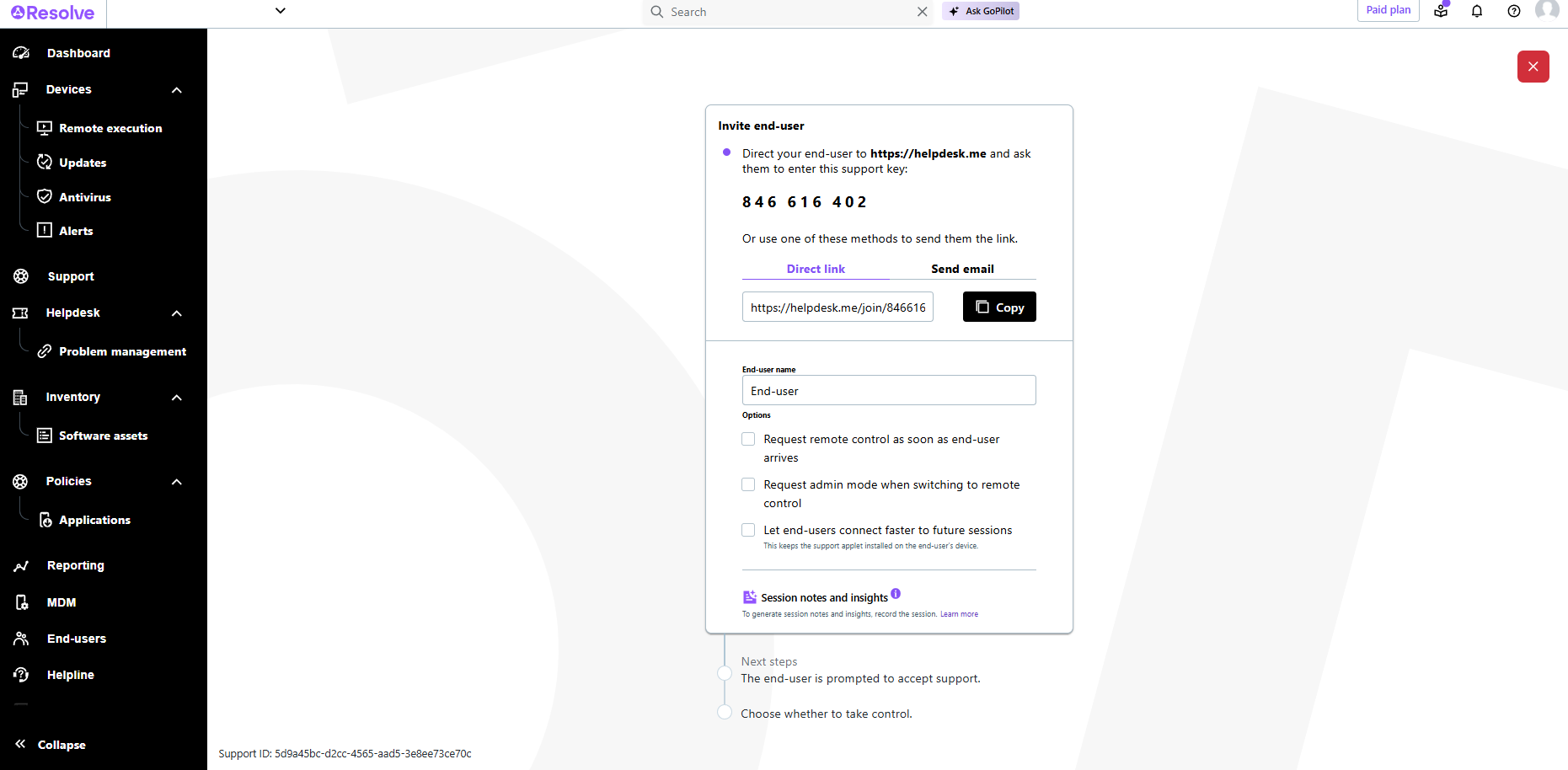
The interface is clean, intuitive, and easy to navigate. Common actions are easy to locate and exactly where I would expect them to be. Starting a remote session is quick and smooth, which reduces the time users need to wait before receiving support. I also appreciate the single-pane dashboard showing remote access, session details, and device information.
Usually available without a problem, although sometimes calls get dropped or users sit in empty meeting rooms while waiting for an admin to arrive, while the call is actually going on.
If you are connected to someone with proper bandwidth, there are no issues at all. With all things, if you connect to someone with dial-up (yes, it still exists), the performance is terrible.
Overall the support from the customer service team has been good. They are very timely and expert in resolving the tickets. They have appropriate knowledge to resolve issues in all stages to development. They were up to the point during the implementation stage of the XenMobile, all queries were answered in time to help finish the deployment. The support for last three years has been extraordinary in helping us use XenMobile effectively and efficiently.
The software runs well overall once installed. It is easy to use and very intuitive from both the technician standpoint and the customer standpoint. There are not a lot of problems or issues with the software, and it doesn't have a big effect on system resources once installed, or when running. It would not be a 10 since the cost of the licensing is one drawback
GoToAssist SeeIt was very easy to implement. As long as your techs have a basic understanding of most remote support tools they will be able to understand this product easily.
Because of its flexible configuration, XenMobile was a much better fit for us. ZixOne was a reliable, functional MDM product but only functioned in a sandboxed environment. Despite being sandboxed, it was able to push contacts into the native app; however, it could not do the same with calendar data which was where our providers had the biggest heartburn. They could handle segregation of email but did not like having to review two separate calendar applications.
Although the SolarWinds help desk worked well for our help desk and inventory purposes, it did not provide remote access ability or remote execution of executable files or scripts. We were looking for a product that integrated all of these tasks in order to simplify our day to day IT functions.
It provided more safer environment to access corporate emails on personal device. This reduced costs for VPN and access control measures.
Most features are compliant with organizational security features, this reduced costs in third party vendor softwares.
Web based admin control portal is very efficient, there is no need to install desktop client for admin control. This saved a lot of time during initial deployment.
A positive ROI, the expansive remote abilities allow a minimum of 90% of our IT work without sending a technician to the location.
10% of our technicians travel to locations while 90% are home-based. (Office or Home).
We used to have multiple techs attending one customer location physically (brainstorming does happen during a fire). We are now able to send multiple technicians to the same call 'virtually' without the cost of actually sending them.