Overview
ProductRatingMost Used ByProduct SummaryStarting Price
Clear Analytics
Score 8.8 out of 10
Enterprise companies (1,001+ employees)
Clear Analytics is a business intelligence solution that enables non technical end users to perform analytics by leveraging existing knowledge of Excel coupled with a built in query builder. Some key features include: Dynamic Data Refresh, Data Share and In-Excel Collaboration.
$29
Per Seat per Month
GanttPRO
Score 7.9 out of 10
N/A
GanttPRO is a project planning tool based on a Gantt chart approach. It visualizes all tasks along a timeline, and it supports resource management, collaboration within teams, and importing and exporting projects onto 3rd party programs.
$8.90
per user per month
TeamGantt
Score 8.1 out of 10
N/A
TeamGantt is a project management solution built to provide users with gantt chart software through online deployment.
$59
per month per manager
Pricing
Clear AnalyticsGanttPROTeamGantt
Editions & Modules
Personal
$29
Per Seat per Month
Team
$165
upto 10 Seat per Month
Department
$265
upto 25 Seat per month
Organization
$565
Upto 100 per seat per month
Team 5
$8.90
per user per month
Team 10
$8.90
per user per month
Team 15
$8.90
per user per month
Individual for personal needs
$15.00
per user per month
Pro
$59
per month per manager
Offerings
Pricing Offerings
Clear AnalyticsGanttPROTeamGantt
Free Trial
YesYesNo
Free/Freemium Version
NoNoYes
Premium Consulting/Integration Services
YesNoNo
Entry-level Setup Fee$800 Initial OnBoardingNo setup feeNo setup fee
Additional DetailsCertain Enterprise level features can be made available to Small Business edition at additional cost. Such services include Scheduler and OLAP connectivity. Custom adapters can also be created to connect to SaaS services.20% discount for annual pricing.
More Pricing Information
Community Pulse
Clear AnalyticsGanttPROTeamGantt
Considered Multiple Products
Clear Analytics

No answer on this topic

GanttPRO
Chose GanttPRO
I chose GanttPro over Team Gantt as I was not able to get the layout I desired on Team Gantt. Once I had a bit of practice on GanttPro, I also found it slightly more user-friendly than Team Gantt, which helps a lot when you are new to this!
Chose GanttPRO
GanttPro is free and offers a 1-year free deal to students. This is extremely helpful for this scenario.
Chose GanttPRO
The other tools had trouble automatically adjusting the schedule when an earlier task is changed or had very limited options in defining dependencies between tasks. These were really important features for us to visualize the schedule for a year.
TeamGantt
Chose TeamGantt
TeamGantt is geared towards creating a project, tasks and timelines. It literally took me just a few hours to create an entire project the first time I used it. I found it much more user-friendly than other online tools such as Smartsheet (which is a one-size fits all type of …
Chose TeamGantt
We have used products like Gantter as well as the two above and they all do basically the same thing. Cost was the biggest determining factor for us. They all looked pretty, functioned the same, and some had better integration... however we determined that for our team size, …
Features
Clear AnalyticsGanttPROTeamGantt
BI Standard Reporting
Comparison of BI Standard Reporting features of Product A and Product B
Clear Analytics
9.0
8 Ratings
9% above category average
GanttPRO
-
Ratings
TeamGantt
-
Ratings
Pixel Perfect reports9.08 Ratings00 Ratings00 Ratings
Customizable dashboards9.18 Ratings00 Ratings00 Ratings
Report Formatting Templates8.78 Ratings00 Ratings00 Ratings
Ad-hoc Reporting
Comparison of Ad-hoc Reporting features of Product A and Product B
Clear Analytics
8.9
8 Ratings
10% above category average
GanttPRO
-
Ratings
TeamGantt
-
Ratings
Drill-down analysis9.28 Ratings00 Ratings00 Ratings
Formatting capabilities8.78 Ratings00 Ratings00 Ratings
Report sharing and collaboration8.98 Ratings00 Ratings00 Ratings
Report Output and Scheduling
Comparison of Report Output and Scheduling features of Product A and Product B
Clear Analytics
9.0
8 Ratings
9% above category average
GanttPRO
-
Ratings
TeamGantt
-
Ratings
Publish to Web9.08 Ratings00 Ratings00 Ratings
Publish to PDF9.17 Ratings00 Ratings00 Ratings
Report Versioning8.98 Ratings00 Ratings00 Ratings
Report Delivery Scheduling8.87 Ratings00 Ratings00 Ratings
Data Discovery and Visualization
Comparison of Data Discovery and Visualization features of Product A and Product B
Clear Analytics
9.0
8 Ratings
12% above category average
GanttPRO
-
Ratings
TeamGantt
-
Ratings
Pre-built visualization formats (heatmaps, scatter plots etc.)8.98 Ratings00 Ratings00 Ratings
Location Analytics / Geographic Visualization9.18 Ratings00 Ratings00 Ratings
Access Control and Security
Comparison of Access Control and Security features of Product A and Product B
Clear Analytics
9.3
8 Ratings
9% above category average
GanttPRO
-
Ratings
TeamGantt
-
Ratings
Multi-User Support (named login)9.48 Ratings00 Ratings00 Ratings
Role-Based Security Model9.08 Ratings00 Ratings00 Ratings
Multiple Access Permission Levels (Create, Read, Delete)9.48 Ratings00 Ratings00 Ratings
Mobile Capabilities
Comparison of Mobile Capabilities features of Product A and Product B
Clear Analytics
8.6
6 Ratings
10% above category average
GanttPRO
-
Ratings
TeamGantt
-
Ratings
Mobile Application8.54 Ratings00 Ratings00 Ratings
Dashboard / Report / Visualization Interactivity on Mobile8.76 Ratings00 Ratings00 Ratings
Project Management
Comparison of Project Management features of Product A and Product B
Clear Analytics
-
Ratings
GanttPRO
6.9
50 Ratings
11% below category average
TeamGantt
8.4
10 Ratings
8% above category average
Task Management00 Ratings4.749 Ratings9.010 Ratings
Resource Management00 Ratings8.444 Ratings8.09 Ratings
Gantt Charts00 Ratings9.449 Ratings9.010 Ratings
Scheduling00 Ratings8.447 Ratings8.010 Ratings
Workflow Automation00 Ratings1.542 Ratings8.05 Ratings
Team Collaboration00 Ratings7.543 Ratings8.010 Ratings
Support for Agile Methodology00 Ratings5.739 Ratings6.05 Ratings
Support for Waterfall Methodology00 Ratings9.435 Ratings9.06 Ratings
Budget and Expense Management00 Ratings7.534 Ratings9.02 Ratings
Document Management00 Ratings00 Ratings8.07 Ratings
Email integration00 Ratings00 Ratings8.05 Ratings
Mobile Access00 Ratings00 Ratings10.06 Ratings
Timesheet Tracking00 Ratings00 Ratings9.04 Ratings
Change request and Case Management00 Ratings00 Ratings9.03 Ratings
Professional Services Automation
Comparison of Professional Services Automation features of Product A and Product B
Clear Analytics
-
Ratings
GanttPRO
-
Ratings
TeamGantt
8.8
4 Ratings
13% above category average
Quotes/estimates00 Ratings00 Ratings8.02 Ratings
Invoicing00 Ratings00 Ratings10.02 Ratings
Project & financial reporting00 Ratings00 Ratings9.04 Ratings
Integration with accounting software00 Ratings00 Ratings8.01 Ratings
Best Alternatives
Clear AnalyticsGanttPROTeamGantt
Small Businesses
Yellowfin
Yellowfin
Score 8.7 out of 10
Stackby
Stackby
Score 8.9 out of 10
Stackby
Stackby
Score 8.9 out of 10
Medium-sized Companies
Reveal
Reveal
Score 10.0 out of 10
InEight
InEight
Score 8.3 out of 10
InEight
InEight
Score 8.3 out of 10
Enterprises
Kyvos Semantic Layer
Score 9.5 out of 10
InEight
InEight
Score 8.3 out of 10
InEight
InEight
Score 8.3 out of 10
All AlternativesView all alternativesView all alternativesView all alternatives
User Ratings
Clear AnalyticsGanttPROTeamGantt
Likelihood to Recommend
9.0
(8 ratings)
8.4
(50 ratings)
9.0
(10 ratings)
Usability
9.1
(8 ratings)
10.0
(2 ratings)
-
(0 ratings)
Support Rating
9.5
(8 ratings)
10.0
(18 ratings)
9.3
(3 ratings)
User Testimonials
Clear AnalyticsGanttPROTeamGantt
Likelihood to Recommend
Clear Analytics
Clear Analytics has almost all the features which are mostly required by the organizations for their data analytics and transformation activities. Clear Analytics is built on the support of a parallel query engine which makes it handle large volume requests and also provides optimized results. However, every solution has some limitations, Clear Analytics lacks advanced features such as Predictive Analytics which is a very demanding feature in the market as most organizations are adopting AI/ML automation for their businesses. Also, it needs to add a lot of advanced visualizations so that the user has the choice of selection. Overall a good solution to be recommended.
Read full review
XB Software Ltd.
Projects are a lot easier to set up with GanttPRO than most tools that support a WBS, so although I've used GanttPRO for very simple projects, it's great for projects with complex WBS' and/or dynamic backlogs (using Agile methodologies). I've used it for long-running projects with multiple phases, where I needed to set up high-level plans for downstream phases (for budgeting) that got updated and modified based on outcomes from upstream phases.
Read full review
TeamGantt
TeamGantt is wonderful for organizing long and short term projects that have lots of tasks and or people involved. I love that it's "in the cloud" so I can manage no matter where I am or what device I'm using. There is a mobile app that is quite easy to use and sized nicely for people who have trouble reading small/fine print. I find it to be a well-suited tool for ongoing projects where the tasks change weekly - I use it for my newsletter planning. You can assign and label tasks which is super convenient for me and my Team. All through the week we are making changes and suggestions in TeamGantt and as we get closer to publication day we mark the stories and objects as done so we know we will finish everything before our deadline.
Read full review
Pros
Clear Analytics
  • Quick management of the data through Excel thanks to the tools Clear Analytics provides such as filtering different information for an easier view.
  • Ability to add new KPIs to measure different areas of our business.
  • Drag and drop tool which makes an easier usage of Excel.
  • Cost-effective. I find Clear Analytics to be affordable considering the number of features added and the unlimited sharing and editing it provides.
Read full review
XB Software Ltd.
  • Ability to add sub-tasks and change the colour coding to help organise work that needs to be done
  • The option to link different tasks together (task dependencies) which helps visualise what else needs to be done along side the current task
  • Viewing the duration it may take and the progress chart to help quantify and visualise your progress
Read full review
TeamGantt
  • In TeamGantt, clients can remark on any undertaking and keep their visits inside the errands.
  • Reports can likewise be connected to any undertaking. Clients can channel the errands by the due date and what their identity is relegated to, and they can change over Gantt graphs into PDFs.
  • The arrangement is accessible for each client each month's membership premise and offers support using telephone and email.
Read full review
Cons
Clear Analytics
  • For Charts and Graphs , getting the Power Point Deck would be helpful. As of now we use the data from Excel Reports
Read full review
XB Software Ltd.
  • GanttPRO doesn't allow to add a subtask to the subtask taking away customization and flexibility for different use cases
  • GanttPRO extends the tasks to the date of the subtask, so if the task as a whole takes longer than the subtask then you need to state it as such
  • GanttPRO doesn't let you assign the materials to the tasks
Read full review
TeamGantt
  • Task assignment matrix is a bit clunky. It's a bit difficult to see distribution of work for each assignee, but not impossible.
Read full review
Usability
Clear Analytics
I have really enjoyed working with Clear Analytics. This platform has contributed to increased production and reliable data control processes. It has flexible user interface that can be operated by any organization member. Reports are shared on simple and transparent way in the dashboard for easy access. Data analytics from all departments have created manageable working environment that have increased production.
Read full review
XB Software Ltd.
Intuitive interface, clean, and nice design. As an online app, the data can be viewed on Windows PCs, Macs, and tablets. It saves the data very quickly (depending on the Internet speed) as if it is a locally installed application. Training is minimal, plus there is an extensive range of learning videos and topics in the GanttPRO learning center.
Read full review
TeamGantt
No answers on this topic
Support Rating
Clear Analytics
I have had multiple scenarios where I had to reach out to the support team of Clear Analytics, be it access-related, general queries, during initial implementation, etc. My overall experience has always been good. I got the needed support every time without any delay. I can definitely recommend Clear Analytics simply on the basis of its excellent support team.
Read full review
XB Software Ltd.
The support for GanttPro is very good. I have no troubles reaching out for their customer support whenever I have questions, they respond almost instantly. I just hope that they will have live chat support for a real-time support experience on the user-end and can answer the questions in real-time.
Read full review
TeamGantt
I never interacted with them. That, in itself, I feel represents their quality. They made the resources available to me so that when I started to have a question, the answer was either right there for me, or easy to figure out without any trouble. So, I never felt the need!
Read full review
Alternatives Considered
Clear Analytics
There are other great tools that are out there but Clear Analytics is reasonable for our business and provides a lot of features that we specifically needed
Read full review
XB Software Ltd.
GanttPRO is easy to use and just works. If you need to do something quickly or do a small project then GanttPro is a great tool to use. If you are managing a large project then I would consider using Microsoft Project even though it is a more substantial investment overtime.
Read full review
TeamGantt
Our team uses ClickUp for task management. ClickUp has a Gantt chart feature, but it's based solely on the tasks we create in ClickUp, so in order to create a client-facing chart, we'd have to completely change the way we assign tasks to our internal team. We use TeamGantt for the sole purpose of creating project plans and viewing project statuses at-a-glance. You might be able to use it for task management, but we don't.
Read full review
Return on Investment
Clear Analytics
  • Super useful to get started immediately
  • Didn't have to rely on migrating data
  • Easy to add members
  • Easy to learn and build charts
Read full review
XB Software Ltd.
  • For class purposes, I would say that my project is running smoothly and I am able to keep my team on task.
  • I like that you can blow up the Gantt chart and show everyone exactly where you are at with each task.
Read full review
TeamGantt
  • TeamGantt has had an overall incredible return on investment.
  • In the past, we have tracked strategies/projects manually (MS Excel, etc.). Having a tool like TeamGantt has improved our efficiency greatly.
  • The ability to see where a project stands (intra-department) at-a-glance has improved our ability to observe statuses.
  • TeamGantt has definitely helped remind me to drive on projects that would normally have gone "stale."
Read full review
ScreenShots

Clear Analytics Screenshots

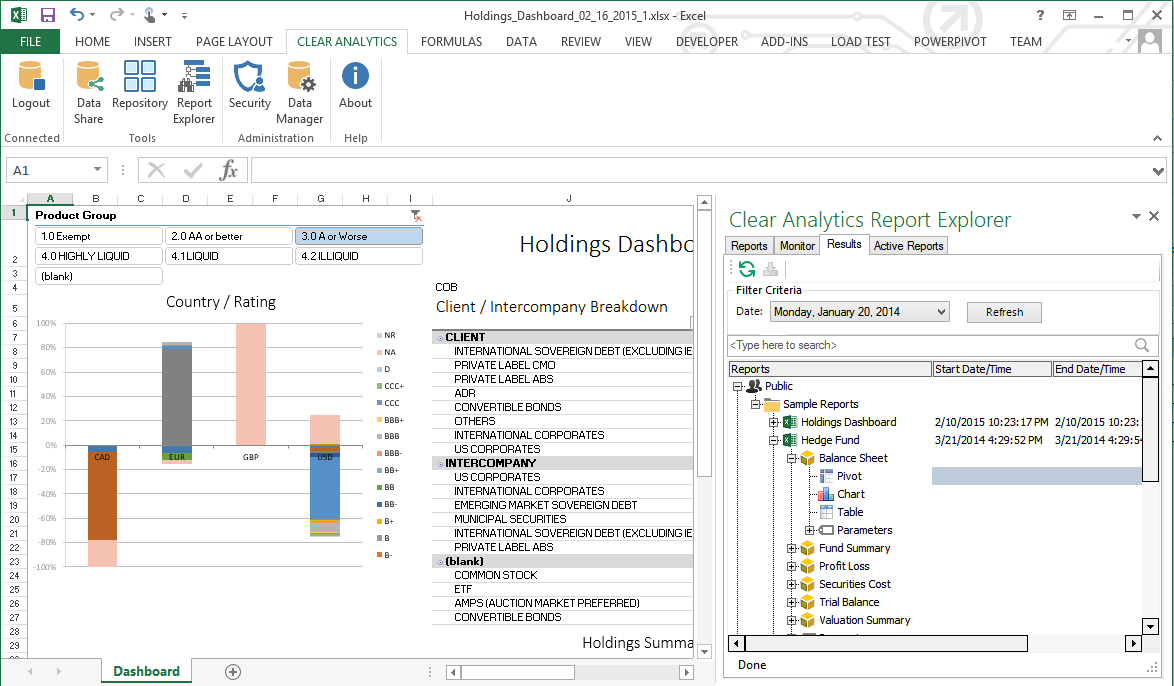
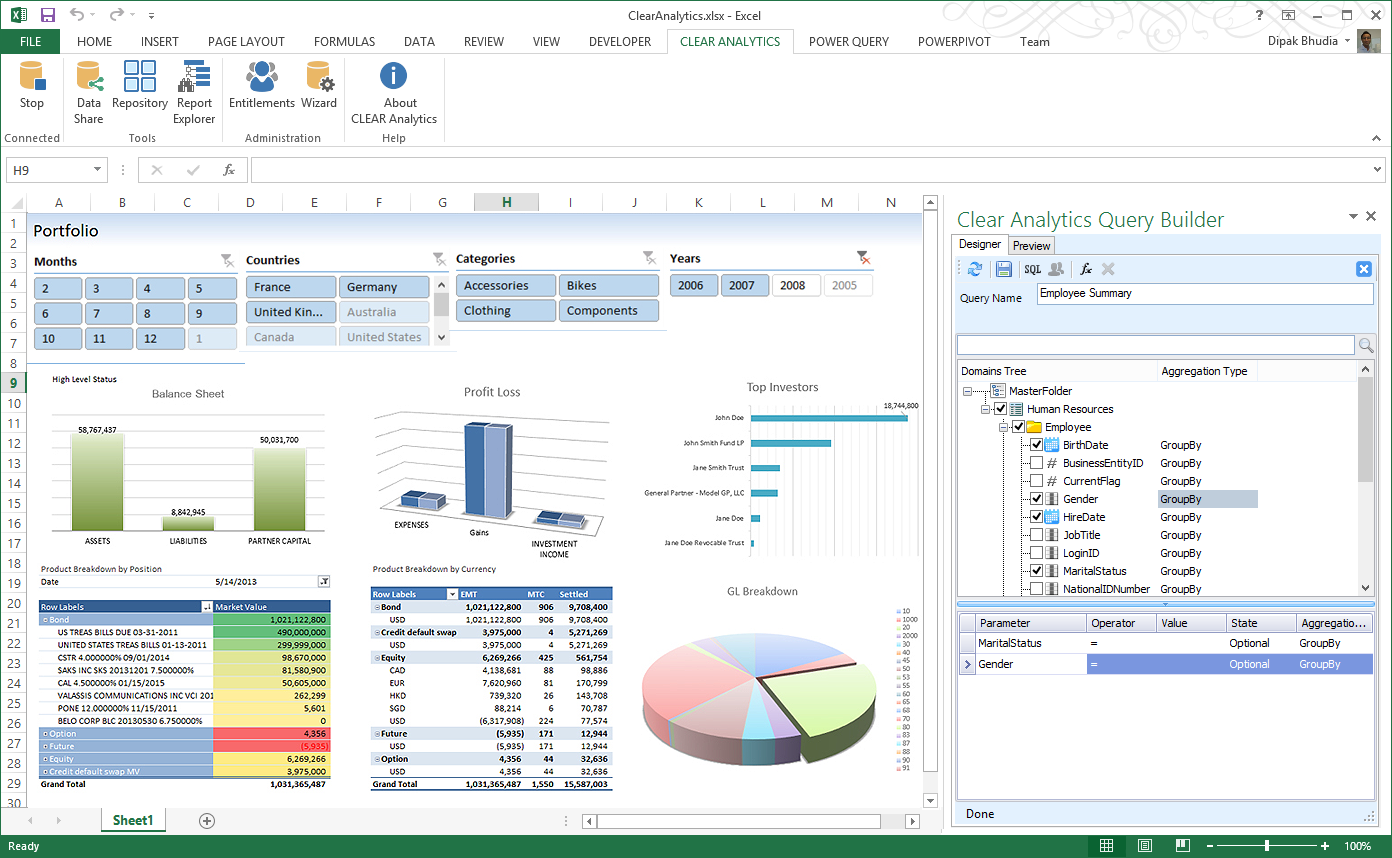
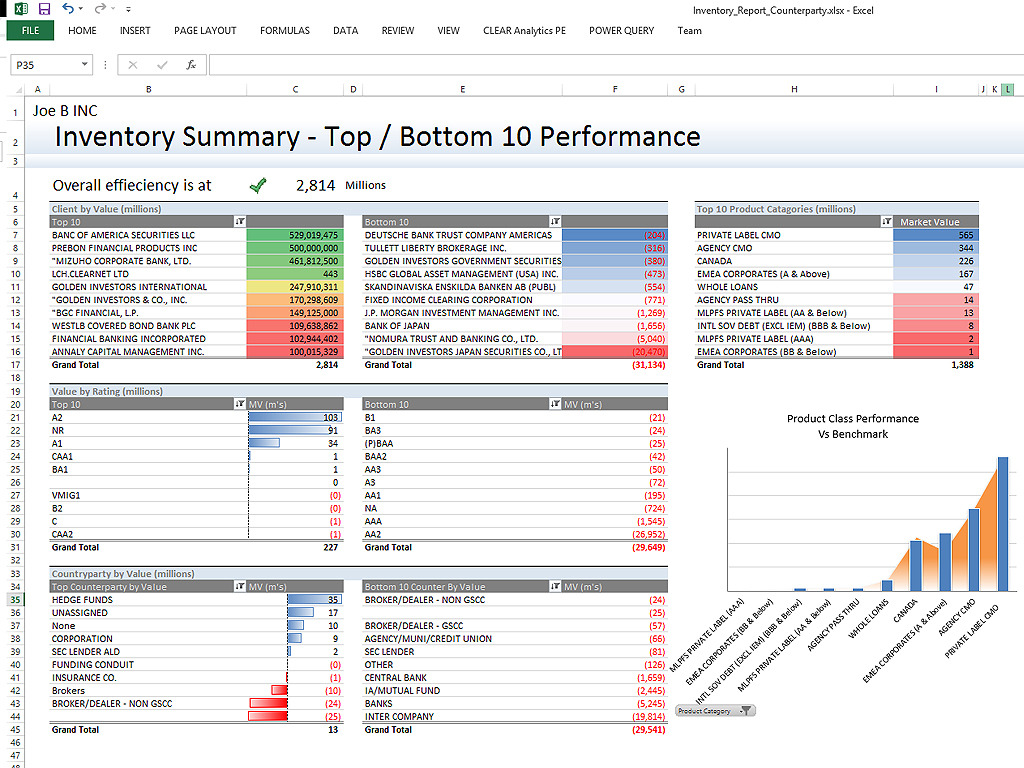
Screenshot of Clear Analytics integrated Excel panel essentially transforms standalone Excel into an enterprise strength, fully auditable, collaborative and centralized business intelligence platform.Screenshot of Users have the ability to dynamically query systems and render that data in any way they like.  No more waiting on IT to create reports.Screenshot of Your firms existing knowledge of Excel enables the firm to be product from day 1. Use the skills already present in your organization and don't pay for outside reporting consultants to create reports for you.Screenshot of Leverage the integration capability of Microsoft's Power BI to extend the reach of your data to web and mobile devices.Screenshot of Leverage all of Excels capabilities, from it's slicers to miniature spark-line charts to create incredibly informative and responsive dashboards.

GanttPRO Screenshots

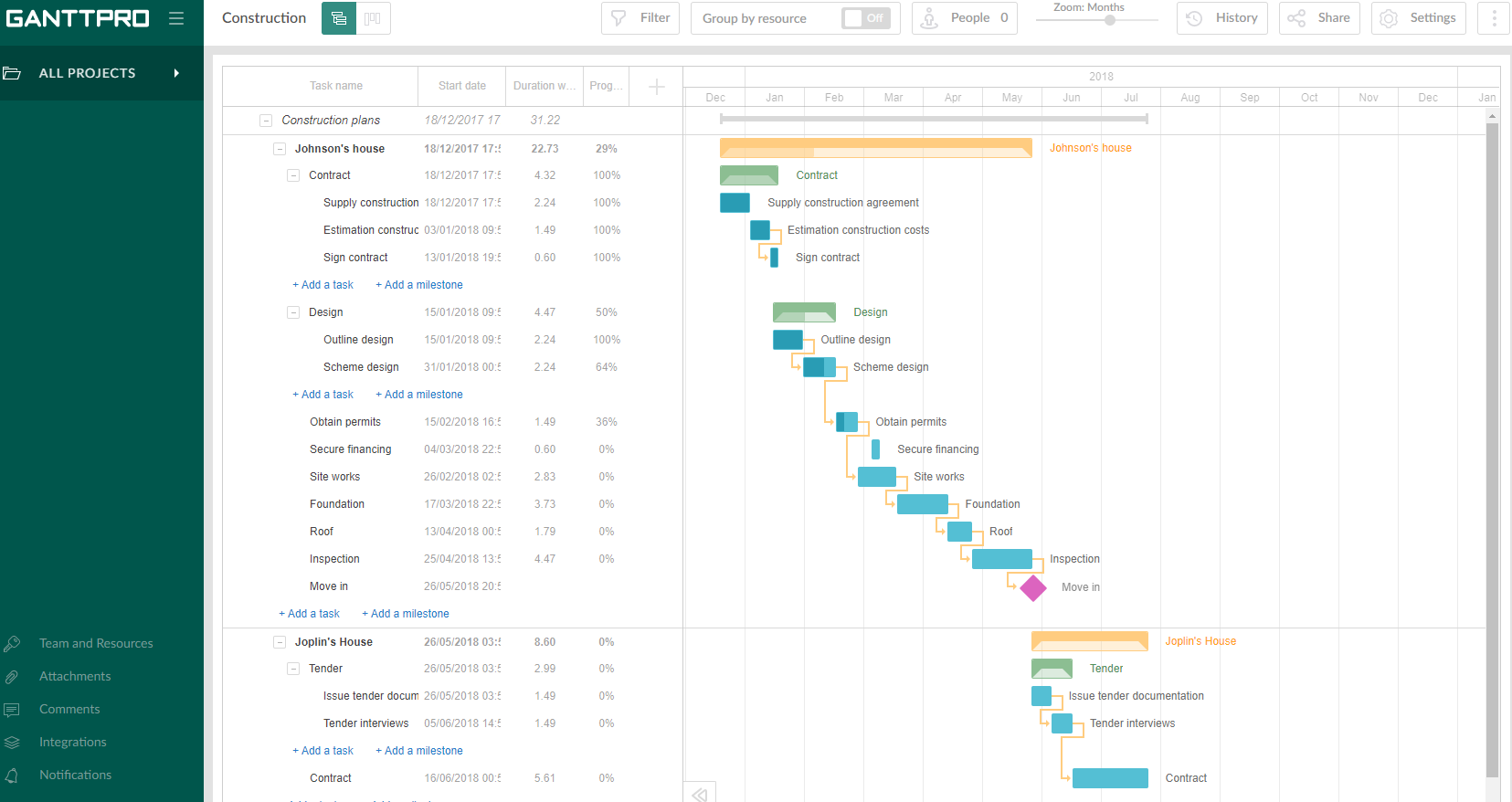
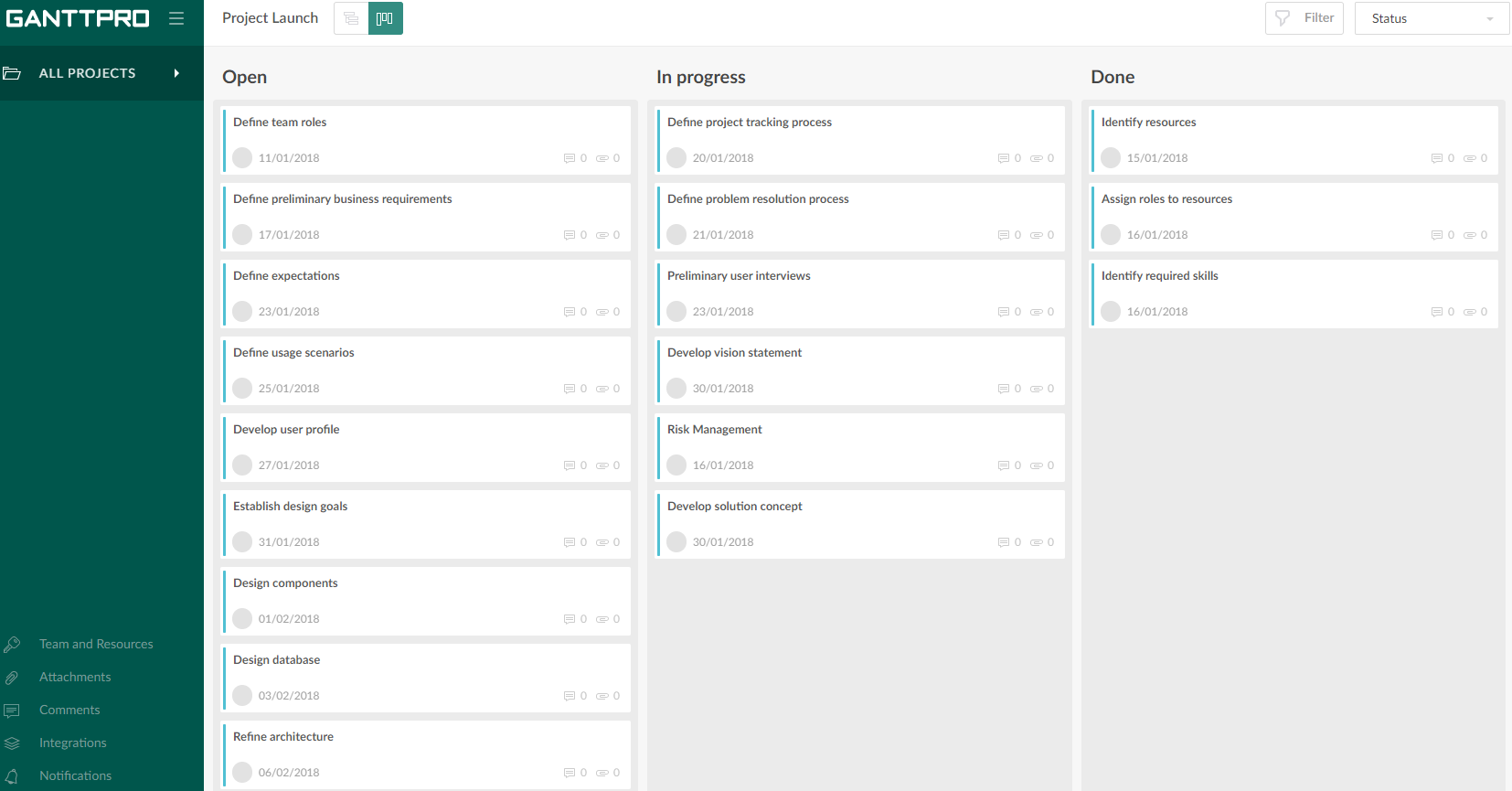
Screenshot of Project in GanttPROScreenshot of Collaboration in GanttPROScreenshot of Board view in GanttPROScreenshot of Tasks management in GanttPRO