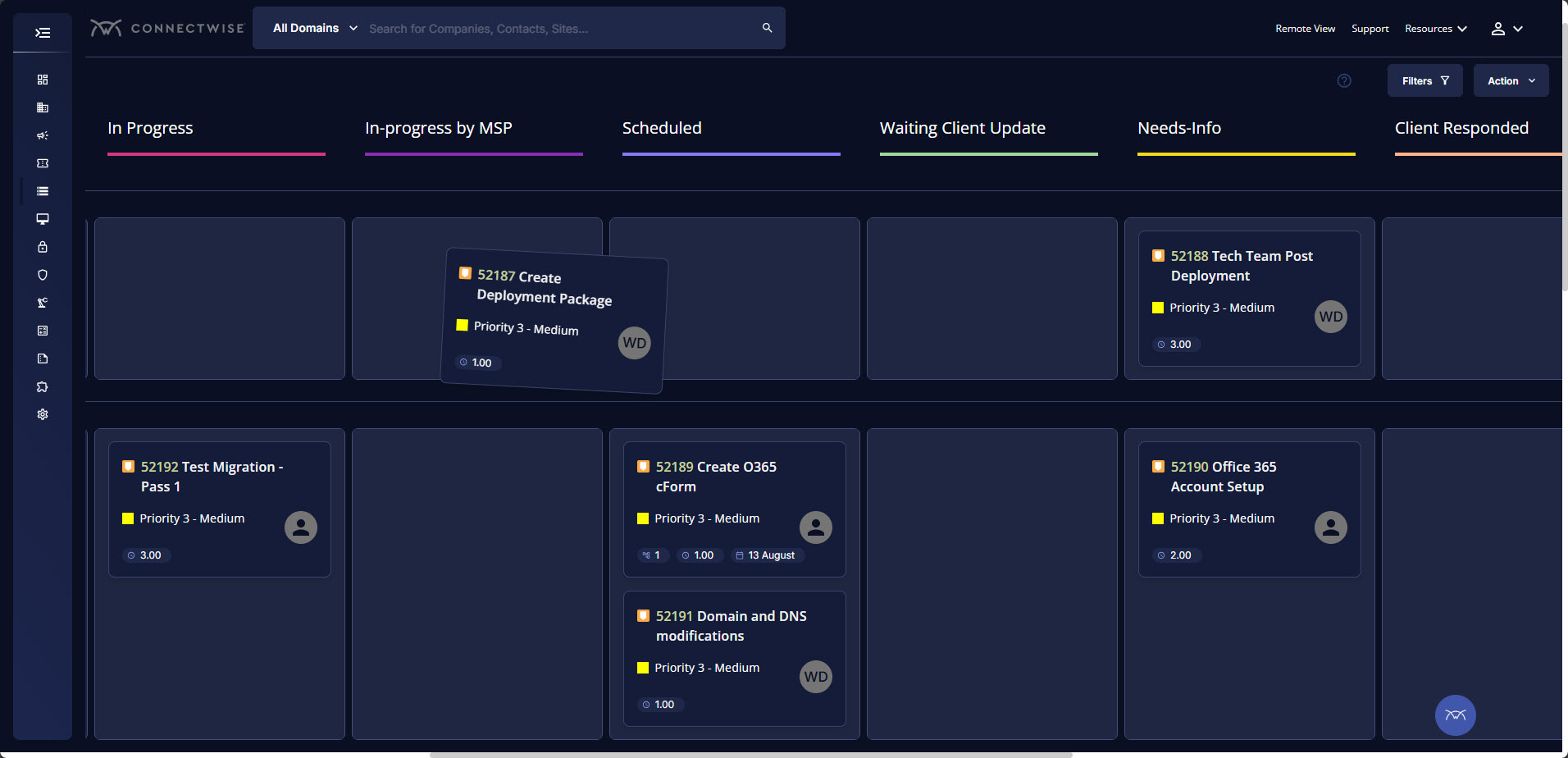
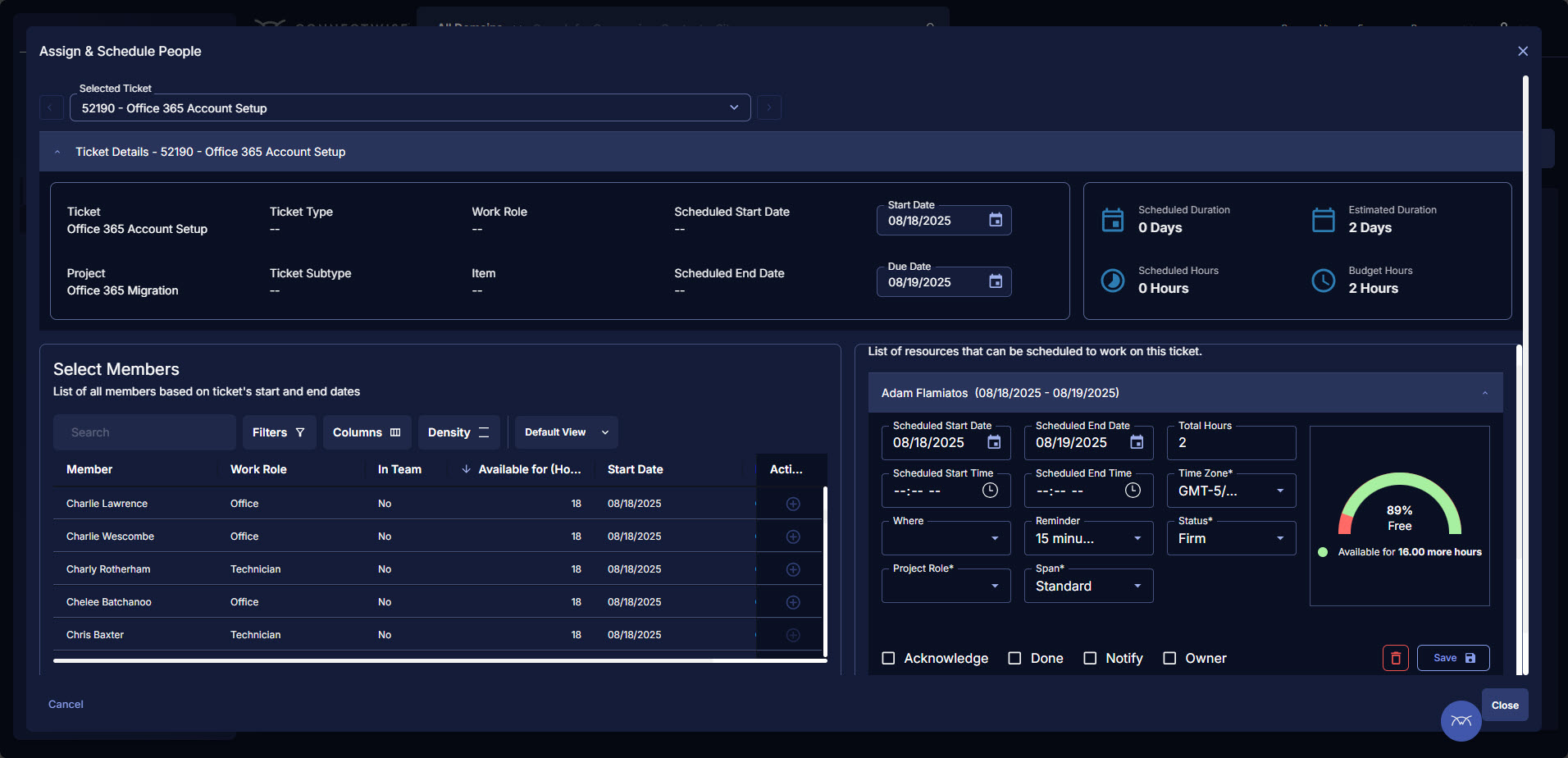
ConnectWise PSA (formerly Manage) is a business management platform for companies that sell, service, and support technology. The platform is cloud-based and integrates automation, help desk and customer service, sales, marketing, project management, and business analytics. It is the hub of the ConnectWise suite.
$35
Per Tech Per Month
MindTouch
Score 7.0 out of 10
N/A
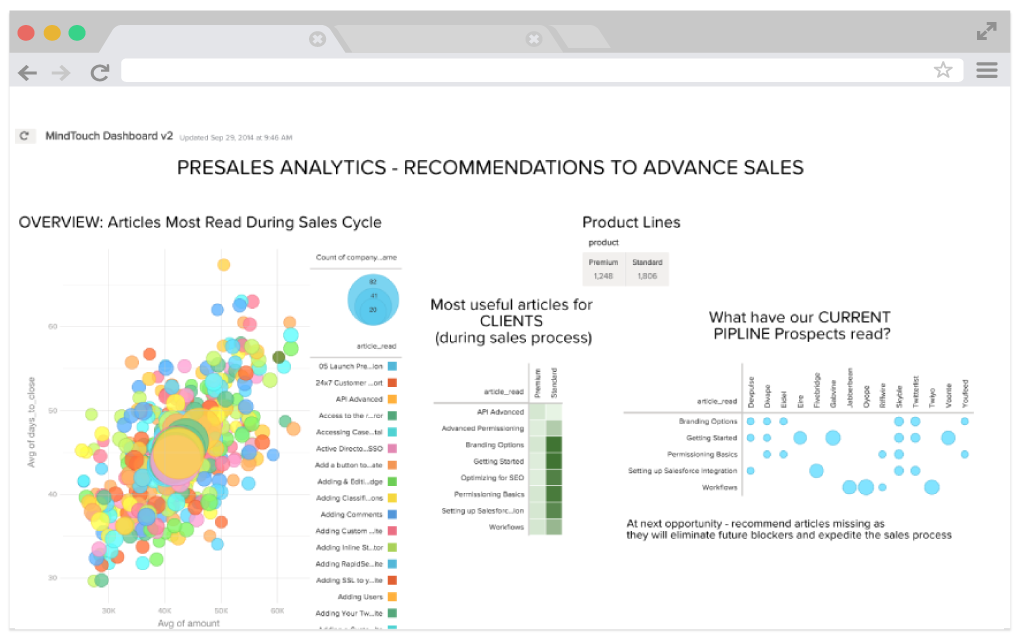
MindTouch is a customer experience management platform with content management and help authoring capabilities. Formerly known as MediaWiki, it is optimized for building knowledge bases for customer self-service and agent assistance purposes.
N/A
Salesforce Agentforce Service
Score 8.5 out of 10
N/A
Service Cloud is a customer service platform that helps businesses manage and resolve customer inquiries and issues. It provides tools for case management, knowledge base, omni-channel support, automation, and analytics, enabling companies to deliver exceptional customer service experiences.
MindTouch offers a unique knowledge and information management tool that was different enough from traditional knowledge bases and advanced enough to not be a Wiki while allowing CRM integration and APIs for customization. MindTouch as a company is focused on making their …
I will be brief. DealerTeam is built upon Salesforce and we try to support native apps. We used Desk.com first for basic Help Ticket management. The product did not satisfy how our customers were looking for information. We upgraded to Service Cloud with Knowledge Base and …
Much more user friendly. Better search. MindTouch contains built in content analysis. Customer support and onboarding from MindTouch far exceeds SharePoint.
BrightGauge lets us know when we have critical issues that need solving. A massive influx of tickets all at the same time triggers an investigation. Usually, it is tied to a server going down, which we can address. It would not be helpful for a small MSP or IT department with just a few daily tickets. The stats are better used to track a large amount of clients.
If a company doesn't want to make their knowledge base public-facing, you lose a lot of the value of using MindTouch in a closed environment. MindTouch is not ideal for extremely structured content management scenarios that are strong DITA advocates. Companies that require localization might not be good fits either.
I think Service Cloud is best suited for medium to large operations that require both proactive and reactive service. It’s a great fit for post-sales support. However, I wouldn’t recommend it for very small companies because it can be quite costly, and many of the features may go unused. Salesforce also performs best when you have a capable team managing it, so it’s important to consider your organization’s size and readiness before starting. Once you do, I recommend exploring other parts of the Salesforce ecosystem—Service Cloud works even better when integrated with Sales Cloud, since it allows better visibility across teams.
Tickets- Customers can email and a ticket is generated and falls under their profile for historical records. You can save documents and select if they are customer facing or only internal facing. The option as well to have communication in tickets whether its internal facing or customer facing is nice to have when you're trying to keep a record or important details for just internal means and the customer doesn't have to see all the jargon.
Procurement - It's great to have this integrate with Quosal Sell. Quotes being processed into opportunities and then into a sales order which connects to a ticket or project is pretty easy to use. It does have a learning curve but once you get the hang of it, it's straightforward. Everything is pretty connected, whether keeping track of products customers have purchased historically through us, to knowing what ticket is associated to an RMA.
Email to case is an interesting piece of it. The threading is very strong, sometimes too strong, but it does very well at handling the incoming emails.
The omnichannel routing, using skill-based routing is really effective.
Pathing. So making the workflow and helping the team understand what it is that they're trying to do, what they have to accomplish, those step-by-step pieces. That's really helpful.
Annual or more than annualized data is desperately needed for MSPs to show trends, current limitation is previous 240 days for ConnectWise tickets
Alerts when datasets do not sync properly, I have to rely on my team to notice vs get an automated alert from BrightGauge
Small thing, but it would be nice to have more options on the report scheduler to enable a start date. If you wish to do it quarterly, you have to start the schedule exactly 3 months from the next run.
When we do have a support issue, we frequently need to go through multiple people, contacts, ways of explaining things, etc,. before someone on their end actually understands our problem. It's rare that the first person we talk to understands the big picture or appreciates our use case.
The draft functionality is a promising start but lacks some key features that cause us regular frustration. For example, you can only create one draft of a page at a time. This is fine if changes come to you in perfect sequential order, but it makes it impossible for us to update a live page while a draft exists. More specifically, if we're working on updating content on a page for a new feature being released next month, but then we notice a typo today, we can't fix the typo in production without first deleting the draft or doing some hacky workaround of temporarily copying/pasting the source HTML of the draft page and saving it someplace else.
Existence of, or integration with, true source control would be a huge win, but it's something currently lacking in the product. MindTouch's content reuse feature is helpful in the right situations, but it's not robust enough to scale well for lots of content.
Version history of page changes is not 100% reliable. Sometimes items don't show up at all or there is a delay before the diff is visible. Also, creating a draft does not register at all in the page version history.
In-site search is poor, unless you know the *exact* title of what you're looking for. We tell our customers to use Google, not the MindTouch search. Google is excellent at searching our MindTouch site.
We had a principle initially to try and use Omni as much as we can from the user experience perspective, but have found that fairly restrictive. It was very difficult to actually get the right customer experience and customer engagement going. So we're actually on a journey at the moment to replace all of our Omni with Lightning web components that gives us that flexibility. That's probably one area where we've had some challenges in terms of how we've used the product out of the box.
ConnectWise has uniquely positioned themselves with the Modern Office Suite to have direct integration with a nearly full suite of tools for MSPs. Although each tool may not necessarily be the absolute best tool on the market, the efficiencies leveraged through direct integration make the entire suite an obvious choice for most companies.
We've put lots and lots of content into the MindTouch system, of course, so that makes it harder to opt out, but we're also very pleased with their rate of development and weekly pushing of improvements, as well as their response and solutions to our questions and input All in all, a winning combination.
Professional edition works best for a small company with lower call volumes and is very useful but as you grow exponetially I think it has limited ability to do all the things we want to - SLA management, defect, release management to name a few. Reports and dashboards being available in real time.
I have been using ConnectWise since 2004 and I am impressed with the progress they have made. However, there are still bugs that don't work quite like they should. If I were to run reports and get consistent answers along with a couple other annoyances, then I would score CW as a 10
The site is responsive across multiple devices and screens. It has a clear path to contact support. The articles are searchable. Site users do have trouble navigating the site and finding what they need. That may be due to the architecture of the site, but it'd be nice if MindTouch offered more solutions are this. Our content is organized by product line. And many of those product lines have overlapping training content, so we have extensive duplicate content.
I had Salesforce experience prior to using Service Cloud which made it a little easier to learn and navigate, but overall my team (some who had no Salesforce experience) caught on very quickly and found Service Cloud to be easy to use.
We use the cloud version of ConnectWise and in the last 5 years it has never been down for us during business hours. I can only recall 1 time when it was not available during off hours when we wanted to use it.
Working on an application that caters to customer needs requires a platform that acts as a mediator between the actual person and the client. This mediator handles the customer and resolves many of their doubts, helps them map through the entire process, and automates the processes. Such a platform is Salesforce Service Cloud. For queries that cannot be serviced by the platform, it creates a separate ServiceNow ticket for us, and it is assigned.
Some tab for certain areas load speeds could be better. Dashboards can load slowly when they reference multiple reports. Some reports can load slowly based on the tables and views they are accessing. At times the SQL queries being performed in the background can actually timeout and a tab or screen will fail to load.
MindTouch is a hosted site, so as a heavy user there are times when I notice that pages are slow to load, or something happens like Amazon Web Services crashing the entire east coast for a few hours, that you do notice even if it isn't actually the fault of the MT tool itself. It's the risk of using a hosted tool, but the benefits are pretty amazing and outweigh these performance issues.
The Salesforce Service Cloud generally has very good performance, however the overall new Lightning user experience can bring that down. For example, if you have too many tabs open, then it can take a while for the Lightning UI to load. This UI is probably not well equipped to handle loading of all of that information at once, but Users tend to leave their tabs open all day long. It can also be fickle depending on which browser you use, what extensions you have installed, and whether you've cleared your cache. This can be the downfall with any software as a service though, not just Salesforce
The front line support techs are wildly inconsistent when it comes to the level of support. Sometimes you get someone who just wants to throw links to University documentation at you, sometimes you get someone who truly tries to understand your issue and confers with peers and managers to find an answer, and sometimes you get someone who just wants to create a ticket and escalate immediately. If you ask three different techs the same question you will probably get three different answers, one of them being, "That's not possible."
It's good. Pretty solid. We got a lot of input to get up and running, but did a lot of the setup and customization work ourselves, because of our high standards. We've gotten good response and results on specific projects related to customization and our CSM is also pretty responsive. Overall, I think that the jobs of CSMs and support folks would be easier if the product weren't wonky in some ways. They seem to have to do more "workarounds" for basic functionality that should just work out of the box
Salesforce offers support, although it generally gets routed to overseas support teams first, and once they are unable to help, it gets escalated up the chain to higher tiers. Frequently, the answer back from support is that there is no native solution, and we either have to turn to the AppExchange for some solution provided by another developer, or custom build our own solution.
Our in-person training was provided by our implementation partner and it was quite good. This was in part because we were already working with them and so it naturally leant itself to a good training relationship. And because they were building our customizations and configuring things, they could then provide training on those things naturally.
We are a telecoms company. Whilst CW were very happy to sell us their product and tell us how good it is for telecoms. All the training material is geared towards IT MSP's. The on-line training material was virtually useless. We found the implementation a bit of a joke. They tried telling us 12 hours of implementation time would be sufficient to launch the product. We erred on the side of caution and paid for 24 hours. This was quickly eaten away and we were nowhere near ready to go-live. I find the on-line chat facility is of much more use for us.
Written documentation and videos are very good and have helped on numerous occasions when I've had to look up how to accomplish a certain task. The reason I have not given a full score is mainly because there have been some inaccuracies in the documentation because updates to the MindTouch framework have slightly changed the way things work. But this is usually the same type of challenges I face when making documentation for the software solution we develop. So all in all I'm very satisfied with both the personal webinars and the online documentation MindTouch provides for their service.
Trailheads are great but it was often unclear what actually applied to our organization. This made it difficult to get a whole lot out of it. Part of it is that because the basic Salesforce features didn't quite work for us, we had to add customizations, which then nullified a lot of the training.
Rather than letting them sell you a block of time for implementation, create a list of things that must be completed do declare the implementation complete. The implementer will have the discretion on what they set up and in what order. They will be trying to end their services in as little time as possible and may not get things set up right. You are best advised to hire a third-party wizard that has done many of these setups. Record the audio and video of all of your implementation sessions.
Just know that there is so much more involved than adding your content. There are so many pieces to launching your site -- especially if you are moving from another platform. If you are not a person who typically works in the "website" realm, do your homework, ask your web people, engineers, etc., because there's a lot to do that you won't know about until you are unexpectedly smacked in the face with it. Learn from my mistakes! We are very happy now, but it was a long road getting to launch day for us
I would go through an implementation very differently knowing what I know now. It was difficult coming from systems we liked in post-sales service and having to adapt to the clunky and underwhelming feature set in Salesforce. I would trim back our expectations
Everyone but dynamics had holes in it. Dynamics is good, but it requires more development time. I spoke with some people that have CW and liked it. But when I inquired after our frustrations, I discovered they had a full time scheduling & logistics CW manager and the field people were using it purely like any other more simplistic ticket system. They said it would be impossible otherwise. The one big difference is the transparency of the sales effort. The other sales people were honest on the limitations or potential challenges and worked with us. They also worked with our agenda. At CW they don't have that option. The consulting time is eaten through a pre-formatted agenda which they communicate too you, not with you.
I will be brief. DealerTeam is built upon Salesforce and we try to support native apps. We used Desk.com first for basic Help Ticket management. The product did not satisfy how our customers were looking for information. We upgraded to Service Cloud with Knowledge Base and spent one year writing content and developing our support agency. Again, our customers were upset about submitting help tickets and waiting for answers. They wanted access to self-help while working with a customer. Today we continue to use Service Cloud with MindTouch integration and have found complete success. There is simply no other solution I know of that is a flexible and easy to use as MindTouch when it come to providing customer success and product support
We selected this product because we already had some competencies in Salesforce. We own a Salesforce partner with expertise in this area, and on top of that, Salesforce purchased it — it was originally called Velocity. When Salesforce decided to acquire it, that finalized the decision for us.
ConnectWise seems to have a good understanding of the IT service industry. During the required onboarding training, they even preach configuring only features that you need right now, as you can always scale up later. The feature set for the most part takes into considerations all aspects of an IT business, whether small or enterprise, or growing from one to the next.
Our operational efficiently has improved significantly. Prior to Mindtouch, we managing duplicate content in two separate authoring solutions. Delivering content predictably and consistently was difficult and stressful for writers. In Mindtouch, we were able to optimize our content (remove redundancies) giving us more time to test, review, and improve content quality.
Traffic to our knowledge center is increasing monthly.
Internally, SMEs and customer-facing teams are recognizing the value Mindtouch brings through self-service knowledge. These SMEs want to contribute more to content, either as contributing writers or collaborators with tech writers.
We have cut our service team in half over the past 5 years due to the efficiency of the tool
The amount of direct inquiries to our technical team is less than 10% compared to the number support tickets that get entered in the system for them to work in a more organized manner
Responses are 100% more timely because tickets can be responded to by any individual in the queue or on the team, as opposed to direct emails to just one person