DocuSign supports transactions with document sharing and electronic signature, as well as automated and guided data collection and entry, record updating across disparate systems and payment collection upon agreement, as well as analytics and reporting.
$15
per month
OctaSales
N/A
N/A
N/A
$19
per month
OneSpan Sign
Score9.6 out of 10
Enterprise companies (1,001+ employees)
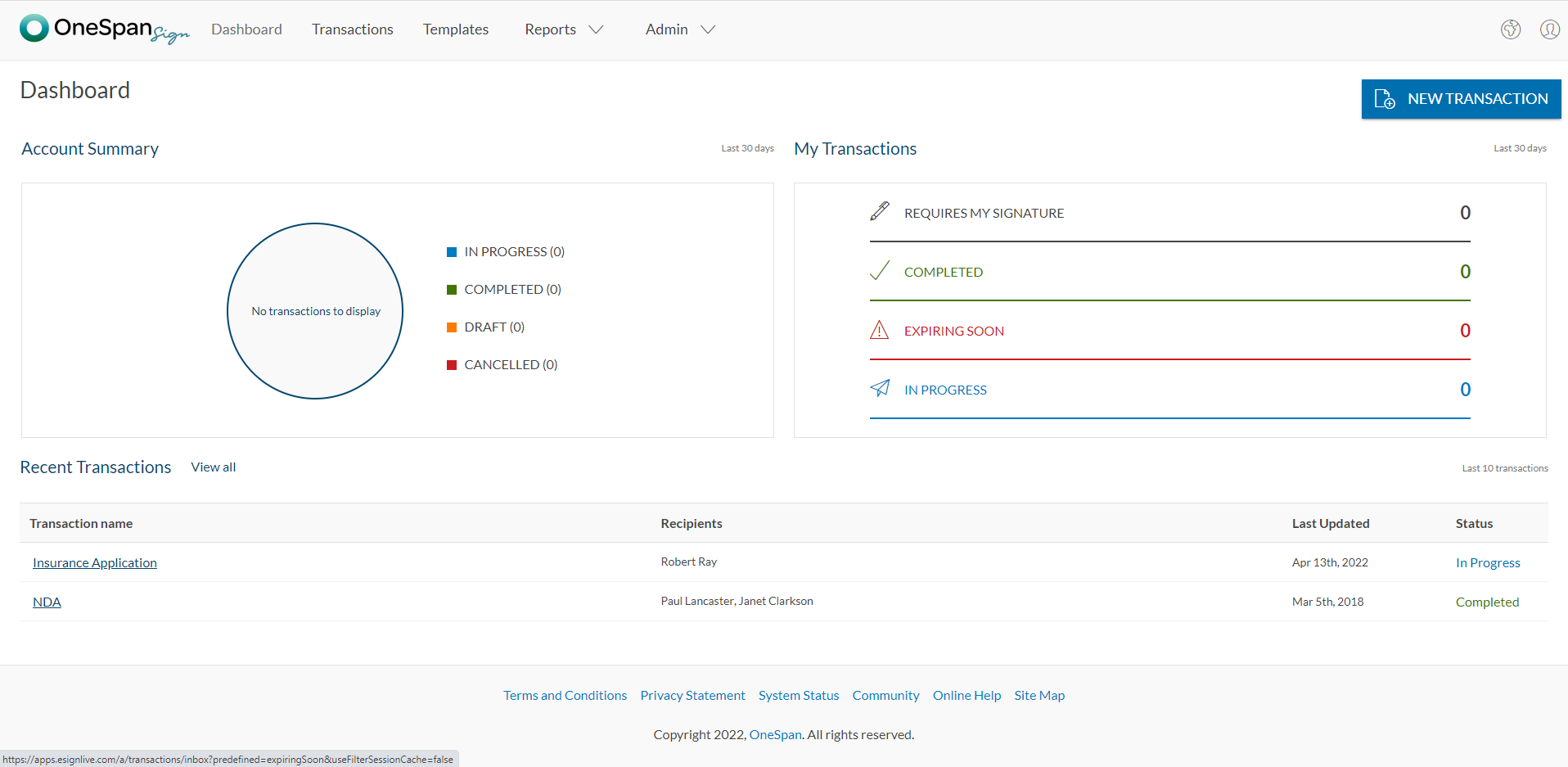
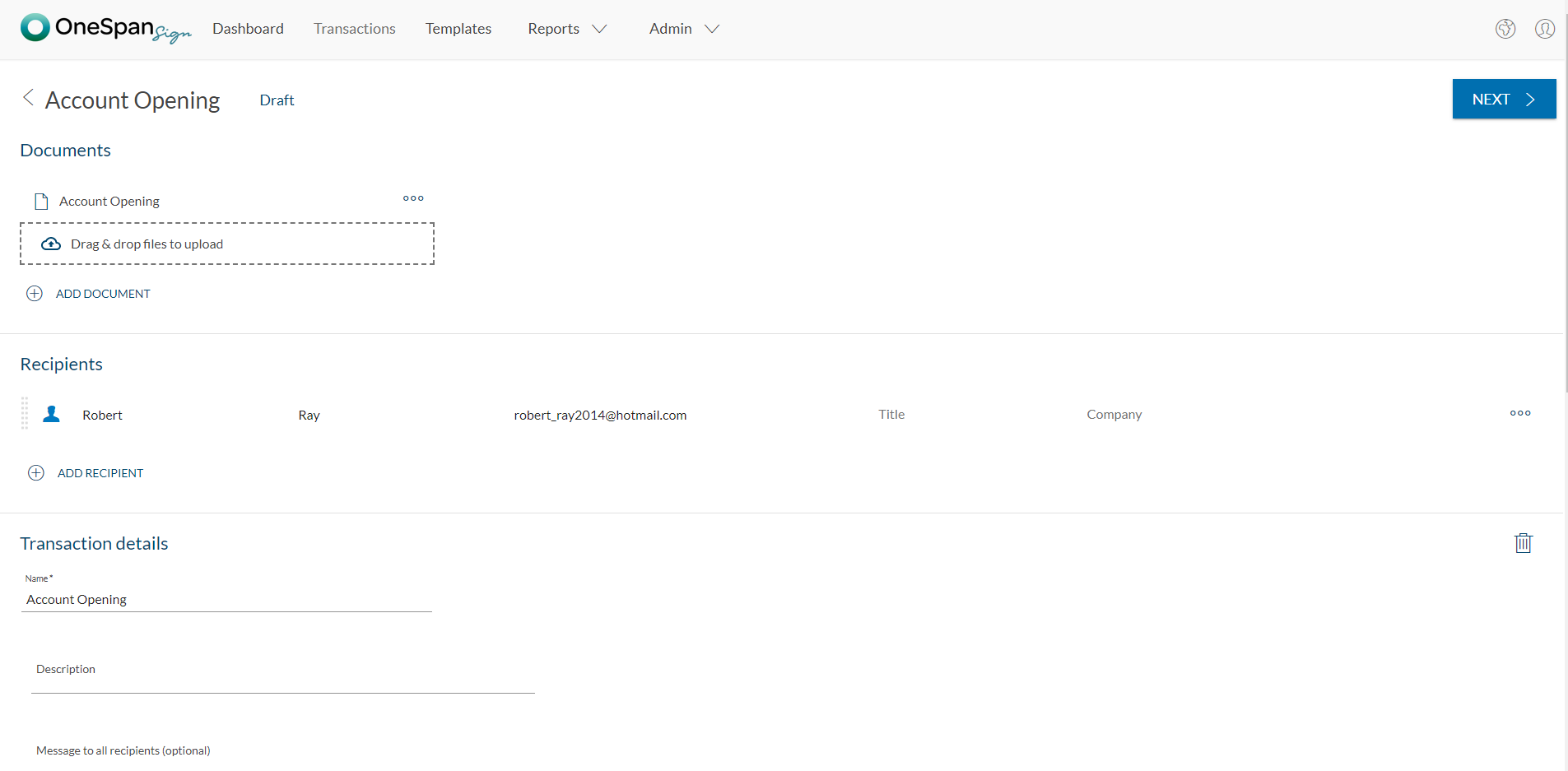
OneSpan Sign (formerly eSignLive) is an e-signature solution for secure document signing processes that enables organizations to digitize business processes and eliminate costly paper and inconvenient “wet” signatures.
$240
per year per user
Pricing
DocuSign
OctaSales
OneSpan Sign
Editions & Modules
Personal
$15
per month
Real Starter
$15
per month
DocuSign for Realtors
$35
per month
Standard
$40
per month
Business Pro
$60
per month
Advanced Solutions
Custom Pricing
Basic
$19
per month
Free Trial
$0
Free for 30 Days
Professionnal
$20
Per User per Month
Enterprise
Call for Pricing
Enterprise
Call for pricing
Contract
Offerings
Pricing Offerings
DocuSign
OctaSales
OneSpan Sign
Free Trial
Yes
Yes
Yes
Free/Freemium Version
No
No
No
Premium Consulting/Integration Services
No
No
Yes
Entry-level Setup Fee
No setup fee
No setup fee
No setup fee
Additional Details
—
—
—
More Pricing Information
Community Pulse
DocuSign
OctaSales
OneSpan Sign
Considered Multiple Products
DocuSign
Verified User
Chose DocuSign
DocuSign is easy to understand by all users. You can personalize the instructions for each party. Documents can be signed and transmitted instantaneously in an extremely secure manner. Once completed, a report is generated for reference to the exact time that a document was …
A de minimis incentive was given to thank the reviewer for their time. The incentive was not used to bias or drive a particular response, nor was the incentive contingent on a positive endorsement. More Info
Corporate & Securities Attorney in Legal at Snell & Wilmer (Law Practice, 501-1000 employees)
Chose DocuSign
I think DocuSign is still the leader in this industry as pronounced by their superior customer service and quick development response time to changes in the industry. For simple users, DocuSign is user friendly and easy to navigate while adding significant benefit to small to …
A de minimis incentive was given to thank the reviewer for their time. The incentive was not used to bias or drive a particular response, nor was the incentive contingent on a positive endorsement. More Info
A de minimis incentive was given to thank the reviewer for their time. The incentive was not used to bias or drive a particular response, nor was the incentive contingent on a positive endorsement. More Info
A de minimis incentive was given to thank the reviewer for their time. The incentive was not used to bias or drive a particular response, nor was the incentive contingent on a positive endorsement. More Info
Verified User
Chose OneSpan Sign
I was told that the other services may have a better API but for our needs, the cheaper the better and eSign Live's prices could not be beat. I believe that DocuSign's similar product was roughly four times as much as what we are currently spending on eSign Live.
A de minimis incentive was given to thank the reviewer for their time. The incentive was not used to bias or drive a particular response, nor was the incentive contingent on a positive endorsement. More Info
A de minimis incentive was given to thank the reviewer for their time. The incentive was not used to bias or drive a particular response, nor was the incentive contingent on a positive endorsement. More Info
Verified User
Chose OneSpan Sign
Both products had similar functions, but I found that OneSpan Sign just had the edge when it came to use ability and user experience. It is very clear how to use the system and it integrates very well into our business. Are use it on a regular basis, and even though I’ve tried …
A de minimis incentive was given to thank the reviewer for their time. The incentive was not used to bias or drive a particular response, nor was the incentive contingent on a positive endorsement. More Info
Verified User
Chose OneSpan Sign
we realized some insurance companies are using OneSpan and also our admin office uses the same program. Therefore, it is more friendly in terms of everyone knowing software.
A de minimis incentive was given to thank the reviewer for their time. The incentive was not used to bias or drive a particular response, nor was the incentive contingent on a positive endorsement. More Info
A de minimis incentive was given to thank the reviewer for their time. The incentive was not used to bias or drive a particular response, nor was the incentive contingent on a positive endorsement. More Info
Director, Solutions Delivery in Information Technology at GAINSCO (Insurance, 501-1000 employees)
Chose OneSpan Sign
My experience with OneSpan in the customer service has been very positive. However, since my experience with OneSpan is much more recent, most of my technical experience with OneSpan includes technical areas that were not available in other products at the time I was working …
A de minimis incentive was given to thank the reviewer for their time. The incentive was not used to bias or drive a particular response, nor was the incentive contingent on a positive endorsement. More Info
Federal Account Executive in Sales at Project Hosts (Government Relations, 51-200 employees)
Chose OneSpan Sign
All other evaluated tools allowed for changes within the document after the first signature. Within OneSpan this action kicked off a completely new signing process. This along with the security compliance was our main factor for approval.
A de minimis incentive was given to thank the reviewer for their time. The incentive was not used to bias or drive a particular response, nor was the incentive contingent on a positive endorsement. More Info
Development Team Lead in Information Technology at ACCEO Solutions (Computer Software, 501-1000 employees)
Chose OneSpan Sign
DocuSign was probably one of the alternatives but to be honest we just did not evaluate alternatives at all. We were simply happy to integrate easily with an approved (by our financial institution) eSign product. We just moved from the POC to a "That's a go" decision given the …
A de minimis incentive was given to thank the reviewer for their time. The incentive was not used to bias or drive a particular response, nor was the incentive contingent on a positive endorsement. More Info
A de minimis incentive was given to thank the reviewer for their time. The incentive was not used to bias or drive a particular response, nor was the incentive contingent on a positive endorsement. More Info
Verified User
Chose OneSpan Sign
We were also considering Docusign but with the similarity of product and functional offering, it boiled down to price and possibly a better support system.
Verified User
Chose OneSpan Sign
I tried Docusign prior to going with e-signLive and the overall reason I went with e-sign Live was the ease of use of the interface and overall simplicity for getting started
This product is well suited in the use case that I provided before: when it comes to onboarding employees and providing a clear channel for decision making for human resources, this is an excellent tool to accomplish that. I would say the weak points is when you have back and forth communication with users that it might seem a little redundant to have that back and forth communication in that scenario.
A de minimis incentive was given to thank the reviewer for their time. The incentive was not used to bias or drive a particular response, nor was the incentive contingent on a positive endorsement. More Info
OneSpan Sign is suited to many professional business situations. It is well used by the legal, security and compliance teams as well as many people within the financial functions. A lot of businesses have become very agile, and require a paperless environment to working. There are some companies and businesses who would prefer paper documents to be signed, which would not work as well as the paperless versions. I would use it in many different scenarios where I would prefer to have a paperless transaction
A de minimis incentive was given to thank the reviewer for their time. The incentive was not used to bias or drive a particular response, nor was the incentive contingent on a positive endorsement. More Info
A de minimis incentive was given to thank the reviewer for their time. The incentive was not used to bias or drive a particular response, nor was the incentive contingent on a positive endorsement. More Info
Tracking, particularly when collecting signatures through connected applications, such as an ATS, is not always clean or easily traceable.
Formatting documents to handle electronic signature types (signatures, initials, etc.) is not always easy, and highly dependent on the partner's technology.
It is not convenient to have to use DocuSign as a stand alone product if the signatures are required for 3rd party applications. It definitely excels on its own, but the scope of that usage, at least for us, is slim.
A de minimis incentive was given to thank the reviewer for their time. The incentive was not used to bias or drive a particular response, nor was the incentive contingent on a positive endorsement. More Info
I can't imagine doing business without DocuSign now. I would never want to go back to the way we used to do things. The "new way" is "the way" is "the right way." We can honestly be proud of a "one right way" process and not have to suffer through "5 ways for 5 days."
A de minimis incentive was given to thank the reviewer for their time. The incentive was not used to bias or drive a particular response, nor was the incentive contingent on a positive endorsement. More Info
I don't see any reasons to change as their solution covers all my need for now. I could make even more integrations but that might be something that I will do down the road. I'm used to working with the interface and my data is all there as well.
Generally user-friendly once you have command of the basics, but also has a lot of nuances that can make it difficult to train others on. DocuSign University is a helpful tool, but understandably a lot of content to get through to become a well-versed user. A lot of different functionalities but only a few I use on a weekly basis.
A de minimis incentive was given to thank the reviewer for their time. The incentive was not used to bias or drive a particular response, nor was the incentive contingent on a positive endorsement. More Info
A de minimis incentive was given to thank the reviewer for their time. The incentive was not used to bias or drive a particular response, nor was the incentive contingent on a positive endorsement. More Info
A de minimis incentive was given to thank the reviewer for their time. The incentive was not used to bias or drive a particular response, nor was the incentive contingent on a positive endorsement. More Info
A de minimis incentive was given to thank the reviewer for their time. The incentive was not used to bias or drive a particular response, nor was the incentive contingent on a positive endorsement. More Info
I'd give them a 10, but there has been 1 or 2 small cases that seemed to fall to the wayside, but I was able to call them up and get them resolved. We were having a bad implementation night (after midnight) and we needed assistance from Docusign. They were able to get an engineer to help us in the early morning hours
A de minimis incentive was given to thank the reviewer for their time. The incentive was not used to bias or drive a particular response, nor was the incentive contingent on a positive endorsement. More Info
The product is so well designed and built that we rarely need to reach out to customer service. But we have reached out to them in case of downtime, and we have always gotten a satisfactory response. We never had to follow up, as customer service executives were very responsible.
Docusign is super easy to use, and apart from a few administration details, there was really nothing to train on. Post implementation, there were issues with configuration of auto-filled documents with the integrating 3rd party. That training required some time, because the DocuSign expert took the time to walk me through the 3rd party's configuration (how often does that happen?) so I could see how DocuSign should be best used to overcome weaknesses in the 3rd party platform. 10/10 expert care.
A de minimis incentive was given to thank the reviewer for their time. The incentive was not used to bias or drive a particular response, nor was the incentive contingent on a positive endorsement. More Info
Until you get the hang of it, I recommend doing several internal tests before sending a document to a client. As I mentioned earlier, you have to go through a bit of trial and error at first to verify that the workflow works as expected.
There has never been anything that we could really compare to Docusign. We have tried sending documents in a PDF version, but that was not nearly as efficient. DocuSign saves your signature in the system and uses that as it goes through your documents.
A de minimis incentive was given to thank the reviewer for their time. The incentive was not used to bias or drive a particular response, nor was the incentive contingent on a positive endorsement. More Info
My experience with OneSpan in the customer service has been very positive. However, since my experience with OneSpan is much more recent, most of my technical experience with OneSpan includes technical areas that were not available in other products at the time I was working with other products.
A de minimis incentive was given to thank the reviewer for their time. The incentive was not used to bias or drive a particular response, nor was the incentive contingent on a positive endorsement. More Info
A de minimis incentive was given to thank the reviewer for their time. The incentive was not used to bias or drive a particular response, nor was the incentive contingent on a positive endorsement. More Info
A de minimis incentive was given to thank the reviewer for their time. The incentive was not used to bias or drive a particular response, nor was the incentive contingent on a positive endorsement. More Info
A de minimis incentive was given to thank the reviewer for their time. The incentive was not used to bias or drive a particular response, nor was the incentive contingent on a positive endorsement. More Info