Chose Dropbox
We use both Dropbox and Google Drive. In recent months, the company has started adopting using Google Drive more than Dropbox. However, file sharing with Dropbox still tends to be easier to use between employee and contractors.

| Product | Rating | Most Used By | Product Summary | Starting Price |
|---|---|---|---|---|
 Dropbox | N/A | Dropbox is a cloud storage solution, equipped with features that help users to save time, improve productivity, and collaborate with others. Users can edit PDFs, share videos, sign documents, and collaborate with stakeholders without leaving Dropbox. | $9.99 per month | |
 RMail | N/A | RMail is RPost’s software-as-a-service solution that enables business users to track and prove email delivery and encrypt sensitive emails. Available as a MS Outlook add-in and for other popular software platforms, RMail works with any email address without any customization required. RMail provides users with a Registered Receipt email record proving delivery status, time of delivery, and exact content. | $7 per month | |
 Tresorit | N/A | Tresorit offers end-to-end encrypted file sync & sharing. The vendor promises an ultra-secure place in the cloud to store, sync and share files easily from anywhere, anytime. The vendor says Tresorit is powered by end-to-end encryption and enhanced with a flexible permission system, therefore it seals your files away from internal data breaches and hackers. All the data is securely stored according to the GDPR in Europe in Microsoft Azure datacenters. Tresorit promises to help secure… | $13.99 per month 1TB of encrypted storage |
| Dropbox | RMail | Tresorit | ||||||||||||||||||||||
|---|---|---|---|---|---|---|---|---|---|---|---|---|---|---|---|---|---|---|---|---|---|---|---|---|
| Editions & Modules |
|
|
| |||||||||||||||||||||
| Offerings |
| |||||||||||||||||||||||
| Entry-level Setup Fee | No setup fee | No setup fee | No setup fee | |||||||||||||||||||||
| Additional Details | — | — | Discount for annual pricing. | |||||||||||||||||||||
| More Pricing Information | ||||||||||||||||||||||||
| Dropbox | RMail | Tresorit | |
|---|---|---|---|
| Considered Multiple Products |  Dropbox  Regina McGrath Marketing Coordinator Chose Dropbox It's far more user-friendly and straight forward than the others. |  RMail No answer on this topic | Tresorit |
| Dropbox | RMail | Tresorit | |||||||||||||||||||||||||||||||
|---|---|---|---|---|---|---|---|---|---|---|---|---|---|---|---|---|---|---|---|---|---|---|---|---|---|---|---|---|---|---|---|---|---|
| File Sharing & Management |
| ||||||||||||||||||||||||||||||||
| Cloud Storage Security & Administration |
| ||||||||||||||||||||||||||||||||
| Cloud Storage Platform |
|
| Dropbox | RMail | Tresorit | |
|---|---|---|---|
| Small Businesses |  SugarSync Score 4.1 out of 10 |  Paubox Email Suite Score 9.0 out of 10 | SugarSync Score 4.1 out of 10 |
| Medium-sized Companies |  Druva Security Cloud Score 9.4 out of 10 |  OpenText Core Email Encryption Score 9.6 out of 10 | Druva Security Cloud Score 9.4 out of 10 |
| Enterprises | Druva Security Cloud Score 9.4 out of 10 |  DataMotion Score 9.3 out of 10 | Druva Security Cloud Score 9.4 out of 10 |
| All Alternatives | View all alternatives | View all alternatives | View all alternatives |
| Dropbox | RMail | Tresorit | |
|---|---|---|---|
| Likelihood to Recommend | 8.6 (1348 ratings) | 10.0 (7 ratings) | 9.0 (1 ratings) |
| Likelihood to Renew | 8.2 (41 ratings) | 9.1 (2 ratings) | - (0 ratings) |
| Usability | 8.1 (496 ratings) | 9.1 (2 ratings) | - (0 ratings) |
| Availability | 6.8 (3 ratings) | - (0 ratings) | - (0 ratings) |
| Performance | 6.0 (8 ratings) | 9.1 (1 ratings) | - (0 ratings) |
| Support Rating | 6.6 (38 ratings) | 9.1 (1 ratings) | 9.0 (1 ratings) |
| Online Training | 8.2 (2 ratings) | - (0 ratings) | - (0 ratings) |
| Implementation Rating | 7.5 (4 ratings) | 6.4 (2 ratings) | - (0 ratings) |
| Configurability | 6.4 (1 ratings) | - (0 ratings) | - (0 ratings) |
| Product Scalability | 6.6 (4 ratings) | - (0 ratings) | - (0 ratings) |
| Dropbox | RMail | Tresorit | |
|---|---|---|---|
| Likelihood to Recommend | Dropbox
| RPost
 Laura Brown Psychologist | Tresorit
|
| Pros | Dropbox
 Howard R. Berger Financial Advisor | RPost
 Dan Gospe Chief Operating Officer, and HIPAA Privacy Officer | Tresorit
|
| Cons | Dropbox
 Deependra Gahane Customer Support Engineer L2 | RPost
| Tresorit
|
| Likelihood to Renew | Dropbox
 Michelle Hidalgo Development and Marketing Manager | RPost
 Joseph Sinclair Owner | Tresorit No answers on this topic |
| Usability | Dropbox
| RPost
Laura Brown Psychologist | Tresorit No answers on this topic |
| Reliability and Availability | Dropbox
Deependra Gahane Customer Support Engineer L2 | RPost No answers on this topic | Tresorit No answers on this topic |
| Performance | Dropbox
| RPost
Joseph Sinclair Owner | Tresorit No answers on this topic |
| Support Rating | Dropbox
| RPost
Laura Brown Psychologist | Tresorit
|
| In-Person Training | Dropbox
Deependra Gahane Customer Support Engineer L2 | RPost No answers on this topic | Tresorit No answers on this topic |
| Online Training | Dropbox
| RPost No answers on this topic | Tresorit No answers on this topic |
| Implementation Rating | Dropbox
 Annesa L Lacey Founder & CEO | RPost
Joseph Sinclair Owner | Tresorit No answers on this topic |
| Alternatives Considered | Dropbox
 Joy Cobert REALTOR | RPost
| Tresorit
|
| Contract Terms and Pricing Model | Dropbox
Deependra Gahane Customer Support Engineer L2 | RPost No answers on this topic | Tresorit No answers on this topic |
| Scalability | Dropbox
Deependra Gahane Customer Support Engineer L2 | RPost No answers on this topic | Tresorit No answers on this topic |
| Professional Services | Dropbox
Deependra Gahane Customer Support Engineer L2 | RPost No answers on this topic | Tresorit No answers on this topic |
| Return on Investment | Dropbox
| RPost
Dan Gospe Chief Operating Officer, and HIPAA Privacy Officer | Tresorit
|
| ScreenShots | Dropbox Screenshots    | RMail Screenshots   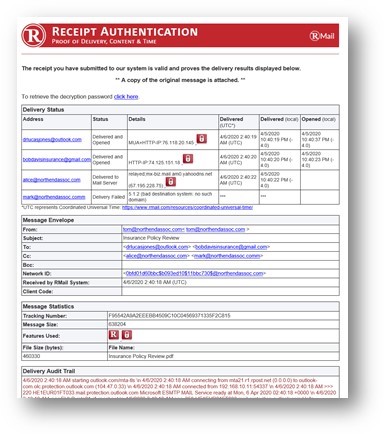 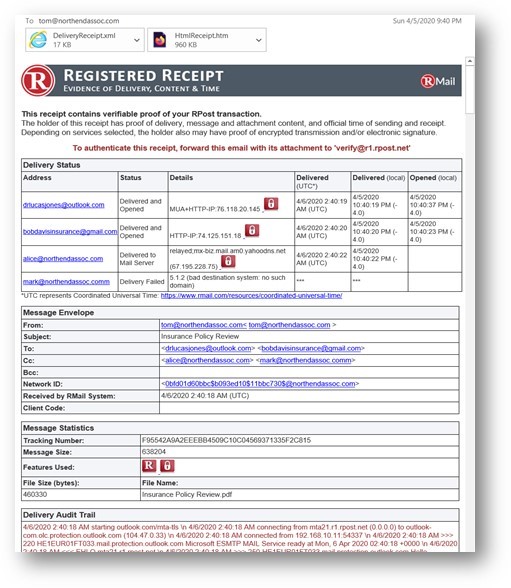  | Tresorit Screenshots   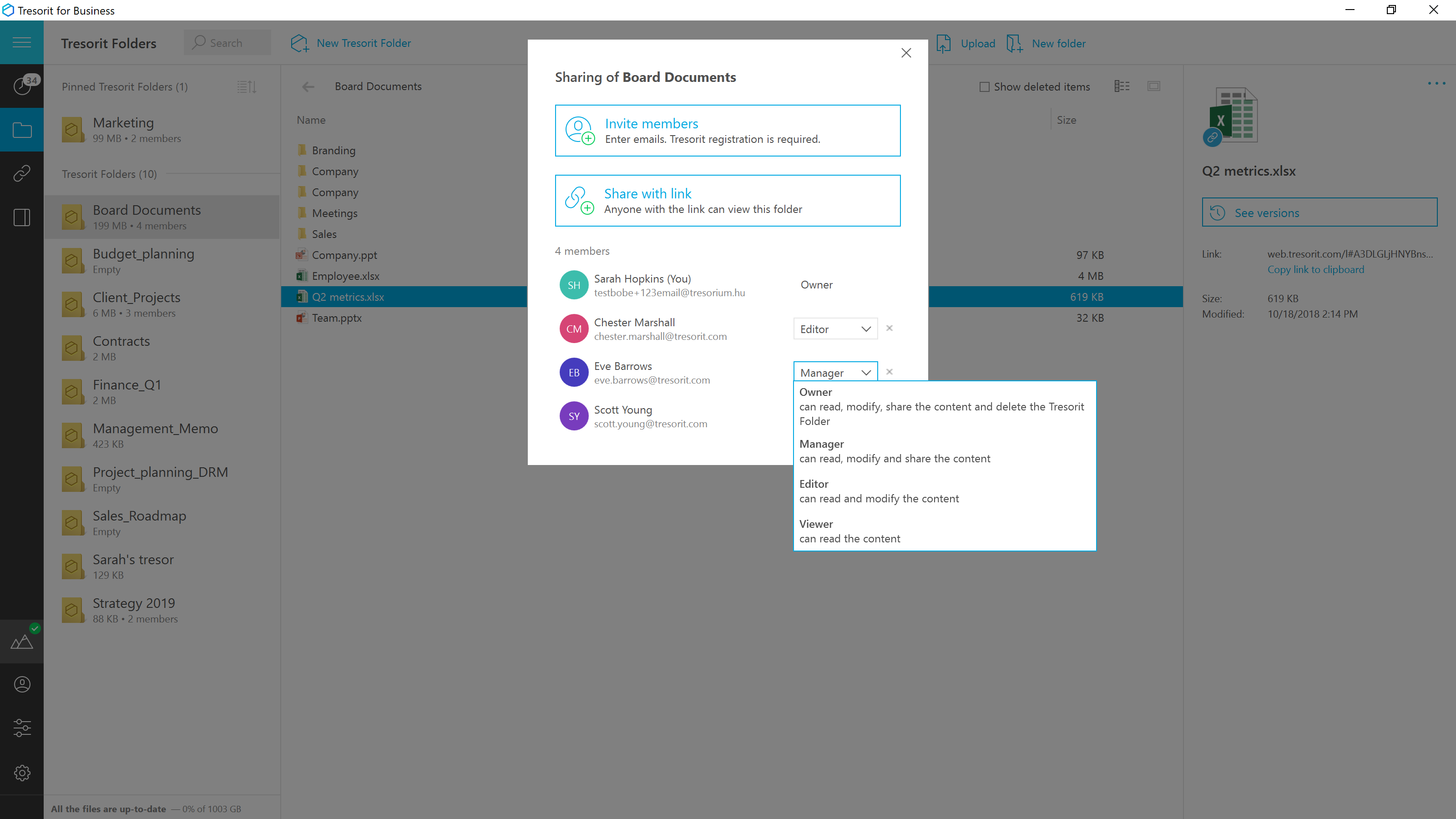  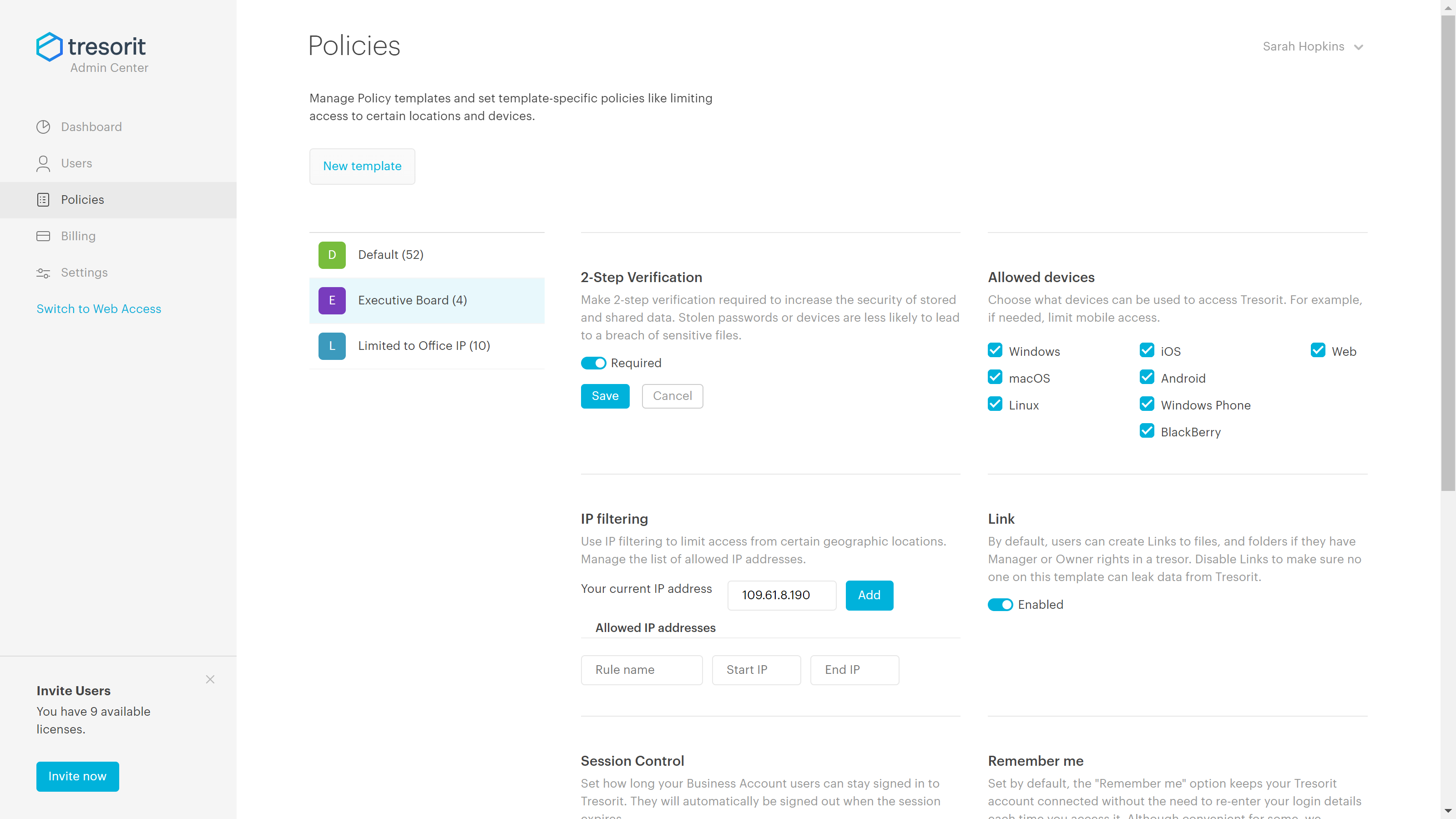 |