Overview
ProductRatingMost Used ByProduct SummaryStarting Price
TalentLMS
Score 8.5 out of 10
Mid-Size Companies (51-1,000 employees)
TalentLMS is an LMS built for training success, presented as fully customizable and easy to manage, so that teams embrace training while feeling right at home. It is used to provide the right training to any team and every use, while giving expert guidance and support every step of the way.
$149
per month 1-40 users
Google Classroom
Score 8.2 out of 10
N/A
N/A
$0
per month
Moodle
Score 7.6 out of 10
N/A
Moodle is an open source learning management system with hundreds of millions of users around the globe and translated into over 100 languages, used by organizations to support their education and training needs.N/A
Pricing
TalentLMSGoogle ClassroomMoodle
Editions & Modules
Core
$149
per month 1-40 users
Grow
$299
per month 1-70 users
Pro
$579
per month 1-100 users
Enterprise (Custom plan)
Custom
annual plan Starts at 1000 users
Education Fundamentals
$0
per license/per month
Google Workspace for Education Standard
$3
per student/per year
Teaching and Learning Upgrade
$4
per license/per month
Google Workspace for Education Plus
$5
per student/per year
No answers on this topic
Offerings
Pricing Offerings
TalentLMSGoogle ClassroomMoodle
Free Trial
NoYesYes
Free/Freemium Version
YesNoYes
Premium Consulting/Integration Services
NoNoYes
Entry-level Setup FeeNo setup feeNo setup feeOptional
Additional DetailsUsers can stay on the Forever Free plan and upgrade, or downgrade or cancel at any time. Higher volume plans available at additional cost. Discount available for annual billing, and for nonprofits.Education Fundamentals Version - 30-day free trial for qualifying institutions.
More Pricing Information
Community Pulse
TalentLMSGoogle ClassroomMoodle
Considered Multiple Products
TalentLMS
Chose TalentLMS
I must admit it's been a few years since I last tested Moodle and Docebo, so my current opinion might be biased. That being said, on a pure price-to-performance ratio, TalentLMS blows both out of the water.
Chose TalentLMS
I was not involved in the initial decision-making, but each of these options offer a comparable solution with some advantages and disadvantages.
Chose TalentLMS
Among all of the options that we evaluated TalentLMS presented the best value for the features that we required. In this tier of event management software tell him TalentLMS was one of the few that offered all the features that we needed at a reasonable price.
Google Classroom
Chose Google Classroom
Google Classroom was chosen unilaterally for one of my places of work, although I had checked Google Classroom when it was first released and decided against it for my own company owing to its poor reporting and other controls.
Provided one has the servers to use it and an …
Chose Google Classroom
I selected Google Classroom because it is a great website for managing and organizing learning. It is simple to use for interface; interacts with a wide range of apps and websites; effortlessly shares, collects, and grades Google Workspace documents. It is also free , …
Chose Google Classroom
Google Classroom ties to the Google G Suite for EDU which has very good support and documentation as needed, at no additional cost, which is a big deal for setting it up. The integration with Chromebooks, Active Directory, Clever and other common platforms make it very …
Chose Google Classroom
Google does a great job of doing the obvious: integrating Google's Drive system as schoolwork. It does a great job of scheduling assignments and sending reminders to students.
Chose Google Classroom
Google Classroom beats all these other tools in how they can integrate with other websites and educational resources.
Chose Google Classroom
Google Classroom is free and easy for all. It's also easy to integrate other Google platforms with. It helps transfer grades from one place in Google to another. I currently use PowerSchools for grade recording, and have used Infinite Campus in the past. These are great for …
Chose Google Classroom
Google Classroom is far better than other systems, because the link with Google applications is rather seamless.
Chose Google Classroom
Of course Google Classroom has more "built-in resources, but it can still be complicated for a teacher to build a class site, but on the K-12 level there's not another LMS prep that's better.
Moodle
Chose Moodle
Compared to Google Classroom, Moodle is more flexible and more comprehensive. But the interface is a bit outdated and not very mobile-friendly. Additionally, Google Classroom has nice integration with other Google's workspace tools. Google lack tools such as CodeRunner to be …
Chose Moodle
Excellent community support, it is very affordable and also about costs.
Chose Moodle
Moodle, being open source, is the foundation a lot of other tools like it are based on. It provides almost all of the same functionality and feature set as Google Classtoom, Canvas, etc., although those products are a bit more polished. All can do content delivery, progress …
Chose Moodle
For me, Moodle is more user-friendly because it has simpler graphical user interface and it provides the functionalities that my students and I enjoyed using. Moodle is more interactive as well and it provides efficiency in uploading, downloading, restoring and backing up …
Chose Moodle
Moodle is similar to these programs, but it doesn't have all the social interaction several of these other programs have.
Chose Moodle
Edmodo provides a simple platform but does not provide the depth of assignments that Moodle does. Moodle provides more assignment types, grading, deadlines, and shifting of assignments from one week to the next. Moodle is significantly more advanced in terms of what it can do …
Features
TalentLMSGoogle ClassroomMoodle
Learning Management
Comparison of Learning Management features of Product A and Product B
TalentLMS
8.3
50 Ratings
1% above category average
Google Classroom
7.6
60 Ratings
8% below category average
Moodle
8.0
29 Ratings
3% below category average
Course authoring8.534 Ratings8.652 Ratings8.725 Ratings
Course catalog or library8.134 Ratings7.839 Ratings8.026 Ratings
Learning content8.031 Ratings7.641 Ratings7.724 Ratings
Mobile friendly8.544 Ratings7.257 Ratings5.726 Ratings
Progress tracking & certifications9.049 Ratings7.444 Ratings8.527 Ratings
Assignments8.446 Ratings7.558 Ratings8.729 Ratings
Compliance management8.842 Ratings7.334 Ratings9.022 Ratings
Learning administration8.849 Ratings7.546 Ratings8.627 Ratings
Learning reporting & analytics8.747 Ratings7.342 Ratings9.024 Ratings
Social learning7.222 Ratings8.451 Ratings7.426 Ratings
Gamification7.524 Ratings4.98 Ratings6.03 Ratings
Single Sign On (SSO) Enabled Learning8.726 Ratings9.512 Ratings8.52 Ratings
Player/Portal00 Ratings7.338 Ratings8.326 Ratings
Best Alternatives
TalentLMSGoogle ClassroomMoodle
Small Businesses
iSpring LMS
iSpring LMS
Score 9.5 out of 10
iSpring LMS
iSpring LMS
Score 9.5 out of 10
iSpring LMS
iSpring LMS
Score 9.5 out of 10
Medium-sized Companies
iSpring LMS
iSpring LMS
Score 9.5 out of 10
Schoology Learning
Schoology Learning
Score 8.0 out of 10
Schoology Learning
Schoology Learning
Score 8.0 out of 10
Enterprises
Axonify
Axonify
Score 10.0 out of 10
Schoology Learning
Schoology Learning
Score 8.0 out of 10
Schoology Learning
Schoology Learning
Score 8.0 out of 10
All AlternativesView all alternativesView all alternativesView all alternatives
User Ratings
TalentLMSGoogle ClassroomMoodle
Likelihood to Recommend
8.9
(51 ratings)
8.5
(77 ratings)
8.0
(65 ratings)
Likelihood to Renew
9.4
(3 ratings)
10.0
(4 ratings)
10.0
(22 ratings)
Usability
9.1
(1 ratings)
8.5
(8 ratings)
8.0
(8 ratings)
Availability
9.1
(1 ratings)
9.0
(1 ratings)
9.0
(4 ratings)
Performance
9.1
(1 ratings)
9.0
(1 ratings)
10.0
(2 ratings)
Support Rating
8.9
(44 ratings)
1.9
(14 ratings)
7.4
(15 ratings)
Online Training
-
(0 ratings)
-
(0 ratings)
6.0
(1 ratings)
Implementation Rating
9.2
(28 ratings)
2.0
(2 ratings)
9.8
(2 ratings)
Ease of integration
-
(0 ratings)
-
(0 ratings)
9.0
(1 ratings)
Product Scalability
9.1
(1 ratings)
10.0
(1 ratings)
9.0
(3 ratings)
User Testimonials
TalentLMSGoogle ClassroomMoodle
Likelihood to Recommend
Epignosis
TalentLMS is user-friendly enough for someone new to LMS management can get a site up and running in a relatively quick manner. It is rather intuitive to operate. My needs have been a rather small scale of 400 learners and TalentLMS more than meets the need to produce a professional-looking and operational website to send customers and staff. The point here is that although I do not know how well it can be up-scaled, it certainly delivers for small to medium organizations to need to get content online
Read full review
Google
Google Classroom allows teachers to post for daily lessons and assignments. It also allows teachers to be able to communicate with students easily outside of class. Students are able to stay connected and know where to find all information and resources easily in a streamlined manner for all of their classes.
Read full review
Moodle
Moodle is great for any environment where a class or other learning activity needs to be completed in an asynchronous manner. It can be used to post information, create interactive threads for discussion, issue quiz and exam work with grading, track and grade progress, and keep track of attendance. It is an overall wonderful solution for managing asynchronous learning.
Read full review
Pros
Epignosis
  • Report creation and distribution
  • Course creation, launch, and individual assignments
  • End user friendly for people with little computer skills
  • API integration with such platforms as ADP, Microsoft.
Read full review
Google
  • Student-teacher communication - I love using Classroom for this because my students can always go back and check what was on Classroom by looking through the stream. This way they don't have to go dig through emails to find what they're looking for.
  • Posting to multiple classes - I can post the same announcement or assignment to multiple classes at once without having to repeat the process or send separate emails.
  • Streamlining grading - when students turn work in on Classroom, it all goes to one place and then when I'm grading I can open their documents directly from Classroom or my Drive folder. This way, I'm not looking through emails and Google Doc shared files for their assignment.
Read full review
Moodle
  • Moodle's grade book works well. Assignments are integrated so the grades are recorded automatically.
  • Moodle is customizable by administrators, so our version only gives us the options we need. NO Clutter.
  • The discussion board offers several options for instructors that help with grading. I use "sum of points", but there are other options as well.
Read full review
Cons
Epignosis
  • Email notifications have arbitrary limits on what information can be included. For example, you cannot include the user password in any notification email regarding course enrollment, group enrollment, etc.
  • Notification emails are not sent out in a reasonable time frame. Sometimes, it takes over 20 minutes for a new user to get their registration email.
  • It would be nice to get reports in the base domain containing customer user fields from various branches.
Read full review
Google
  • The content management of the Classroom is not that good. The sub-section for notes, syllabus, or discussion is missing.
  • It doesn't have parental control feature.
  • It converts the excel output into a normal file. All the formulas and pivots got changed into plain text.
Read full review
Moodle
  • The interface is not very intuitive. You must know what you are looking for in order to navigate effectively.
  • Although installation of Moodle is easy, it is a little more difficult to configure it with your other Learning tools. As an example, LDAP synchronization is a little difficult.
  • The interface is a little dated, even though new releases keep coming out (which is great!) none of them really add value to the appearance of the platform.
Read full review
Likelihood to Renew
Epignosis
The ease of use, the robustness of the offering, and familiarity. It does everything we need and probably more. We likley don't utilize all the functionality it has as it does what we want it to without having to dig that deep into its tools. Their course library also has saved us some time in terms of saving time from creating some basic courses.
Read full review
Google
Testing is particularly important in online learning, and Google Classroom falls far short of other learning management systems in this regard. Security is also a concern: while account control is reasonable for the account used with Google Classroom, the person controlling a particular account is often able to, for example, forward or download proprietary materials.
Read full review
Moodle
We use it because it is what have committed to back in 2011. Perhaps Moodle will evolve and advance in a positive way that will alleviate most of our user-based gripes? Perhaps it will not appear to be as cost effective given the need for a certain level of engineering and support staff to maintain it at a future level of sustainability? It's hard to say. As an enterprise scale critical application, we like it, but don't love it. Our instructors don't particularly like it at all.
Read full review
Usability
Epignosis
The system is intuitive. It does not have a lot of features that are hidden behind secret menus or elsewhere. There are often multiple ways to get to the same place through different menus without having to go back to the home or root menu. It makes things pretty easy. Additionally, if there is something I can't figure out, there is documentation available to help with that.
Read full review
Google
Simple design and seamless integration with Google tools and drive, but missing some key features. However, since it is limited in overall functions and ability to truly personalize / customize, it is quite user friendly and easy to set up and get going, other than sending out the code to your course or dropping students in via their gmail account. Users of Google Forms and sites will find the layout similar in design.
Read full review
Moodle
Moodle can be used on a tablet, on a mobile phone, and on a PC. It is easy to navigate for learners and figure out for administrators. The learners can easily complete tasks and the administrators can easily track completion. The last thing about Moodle that one may not realize is that it somewhat resembles Facebook in its layout. This means that users are already familiar with the interface and therefore they are more comfortable using it.
Read full review
Reliability and Availability
Epignosis
I have never run into an issue with downtime in 5 plus years.
Read full review
Google
We have had very little trouble in accessing Google Classroom. Our issues, if any, have risen from our server and not the Google servers.
Read full review
Moodle
Yes, Moodle is always available. We are self-hosted and Moodle is always up and available. The only time that it is not available is when we are upgrading it each semester. It is then down for just a few planned hours. That is in-between semesters and we let the faculty and students know. We do it on a Friday evening and it is back up within a few hours.
Read full review
Performance
Epignosis
It loads fast. Screen transitions are quick. Nothing seems to ever lag.
Read full review
Google
No answers on this topic
Moodle
Moodle is an excellent LMS in relationship to any other one that I have seen or used. The pages load quickly and the reports complete in a reasonable time frame. Moodle has taken on Respondus, StudyMate, BigBlueButton, Turning Tech, Turnitin2, Certificates, Attendance, Tegrity, Questionnaire, Virtual Programming Lab, and Badges. All of these programs work right in with Moodle and do not cause any issues. Instructors may also use Camtasia and Snagit software as well as using webcams, downloading videos from the Internet, adding into books, or any of the many other areas within Moodle. Our instructors use the grade books without many problems and really don't ask questions much anymore. We upgrade Moodle every semester and are currently on 2.9+. Our instructors have basically learned to use most of the resources and activities.
Read full review
Support Rating
Epignosis
Quick answer, comprehensive, and customized. I sent an email with multiple questions and feedback about their new UI, and the agent addressed all of them directly and honestly no sugar-coating and no call center lingo. Most questions can also be addressed directly in their UI with a really good help center widget.
Read full review
Google
Since this platform is provided by Google, the technical support is better than any others, and we are not required to bother about the space constraints for adding the contents. If we have a good uninterrupted internet facility we can access Google Classroom without any delay or lag. They have app support in both Android and iPhone.
Read full review
Moodle
Moodle is open source, and must be evaluated in that context, but one also has to provide a fair comparison to competing products with commercial backing. Support varies depending on the component of Moodle. Bug reports in Moodle Core that affect security or stability are dealt with promptly. Functionality requests or features not working smoothly may or may not be addressed, depending on whether the functionality desired matches the "vision" of Moodle HQ. The user community provides excellent support for initial installation and configuration, but more complex questions may go unanswered, unless they are noticed by someone who happens to know the answer. The support forum feature at the Moodle site (the same feature used within Moodle itself) does not provide granular subscription to topic discussions, apparently by design, and Moodle HQ seems resistant to changing this feature.
Read full review
Online Training
Epignosis
No answers on this topic
Google
No answers on this topic
Moodle
I have used a few sites and they were adequate but my best learning experience was face to face and hands on.
Read full review
Implementation Rating
Epignosis
Implementation was relatively easy. When we set up a second branch, we needed a little help. But the support area is well-detailed. My clients had no experience with an LMS and their digital skills were limited. We had a long way to go. Nevertheless, it was relatively easy. It was rather quick!
Read full review
Google
It was relatively easy to implement due to the simplicity of the platform. Even our more technology challenged teachers found it easy to get started with Google Classroom.
Read full review
Moodle
Find a partner who will work with you during the implementation process. Be sure to provide ample training for veteran users on the changes and for newbies on the overall product.
Read full review
Alternatives Considered
Epignosis
Both are good, but the pricing and general value proposition of Talent LMS are better than Trainual in my opinion. Trainual is a bit more modern and cleaner looking from a user interface perspective, but it comes at a higher cost. Both platforms provide very similar features in the way of general functionality and user experience, but Talent LMS wins because of its better pricing model.
Read full review
Google
I haven't tested or evaluated another digital classroom website or application. I feel like Google Classroom is convenient for many reasons such as compatibility to Google docs, slides, etc. I also love the ability to link to YouTube and other sites. I don't know if there would be a site that is easier to maneuver.
Read full review
Moodle
Blackboard has clear advantages in rubric management, and offers a content management system of its own. The largest barrier is cost for smaller or financially-disadvantaged organizations. However, as in any IT project, adequate resources must be made for even "free" software.
Read full review
Scalability
Epignosis
The product can create as similar or unique experiences for different branches as you want for training purposes
Read full review
Google
It is very easy to push out this program across our buildings. Teachers are able to use it without much trouble.
Read full review
Moodle
Well, I administer Moodle for a dozen of our divisions and there is a wide range of flexibility between offerings. I have course instructors who use every module i their course, chock full of videos, pictures, links to web tools for synchronous sessions within the asynchronous course. I also have others who are content with a syllabus, a few pdfs, links to podcast lectures and a few simple assignments. No matter if your organization is big or small, or if your requirements are strict for credentialing or non-existent (for internal know-how), Moodle can accommodate you.
Read full review
Return on Investment
Epignosis
  • Managers have used this internally to get new employees up to speed and trained faster. It's a great onboarding tool.
  • Externally, we help our customers better self-serve when they understand the software they are using. This reduces calls to Customer Support.
  • We've used training as an added incentive for our customers to maintain a higher level of service, resulting in increased ARR.
Read full review
Google
  • Students are able to continue learning in a remote environment
  • Parents have a single, consistent organization structure to make it easy to track assignments and progress for multiple children
  • Much better solution than the quickly assembled Zoom-and-gloom of the previous spring when school abruptly went remote with no planning
Read full review
Moodle
  • While it certainly takes more time to develop an online training vs a face-to-face we can offer the same content over and over again and meet a larger audience. There's no way we could have offered these trainings face-to-face to the same size audience. Economically it's just not feasible. Moodle allows us to share multiple trainings on a variety of topics over extended periods of time in a cost effective way.
  • The impact on early interventionists is still being evaluated, but we do know that early interventionist now have more ways to access professional development than in the past. The ability to customize the registration page has allowed us to track which agencies in Virginia are having their staff participate and we can see which topics are favored above others.
  • Other LMS's were far too costly. Aside from the monthly hosting fees (less than $200 a year), and the time it took to do the initial install and setup, Moodle is free. Once it's setup the only elearning costs are related to the development and creation of each training and then the setup of training on Moodle. This allows us to devote more time and money to the development and creation of more courses vs. the management of the system.
  • Minimal tech support for the users is required and most requests are limited to lost/userid passwords. The course designer is able to manage tech support needs for the users because so few requests are received.
Read full review
ScreenShots

TalentLMS Screenshots

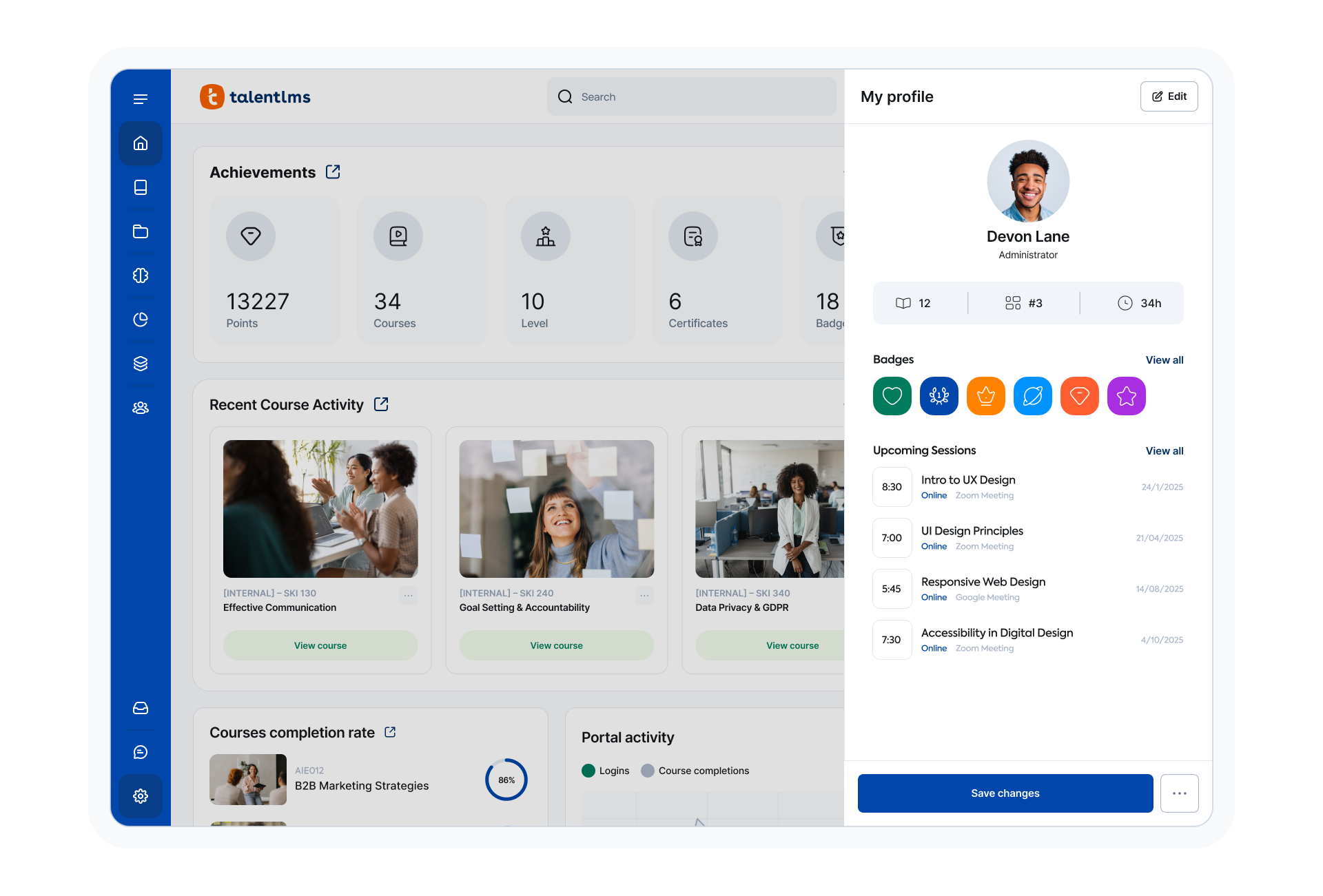
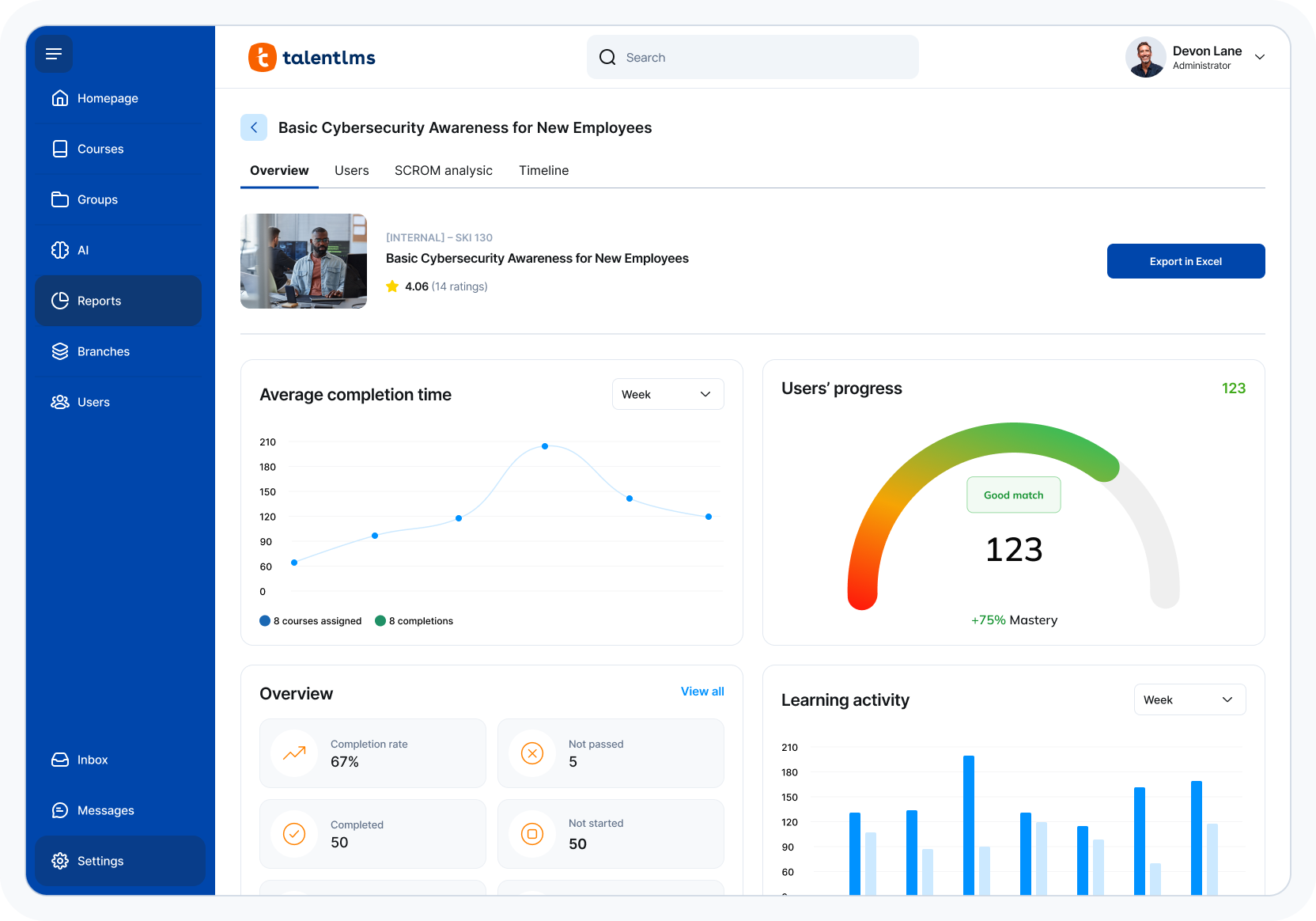
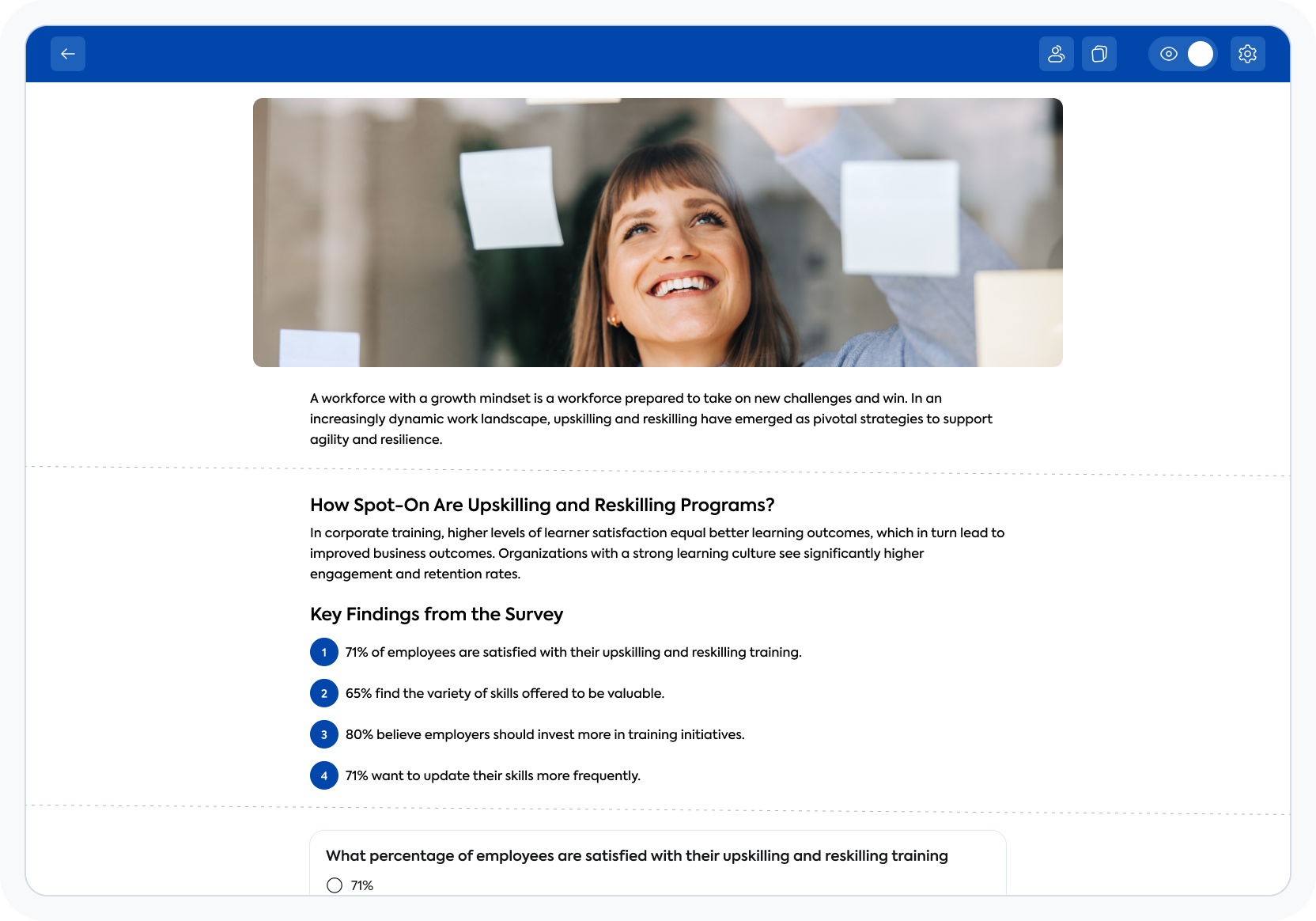
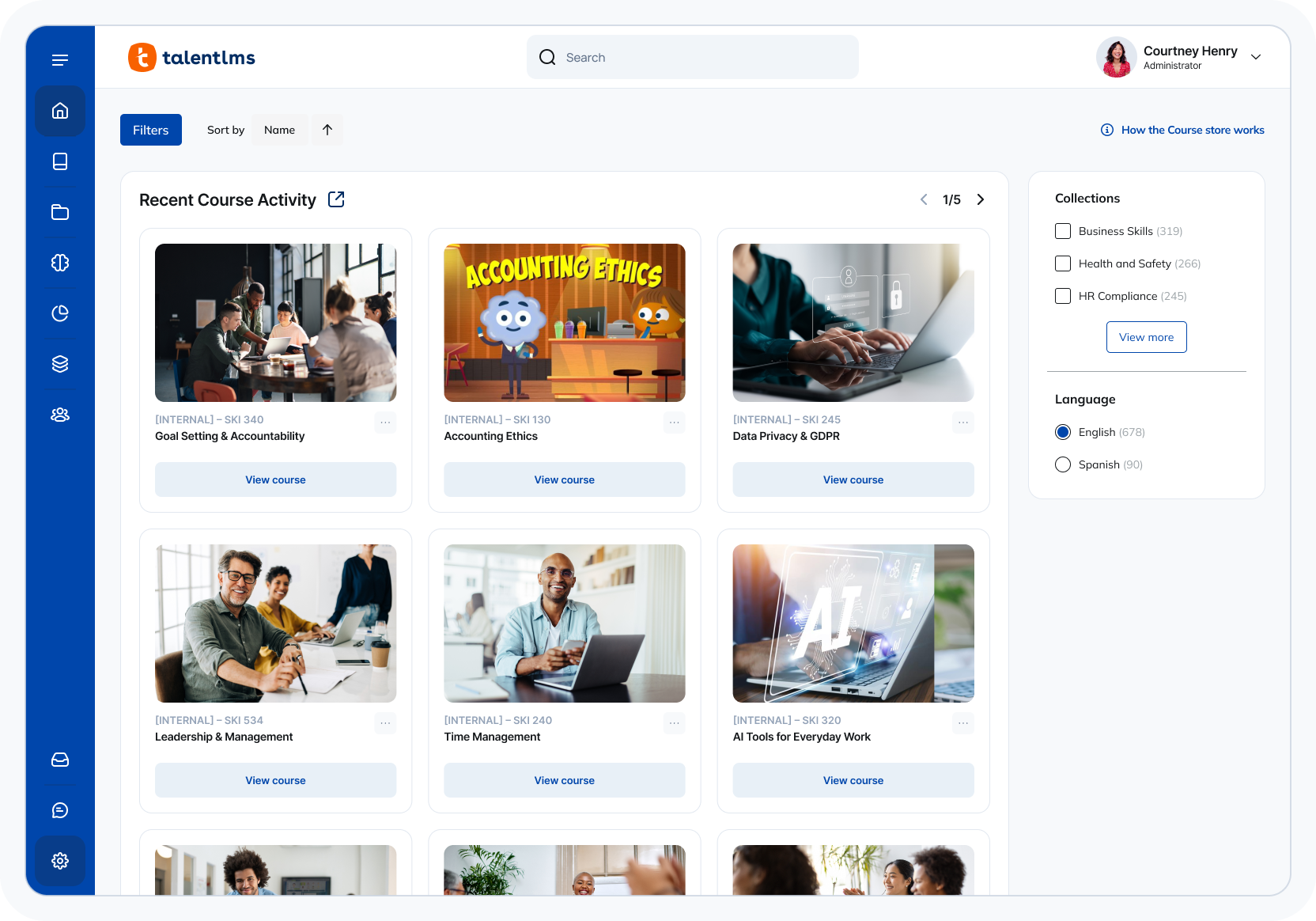
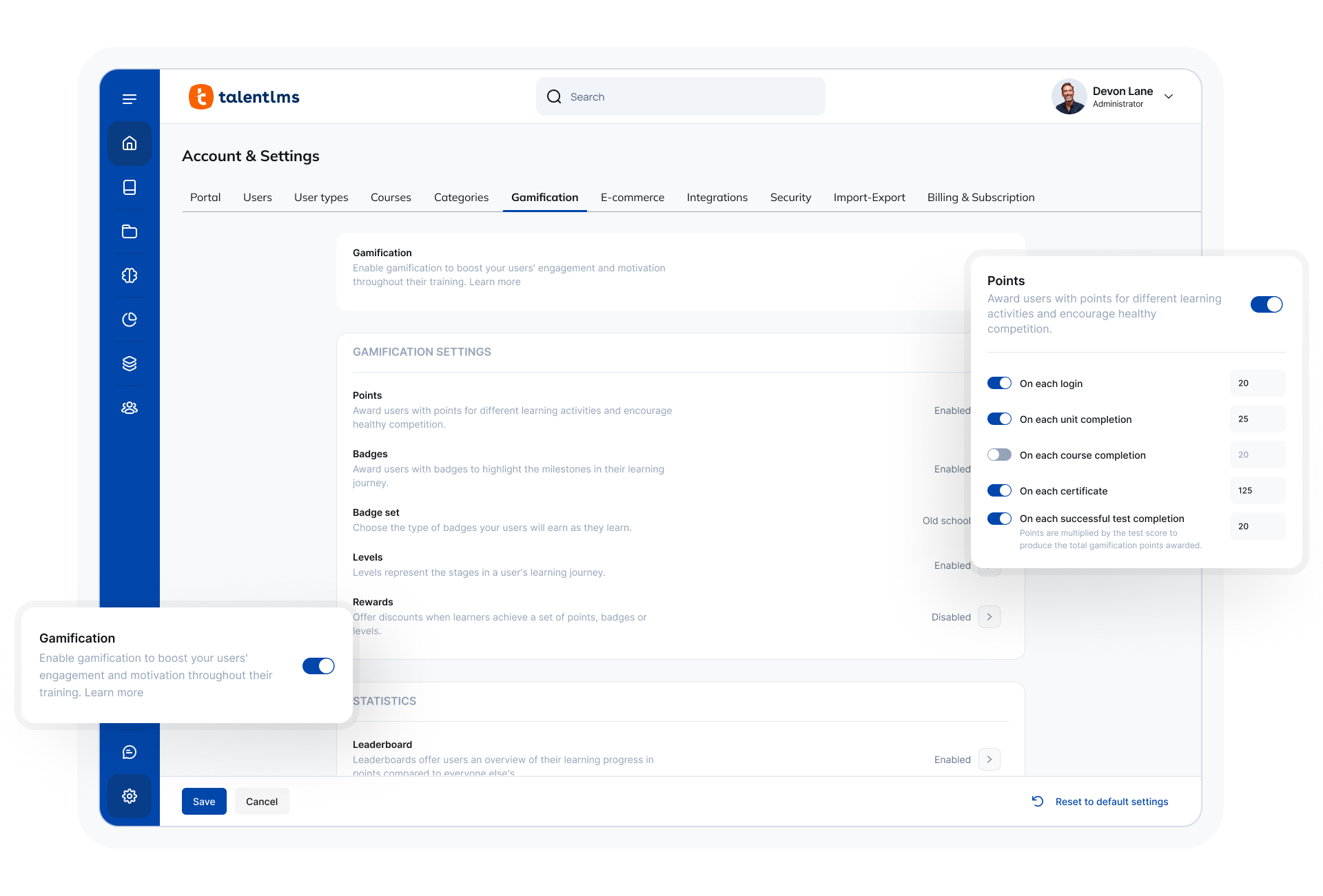
Screenshot of TalentLMS' learner view of a courseScreenshot of TalentLMS' training reportsScreenshot of TalentLMS's AI-powered Content CreatorScreenshot of the TalentLMS dashboardScreenshot of where to customize the TalentLMS portal

Moodle Screenshots

Screenshot of Moodle offers activities and resources to create courses.Screenshot of The course dashboard shows the courses which an student is enrolled in.Screenshot of Inside a course view shows the course complete index of activities and resources.
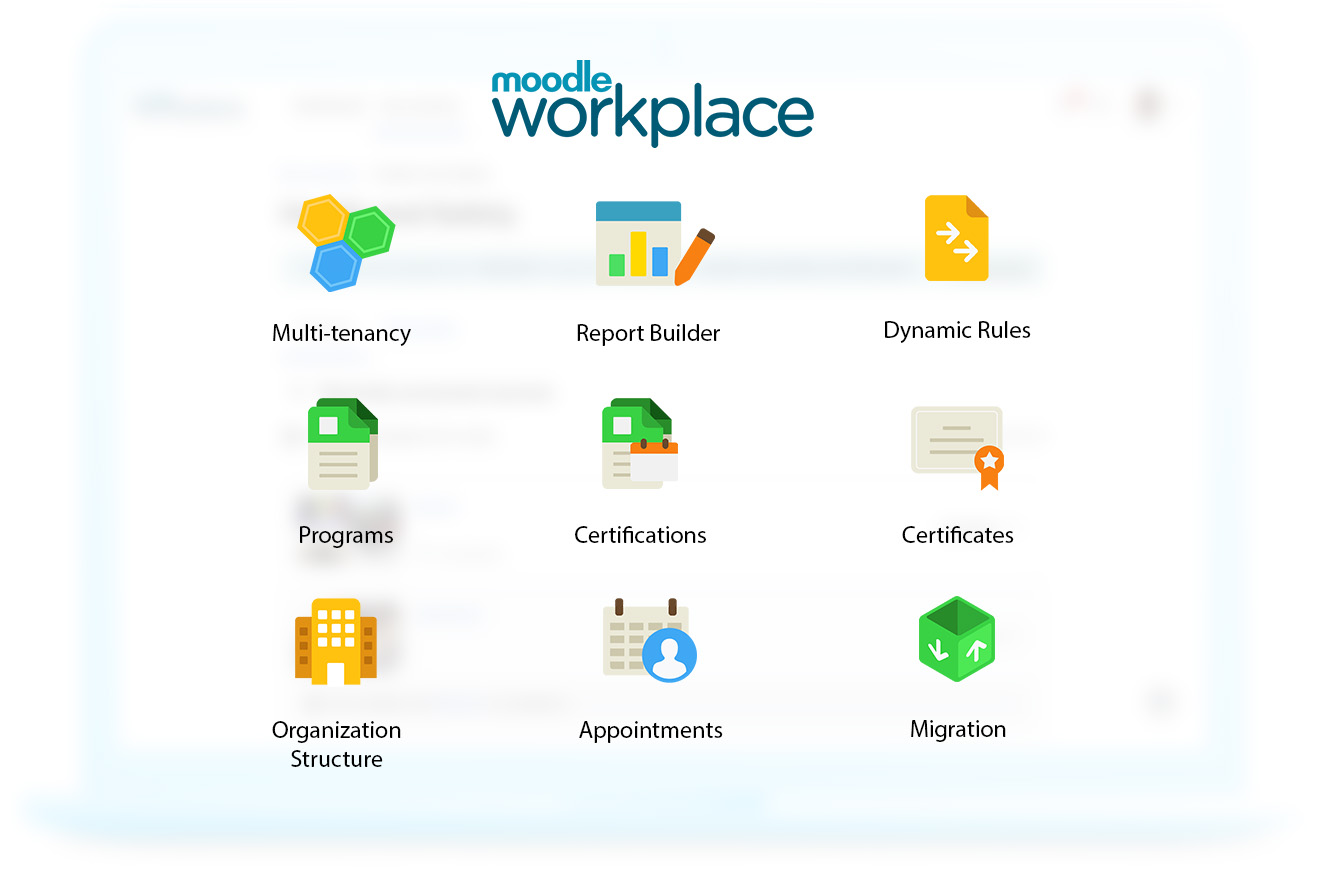
The course view can be customised to be cleaner allowing the student to focus on learning.Screenshot of Moodle Workplace includes all features in Moodle LMS and other exclusive features like multi-tenancy, dynamic rules, and report builder.Screenshot of Programs help users stay up-to-date with compliance, and help with designing learning paths for a teams so that they can develop the right competencies. Certificates can also be issued to validate learning and compliance.Screenshot of Dynamic Rules help to avoid the tedious tasks and create and manage automated rules for several groups of users. Learning experiences based on location, department, position, roles and other criteria are available.